CapBudget: Budget Planner
Expense tracker and family budget planner. Free phone sync, no account.


CapBudget is a budget planner and expense tracker for your household and family budget. Everything stays on your device: no account, no sign-up, no cloud account, no ads, no tracking - and it works fully offline. Free.
What CapBudget does
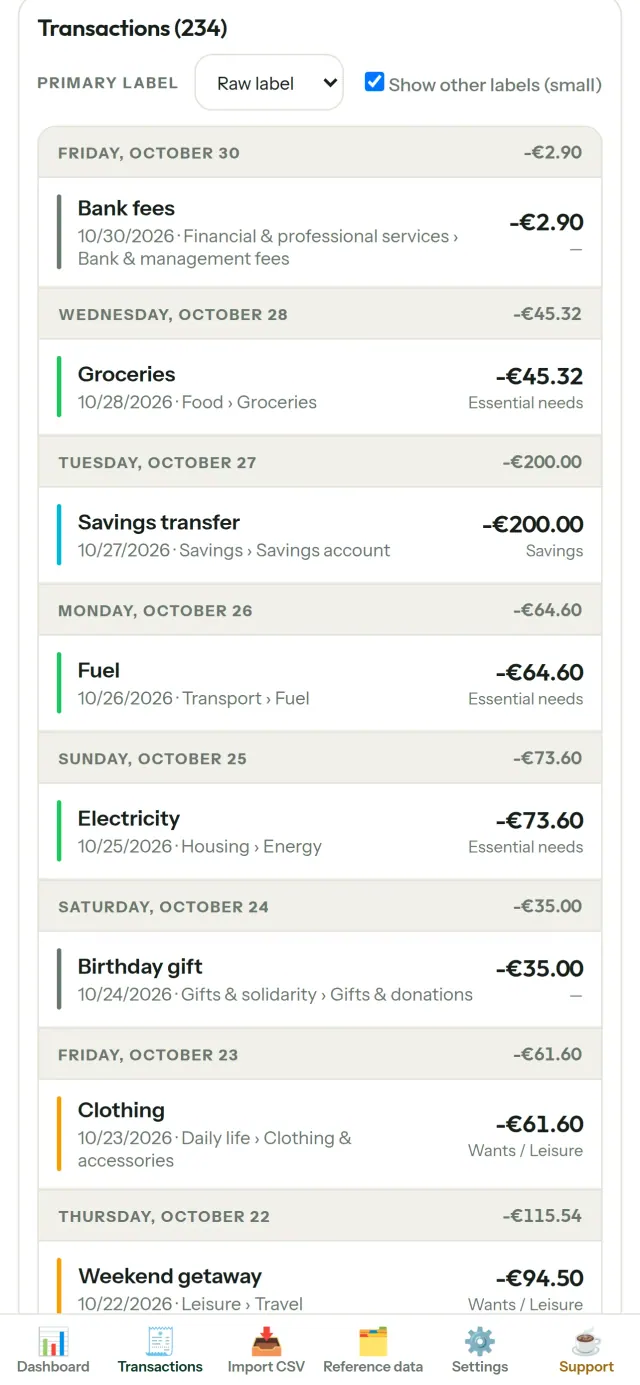
Import your bank exports
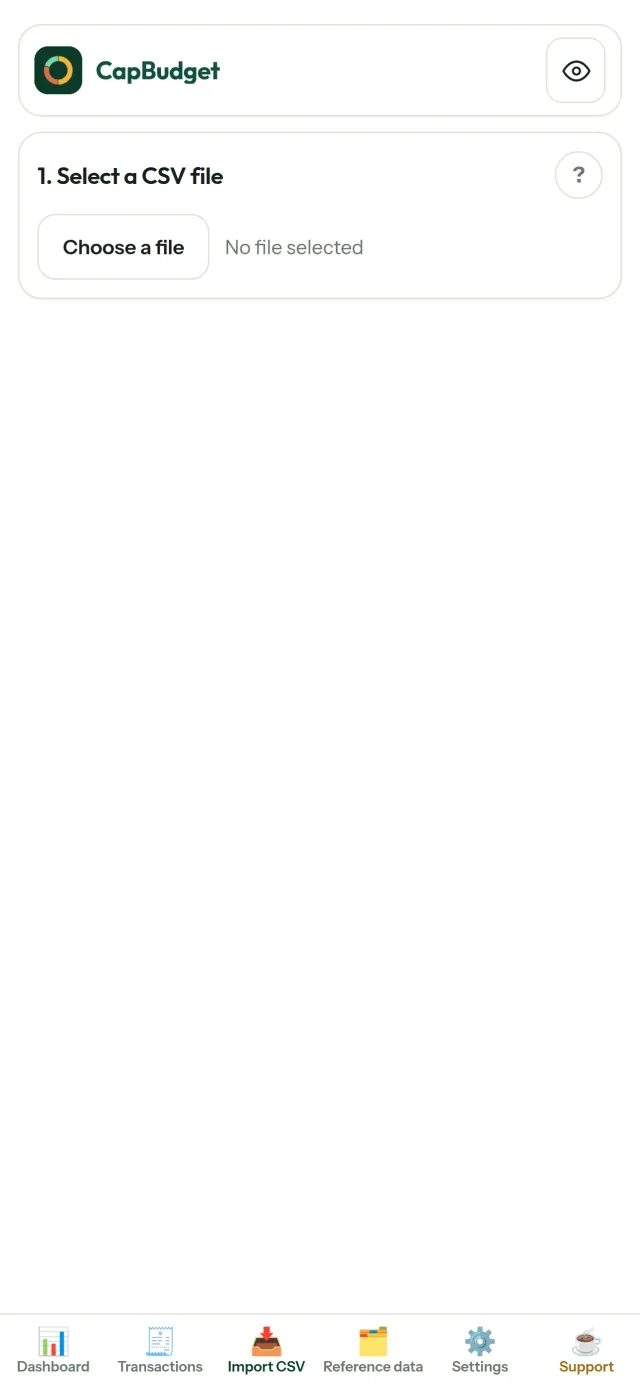
Bring in a CSV file from any bank. Map its columns once, preview what will be imported - with duplicate detection and strict date checks - then confirm. Nothing is guessed silently.
Let rules do the sorting
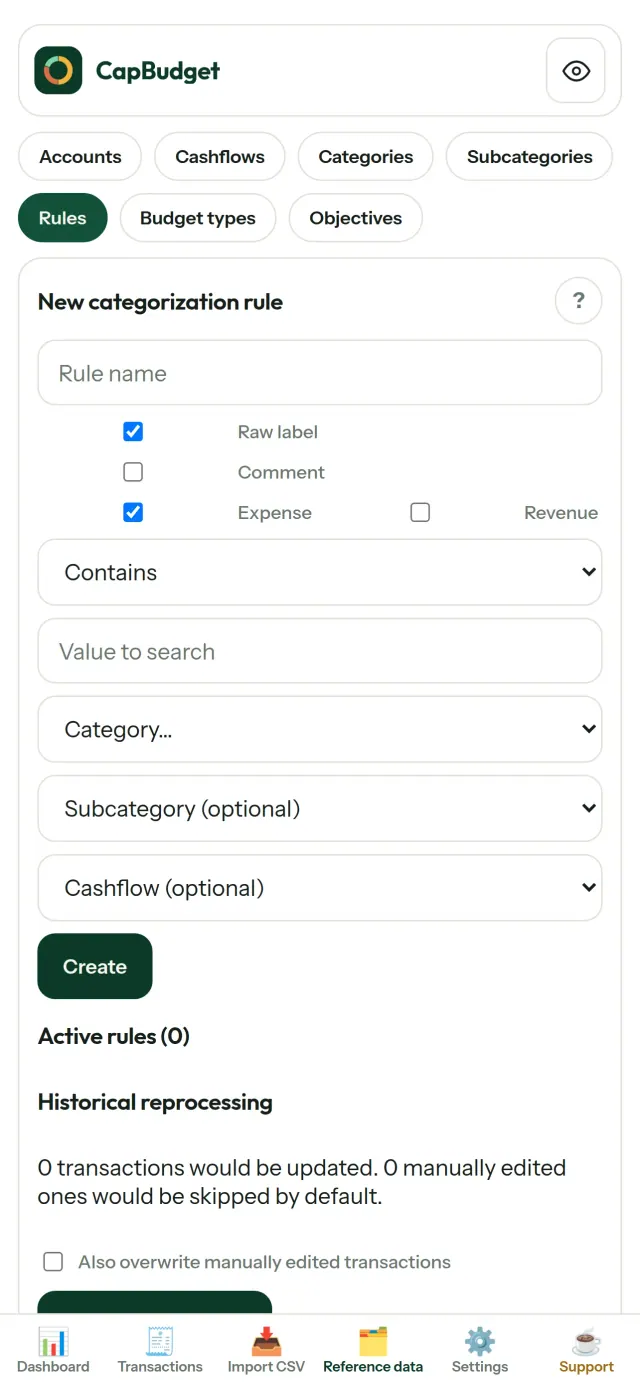
Create simple rules ("contains RENT → Housing / Rent") and CapBudget categorizes your transactions for you. Re-run them on past transactions whenever you like - your manual corrections are never overwritten.
See where your money goes
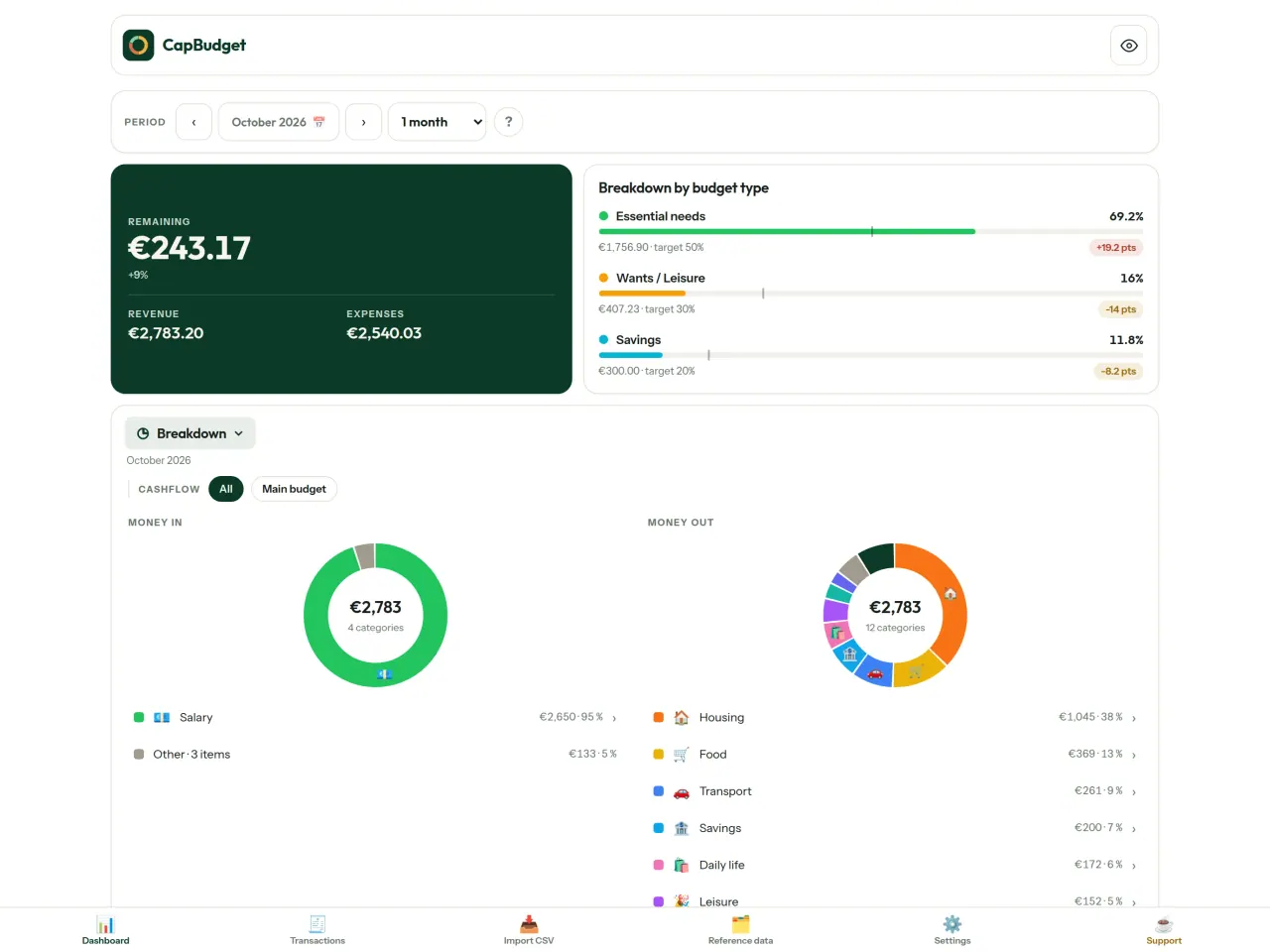
Filter by month range, cashflow or category, and export any chart as an image.
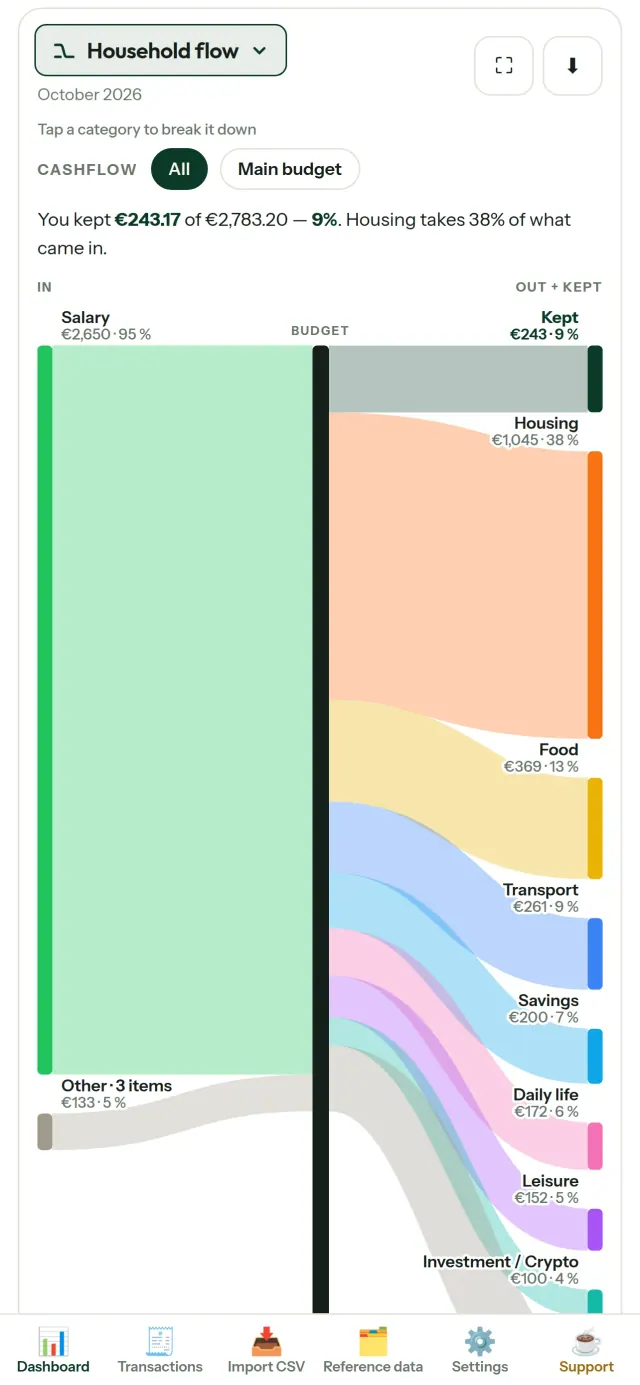
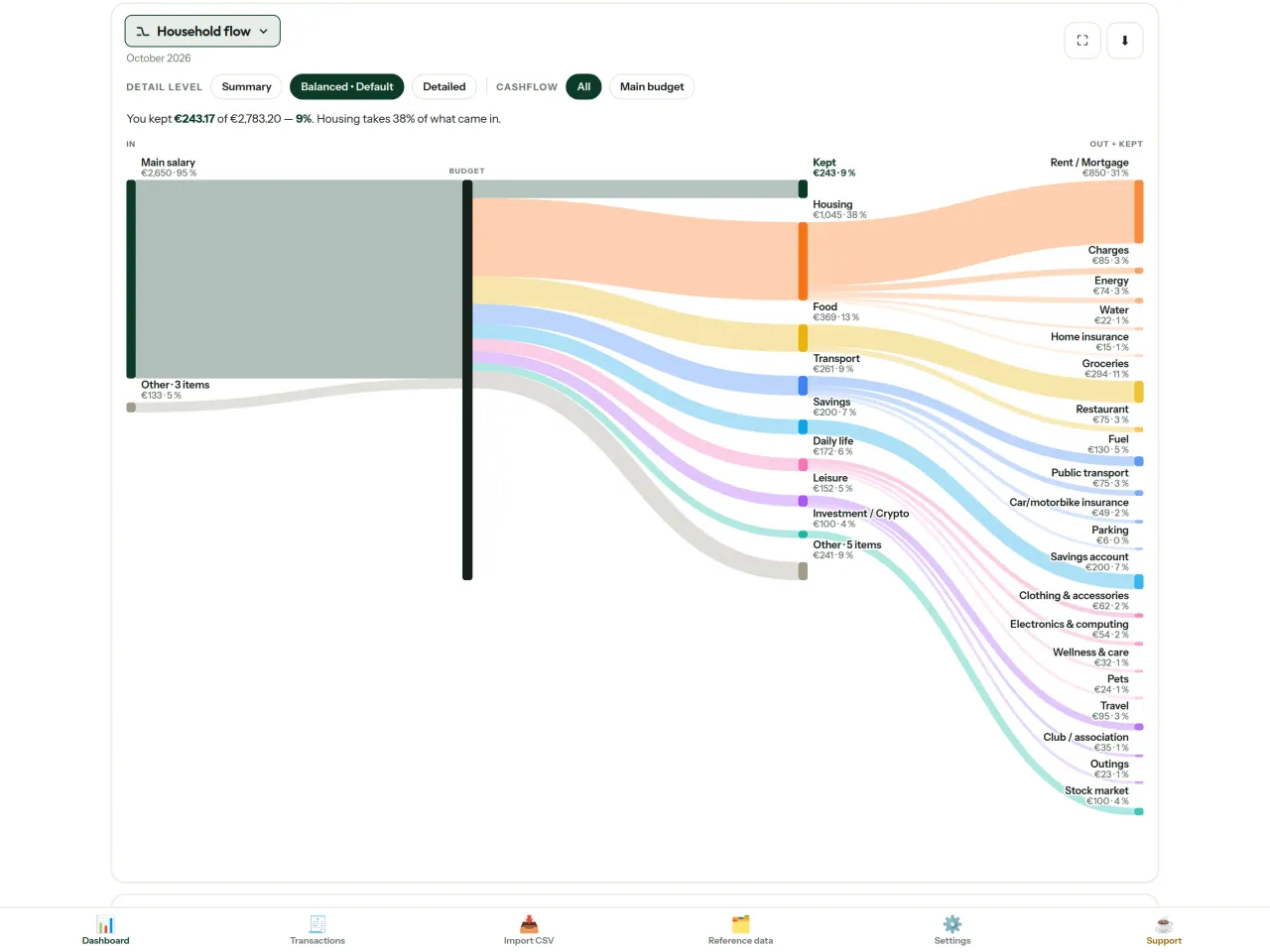
- Household flow: a Sankey diagram from income to categories to what's left
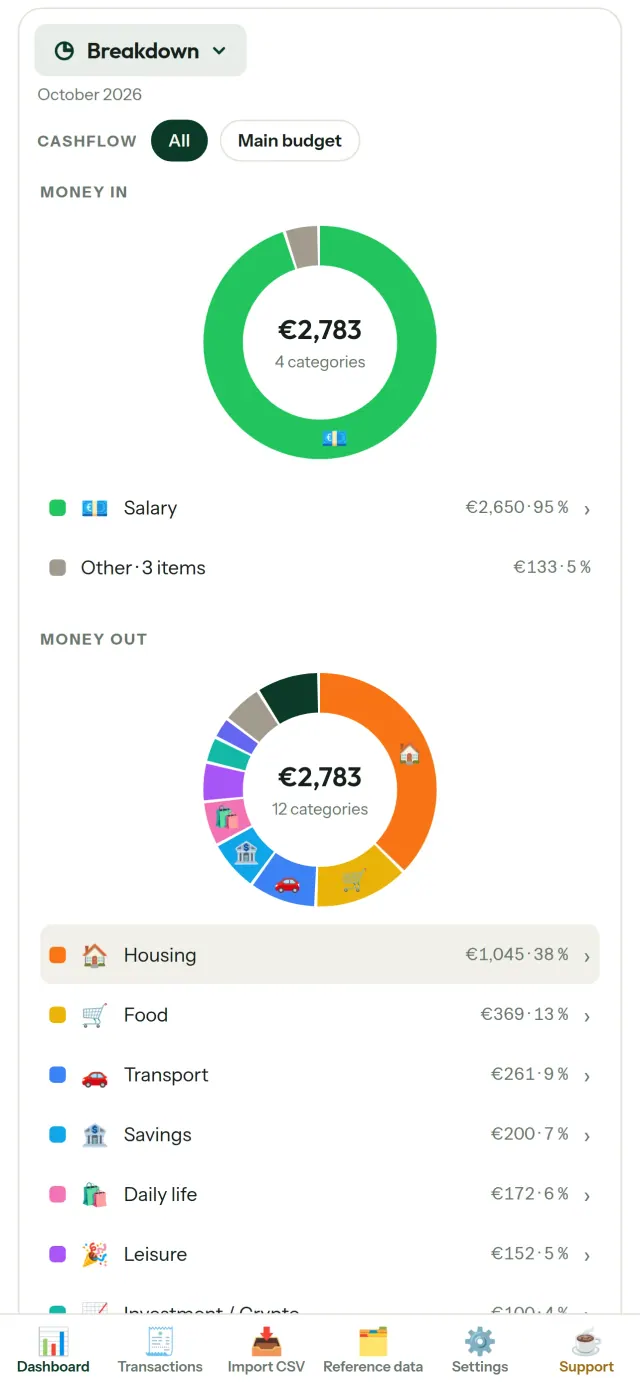
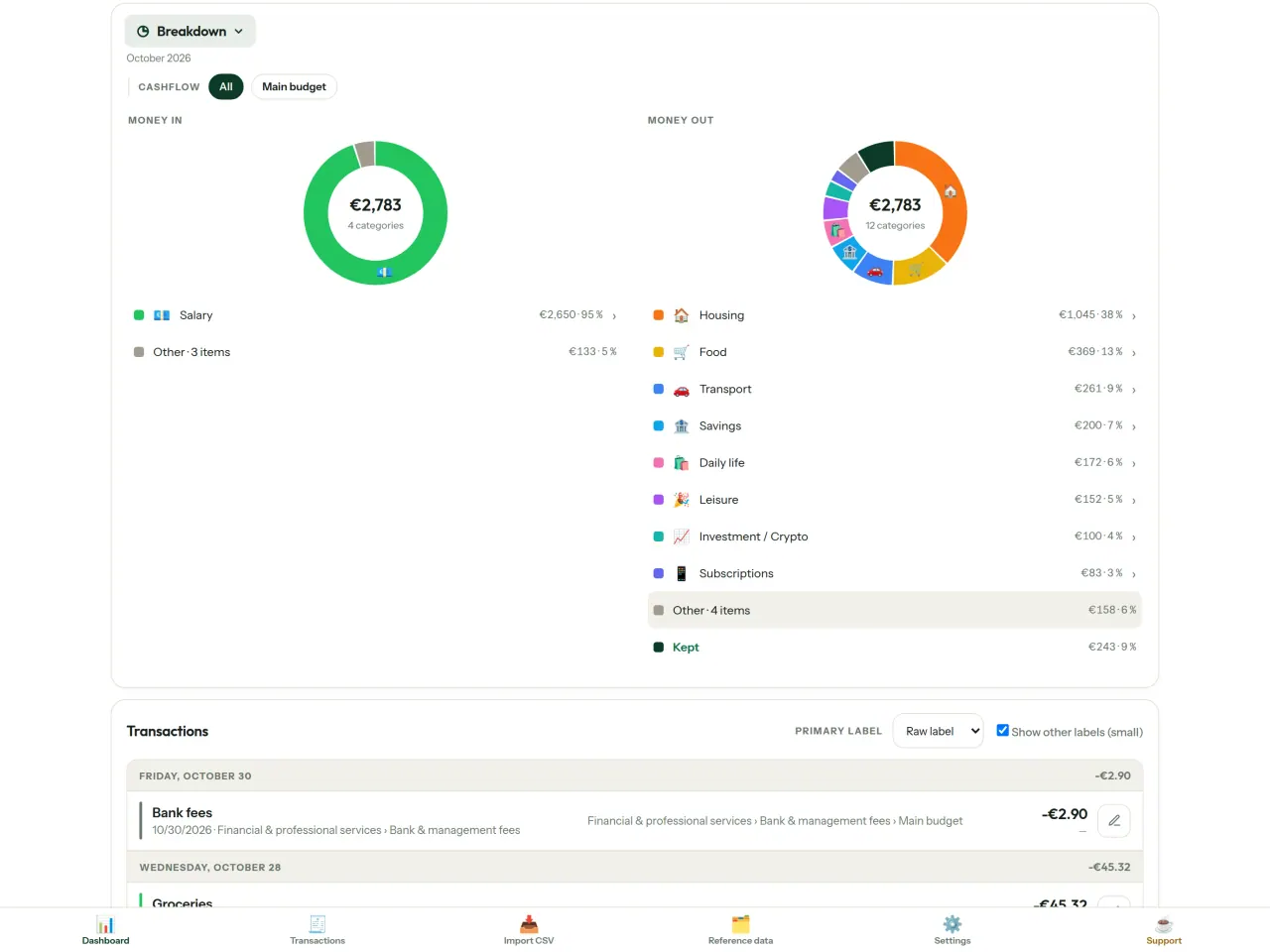
- Breakdown: income and spending by category, tap to drill down
- Where the money goes: a spending cascade, biggest first
- The month draining: what's left, day by day
- Your pace: each month compared to a steady burn
Budget targets
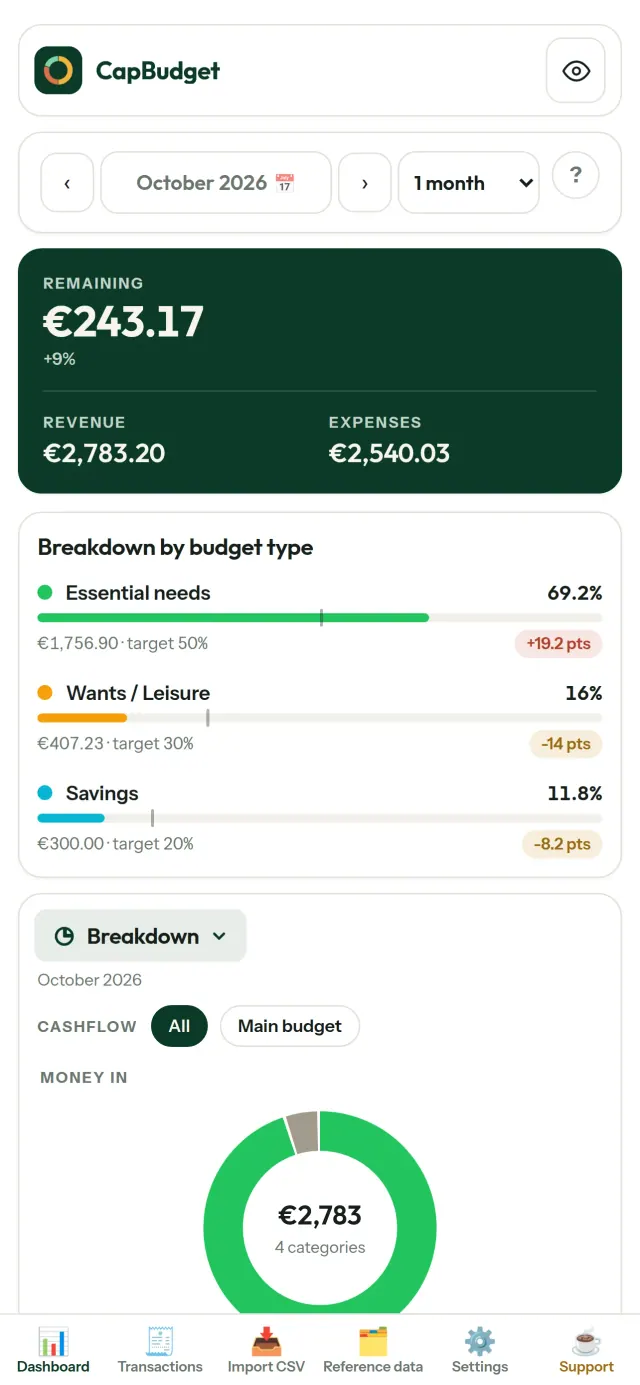
Compare your monthly spending with the 50/30/20 rule - needs, wants, savings - or set your own percentages, and see target versus reality.
Your month, your way
Your budget month can start on any day, so it matches when your salary actually lands. Customize categories, subcategories and cashflows.
Optional sync between your phones
Sync is off by default: if you never turn it on, nothing changes and CapBudget stays 100% local. If you turn it on, your phones exchange their changes through a relay server run by Pixeon. Everything is encrypted on your phone before it is sent, and only your paired phones hold the keys, so the relay cannot read your data. It only sees technical information such as message sizes and times. Phones are paired by scanning a QR.
Your data stays yours
Everything lives in a single file on your device. Export a backup whenever you want and keep it wherever you like. Nothing is uploaded unless you turn on sync.
With light and dark themes.
Who it is for
- Households and families who want to follow their budget from the CSV exports of their bank.
- People who do not want to hand over their bank credentials or create an account to track their spending.
- People tired of data leaks who want to take back control of their financial data: here it stays on the phone (the optional sync between your phones is end-to-end encrypted), so no server holds your data in readable form.
- People who follow the 50/30/20 rule, or whose budget month starts on the day the salary lands.
Why choose CapBudget
- Local first: no account, no cloud, no ads, no tracking. Your transactions stay in one file on your device.
- Works fully offline, and is free.
- Imports the CSV of any bank, with duplicate detection and strict date checks. Categorization rules never overwrite your manual corrections.
What it does not do yet
- No automatic bank synchronization yet. You import a CSV export from your bank.
- Sync between your own phones is optional (end-to-end encrypted, up to 5 phones); there is no cloud account and no web version.
Pixeon principle. Pixeon apps are local first: no account, no tracking, and your data stays on your phone. If an app ever connects to the network, it is only when you choose to turn on a feature you need, and the privacy policy is updated before it ships.
See CapBudget in action.
Get CapBudget.
Free on iPhone and Android.
Privacy policy
Last updated: 2026-11-03
CapBudget is a local-first budgeting app. The short version: nothing leaves your device unless you turn on sync between your own phones, and even then it is end-to-end encrypted. We collect nothing.
What data the app handles
Everything you put into CapBudget (bank transactions, account references,
categories, categorization rules, budget targets, and app settings) is
stored only in a single SQLite database on your device
(household.sqlite), in the app's own private storage. There is
no account and no login.
What we collect
Nothing. No analytics or usage tracking, no advertising or advertising identifiers, no crash or diagnostics reporting, no third-party SDKs that phone home. Without sync the app makes no network calls to any Pixeon service and functions fully offline.
Sync between your phones (optional)
Sync is off by default. If you link two or more phones in Settings > Sync, changes travel through a relay server run by Pixeon on Cloudflare. Everything is encrypted on your phone with a key that only your linked phones hold (it is exchanged by QR code, phone to phone, and never sent to the server). The relay stores only encrypted messages and an encrypted copy of the budget for a phone that joins; it cannot read them. It necessarily sees technical metadata: random channel and device identifiers, message sizes and times, and IP addresses (used for rate limiting, not logged). Removing a phone changes the key; stopping sync on every phone deletes the channel, and inactive channels are purged. No account, name, e-mail or phone number is involved. Sync is free.
CSV imports
When you import a bank CSV export, the file is parsed on your device. It is not uploaded anywhere and is not retained by the app unless you choose “keep” during import.
Backups
You can export a backup from Settings. The backup is a file you control. CapBudget does not upload it and has no access to wherever you save it.
Permissions
The app requests no location, contacts, microphone, or other sensitive permissions. The camera is used only if you scan a sync QR code; the image is processed on the phone and never stored or sent.
Optional tips
CapBudget is free. If you wish, you can leave the developer an optional tip; a tip never unlocks anything. In the iOS and Android apps this uses the store’s in-app purchase (Apple or Google Play): the payment is processed entirely by the store under its own terms and privacy policy, and CapBudget never sees your payment details, your account or your purchase history, and receives no personal information. The Android app declares the Google Play billing permission for this. In a web browser a button opens an external donation page in your browser; that page is operated by a third party under its own privacy policy, and nothing from the app is sent to it.
Bank-account references
An account number/IBAN from your CSV is stored to group transactions by account, kept only on your device. In the UI only the last 4 characters are shown.
Contact form on this website
If you write to us through this site, we use your message and the email address you optionally give only to reply. Bot protection is provided by Cloudflare and email delivery by Resend.
Language choice on this website
When you choose a language, or when this site opens a page in your browser's language, it stores
one small functional cookie (pxl, a language code, one year) so that your choice is
remembered. If this site suggests a page in your browser's language and you close that suggestion,
your browser also keeps a local note (pxl-banner-off, in local storage, 30 days) so the
suggestion does not come back. Neither identifies anyone, neither is used for tracking or advertising,
and neither is shared. You can delete them in your browser at any time.
Website statistics
This website uses Cloudflare Web Analytics to count visits (pages viewed, country, browser type, loading speed). It sets no cookie, does not use local storage, does not fingerprint your device, does not follow you across sites and does not build a profile of you. Search engines (for example Google Search Console) give us aggregated search statistics, without any data about individual visitors. Our own web server also counts the pages it serves: for each page it keeps the page address, the site or social network that sent you (only its name, or the campaign tag written in the link), the country, the type of device and whether the request came from a robot. It keeps no IP address, no identifier and no cookie, and these counts are anonymous. We use no advertising or other analytics service. None of this concerns the app itself, which collects nothing.
Delete your data
CapBudget keeps your data on your phone only. To delete it, open Settings and use Delete all my data (it erases the database and every preference, and the app starts again as on first launch), or uninstall the app. If you used sync, open Settings > Sync and choose Stop syncing on this phone on every linked phone: when the last linked phone stops, the encrypted channel and the encrypted copy of the budget are deleted from the relay. Delete all my data also leaves sync first. If a phone was offline, or the app was uninstalled without stopping sync, the channel is deleted automatically after 90 days without activity. For any request, write to the support e-mail below.
Children
CapBudget is a general-purpose finance tool and is not directed at children.
Changes
An updated policy will be published at this URL with a new date above.
Contact
Questions about privacy: capbudget-contact@pixeon.net
Support
Last updated: 2026-10-08
CapBudget is a small independent app that keeps your budget on your device: no account, no sign-up, and no server that can read your data (the optional sync between your phones is end-to-end encrypted). Answers to the most common questions are below.
We do our best to reply within a few days. To help us, tell us your device model, its system version and what you were doing. Please do not send real bank data or account numbers.
Where is my data stored?
Only on your device, in the app's own private storage. There is no CapBudget account, so nobody, including us, can read or recover your data. If you turn on the optional sync between your phones, an end-to-end encrypted relay carries it and cannot read it. Details in the privacy policy.
How do I back up my data or move to a new phone?
- Open Settings → Backup & restore → Download a backup. You get a
.sqlitefile: keep it wherever you like (Files, a cloud drive, your computer). - On the new device, install CapBudget, open Settings → Backup & restore, choose the file and tap Restore from a backup.
A restore replaces everything currently in the app.
Can I use CapBudget on two phones (sync)?
Yes, it is optional. On the first phone open Settings → Sync and tap Invite a phone. On the second phone tap Join a budget and scan the QR code. Both phones show a 4-digit code: if they match, allow the new phone. Your changes are then kept in sync between your phones (up to 5). Everything is encrypted on the phones: the relay server only carries data it cannot read. The QR code expires after 5 minutes. To remove a phone, open Settings → Sync and tap Remove next to it; the encryption key then changes. Details in the privacy policy.
I deleted the app or lost my phone: can my data be recovered?
Not unless you exported a backup: the data lives only on the device. Download a backup regularly.
How do I import my bank's transactions?
Export a CSV file from your bank's website, then open the Import CSV tab, choose the file, map its columns once, check the preview (duplicates and invalid dates are flagged) and confirm. Nothing is imported until you confirm.
Can transactions be categorized automatically?
Yes. In Reference data → Rules, create rules such as "label contains RENT → Housing / Rent". You can re-apply them to past transactions at any time; transactions you edited by hand are protected unless you explicitly choose to overwrite them.
How do I change the language, the theme or the start day of my budget month?
The language button is in the top bar. The theme and the day your budget month starts are in Settings. CapBudget is available in English, French, German, Spanish, Portuguese and Italian.
How do I remove the sample data?
Settings → Sample data → Remove sample data. Only the sample transactions are removed, never your own.
Support the project
CapBudget stays free and ad-free. If it is useful to you, you can support its development (optional):
Buy Me a CoffeeEXIF viewer, editor & remover: read, fix or erase photo metadata (GPS, date).
Also from PixeonVaultMarkEncrypted document vault. Watermark documents, remove metadata before sharing.
Also from PixeonLittle RelayBreastfeeding, sleep and starting solids tracker. No account, works offline.
Also from PixeonMenuloopPlan the week's meals, build your grocery list and keep recipes with photos.
Also from PixeonIndie OfficeOffline quotes, invoices and ledger for solo businesses. No account, no ads.