CapBudget: Bütçe
Bütçe ve gider takibi; gelir gider takibi için sade, çevrimdışı bir uygulama.
 YakındaGoogle Play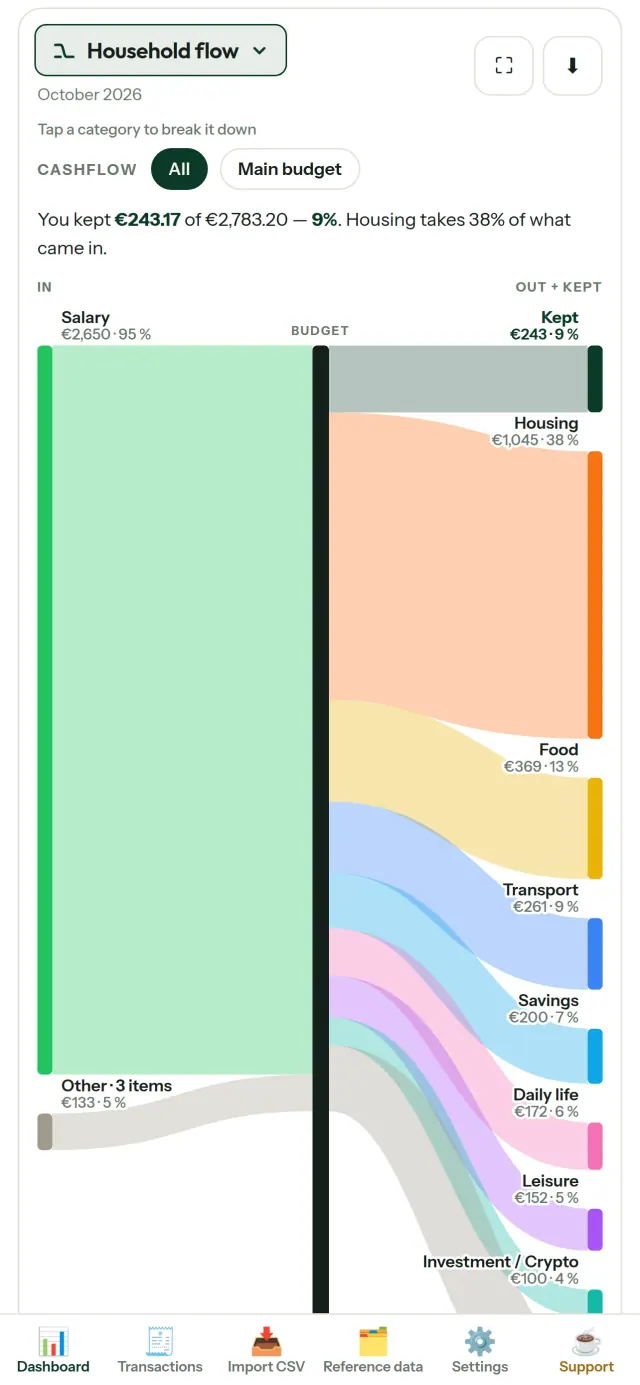
CapBudget, eviniz ve aileniz için bütçe planlaması ve gider takibi uygulamasıdır. Her şey cihazınızda kalır: hesap açmanız gerekmez; bulut, reklam veya takip yoktur. Uygulamayı çevrimdışı kullanabilirsiniz.
CapBudget ne yapar
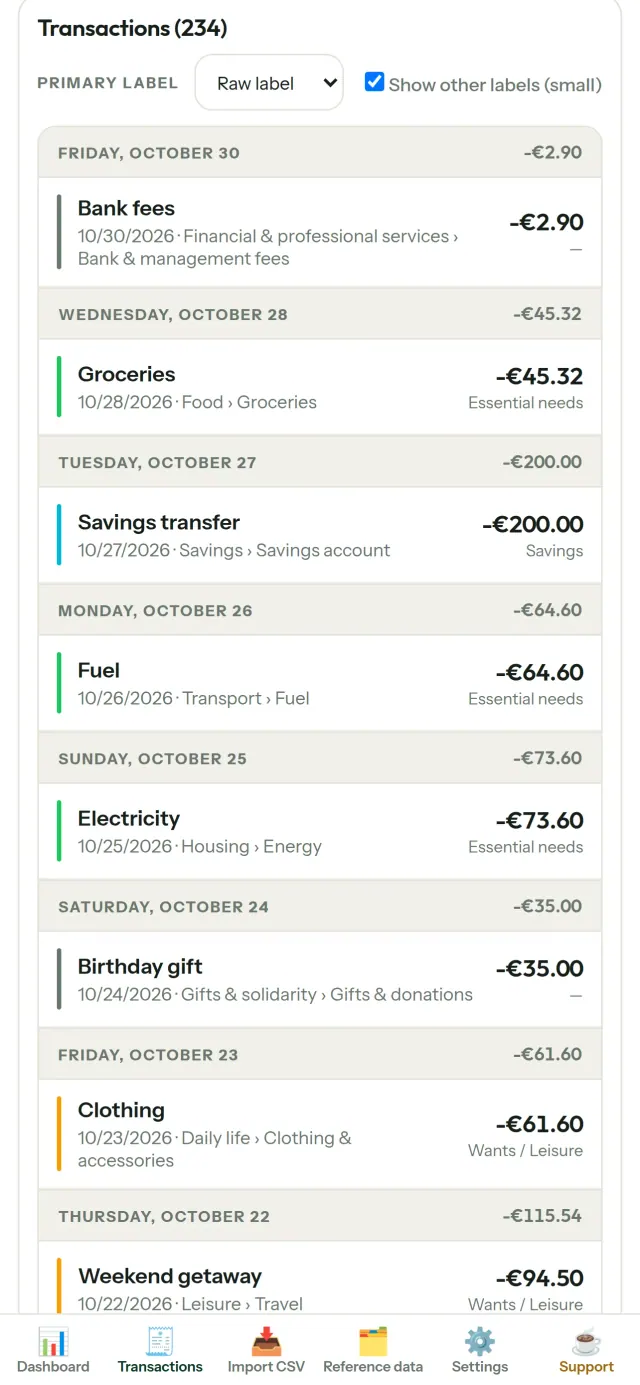
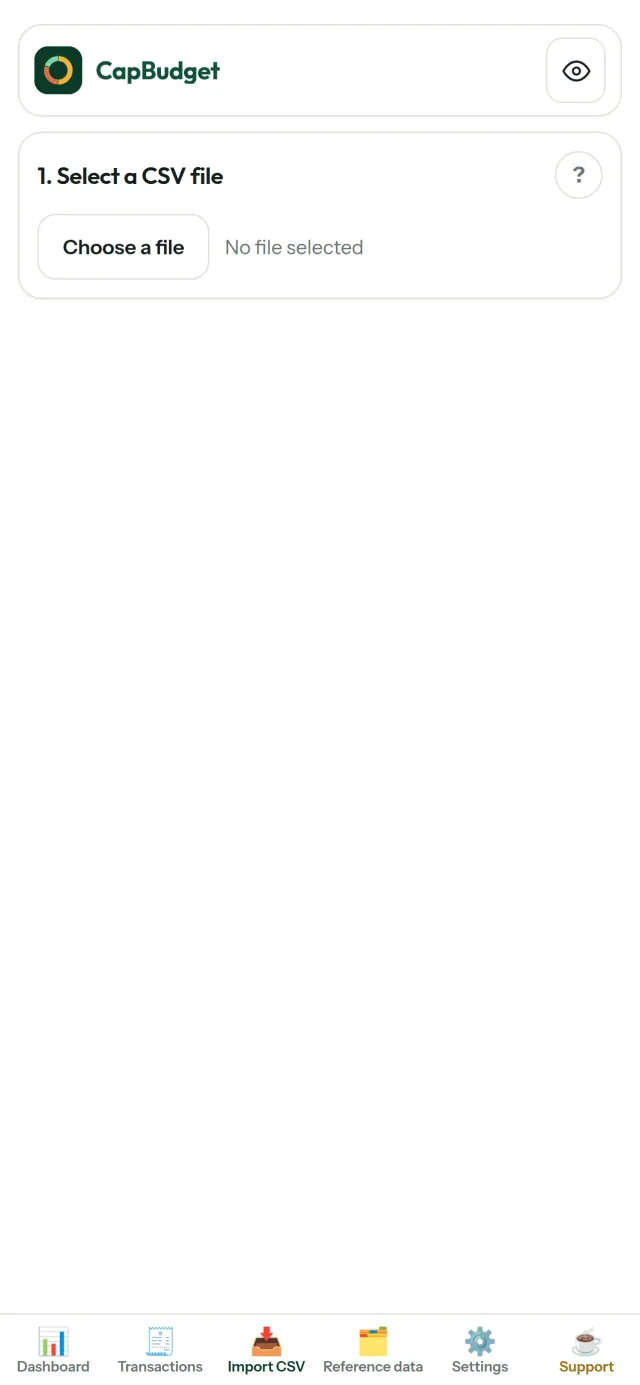
Banka ekstrelerinizi içe aktarın
Bankanızdan aldığınız CSV dosyasını içe aktarın. Sütunları bir kez eşleştirin, aktarılacak kayıtları gözden geçirin ve onaylayın. Yinelenen kayıtlar tespit edilir, tarihler kontrol edilir. Hiçbir bilgi sessizce tahmin edilmez.
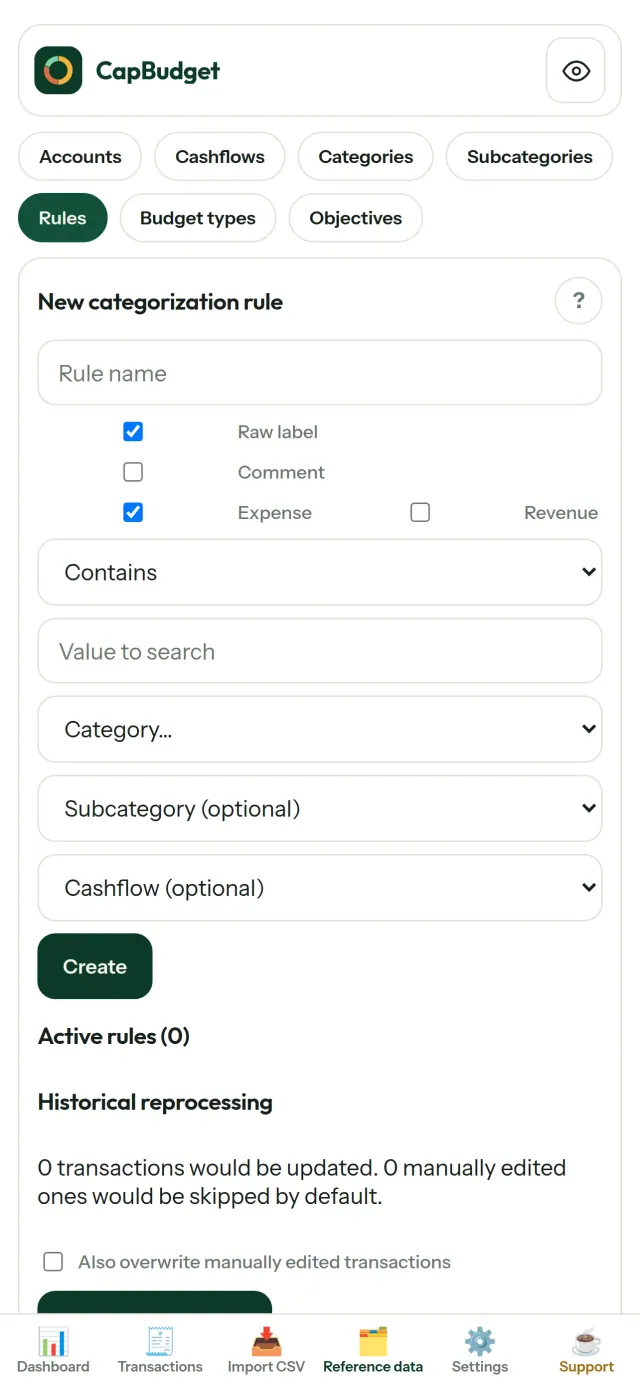
Kategorileri kurallarla düzenleyin
Basit kurallar oluşturun (ör. “KİRA içeriyorsa → Konut / Kira”). CapBudget işlemlerinizi sizin için kategorilere ayırır. Kuralları geçmiş işlemlerde istediğiniz zaman yeniden çalıştırabilirsiniz; elle yaptığınız düzeltmeler korunur.
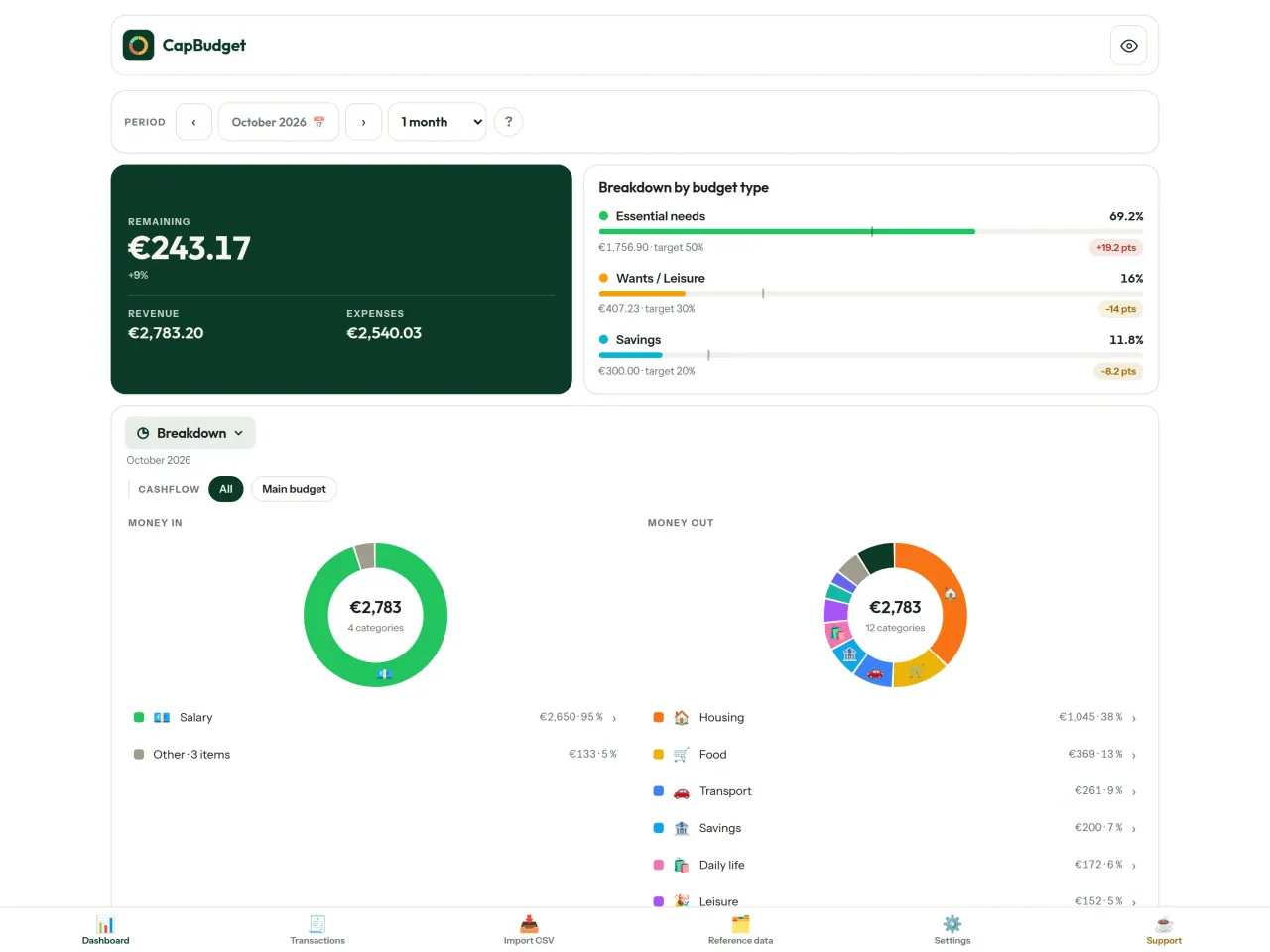
Paranızın nereye gittiğini görün
Ay aralığına, nakit akışına veya kategoriye göre filtreleyin; grafikleri görsel olarak dışa aktarın.
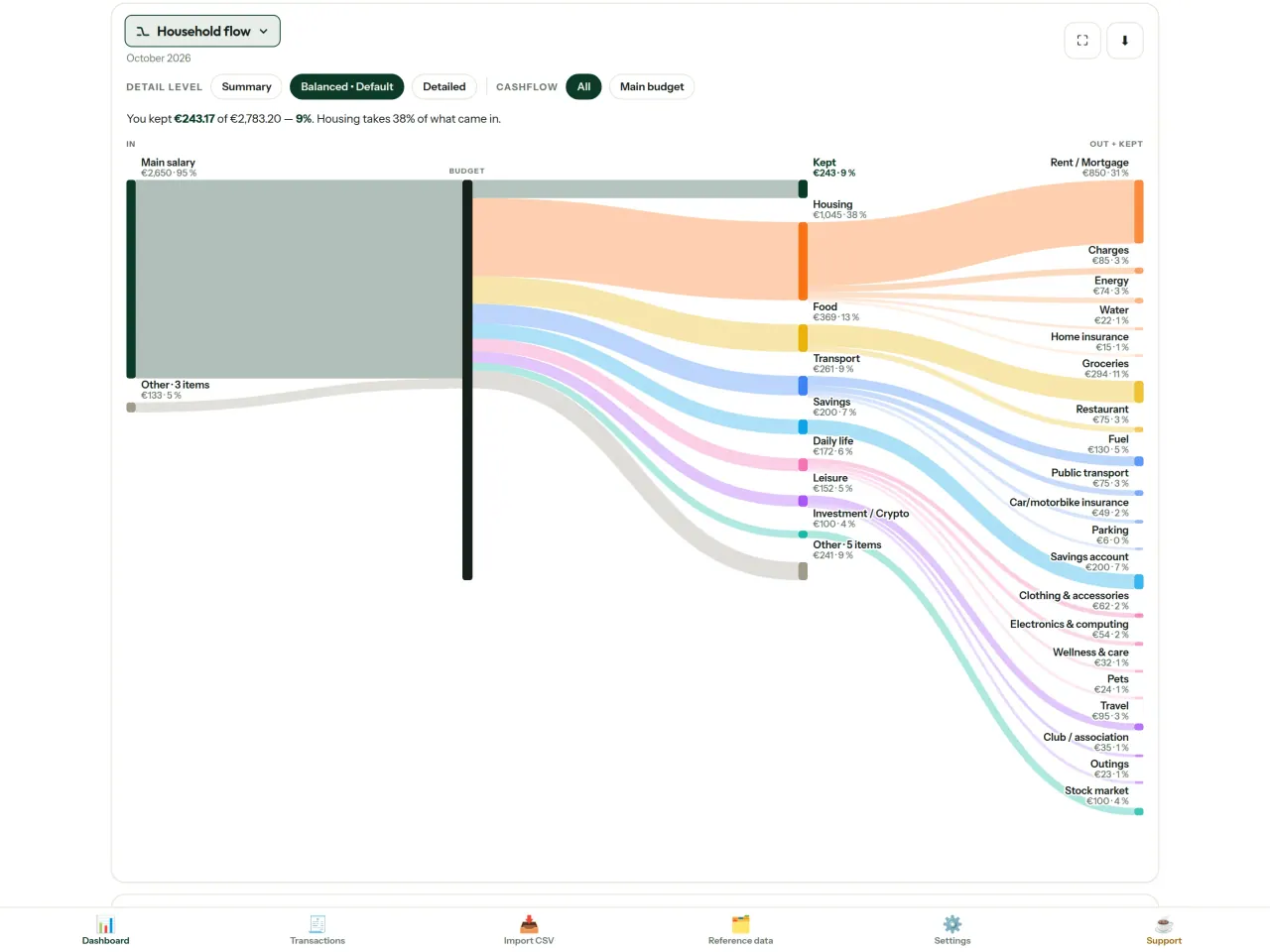
- Ev bütçesi akışı: gelirden kategorilere ve kalan tutara uzanan Sankey grafiği
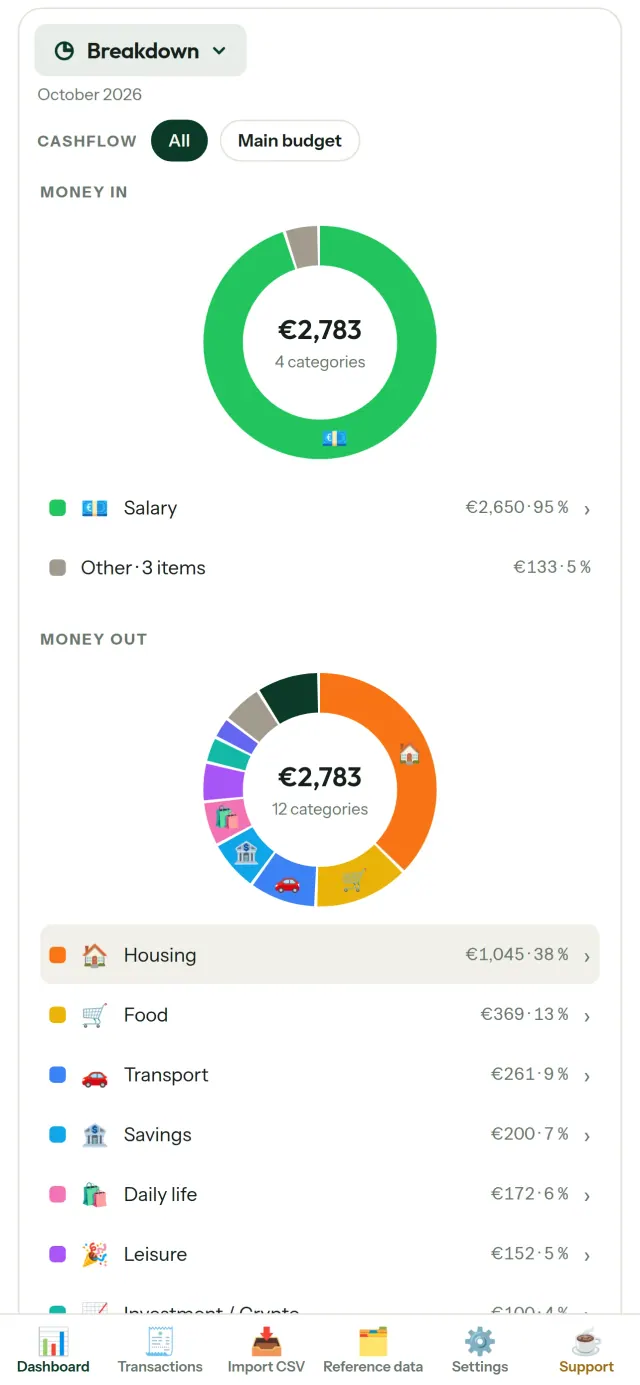
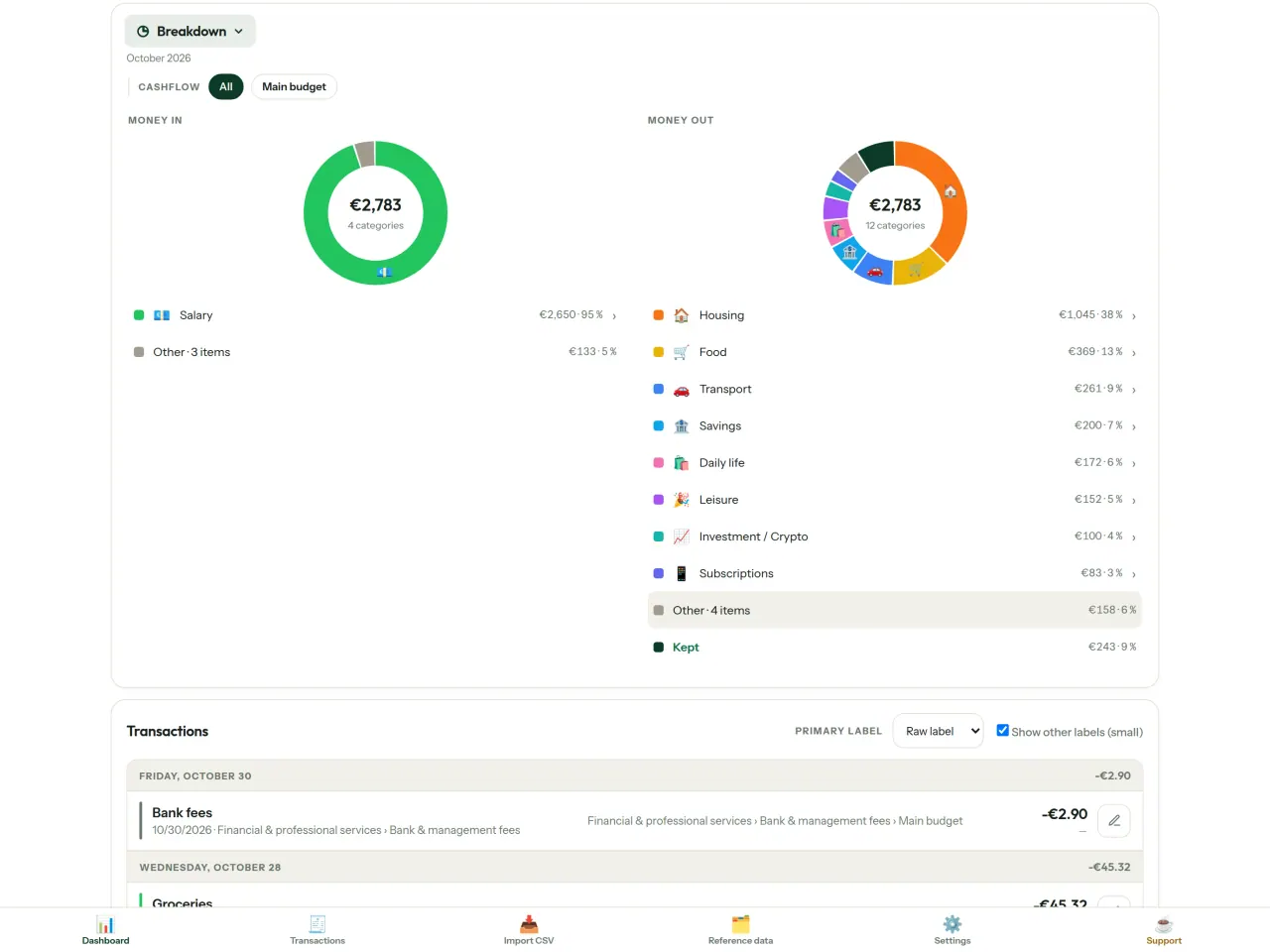
- Dağılım: kategoriye göre gelir ve harcamalar; ayrıntıları görmek için dokunun
- Harcamalar: en yüksek tutardan başlayarak sıralı görünüm
- Ayın seyri: gün gün kalan tutar
- Harcama hızınız: her ayı düzenli harcama temposuyla karşılaştırın
Bütçe hedefleri
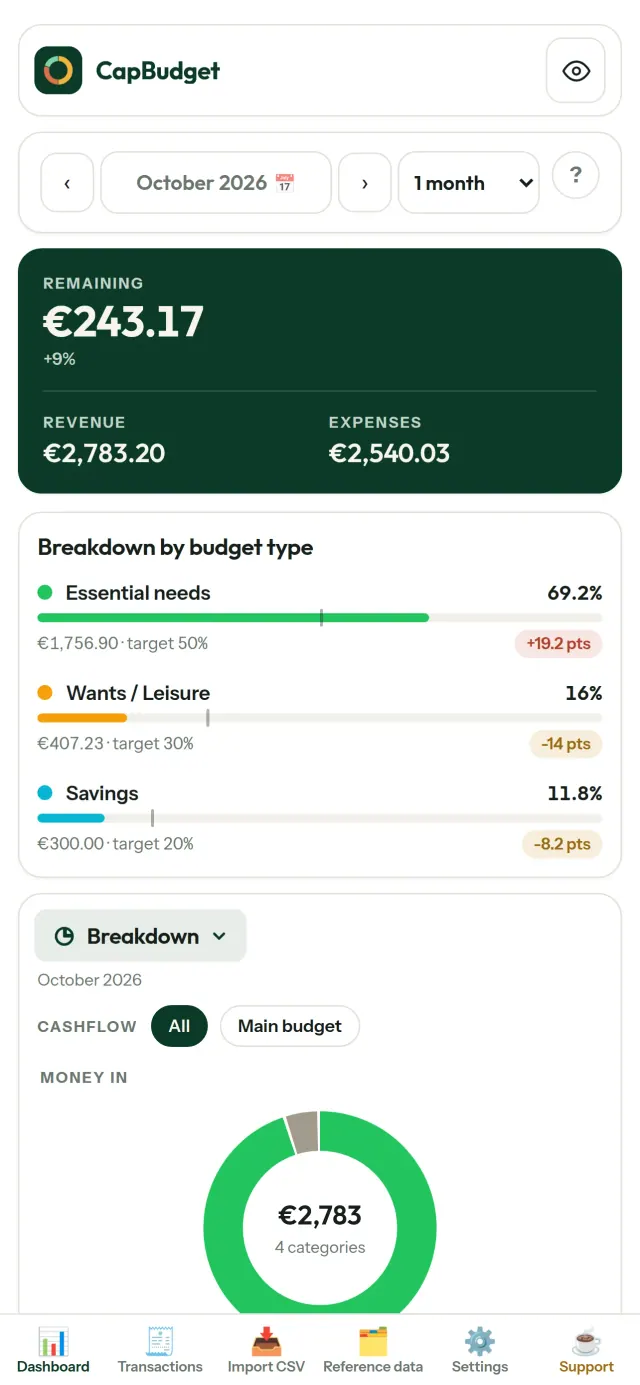
Aylık harcamalarınızı 50/30/20 kuralındaki ihtiyaç, istek ve birikim oranlarıyla karşılaştırın veya kendi yüzdelerinizi belirleyin. Hedefleriniz ile gerçekleşen tutarları yan yana görün.
Ayınızı kendinize göre ayarlayın
Bütçe ayınız istediğiniz gün başlayabilir; böylece maaşınızın yattığı tarihle uyumlu olur. Kategorileri, alt kategorileri ve nakit akışlarını özelleştirin.
Verileriniz sizde kalır
Her şey cihazınızdaki tek bir dosyada saklanır. İstediğiniz zaman yedek alın ve dilediğiniz yerde tutun. Verileriniz hiçbir zaman yüklenmez.
CapBudget ile bütçe yönetimi, gelir gider takibi ve aile bütçesi planlama için ihtiyaç duyduğunuz görünümü tek yerde bulabilirsiniz. Açık ve koyu tema seçenekleriyle.
Kimler için
- Bütçelerini bankalarının CSV dışa aktarımlarından takip etmek isteyen aileler.
- Harcamalarını izlemek için banka giriş bilgilerini vermek ya da hesap oluşturmak istemeyenler.
- Veri sızıntılarından bıkmış ve finansal verilerinin kontrolünü geri almak isteyenler: burada veriler telefondan hiç çıkmaz, bu yüzden bir sunucudan sızacak bir şey yoktur.
- 50/30/20 kuralını izleyenler veya bütçe ayı maaşın yattığı günde başlayanlar.
CapBudget neden seçilmeli
- Önce yerel: hesap yok, bulut yok, reklam yok, takip yok. İşlemleriniz cihazınızdaki tek bir dosyada durur.
- Tamamen çevrimdışı çalışır ve ücretsizdir.
- Herhangi bir bankanın CSV dosyasını içe aktarır; yinelenen kayıtları algılar ve tarihleri sıkı biçimde denetler. Kategori kuralları elle yaptığınız düzeltmelerin üzerine asla yazmaz.
Uygulamanın henüz yapmadıkları
- Bankayla otomatik eşitleme henüz yok. Bankanızdan aldığınız CSV dışa aktarımını içe aktarırsınız.
- Birden fazla cihaz arasında eşitleme henüz yok. Verilerinizi taşımak için yedek dışa aktarımını kullanın.
Pixeon ilkesi. Pixeon uygulamaları önce yereldir: hesap yok, takip yok ve verileriniz telefonunuzda kalır. Bir uygulama ağa bağlanıyorsa bu yalnızca ihtiyaç duyduğunuz bir özelliği kendiniz açtığınızda olur ve gizlilik politikası o özellik yayınlanmadan önce güncellenir.
CapBudget uygulamasını hareket halinde görün.
CapBudget'i edinin.
iPhone'da ücretsiz. Android yakında.
YakındaGoogle PlaySupport the project
Aşağıdaki metin İngilizcedir. İngilizce versiyon geçerlidir.
CapBudget is a budgeting app that I develop and maintain on my own, in my spare time alongside my day job. It is a local-first project: your data stays on your device.
No account, no ads, and no tracking.
If you find the app useful, the occasional coffee helps keep me motivated to keep releasing improvements. Buy me a coffee, and thank you for your support, whatever form it takes.
Privacy policy
Aşağıdaki metin İngilizcedir. İngilizce versiyon geçerlidir.
Last updated: 2026-10-06
CapBudget is a local-first budgeting app. The short version: nothing leaves your device, and we collect nothing.
What data the app handles
Everything you put into CapBudget (bank transactions, account references,
categories, categorization rules, budget targets, and app settings) is
stored only in a single SQLite database on your device
(household.sqlite), in the app's own private storage. There is
no account, no login, and no CapBudget server.
What we collect
Nothing. No analytics or usage tracking, no advertising or advertising identifiers, no crash or diagnostics reporting, no third-party SDKs that phone home, no network calls to any CapBudget-operated service (there is none). The app functions fully offline.
CSV imports
When you import a bank CSV export, the file is parsed on your device. It is not uploaded anywhere and is not retained by the app unless you choose “keep” during import.
Backups
You can export a backup from Settings. The backup is a file you control. CapBudget does not upload it and has no access to wherever you save it.
Permissions
The app requests no location, contacts, camera, microphone, or other sensitive permissions, only its own private storage.
Optional tips
CapBudget is free. If you wish, you can leave the developer an optional tip; a tip never unlocks anything. On iOS this uses Apple’s in-app purchase: the payment is processed entirely by Apple, and CapBudget never sees your payment details, your Apple ID or your purchase history, and receives no personal information. On Android and in a web browser a button opens an external donation page in your browser; that page is operated by a third party (Buy Me a Coffee) under its own privacy policy, and nothing from the app is sent to it.
Bank-account references
An account number/IBAN from your CSV is stored to group transactions by account, kept only on your device. In the UI only the last 4 characters are shown.
Contact form on this website
If you write to us through this site, we use your message and the email address you optionally give only to reply. Bot protection is provided by Cloudflare and email delivery by Resend.
Language choice on this website
When you choose a language, or when this site opens a page in your browser's language, it stores
one small functional cookie (pxl, a language code, one year) so that your choice is
remembered. If this site suggests a page in your browser's language and you close that suggestion,
your browser also keeps a local note (pxl-banner-off, in local storage, 30 days) so the
suggestion does not come back. Neither identifies anyone, neither is used for tracking or advertising,
and neither is shared. You can delete them in your browser at any time.
Website statistics
This website uses Cloudflare Web Analytics to count visits (pages viewed, country, browser type, loading speed). It sets no cookie, does not use local storage, does not fingerprint your device, does not follow you across sites and does not build a profile of you. Search engines (for example Google Search Console) give us aggregated search statistics, without any data about individual visitors. We use no advertising or other analytics service. None of this concerns the app itself, which collects nothing.
Children
CapBudget is a general-purpose finance tool and is not directed at children.
Changes
An updated policy will be published at this URL with a new date above.
Contact
Questions about privacy: capbudget-contact@pixeon.net
Support
Aşağıdaki metin İngilizcedir. İngilizce versiyon geçerlidir.
Last updated: 2026-10-06
CapBudget is a small independent app that keeps your budget on your device only: no account, no sign-up, no server. Answers to the most common questions are below.
We do our best to reply within a few days. To help us, tell us your device model, its system version and what you were doing. Please do not send real bank data or account numbers.
Where is my data stored?
Only on your device, in the app's own private storage. There is no CapBudget account and no CapBudget server, so nobody, including us, can see or recover your data. Details in the privacy policy.
How do I back up my data or move to a new phone?
- Open Settings → Backup & restore →
Download a backup. You get a
.sqlitefile: keep it wherever you like (Files, a cloud drive, your computer). - On the new device, install CapBudget, open Settings → Backup & restore, choose the file and tap Restore from a backup.
A restore replaces everything currently in the app.
I deleted the app or lost my phone: can my data be recovered?
Not unless you exported a backup: the data lives only on the device. Download a backup regularly.
How do I import my bank's transactions?
Export a CSV file from your bank's website, then open the Import CSV tab, choose the file, map its columns once, check the preview (duplicates and invalid dates are flagged) and confirm. Nothing is imported until you confirm.
Can transactions be categorized automatically?
Yes. In Reference data → Rules, create rules such as "label contains RENT → Housing / Rent". You can re-apply them to past transactions at any time; transactions you edited by hand are protected unless you explicitly choose to overwrite them.
How do I change the language, the theme or the start day of my budget month?
The language button is in the top bar. The theme and the day your budget month starts are in Settings. CapBudget is available in English, French, German, Spanish, Portuguese and Italian.
How do I remove the sample data?
Settings → Sample data → Remove sample data. Only the sample transactions are removed, never your own.
EXIF viewer ve fotoğraf metadata temizleyici: konum, tarih, kamera.
Pixeon'dan başkaVaultMarkEncrypted document vault. Watermark documents, remove metadata before sharing.