CapBudget: Controle de gastos
Orçamento familiar e controle financeiro só no seu dispositivo. Sem conta.
 Em breve noGoogle Play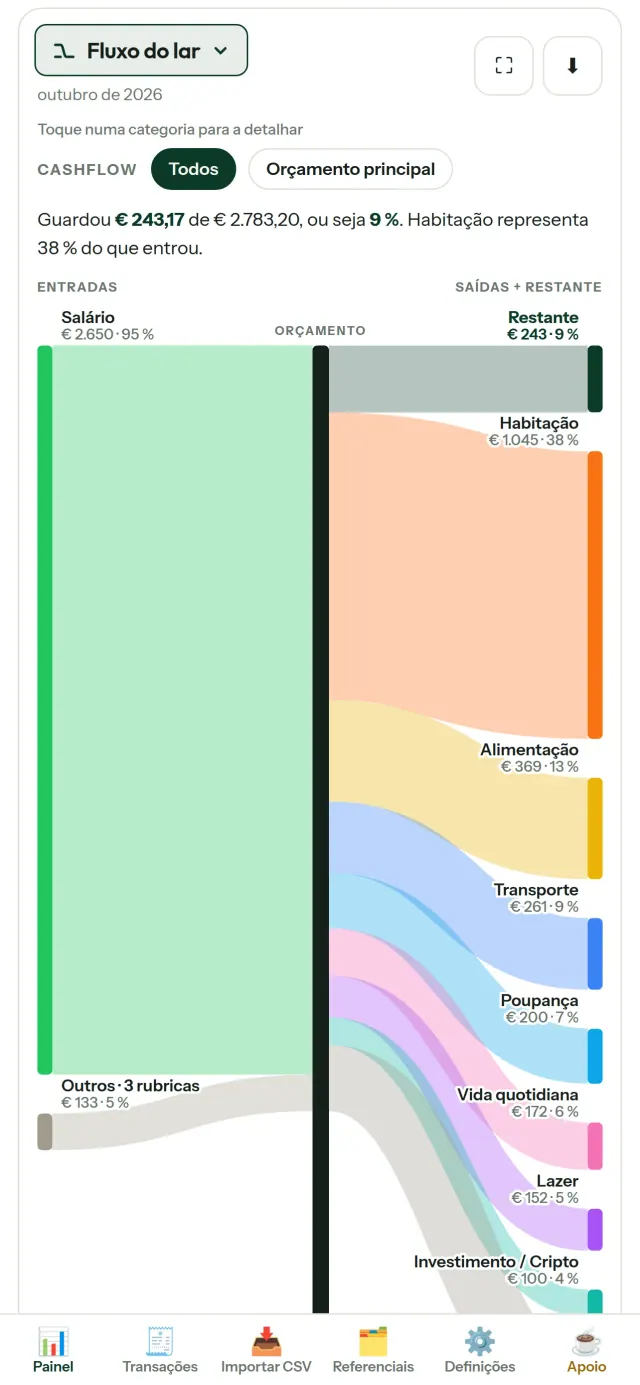
O CapBudget é uma app de controle de gastos e controle financeiro pessoal, ideal para o orçamento familiar. Guarda tudo no seu dispositivo: sem conta, sem registo, sem cloud, sem anúncios, sem rastreio - e funciona totalmente offline. Grátis.
O que faz CapBudget
Importe os extratos do seu banco
Carregue um ficheiro CSV de qualquer banco. Associe as colunas uma única vez, pré-visualize o que vai ser importado - com deteção de duplicados e verificação rigorosa das datas - e confirme. Nada é adivinhado em silêncio.
Deixe as regras fazer a classificação
Crie regras simples («contém RENDA → Habitação / Renda») e o CapBudget categoriza as suas transações por si. Volte a aplicá-las ao passado quando quiser - as suas correções manuais nunca são substituídas.
Veja para onde vai o seu dinheiro
Filtre por período, cashflow ou categoria e exporte qualquer gráfico como imagem.
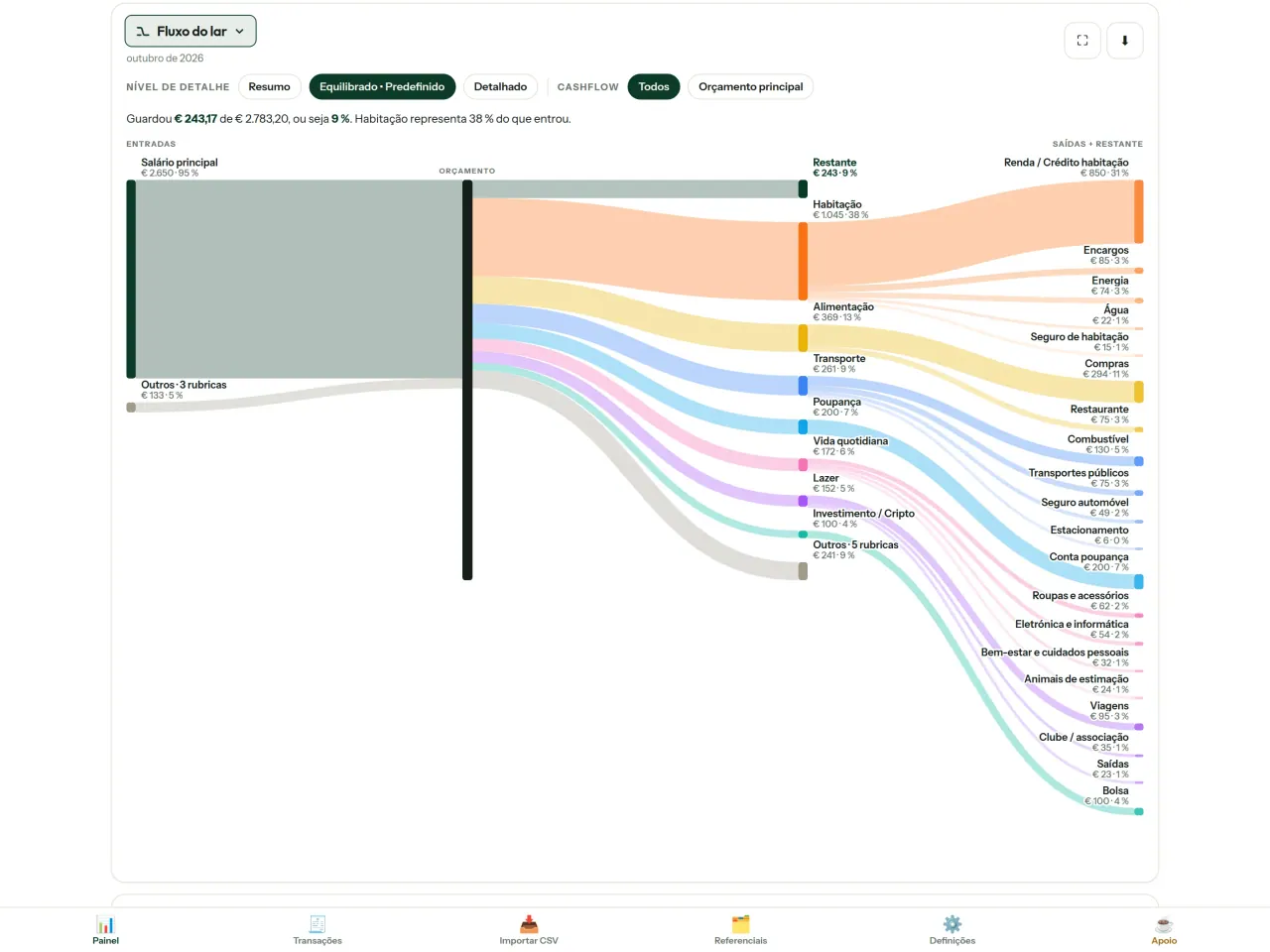
- Fluxo do lar: um diagrama de Sankey dos rendimentos às categorias e ao que sobra
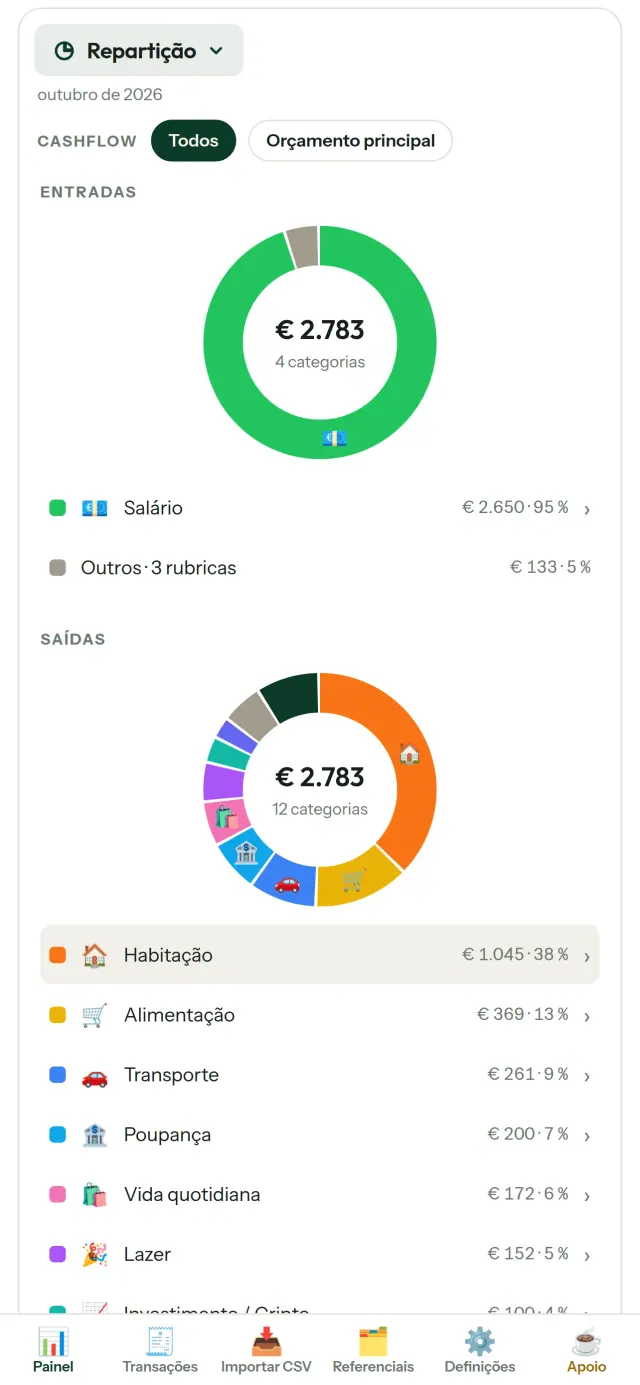
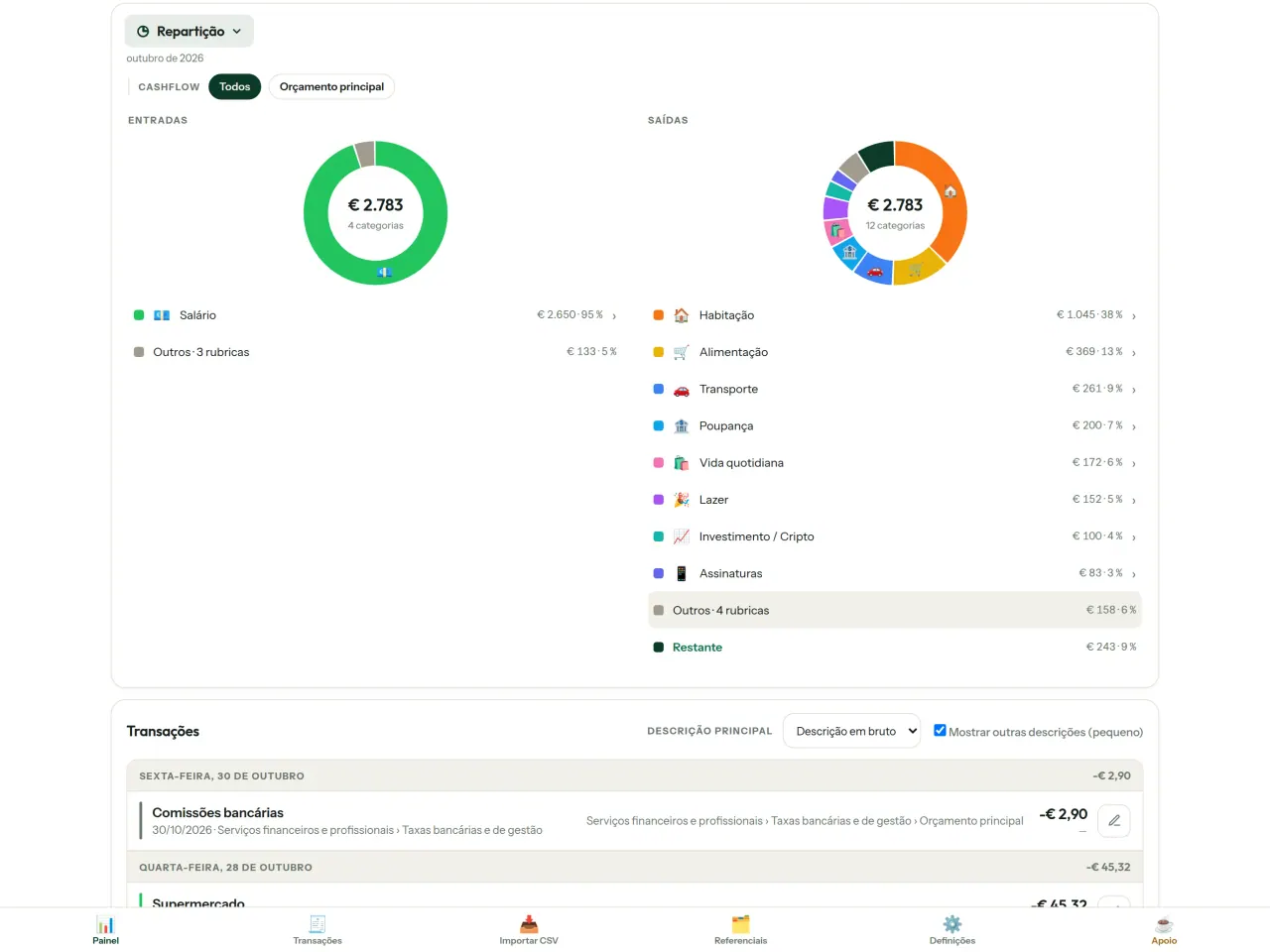
- Repartição: receitas e despesas por categoria, toque para ver o detalhe
- Para onde vai o dinheiro: a cascata de despesas, das maiores às menores
- O mês que se esvazia: o que resta, dia após dia
- O seu ritmo: cada mês comparado com um gasto constante
Objetivos de orçamento
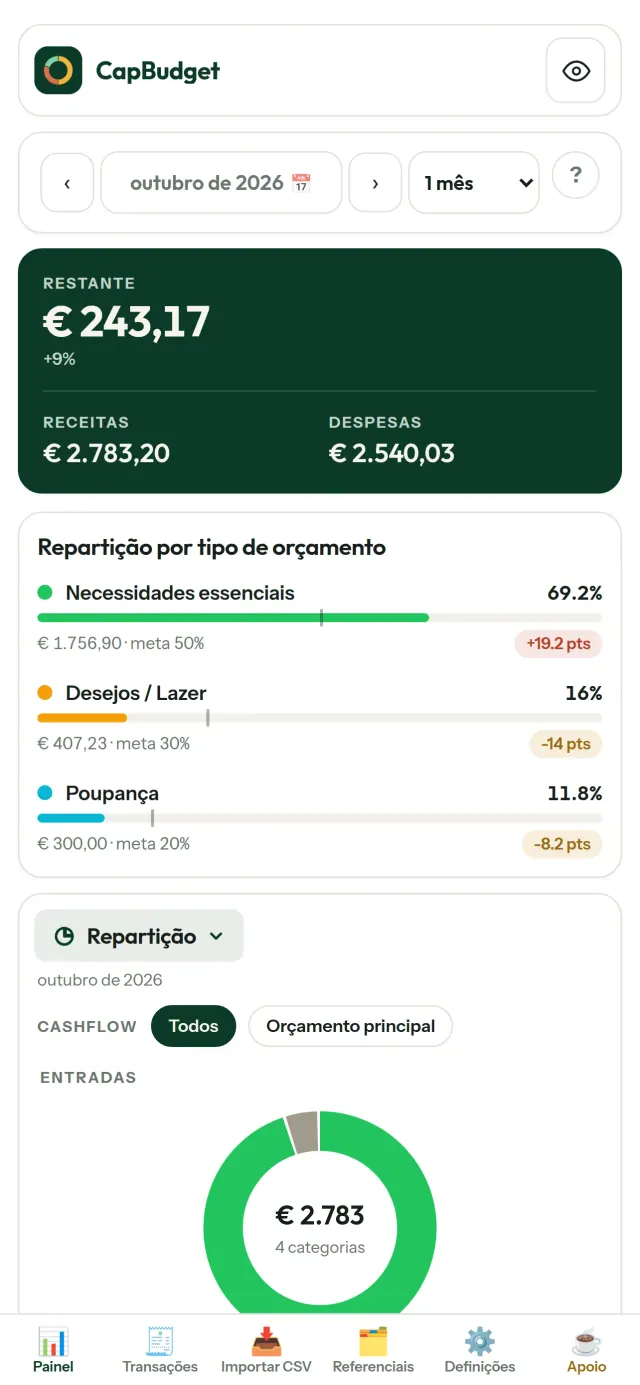
Compare as suas despesas com a regra 50/30/20 - necessidades, desejos, poupança - ou defina as suas percentagens, e veja o objetivo face à realidade.
O seu mês, à sua maneira
O seu mês orçamental pode começar em qualquer dia, para coincidir com o pagamento do ordenado, e tem sempre o controlo do orçamento mensal. Personalize categorias, subcategorias e cashflows.
Os seus dados continuam seus
Tudo fica num único ficheiro no seu dispositivo. Exporte uma cópia de segurança quando quiser e guarde-a onde preferir. Nada é alguma vez enviado.
Com temas claro e escuro.
CapBudget em ação.
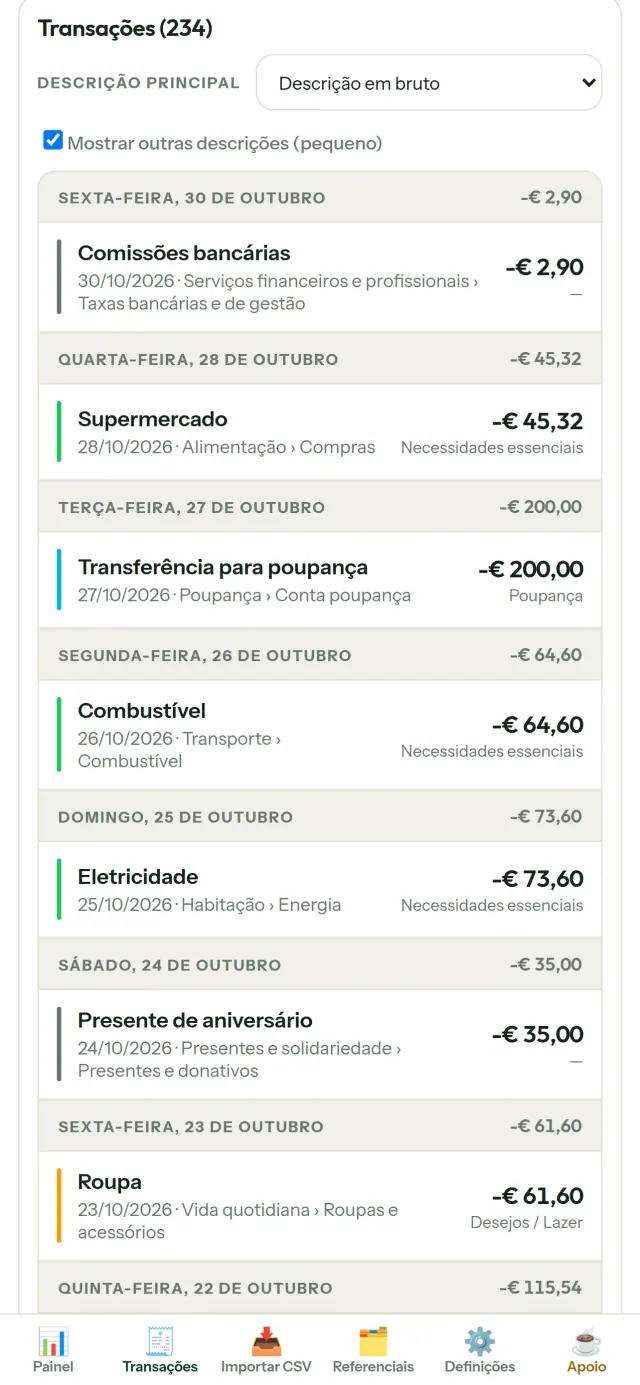
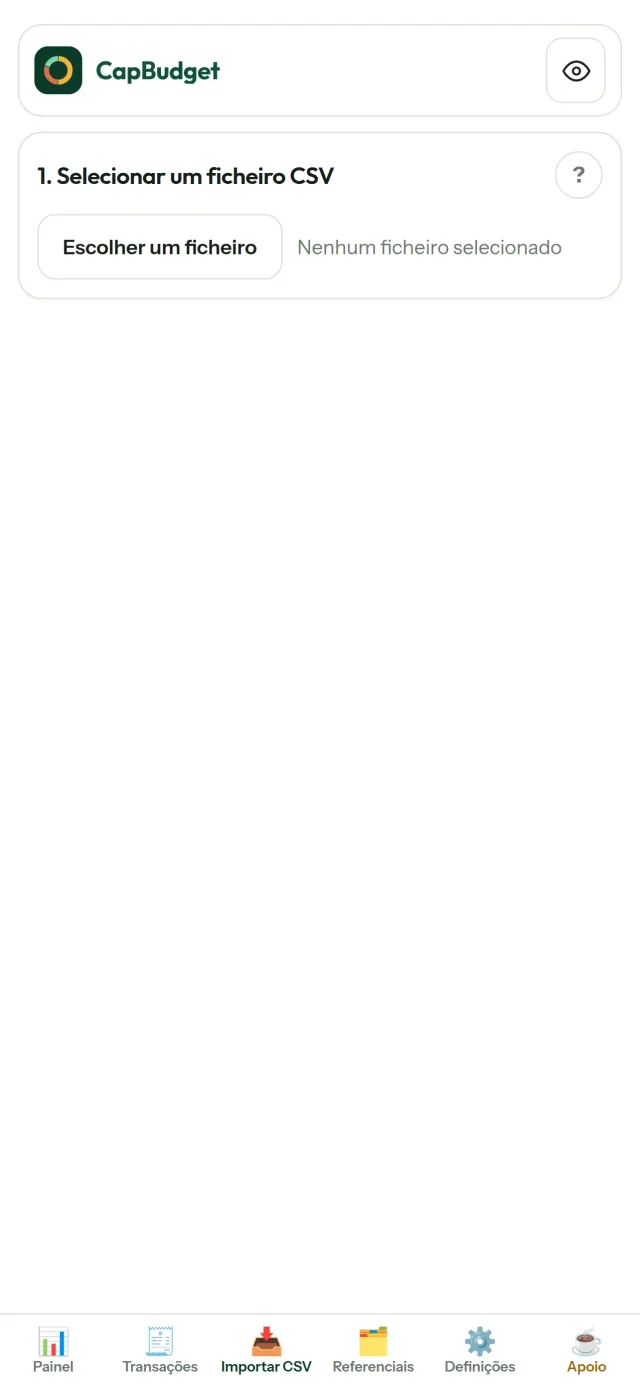
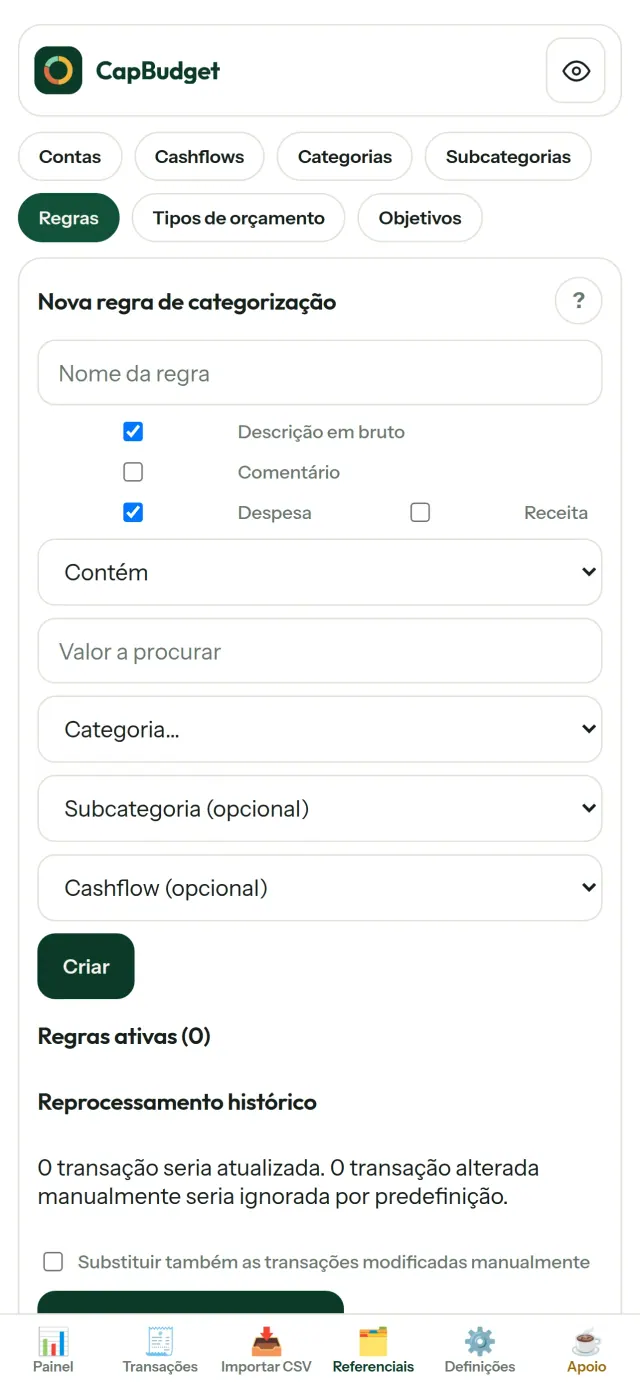
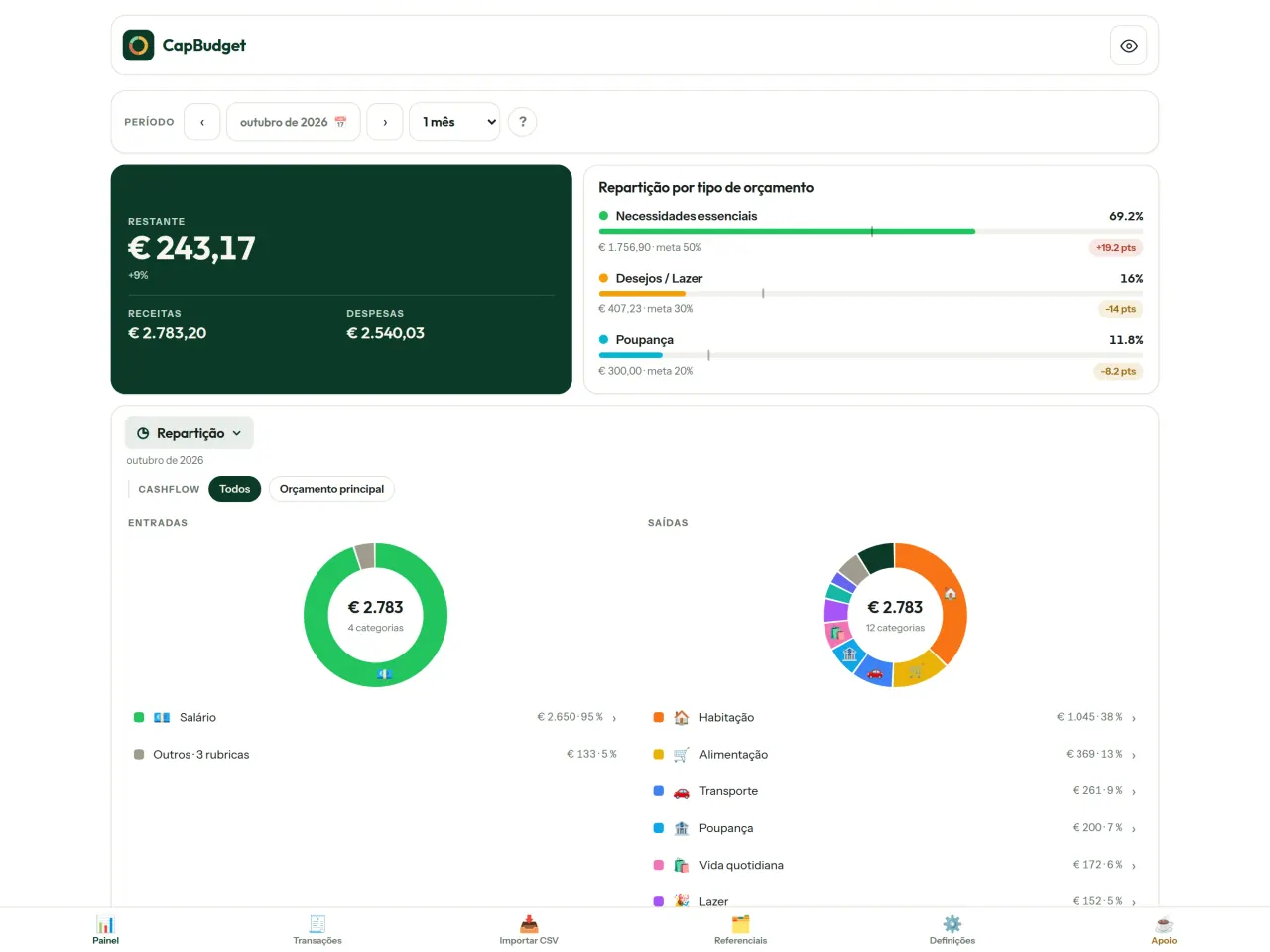
Obtenha CapBudget.
Grátis no iPhone. O Android chega em breve.
Em breve noGoogle PlaySupport the project
A política de privacidade e os textos de suporte abaixo estão em inglês. A versão em inglês é a de referência.
CapBudget is a budgeting app that I develop and maintain on my own, in my spare time alongside my day job. It is a local-first project: your data stays on your device.
No account, no ads, and no tracking.
If you find the app useful, the occasional coffee helps keep me motivated to keep releasing improvements. Buy me a coffee, and thank you for your support, whatever form it takes.
Privacy policy
A política de privacidade e os textos de suporte abaixo estão em inglês. A versão em inglês é a de referência.
Last updated: 2026-09-23
CapBudget is a local-first budgeting app. The short version: nothing leaves your device, and we collect nothing.
What data the app handles
Everything you put into CapBudget (bank transactions, account references,
categories, categorization rules, budget targets, and app settings) is
stored only in a single SQLite database on your device
(household.sqlite), in the app's own private storage. There is
no account, no login, and no CapBudget server.
What we collect
Nothing. No analytics or usage tracking, no advertising or advertising identifiers, no crash or diagnostics reporting, no third-party SDKs that phone home, no network calls to any CapBudget-operated service (there is none). The app functions fully offline.
CSV imports
When you import a bank CSV export, the file is parsed on your device. It is not uploaded anywhere and is not retained by the app unless you choose “keep” during import.
Backups
You can export a backup from Settings. The backup is a file you control. CapBudget does not upload it and has no access to wherever you save it.
Permissions
The app requests no location, contacts, camera, microphone, or other sensitive permissions, only its own private storage.
Optional tips
CapBudget is free. If you wish, you can leave the developer an optional tip; a tip never unlocks anything. On iOS this uses Apple’s in-app purchase: the payment is processed entirely by Apple, and CapBudget never sees your payment details, your Apple ID or your purchase history, and receives no personal information. On Android and in a web browser a button opens an external donation page in your browser; that page is operated by a third party (Buy Me a Coffee) under its own privacy policy, and nothing from the app is sent to it.
Bank-account references
An account number/IBAN from your CSV is stored to group transactions by account, kept only on your device. In the UI only the last 4 characters are shown.
Contact form on this website
If you write to us through this site, we use your message and the email address you optionally give only to reply. Bot protection is provided by Cloudflare and email delivery by Resend.
Children
CapBudget is a general-purpose finance tool and is not directed at children.
Changes
An updated policy will be published at this URL with a new date above.
Contact
Questions about privacy: capbudget-contact@pixeon.net
Support
A política de privacidade e os textos de suporte abaixo estão em inglês. A versão em inglês é a de referência.
Last updated: 2026-09-21
CapBudget is a small independent app that keeps your budget on your device only: no account, no sign-up, no server. Answers to the most common questions are below.
We do our best to reply within a few days. To help us, tell us your device model, its system version and what you were doing. Please do not send real bank data or account numbers.
Where is my data stored?
Only on your device, in the app's own private storage. There is no CapBudget account and no CapBudget server, so nobody, including us, can see or recover your data. Details in the privacy policy.
How do I back up my data or move to a new phone?
- Open Settings → Backup & restore →
Download a backup. You get a
.sqlitefile: keep it wherever you like (Files, a cloud drive, your computer). - On the new device, install CapBudget, open Settings → Backup & restore, choose the file and tap Restore from a backup.
A restore replaces everything currently in the app.
I deleted the app or lost my phone: can my data be recovered?
Not unless you exported a backup: the data lives only on the device. Download a backup regularly.
How do I import my bank's transactions?
Export a CSV file from your bank's website, then open the Import CSV tab, choose the file, map its columns once, check the preview (duplicates and invalid dates are flagged) and confirm. Nothing is imported until you confirm.
Can transactions be categorized automatically?
Yes. In Reference data → Rules, create rules such as "label contains RENT → Housing / Rent". You can re-apply them to past transactions at any time; transactions you edited by hand are protected unless you explicitly choose to overwrite them.
How do I change the language, the theme or the start day of my budget month?
The language button is in the top bar. The theme and the day your budget month starts are in Settings. CapBudget is available in English, French, German, Spanish, Portuguese and Italian.
How do I remove the sample data?
Settings → Sample data → Remove sample data. Only the sample transactions are removed, never your own.
EXIF viewer e limpeza de metadados de fotos: local, data, câmera.
Também da PixeonVaultMarkCofre de documentos criptografado. Marca d'água documento, remover metadados.