CapBudget: بودجه
مدیریت هزینه و بودجه خانوادگی، ساده و همیشه در دسترس، حتی آفلاین.
 بهزودی درGoogle Play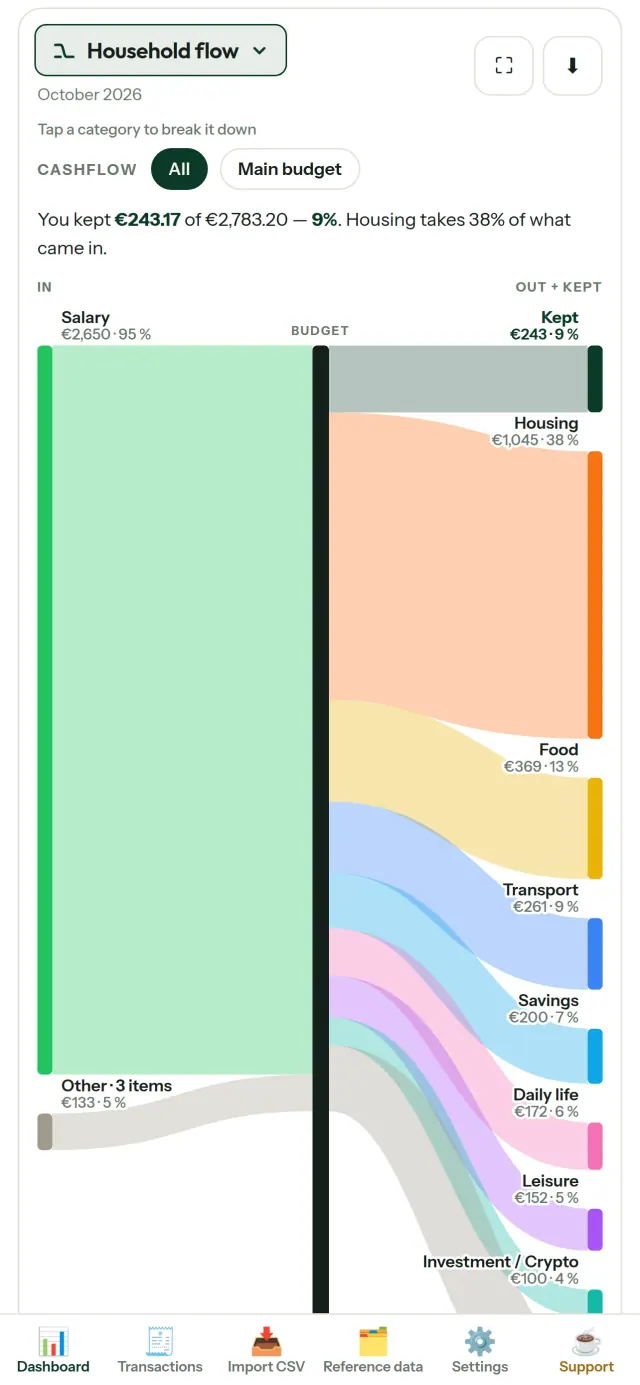
CapBudget برنامهای برای مدیریت هزینه و بودجه خانوادگی است. همهچیز روی دستگاه شما میماند: بدون حساب کاربری، ثبتنام، فضای ابری، تبلیغ یا ردیابی؛ کاملاً آفلاین هم کار میکند. رایگان.
CapBudget چه کاری انجام میدهد
وارد کردن فایلهای تراکنش
فایل CSV تراکنشهایتان را وارد کنید. ستونها را یکبار تطبیق دهید، موارد آماده برای ورود را ببینید و سپس تأیید کنید. برنامه موارد تکراری و تاریخهای نامعتبر را بررسی میکند و چیزی را بیخبر از شما حدس نمیزند. اتصال مستقیم به بانک وجود ندارد.
دستهبندی با قانونهای خودتان
قانونهای ساده بسازید، مثل «اگر شامل اجاره بود، دسته مسکن / اجاره». CapBudget تراکنشها را بر اساس قانونها دستهبندی میکند. هر زمان بخواهید قانونها را روی تراکنشهای قبلی اجرا کنید؛ اصلاحهای دستی شما بازنویسی نمیشوند.
ببینید پولتان کجا میرود
بازه ماه، جریان نقدی یا دسته را فیلتر کنید و هر نموداری را بهصورت تصویر خروجی بگیرید.
- جریان مالی خانوار: نمودار سانکی از درآمد تا دستهها و مانده نهایی
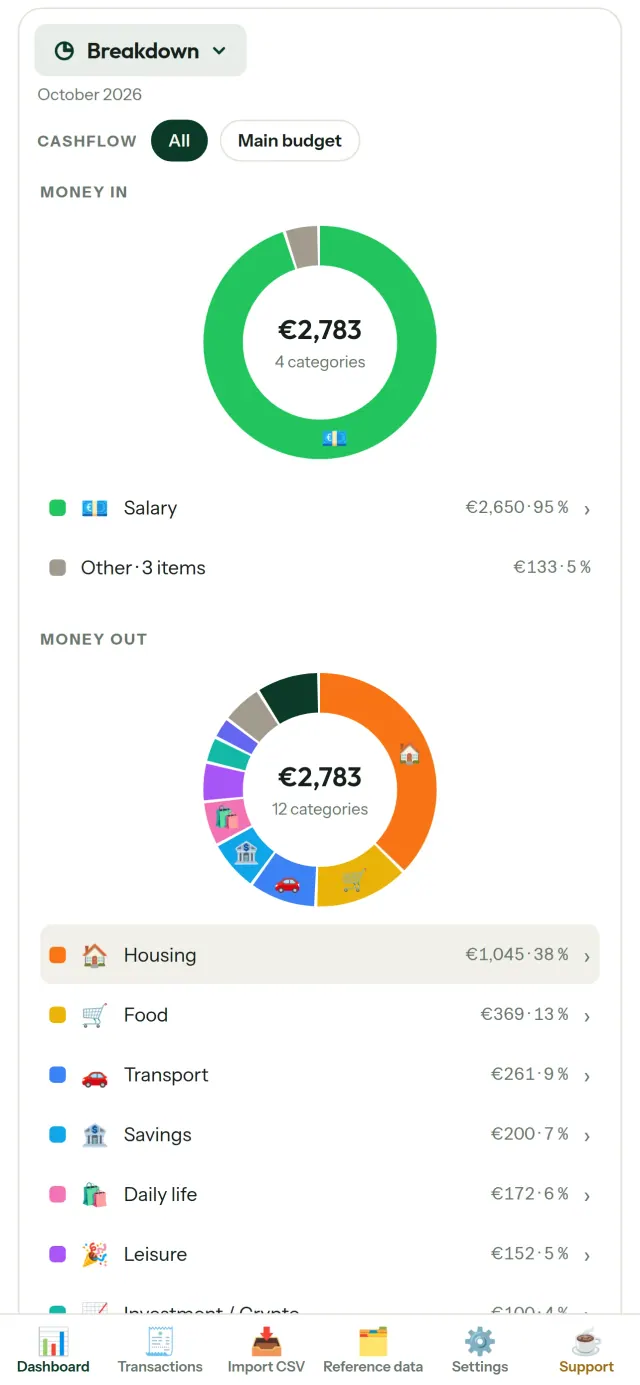
- دستهبندی: درآمد و هزینه بر اساس دسته، با امکان باز کردن جزئیات
- مسیر هزینهها: از بیشترین مبلغ به کمترین
- روند ماه: مانده روزبهروز
- سرعت خرجکردن: مقایسه هر ماه با روندی یکنواخت
هدفهای بودجه
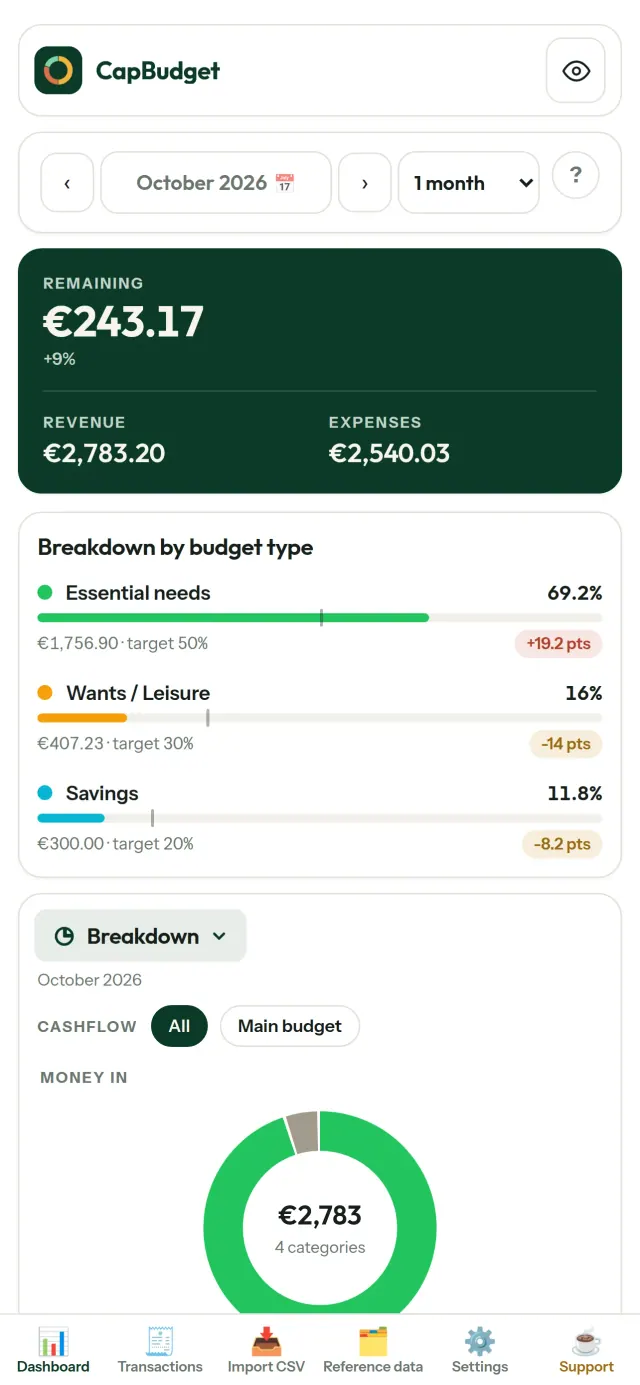
هزینههای ماهانهتان را با قاعده ۵۰/۳۰/۲۰ برای نیازها، خواستهها و پسانداز مقایسه کنید یا درصدهای دلخواهتان را تعیین کنید و هدف را کنار نتیجه واقعی ببینید.
ماه شما، به انتخاب شما
ماه بودجه میتواند از هر روزی شروع شود تا با زمان واریز حقوقتان هماهنگ باشد. دستهها، زیردستهها و جریانهای نقدی را هم مطابق نیازتان تغییر دهید. برای برنامهریزی بودجه میتوانید روز آغاز ماه را با زمان دریافت حقوق هماهنگ کنید و بودجه بندی را بر اساس دستههای دلخواه پیش ببرید.
دادههای شما، پیش خودتان
همهچیز در یک فایل روی دستگاه شما نگهداری میشود. هر زمان خواستید نسخه پشتیبان بگیرید و هرجا مایلید نگه دارید. هیچچیزی بارگذاری نمیشود.
با پوسته روشن و تیره.
برای چه کسانی است
- خانوارها و خانوادههایی که میخواهند بودجه خود را از طریق خروجیهای CSV بانکشان دنبال کنند.
- افرادی که نمیخواهند برای پیگیری هزینههایشان اطلاعات ورود بانکی خود را واگذار کنند یا حساب کاربری بسازند.
- افرادی که از نشت داده خسته شدهاند و میخواهند کنترل دادههای مالی خود را دوباره در دست بگیرند: در اینجا دادهها هرگز از گوشی خارج نمیشوند، پس چیزی برای نشت از سرور وجود ندارد.
- افرادی که از قانون 50/30/20 پیروی میکنند یا ماه بودجهشان از روز واریز حقوق شروع میشود.
چرا CapBudget را انتخاب کنیم
- در درجه اول محلی: بدون حساب کاربری، فضای ابری، تبلیغات و ردیابی. تراکنشهای شما در یک فایل روی دستگاهتان میمانند.
- کاملا آفلاین کار میکند و رایگان است.
- فایل CSV هر بانکی را با تشخیص موارد تکراری و بررسی دقیق تاریخ وارد میکند. قوانین دستهبندی هرگز اصلاحات دستی شما را بازنویسی نمیکنند.
اپ هنوز چه کارهایی انجام نمیدهد
- همگامسازی خودکار با بانک هنوز وجود ندارد. یک خروجی CSV از بانک خود وارد میکنید.
- همگامسازی میان چند دستگاه هنوز وجود ندارد. برای جابهجایی دادههایتان از خروجی پشتیبان استفاده کنید.
اصل Pixeon. اپهای Pixeon در درجه اول محلی هستند: بدون حساب کاربری، بدون ردیابی، و دادههای شما روی گوشیتان میمانند. اگر اپی زمانی به شبکه متصل شود، فقط وقتی است که خودتان انتخاب کنید قابلیت موردنیازتان را فعال کنید و پیش از انتشار آن، سیاست حریم خصوصی بهروزرسانی میشود.
CapBudget را در عمل ببینید.
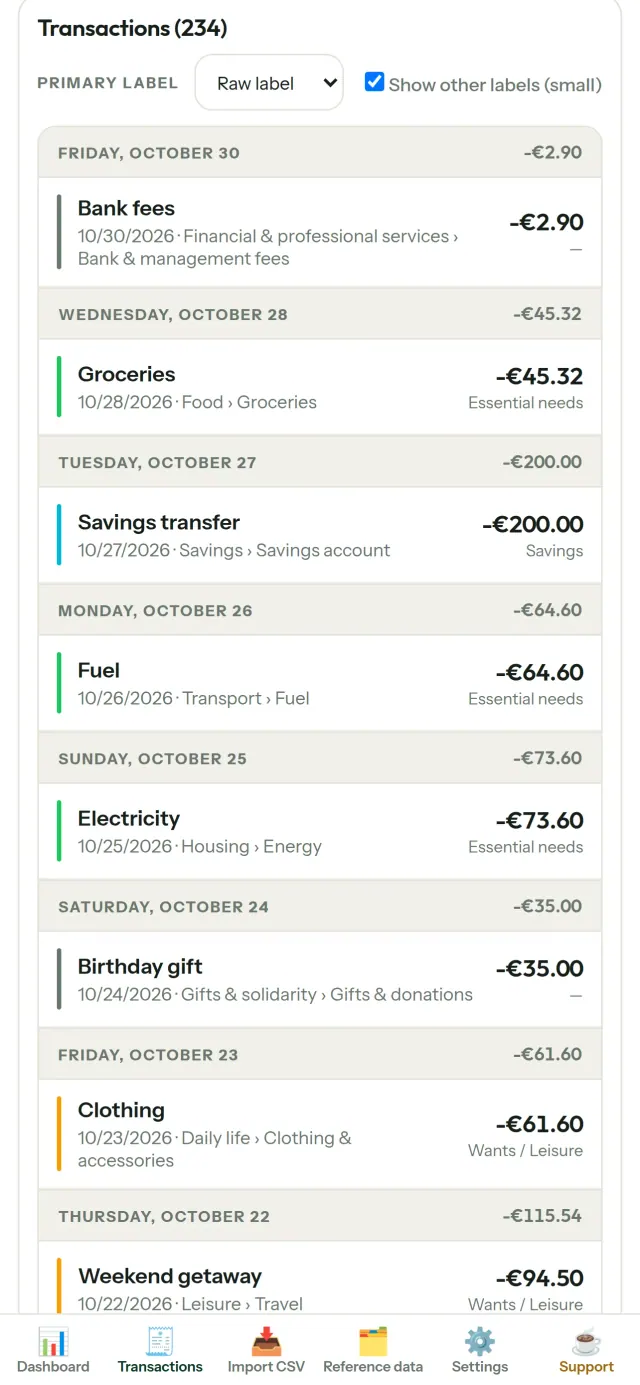
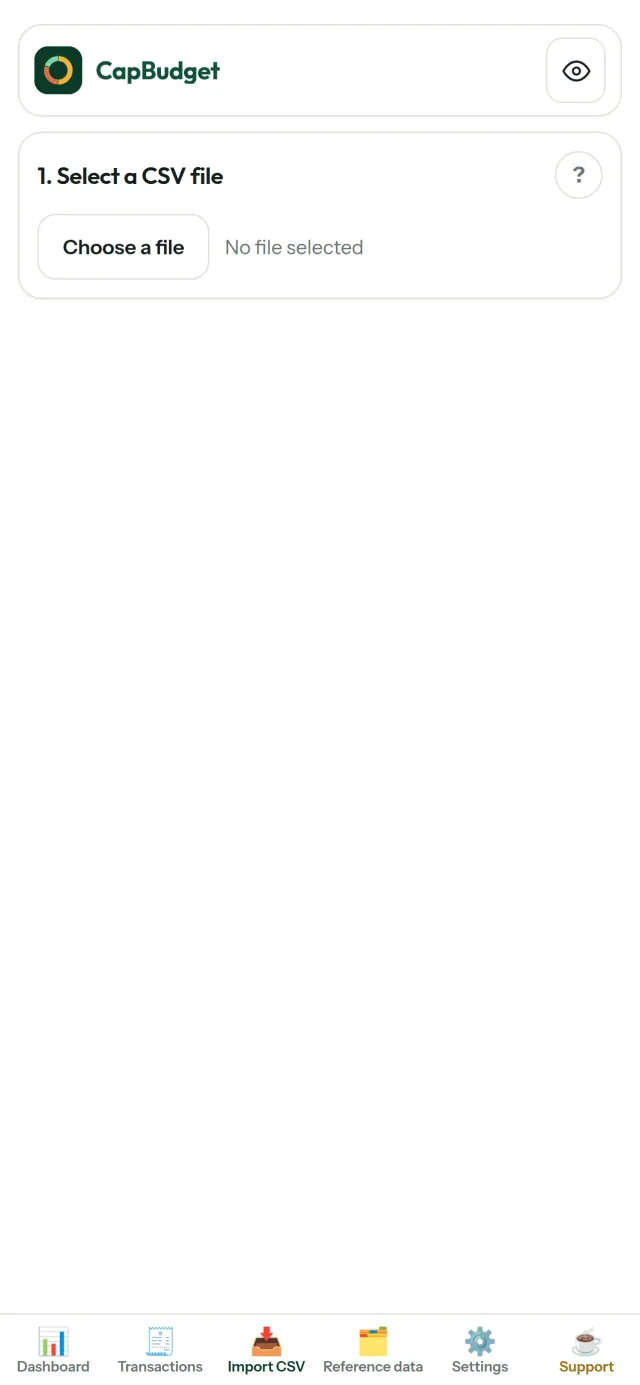
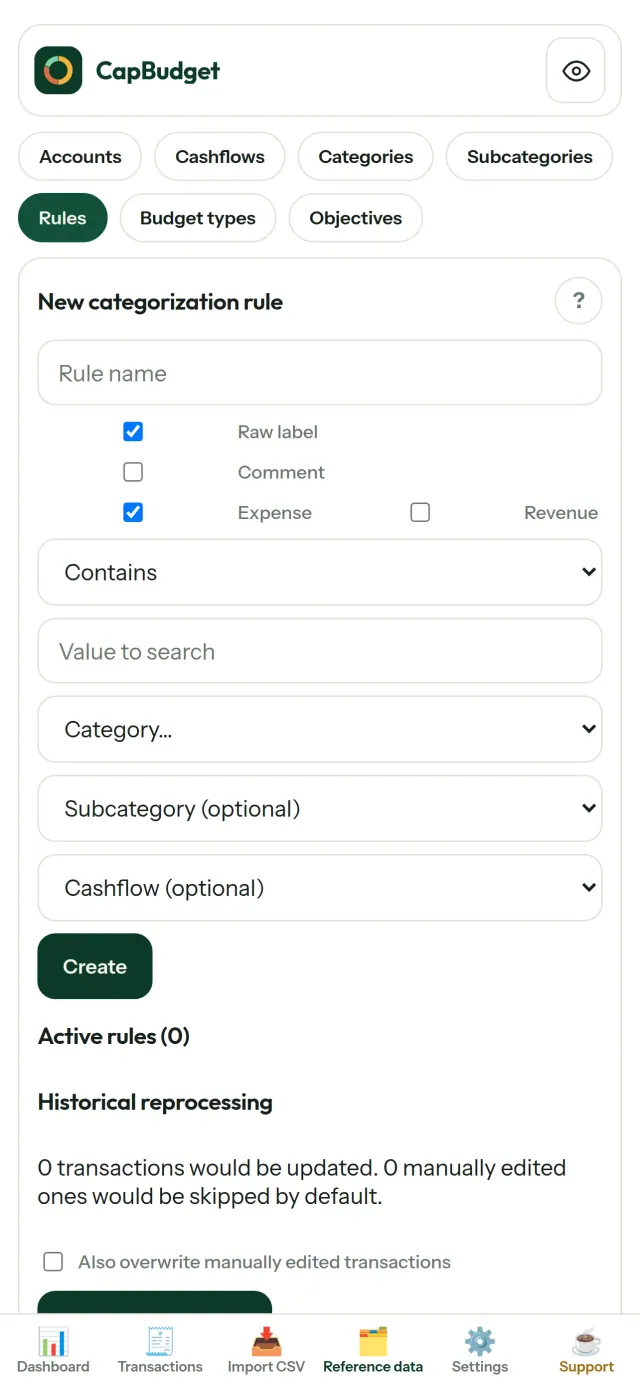
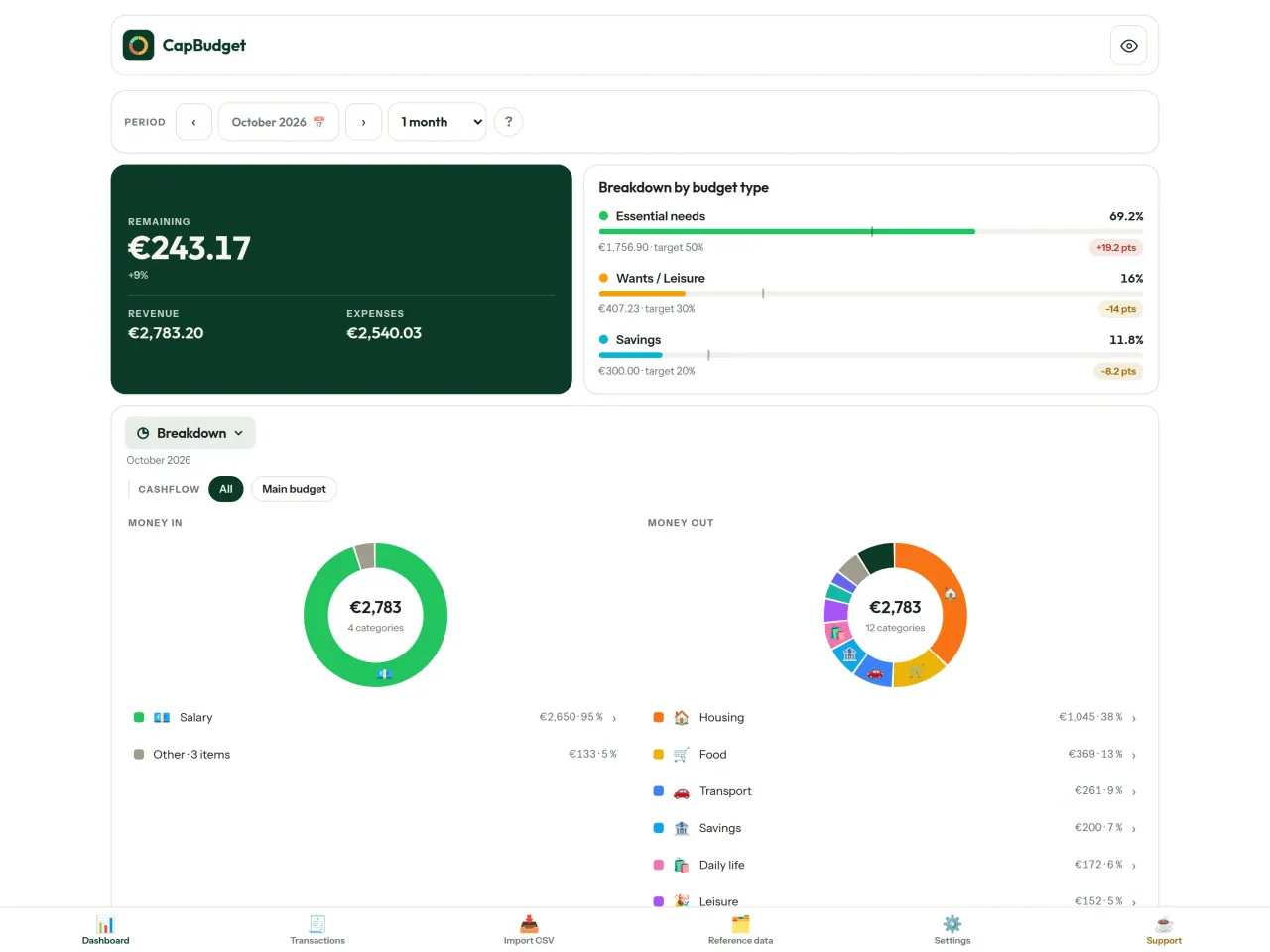
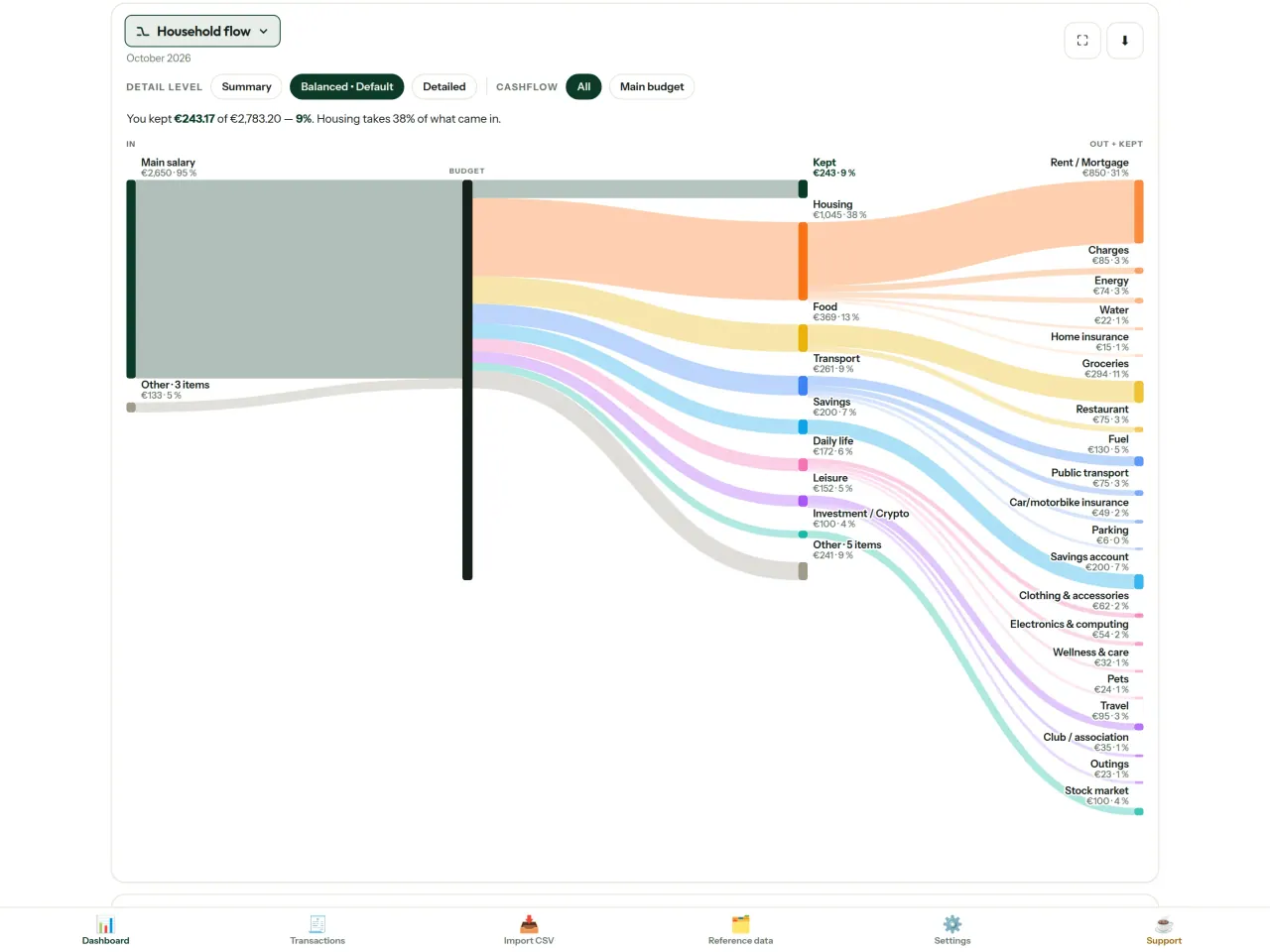
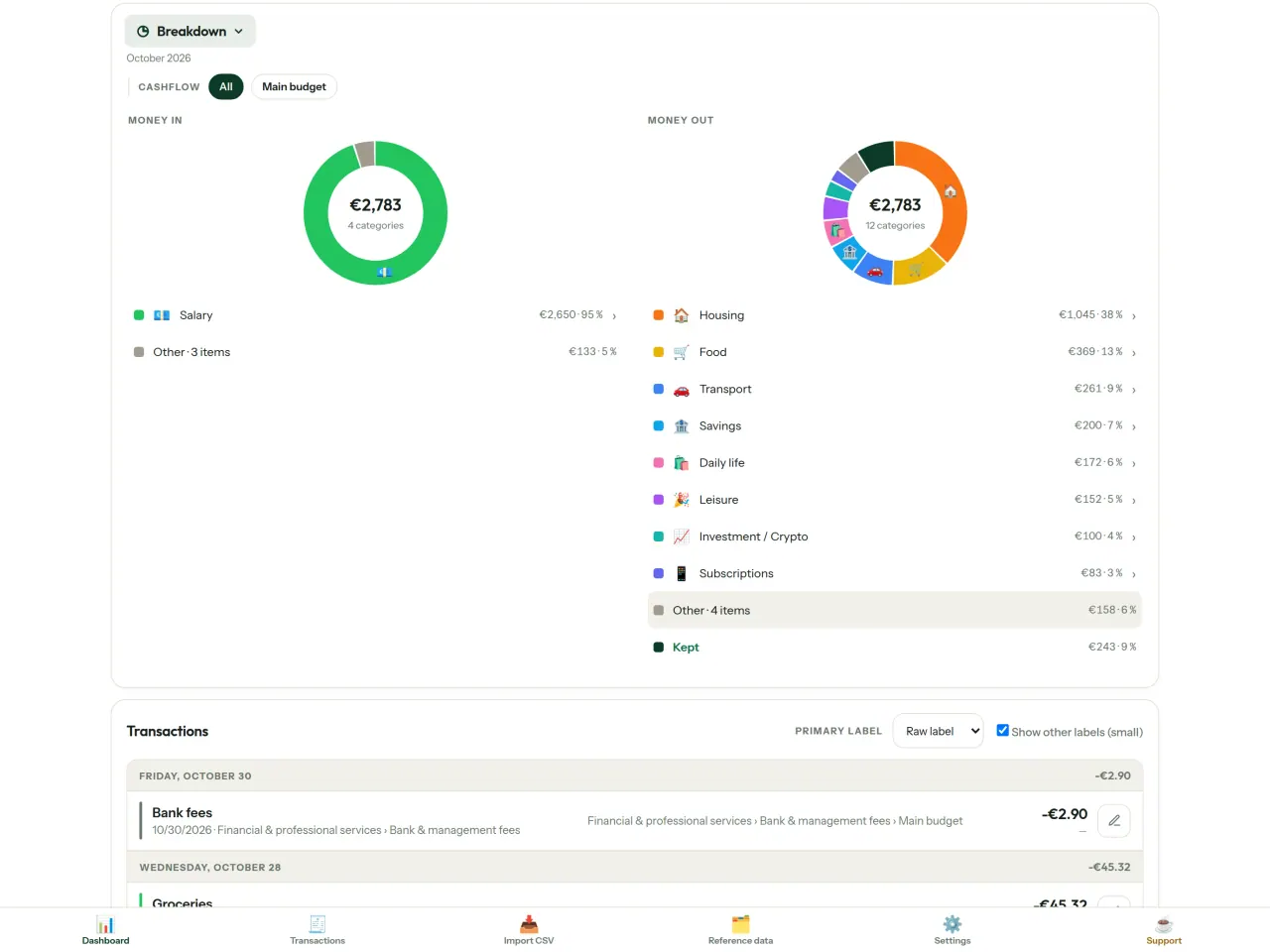
CapBudget را دریافت کنید.
رایگان برای iPhone. Android بهزودی میآید.
بهزودی درGoogle PlaySupport the project
متن زیر به انگلیسی است. نسخه انگلیسی ملاک است.
CapBudget is a budgeting app that I develop and maintain on my own, in my spare time alongside my day job. It is a local-first project: your data stays on your device.
No account, no ads, and no tracking.
If you find the app useful, the occasional coffee helps keep me motivated to keep releasing improvements. Buy me a coffee, and thank you for your support, whatever form it takes.
Privacy policy
متن زیر به انگلیسی است. نسخه انگلیسی ملاک است.
Last updated: 2026-10-06
CapBudget is a local-first budgeting app. The short version: nothing leaves your device, and we collect nothing.
What data the app handles
Everything you put into CapBudget (bank transactions, account references,
categories, categorization rules, budget targets, and app settings) is
stored only in a single SQLite database on your device
(household.sqlite), in the app's own private storage. There is
no account, no login, and no CapBudget server.
What we collect
Nothing. No analytics or usage tracking, no advertising or advertising identifiers, no crash or diagnostics reporting, no third-party SDKs that phone home, no network calls to any CapBudget-operated service (there is none). The app functions fully offline.
CSV imports
When you import a bank CSV export, the file is parsed on your device. It is not uploaded anywhere and is not retained by the app unless you choose “keep” during import.
Backups
You can export a backup from Settings. The backup is a file you control. CapBudget does not upload it and has no access to wherever you save it.
Permissions
The app requests no location, contacts, camera, microphone, or other sensitive permissions, only its own private storage.
Optional tips
CapBudget is free. If you wish, you can leave the developer an optional tip; a tip never unlocks anything. On iOS this uses Apple’s in-app purchase: the payment is processed entirely by Apple, and CapBudget never sees your payment details, your Apple ID or your purchase history, and receives no personal information. On Android and in a web browser a button opens an external donation page in your browser; that page is operated by a third party (Buy Me a Coffee) under its own privacy policy, and nothing from the app is sent to it.
Bank-account references
An account number/IBAN from your CSV is stored to group transactions by account, kept only on your device. In the UI only the last 4 characters are shown.
Contact form on this website
If you write to us through this site, we use your message and the email address you optionally give only to reply. Bot protection is provided by Cloudflare and email delivery by Resend.
Language choice on this website
When you choose a language, or when this site opens a page in your browser's language, it stores
one small functional cookie (pxl, a language code, one year) so that your choice is
remembered. If this site suggests a page in your browser's language and you close that suggestion,
your browser also keeps a local note (pxl-banner-off, in local storage, 30 days) so the
suggestion does not come back. Neither identifies anyone, neither is used for tracking or advertising,
and neither is shared. You can delete them in your browser at any time.
Website statistics
This website uses Cloudflare Web Analytics to count visits (pages viewed, country, browser type, loading speed). It sets no cookie, does not use local storage, does not fingerprint your device, does not follow you across sites and does not build a profile of you. Search engines (for example Google Search Console) give us aggregated search statistics, without any data about individual visitors. We use no advertising or other analytics service. None of this concerns the app itself, which collects nothing.
Children
CapBudget is a general-purpose finance tool and is not directed at children.
Changes
An updated policy will be published at this URL with a new date above.
Contact
Questions about privacy: capbudget-contact@pixeon.net
Support
متن زیر به انگلیسی است. نسخه انگلیسی ملاک است.
Last updated: 2026-10-06
CapBudget is a small independent app that keeps your budget on your device only: no account, no sign-up, no server. Answers to the most common questions are below.
We do our best to reply within a few days. To help us, tell us your device model, its system version and what you were doing. Please do not send real bank data or account numbers.
Where is my data stored?
Only on your device, in the app's own private storage. There is no CapBudget account and no CapBudget server, so nobody, including us, can see or recover your data. Details in the privacy policy.
How do I back up my data or move to a new phone?
- Open Settings → Backup & restore →
Download a backup. You get a
.sqlitefile: keep it wherever you like (Files, a cloud drive, your computer). - On the new device, install CapBudget, open Settings → Backup & restore, choose the file and tap Restore from a backup.
A restore replaces everything currently in the app.
I deleted the app or lost my phone: can my data be recovered?
Not unless you exported a backup: the data lives only on the device. Download a backup regularly.
How do I import my bank's transactions?
Export a CSV file from your bank's website, then open the Import CSV tab, choose the file, map its columns once, check the preview (duplicates and invalid dates are flagged) and confirm. Nothing is imported until you confirm.
Can transactions be categorized automatically?
Yes. In Reference data → Rules, create rules such as "label contains RENT → Housing / Rent". You can re-apply them to past transactions at any time; transactions you edited by hand are protected unless you explicitly choose to overwrite them.
How do I change the language, the theme or the start day of my budget month?
The language button is in the top bar. The theme and the day your budget month starts are in Settings. CapBudget is available in English, French, German, Spanish, Portuguese and Italian.
How do I remove the sample data?
Settings → Sample data → Remove sample data. Only the sample transactions are removed, never your own.
نمایش EXIF و پاککردن فرادادهی عکس: مکان، تاریخ، دوربین. روی گوشیات.
محصول دیگری از PixeonVaultMarkEncrypted document vault. Watermark documents, remove metadata before sharing.