CapBudget: Quản lý chi tiêu
Theo dõi chi tiêu gia đình dễ dàng, mọi dữ liệu lưu trên thiết bị, dùng offline.
 Sắp có trênGoogle Play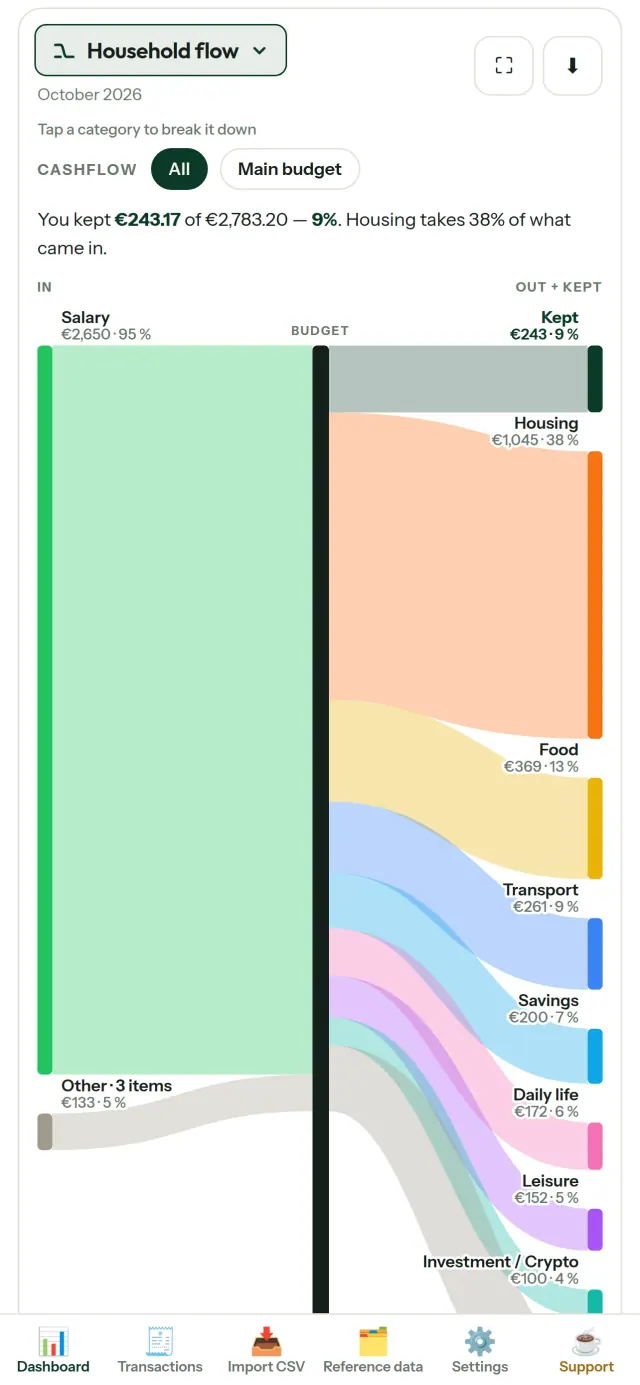
CapBudget là ứng dụng quản lý chi tiêu và theo dõi chi tiêu dành cho gia đình. Với công cụ quản lý chi tiêu gia đình, bạn có thể theo dõi ngân sách ngay trên thiết bị: không cần tài khoản hay đăng ký, không dùng đám mây, không quảng cáo, không theo dõi và hoạt động offline. Miễn phí.
Chức năng của CapBudget
Nhập dữ liệu ngân hàng
Nhập dữ liệu CSV đã tải từ ngân hàng. Ghép các cột một lần, xem trước nội dung sẽ nhập, kiểm tra giao dịch trùng và ngày tháng, rồi xác nhận. Ứng dụng không tự ý đoán dữ liệu.
Để quy tắc tự phân loại
Tạo quy tắc đơn giản, chẳng hạn nội dung có “TIỀN NHÀ” thì xếp vào Nhà ở / Tiền thuê. CapBudget sẽ phân loại giao dịch giúp bạn. Có thể chạy lại quy tắc với giao dịch cũ bất cứ lúc nào, các chỉnh sửa thủ công vẫn được giữ nguyên.
Xem tiền của bạn đi đâu
Lọc theo khoảng tháng, dòng tiền hoặc danh mục, rồi xuất biểu đồ dưới dạng ảnh.
- Dòng tiền gia đình: biểu đồ Sankey từ thu nhập qua các danh mục đến số tiền còn lại
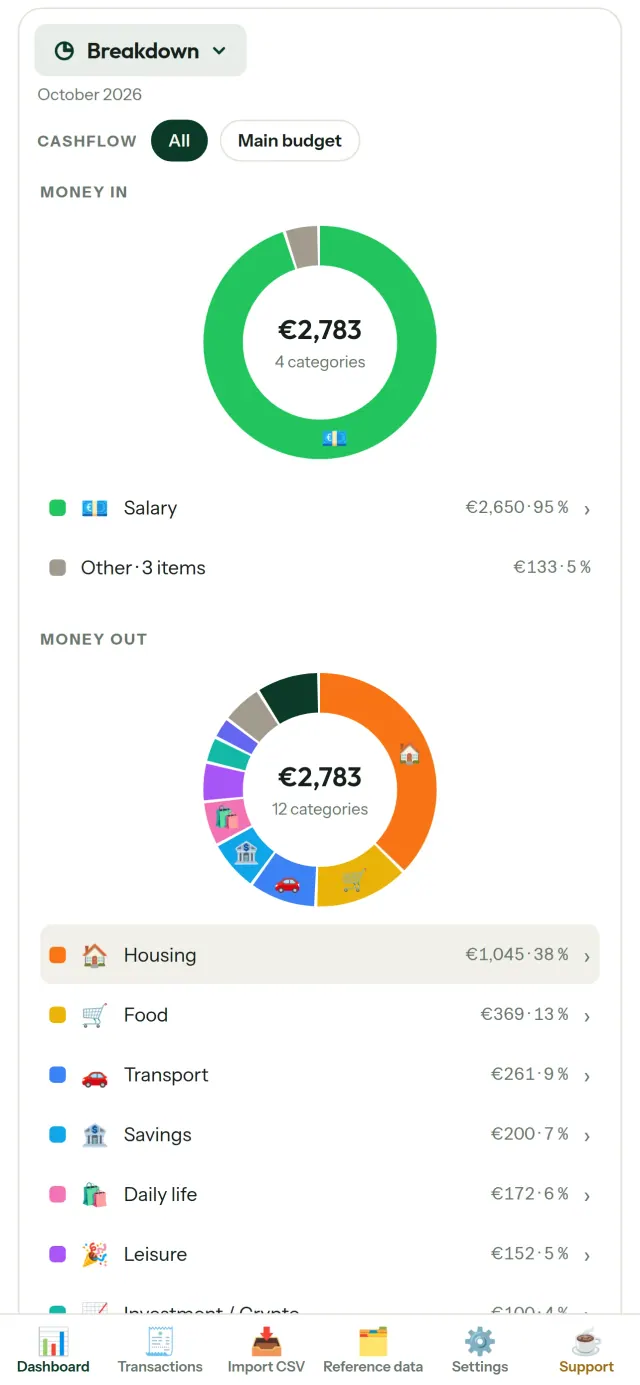
- Phân tích: xem thu nhập và chi tiêu theo danh mục, chạm để xem chi tiết
- Tiền đi đâu: biểu đồ các khoản chi, sắp xếp từ lớn đến nhỏ
- Dòng tiền trong tháng: xem số dư còn lại theo từng ngày
- Nhịp chi tiêu: so sánh từng tháng với mức chi đều đặn
Mục tiêu ngân sách
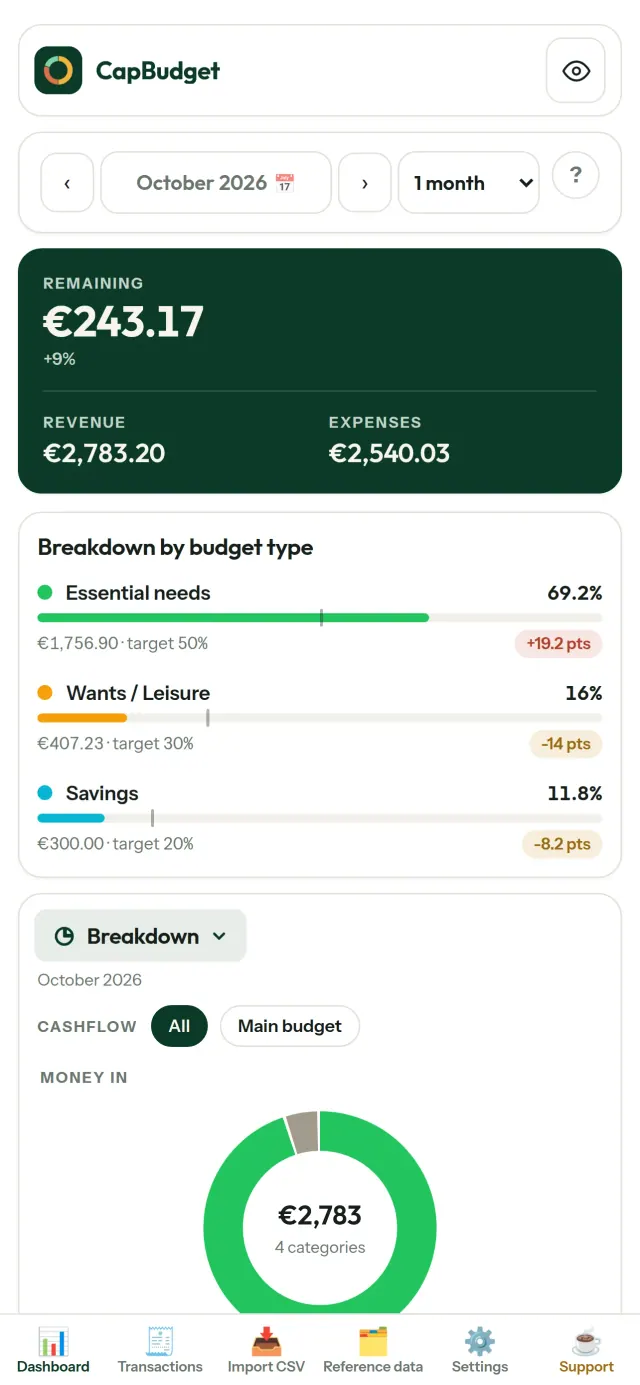
So sánh chi tiêu hàng tháng với quy tắc 50/30/20 gồm nhu cầu thiết yếu, mong muốn và tiết kiệm; hoặc tự đặt tỷ lệ và đối chiếu mục tiêu với thực tế.
Tháng của bạn, theo cách bạn muốn
Chọn ngày bắt đầu tháng ngân sách để khớp với ngày nhận lương. Tùy chỉnh danh mục, danh mục con và dòng tiền.
Dữ liệu luôn thuộc về bạn
Dữ liệu được lưu trên thiết bị. Tạo bản sao lưu bất cứ khi nào bạn muốn và lưu ở nơi bạn chọn. Không có dữ liệu nào được tải lên.
Có giao diện sáng và tối.
Dành cho ai
- Các hộ gia đình muốn theo dõi ngân sách từ các tệp CSV xuất ra từ ngân hàng.
- Những người không muốn đưa thông tin đăng nhập ngân hàng hay tạo tài khoản chỉ để theo dõi chi tiêu.
- Những người chán cảnh rò rỉ dữ liệu và muốn lấy lại quyền kiểm soát dữ liệu tài chính của mình: ở đây dữ liệu không bao giờ rời khỏi điện thoại, nên không có gì để rò rỉ từ máy chủ.
- Những người theo quy tắc 50/30/20, hoặc có tháng ngân sách bắt đầu từ ngày nhận lương.
Vì sao nên chọn CapBudget
- Ưu tiên cục bộ: không tài khoản, không đám mây, không quảng cáo, không theo dõi. Các giao dịch của bạn nằm trong một tệp duy nhất trên thiết bị.
- Hoạt động hoàn toàn ngoại tuyến và miễn phí.
- Nhập tệp CSV của bất kỳ ngân hàng nào, có phát hiện trùng lặp và kiểm tra ngày tháng nghiêm ngặt. Quy tắc phân loại không bao giờ ghi đè các chỉnh sửa thủ công của bạn.
Những gì ứng dụng chưa làm được
- Chưa có đồng bộ tự động với ngân hàng. Bạn nhập tệp CSV xuất từ ngân hàng của mình.
- Chưa có đồng bộ giữa nhiều thiết bị. Hãy dùng tính năng xuất bản sao lưu để chuyển dữ liệu.
Nguyên tắc của Pixeon. Các ứng dụng Pixeon ưu tiên xử lý cục bộ: không tài khoản, không theo dõi, và dữ liệu của bạn ở lại trên điện thoại. Nếu một ứng dụng có lúc kết nối mạng, đó chỉ là khi chính bạn chọn bật một tính năng cần dùng, và chính sách quyền riêng tư được cập nhật trước khi tính năng đó phát hành.
Xem CapBudget hoạt động.
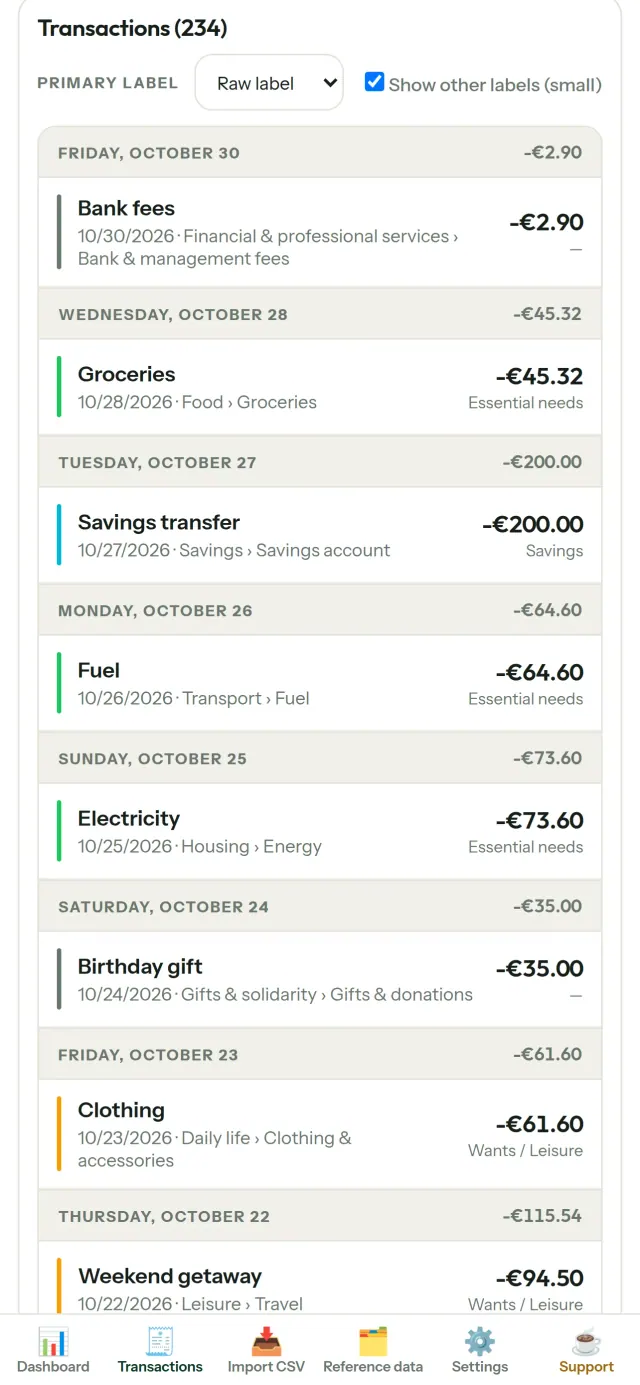
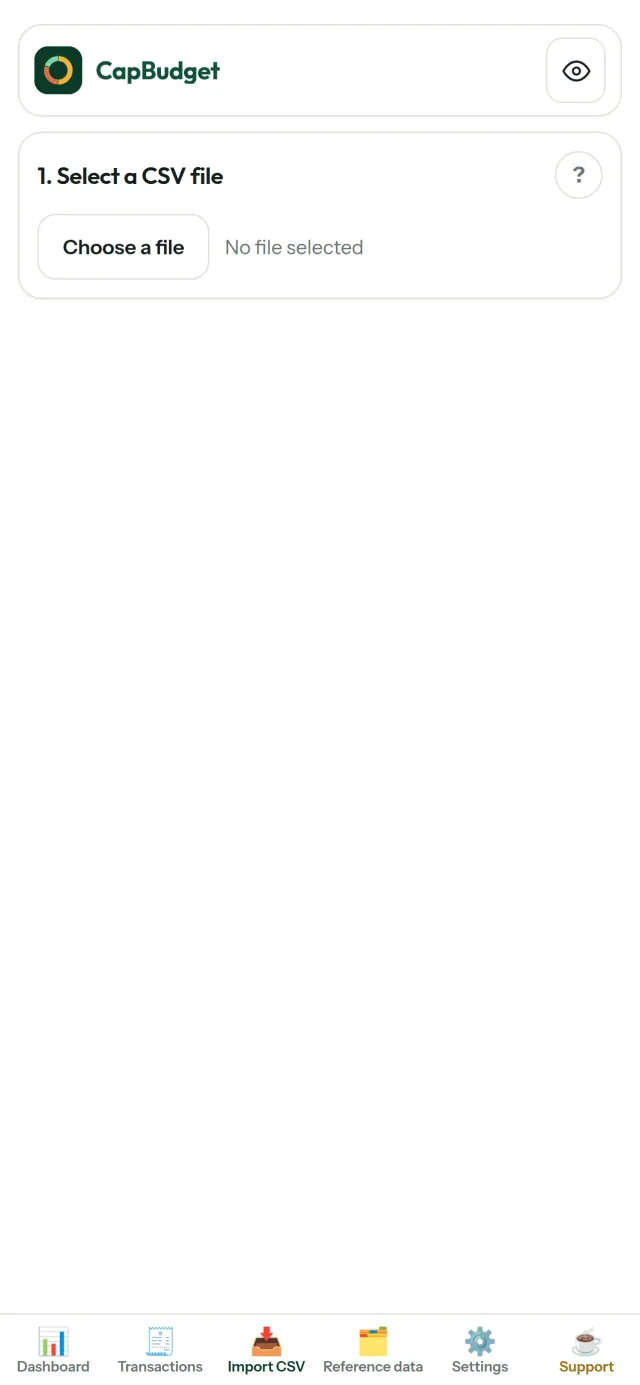
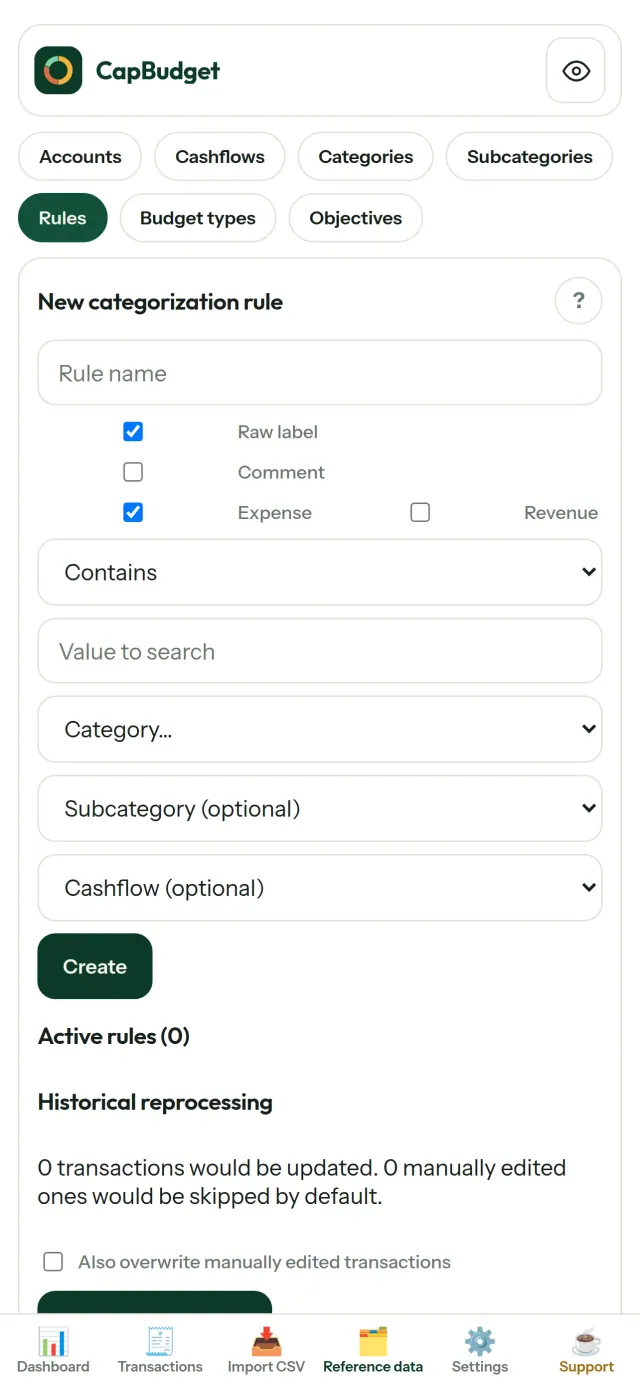
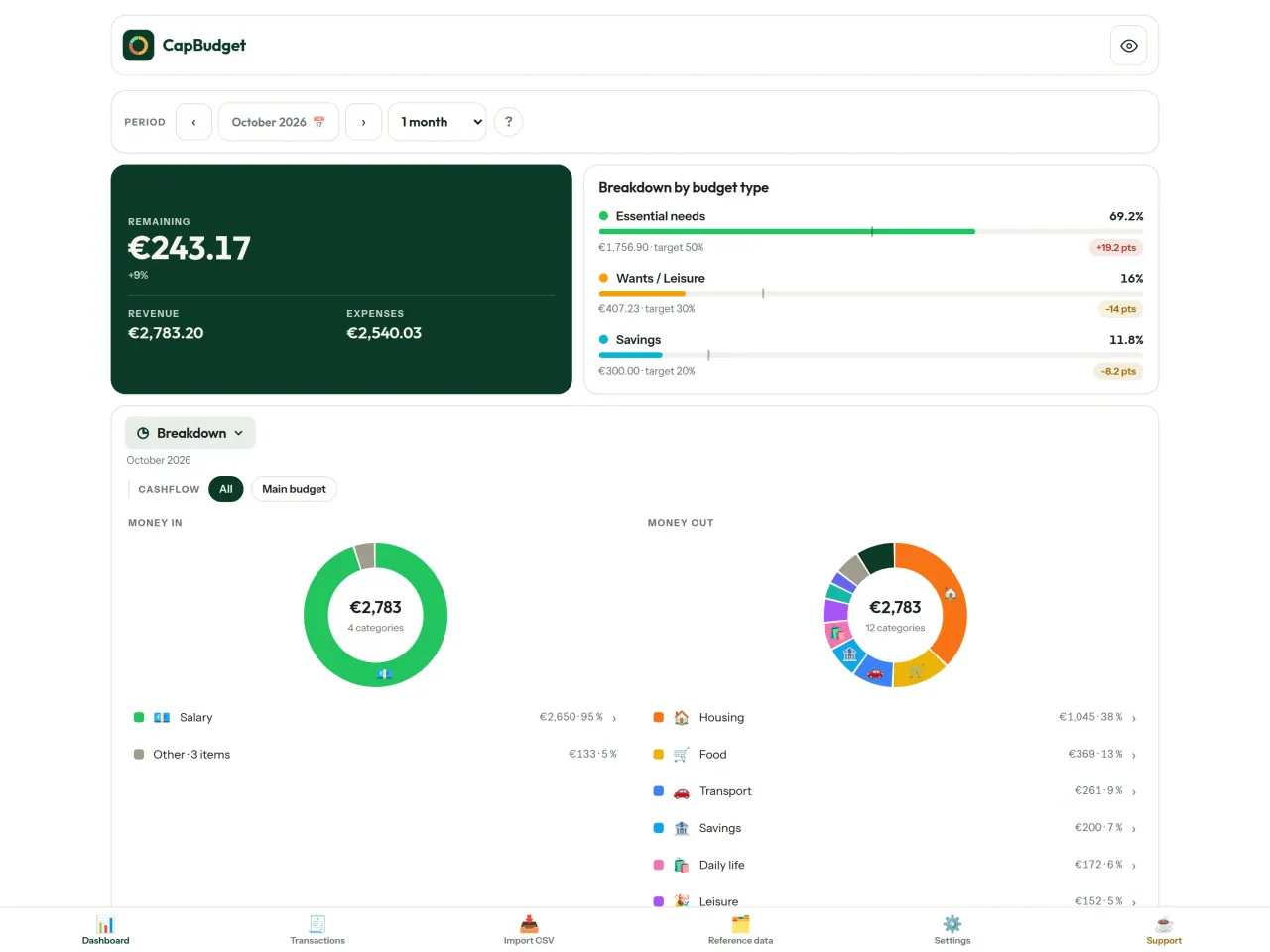
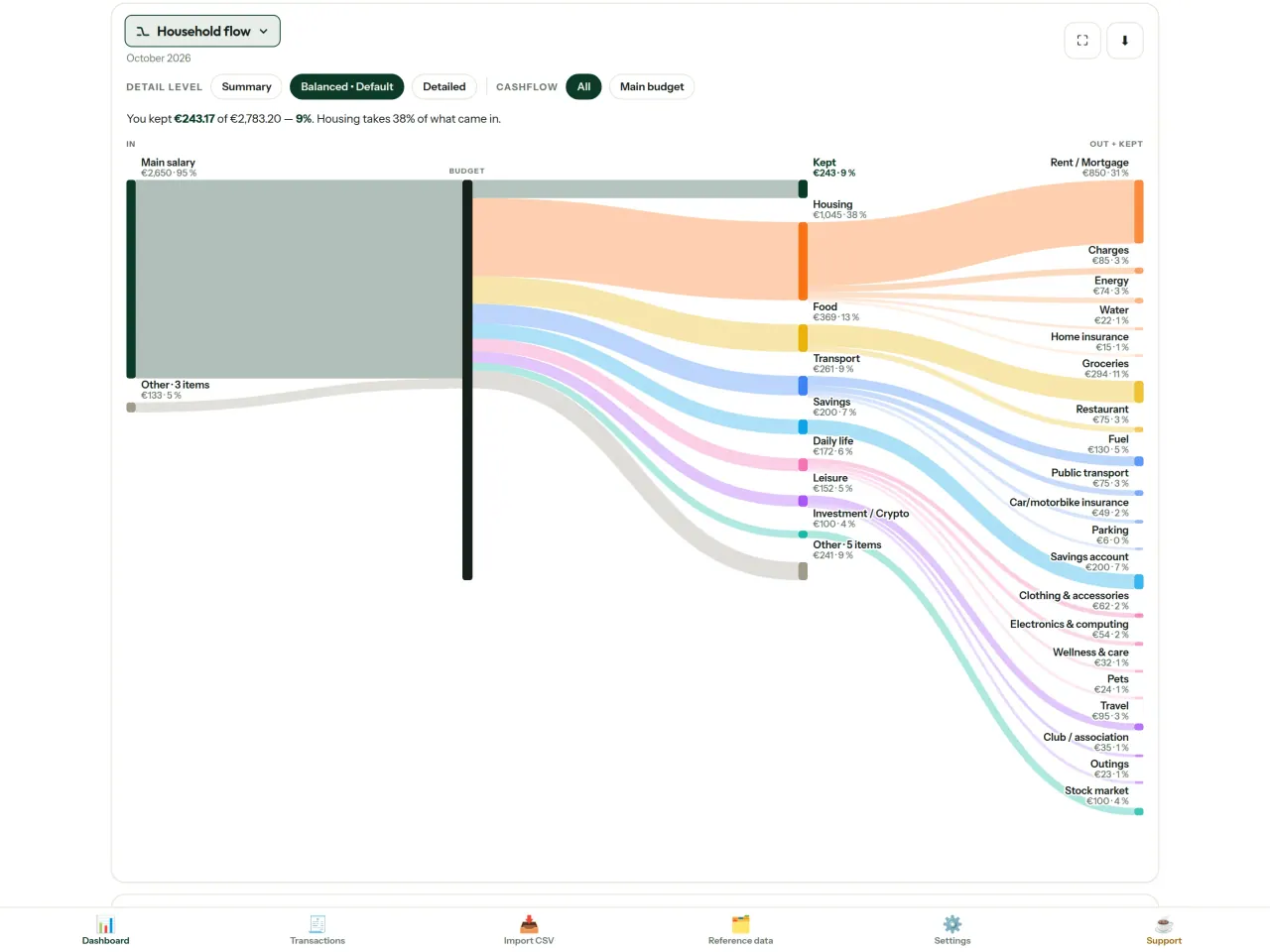
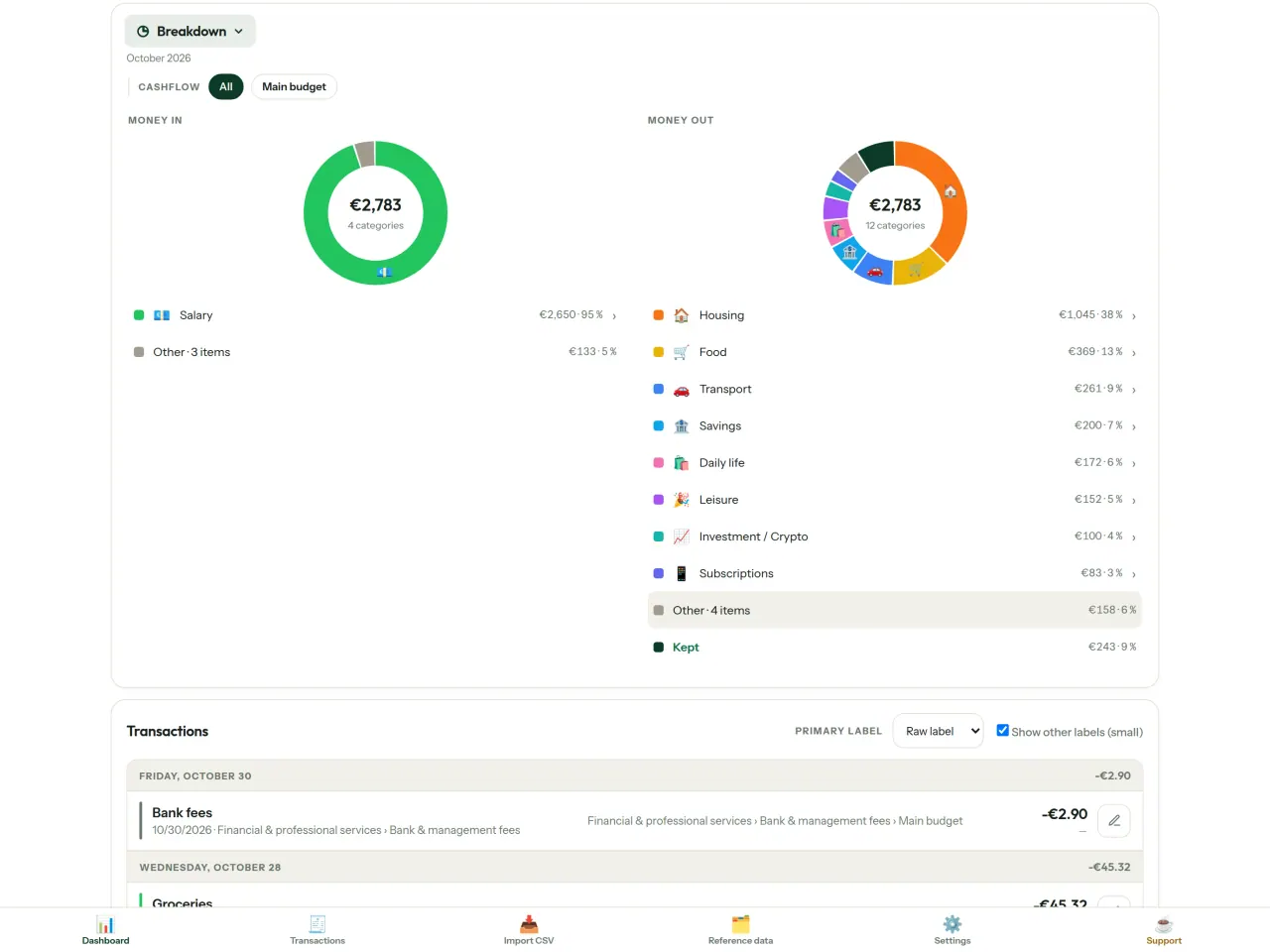
Tải CapBudget.
Miễn phí trên iPhone. Android sắp có.
Sắp có trênGoogle PlaySupport the project
Nội dung bên dưới bằng tiếng Anh. Bản tiếng Anh là chính.
CapBudget is a budgeting app that I develop and maintain on my own, in my spare time alongside my day job. It is a local-first project: your data stays on your device.
No account, no ads, and no tracking.
If you find the app useful, the occasional coffee helps keep me motivated to keep releasing improvements. Buy me a coffee, and thank you for your support, whatever form it takes.
Privacy policy
Nội dung bên dưới bằng tiếng Anh. Bản tiếng Anh là chính.
Last updated: 2026-10-06
CapBudget is a local-first budgeting app. The short version: nothing leaves your device, and we collect nothing.
What data the app handles
Everything you put into CapBudget (bank transactions, account references,
categories, categorization rules, budget targets, and app settings) is
stored only in a single SQLite database on your device
(household.sqlite), in the app's own private storage. There is
no account, no login, and no CapBudget server.
What we collect
Nothing. No analytics or usage tracking, no advertising or advertising identifiers, no crash or diagnostics reporting, no third-party SDKs that phone home, no network calls to any CapBudget-operated service (there is none). The app functions fully offline.
CSV imports
When you import a bank CSV export, the file is parsed on your device. It is not uploaded anywhere and is not retained by the app unless you choose “keep” during import.
Backups
You can export a backup from Settings. The backup is a file you control. CapBudget does not upload it and has no access to wherever you save it.
Permissions
The app requests no location, contacts, camera, microphone, or other sensitive permissions, only its own private storage.
Optional tips
CapBudget is free. If you wish, you can leave the developer an optional tip; a tip never unlocks anything. On iOS this uses Apple’s in-app purchase: the payment is processed entirely by Apple, and CapBudget never sees your payment details, your Apple ID or your purchase history, and receives no personal information. On Android and in a web browser a button opens an external donation page in your browser; that page is operated by a third party (Buy Me a Coffee) under its own privacy policy, and nothing from the app is sent to it.
Bank-account references
An account number/IBAN from your CSV is stored to group transactions by account, kept only on your device. In the UI only the last 4 characters are shown.
Contact form on this website
If you write to us through this site, we use your message and the email address you optionally give only to reply. Bot protection is provided by Cloudflare and email delivery by Resend.
Language choice on this website
When you choose a language, or when this site opens a page in your browser's language, it stores
one small functional cookie (pxl, a language code, one year) so that your choice is
remembered. If this site suggests a page in your browser's language and you close that suggestion,
your browser also keeps a local note (pxl-banner-off, in local storage, 30 days) so the
suggestion does not come back. Neither identifies anyone, neither is used for tracking or advertising,
and neither is shared. You can delete them in your browser at any time.
Website statistics
This website uses Cloudflare Web Analytics to count visits (pages viewed, country, browser type, loading speed). It sets no cookie, does not use local storage, does not fingerprint your device, does not follow you across sites and does not build a profile of you. Search engines (for example Google Search Console) give us aggregated search statistics, without any data about individual visitors. We use no advertising or other analytics service. None of this concerns the app itself, which collects nothing.
Children
CapBudget is a general-purpose finance tool and is not directed at children.
Changes
An updated policy will be published at this URL with a new date above.
Contact
Questions about privacy: capbudget-contact@pixeon.net
Support
Nội dung bên dưới bằng tiếng Anh. Bản tiếng Anh là chính.
Last updated: 2026-10-06
CapBudget is a small independent app that keeps your budget on your device only: no account, no sign-up, no server. Answers to the most common questions are below.
We do our best to reply within a few days. To help us, tell us your device model, its system version and what you were doing. Please do not send real bank data or account numbers.
Where is my data stored?
Only on your device, in the app's own private storage. There is no CapBudget account and no CapBudget server, so nobody, including us, can see or recover your data. Details in the privacy policy.
How do I back up my data or move to a new phone?
- Open Settings → Backup & restore →
Download a backup. You get a
.sqlitefile: keep it wherever you like (Files, a cloud drive, your computer). - On the new device, install CapBudget, open Settings → Backup & restore, choose the file and tap Restore from a backup.
A restore replaces everything currently in the app.
I deleted the app or lost my phone: can my data be recovered?
Not unless you exported a backup: the data lives only on the device. Download a backup regularly.
How do I import my bank's transactions?
Export a CSV file from your bank's website, then open the Import CSV tab, choose the file, map its columns once, check the preview (duplicates and invalid dates are flagged) and confirm. Nothing is imported until you confirm.
Can transactions be categorized automatically?
Yes. In Reference data → Rules, create rules such as "label contains RENT → Housing / Rent". You can re-apply them to past transactions at any time; transactions you edited by hand are protected unless you explicitly choose to overwrite them.
How do I change the language, the theme or the start day of my budget month?
The language button is in the top bar. The theme and the day your budget month starts are in Settings. CapBudget is available in English, French, German, Spanish, Portuguese and Italian.
How do I remove the sample data?
Settings → Sample data → Remove sample data. Only the sample transactions are removed, never your own.
EXIF viewer và làm sạch metadata ảnh: vị trí, ngày, thiết bị trên điện thoại.
Cũng từ PixeonVaultMarkEncrypted document vault. Watermark documents, remove metadata before sharing.