CapBudget: Budgetplanner
Uitgaven bijhouden voor uw gezinsbudget, ook offline.
 Binnenkort opGoogle Play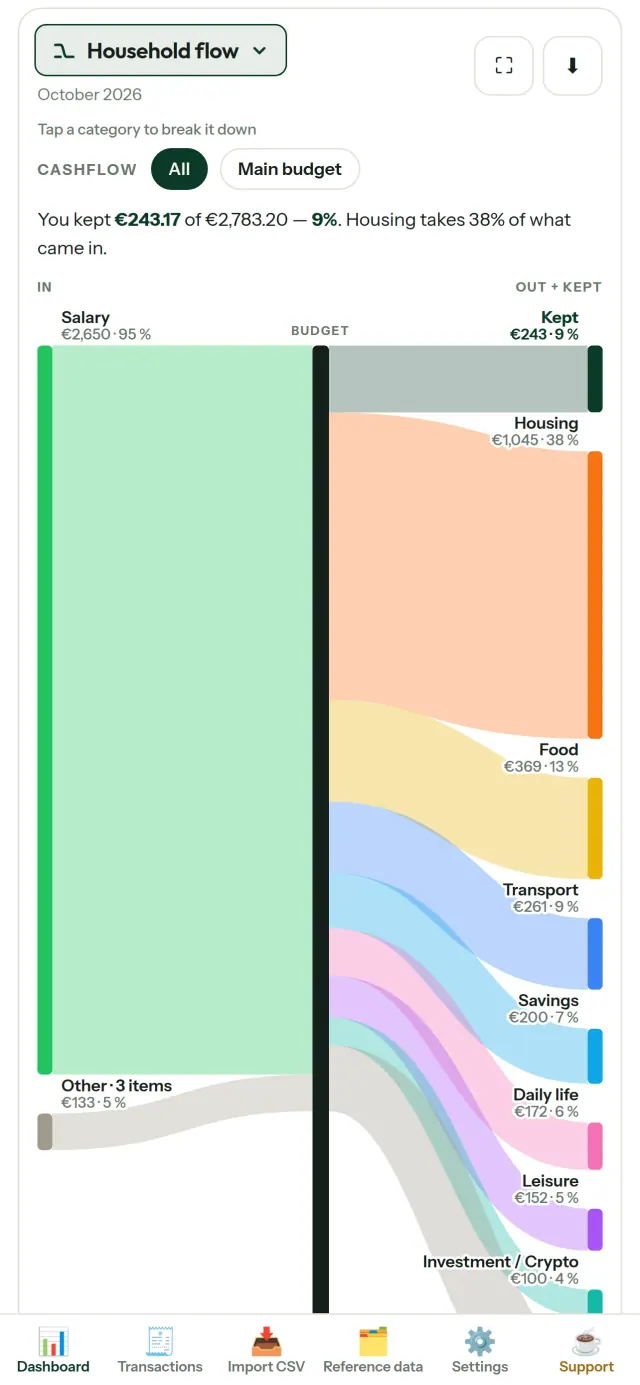
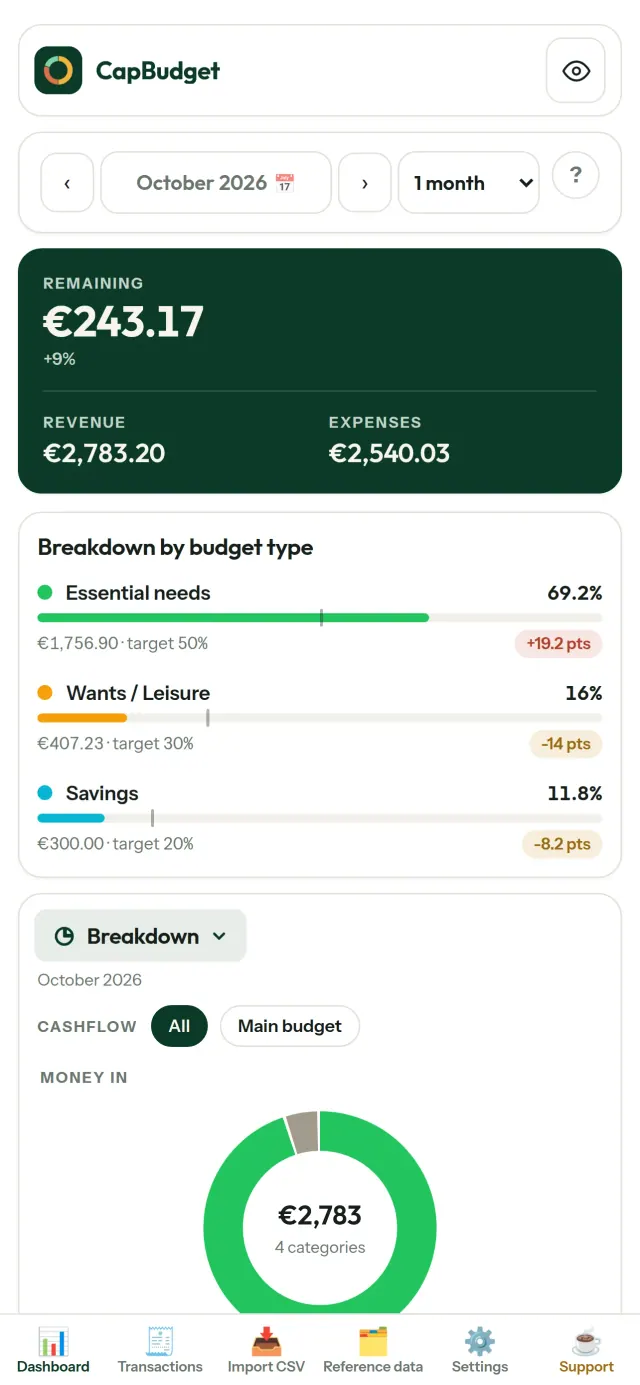
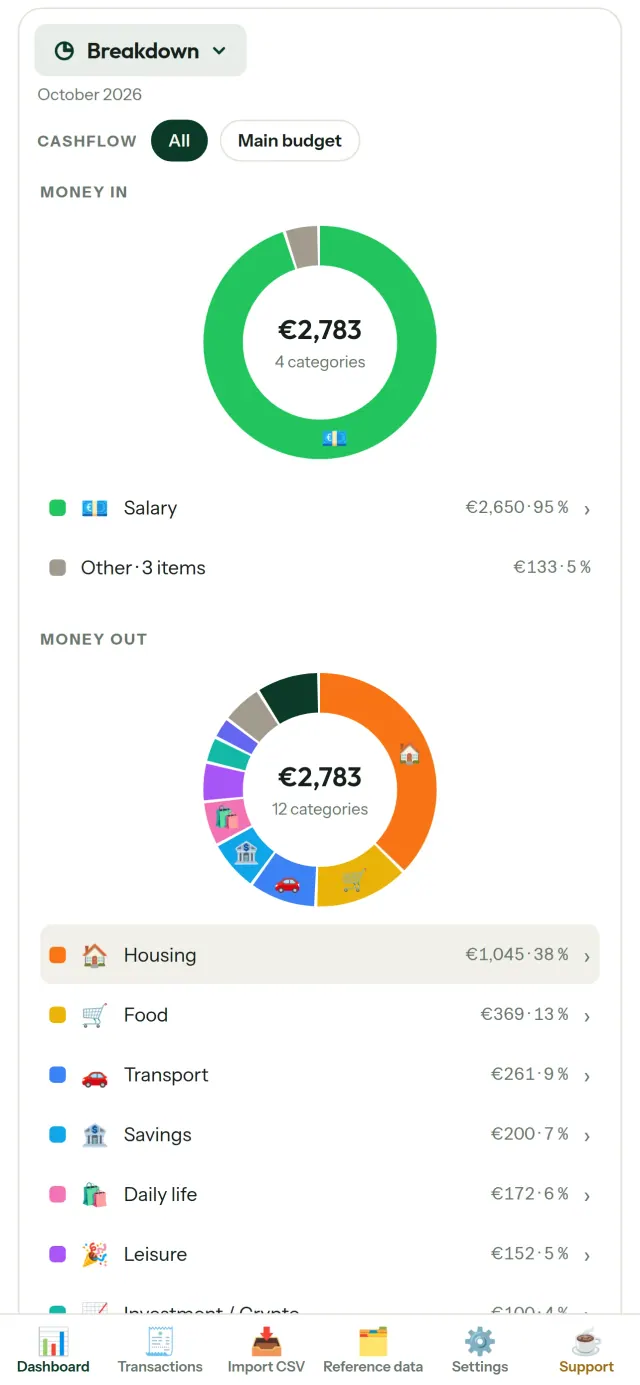
CapBudget is een budgetplanner en app om uitgaven bijhouden voor uw huishouden eenvoudiger te maken. Maak uw gezinsbudget en houd uw geldzaken op orde. Met budget offline blijven uw gegevens op uw toestel: geen account, geen registratie, geen cloud, geen advertenties en geen tracking. De app werkt volledig offline. Gratis.
Wat CapBudget doet
Importeer bankbestanden
Importeer een CSV-bestand van uw bank. Koppel de kolommen eenmalig en bekijk vooraf wat er wordt geïmporteerd. Dubbele transacties worden herkend en datums gecontroleerd. Bevestig de import wanneer alles klopt.
Laat regels het sorteren doen
Maak eenvoudige regels, zoals ‘bevat HUUR → Wonen / Huur’. CapBudget deelt uw transacties automatisch in. Pas regels ook toe op eerdere transacties. Uw eigen aanpassingen blijven behouden.
Bekijk waar uw geld naartoe gaat
Filter op maandbereik, geldstroom of categorie en exporteer elke grafiek als afbeelding.
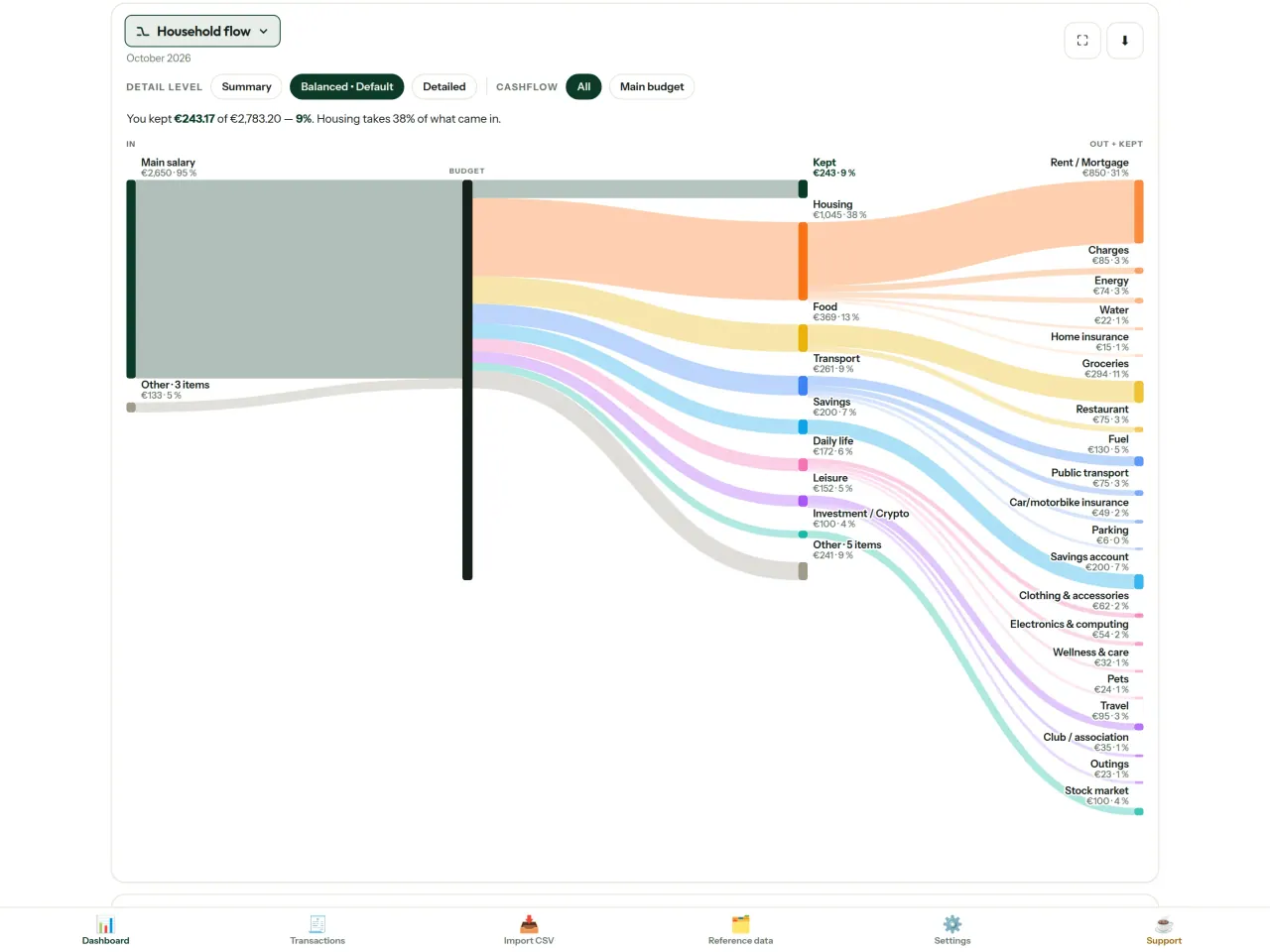
- Huishoudstroom: een Sankey-diagram van inkomsten via categorieën naar wat overblijft
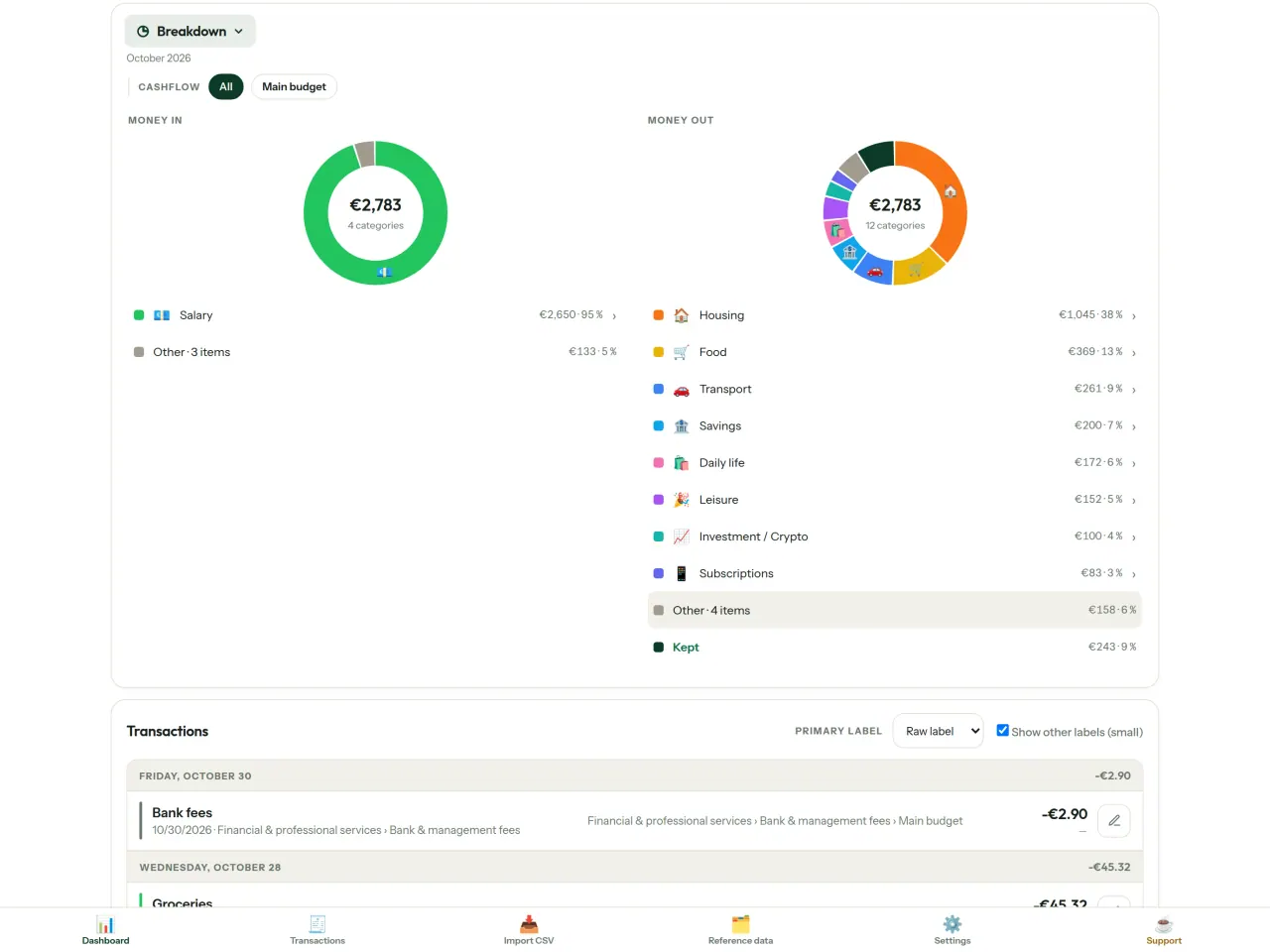
- Overzicht: inkomsten en uitgaven per categorie, met details per tik
- Uw uitgaven: een cascade met de grootste bedragen bovenaan
- Verloop van de maand: bekijk per dag wat er overblijft
- Uw tempo: vergelijk elke maand met een gelijkmatig uitgavenpatroon
Budgetdoelen
Vergelijk uw maandelijkse uitgaven met de 50/30/20-regel voor behoeften, wensen en sparen, of stel zelf percentages in. Bekijk uw doelen naast uw werkelijke uitgaven.
Uw maand, op uw manier
Laat uw budgetmaand op elke dag beginnen, passend bij de dag waarop uw salaris binnenkomt. Pas categorieën, subcategorieën en geldstromen aan.
Uw gegevens blijven van u
Alles staat in één bestand op uw toestel. Exporteer wanneer u wilt een reservekopie en bewaar die waar u zelf kiest. Er wordt niets geüpload.
Met een licht en donker thema.
Voor wie
- Huishoudens en gezinnen die hun budget willen volgen via de CSV-export van hun bank.
- Mensen die hun bankgegevens niet willen afstaan of geen account willen aanmaken om hun uitgaven bij te houden.
- Mensen die genoeg hebben van datalekken en weer controle willen over hun financiële gegevens: hier verlaten ze nooit de telefoon, dus er valt niets van een server te lekken.
- Mensen die de 50/30/20-regel volgen, of bij wie de budgetmaand begint op de dag dat het salaris binnenkomt.
Waarom kiezen voor CapBudget
- Lokaal als uitgangspunt: geen account, geen cloud, geen advertenties en geen tracking. Je transacties blijven in één bestand op je apparaat.
- Werkt volledig offline en is gratis.
- Importeert de CSV van elke bank, met detectie van duplicaten en strikte datumcontroles. Categorieënregels overschrijven je handmatige correcties nooit.
Wat het nog niet doet
- Nog geen automatische synchronisatie met de bank. Je importeert een CSV-export van je bank.
- Nog geen synchronisatie tussen meerdere apparaten. Gebruik de back-upexport om je gegevens te verplaatsen.
Het principe van Pixeon. Pixeon-apps werken lokaal als uitgangspunt: geen account, geen tracking en je gegevens blijven op je telefoon. Als een app ooit verbinding maakt met het netwerk, gebeurt dat alleen wanneer je ervoor kiest een functie in te schakelen die je nodig hebt. Het privacybeleid wordt bijgewerkt voordat die functie beschikbaar komt.
Bekijk CapBudget in actie.
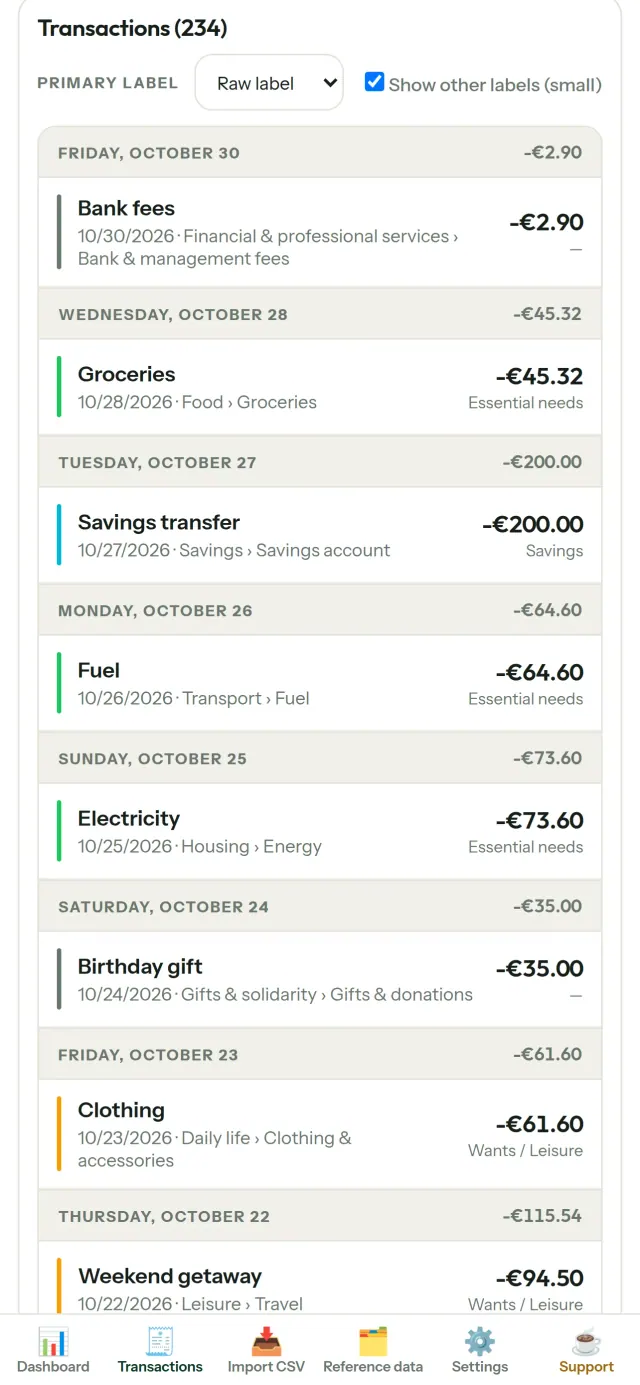
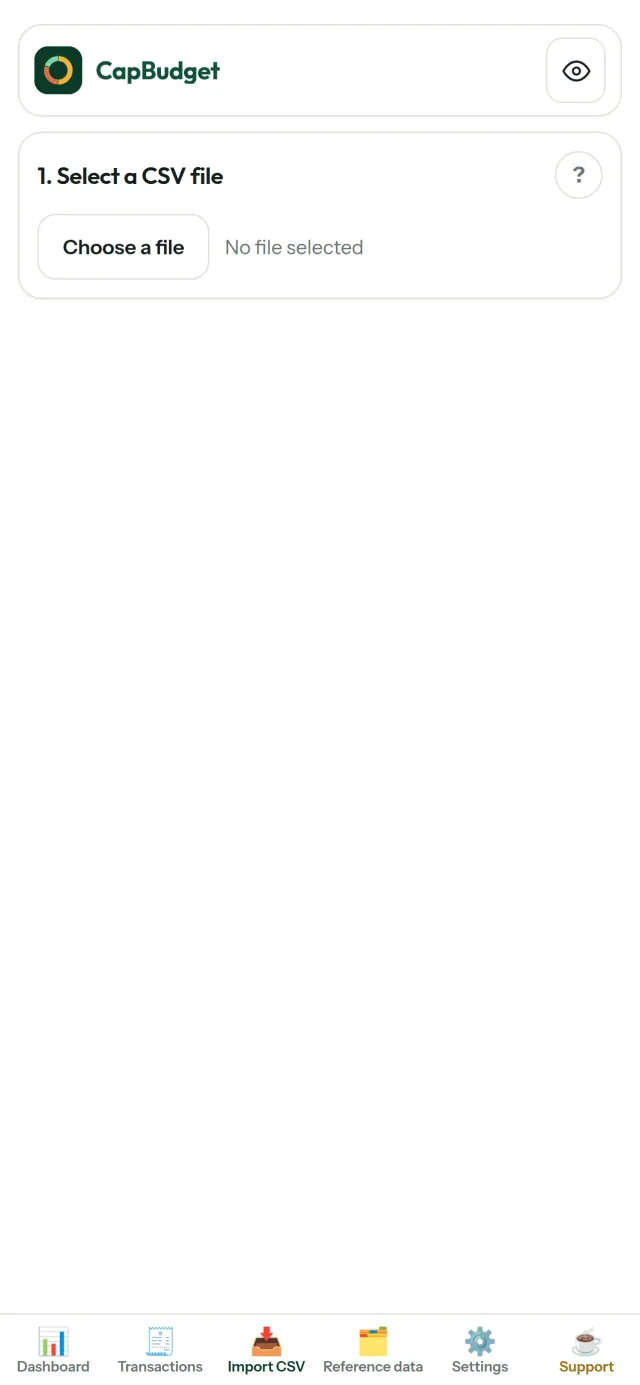
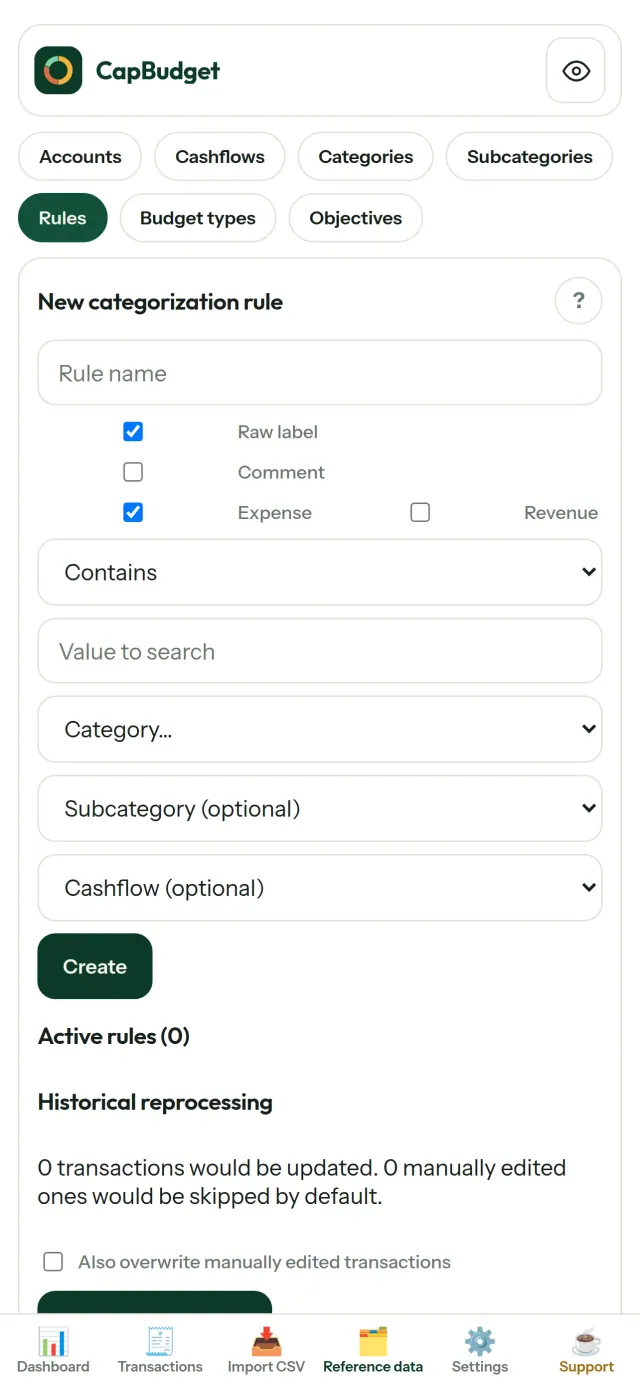
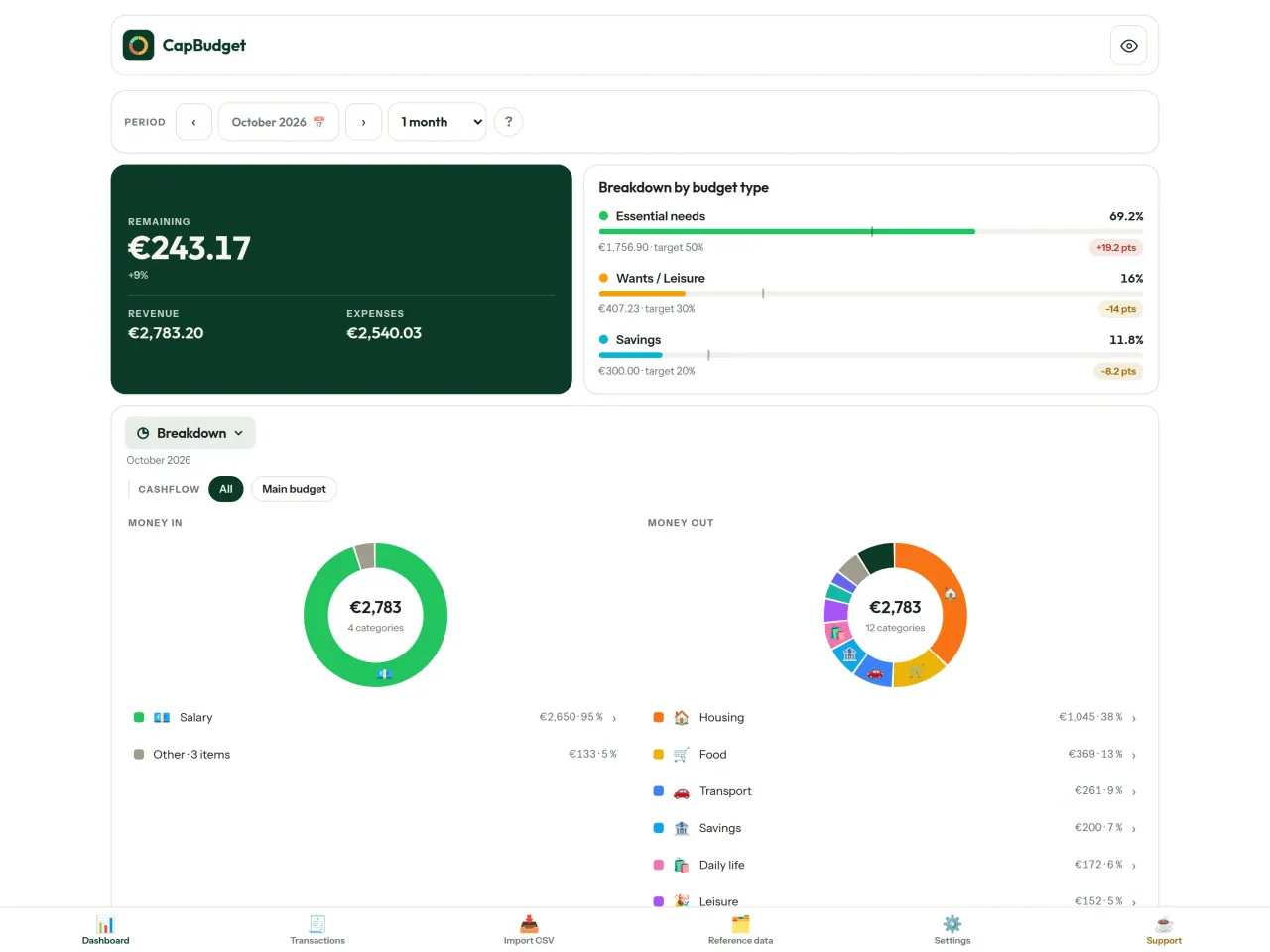
Download CapBudget.
Gratis op iPhone. Android komt binnenkort.
Binnenkort opGoogle PlaySupport the project
De tekst hieronder is in het Engels. De Engelse versie is leidend.
CapBudget is a budgeting app that I develop and maintain on my own, in my spare time alongside my day job. It is a local-first project: your data stays on your device.
No account, no ads, and no tracking.
If you find the app useful, the occasional coffee helps keep me motivated to keep releasing improvements. Buy me a coffee, and thank you for your support, whatever form it takes.
Privacy policy
De tekst hieronder is in het Engels. De Engelse versie is leidend.
Last updated: 2026-10-06
CapBudget is a local-first budgeting app. The short version: nothing leaves your device, and we collect nothing.
What data the app handles
Everything you put into CapBudget (bank transactions, account references,
categories, categorization rules, budget targets, and app settings) is
stored only in a single SQLite database on your device
(household.sqlite), in the app's own private storage. There is
no account, no login, and no CapBudget server.
What we collect
Nothing. No analytics or usage tracking, no advertising or advertising identifiers, no crash or diagnostics reporting, no third-party SDKs that phone home, no network calls to any CapBudget-operated service (there is none). The app functions fully offline.
CSV imports
When you import a bank CSV export, the file is parsed on your device. It is not uploaded anywhere and is not retained by the app unless you choose “keep” during import.
Backups
You can export a backup from Settings. The backup is a file you control. CapBudget does not upload it and has no access to wherever you save it.
Permissions
The app requests no location, contacts, camera, microphone, or other sensitive permissions, only its own private storage.
Optional tips
CapBudget is free. If you wish, you can leave the developer an optional tip; a tip never unlocks anything. On iOS this uses Apple’s in-app purchase: the payment is processed entirely by Apple, and CapBudget never sees your payment details, your Apple ID or your purchase history, and receives no personal information. On Android and in a web browser a button opens an external donation page in your browser; that page is operated by a third party (Buy Me a Coffee) under its own privacy policy, and nothing from the app is sent to it.
Bank-account references
An account number/IBAN from your CSV is stored to group transactions by account, kept only on your device. In the UI only the last 4 characters are shown.
Contact form on this website
If you write to us through this site, we use your message and the email address you optionally give only to reply. Bot protection is provided by Cloudflare and email delivery by Resend.
Language choice on this website
When you choose a language, or when this site opens a page in your browser's language, it stores
one small functional cookie (pxl, a language code, one year) so that your choice is
remembered. If this site suggests a page in your browser's language and you close that suggestion,
your browser also keeps a local note (pxl-banner-off, in local storage, 30 days) so the
suggestion does not come back. Neither identifies anyone, neither is used for tracking or advertising,
and neither is shared. You can delete them in your browser at any time.
Website statistics
This website uses Cloudflare Web Analytics to count visits (pages viewed, country, browser type, loading speed). It sets no cookie, does not use local storage, does not fingerprint your device, does not follow you across sites and does not build a profile of you. Search engines (for example Google Search Console) give us aggregated search statistics, without any data about individual visitors. We use no advertising or other analytics service. None of this concerns the app itself, which collects nothing.
Children
CapBudget is a general-purpose finance tool and is not directed at children.
Changes
An updated policy will be published at this URL with a new date above.
Contact
Questions about privacy: capbudget-contact@pixeon.net
Support
De tekst hieronder is in het Engels. De Engelse versie is leidend.
Last updated: 2026-10-06
CapBudget is a small independent app that keeps your budget on your device only: no account, no sign-up, no server. Answers to the most common questions are below.
We do our best to reply within a few days. To help us, tell us your device model, its system version and what you were doing. Please do not send real bank data or account numbers.
Where is my data stored?
Only on your device, in the app's own private storage. There is no CapBudget account and no CapBudget server, so nobody, including us, can see or recover your data. Details in the privacy policy.
How do I back up my data or move to a new phone?
- Open Settings → Backup & restore →
Download a backup. You get a
.sqlitefile: keep it wherever you like (Files, a cloud drive, your computer). - On the new device, install CapBudget, open Settings → Backup & restore, choose the file and tap Restore from a backup.
A restore replaces everything currently in the app.
I deleted the app or lost my phone: can my data be recovered?
Not unless you exported a backup: the data lives only on the device. Download a backup regularly.
How do I import my bank's transactions?
Export a CSV file from your bank's website, then open the Import CSV tab, choose the file, map its columns once, check the preview (duplicates and invalid dates are flagged) and confirm. Nothing is imported until you confirm.
Can transactions be categorized automatically?
Yes. In Reference data → Rules, create rules such as "label contains RENT → Housing / Rent". You can re-apply them to past transactions at any time; transactions you edited by hand are protected unless you explicitly choose to overwrite them.
How do I change the language, the theme or the start day of my budget month?
The language button is in the top bar. The theme and the day your budget month starts are in Settings. CapBudget is available in English, French, German, Spanish, Portuguese and Italian.
How do I remove the sample data?
Settings → Sample data → Remove sample data. Only the sample transactions are removed, never your own.
EXIF-viewer en fotometadata opschonen: locatie, datum, camera. Op je toestel.
Ook van PixeonVaultMarkEncrypted document vault. Watermark documents, remove metadata before sharing.