CapBudget 가족 가계부
예산 관리와 지출 관리, 월별 흐름을 간편하게 확인하세요.
 다음에서 출시 예정Google Play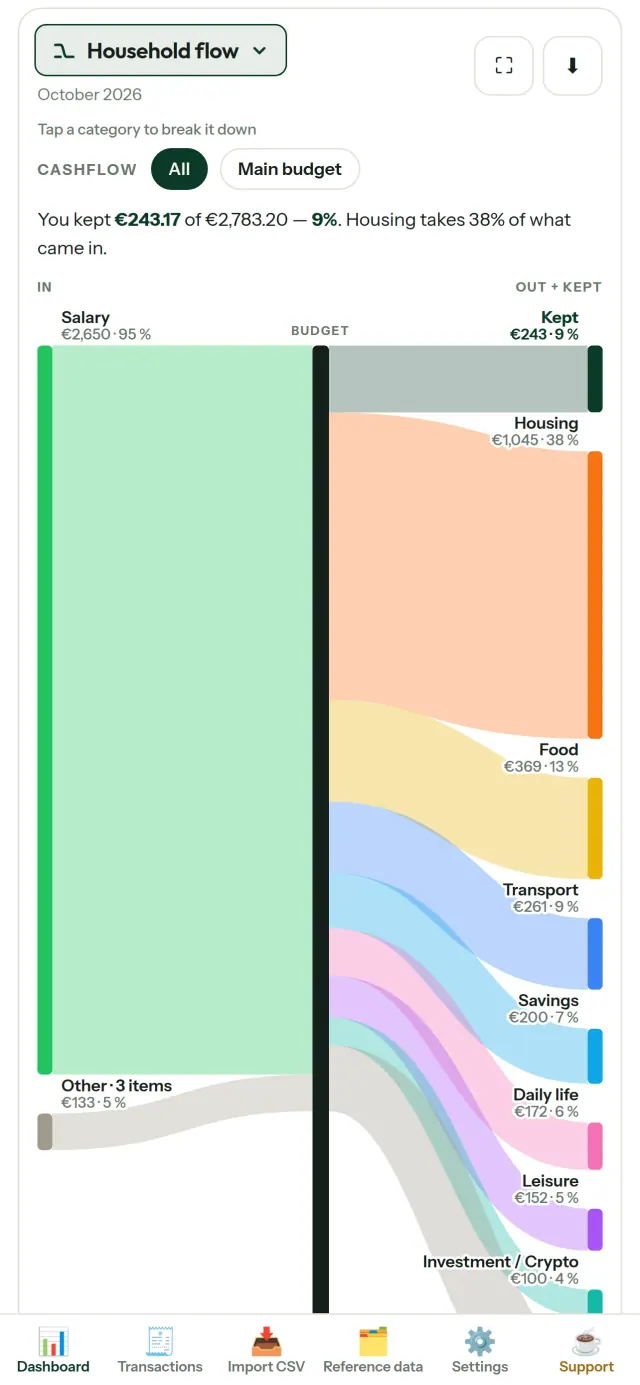
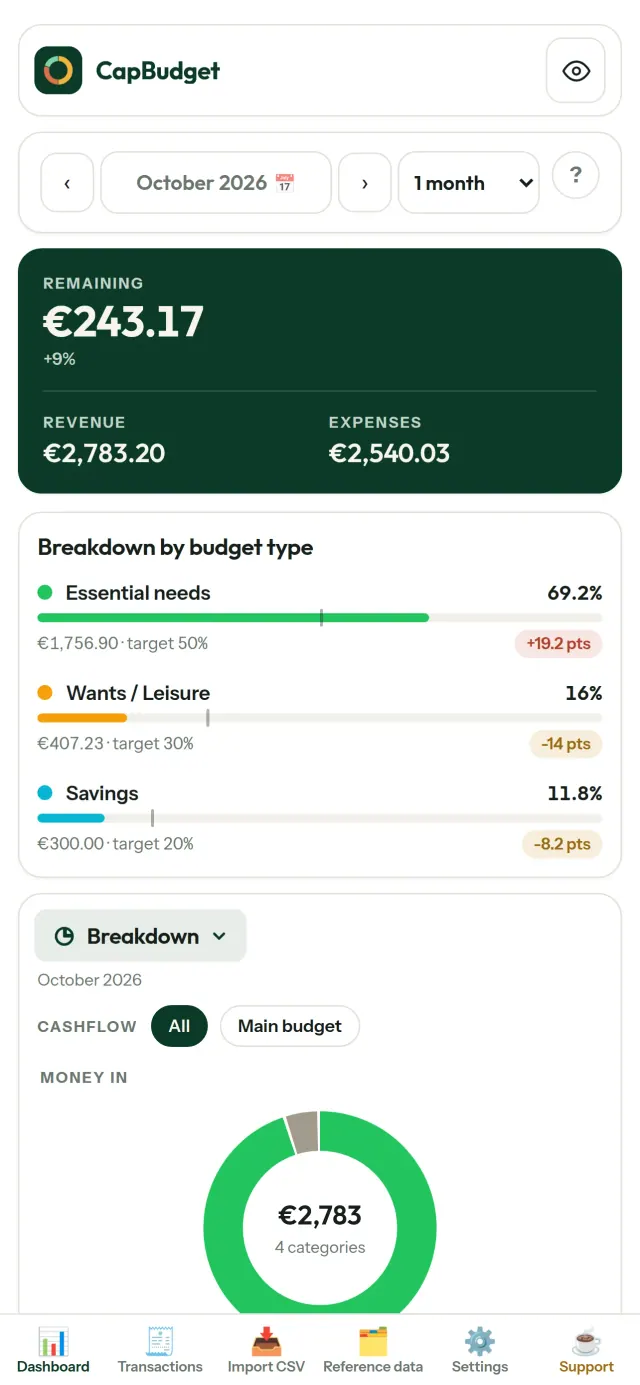
예산 관리 · 지출 관리 · 가족 가계부 · 예산 플래너. CapBudget는 가정의 수입과 지출을 정리하는 예산 앱입니다. 데이터는 기기에 보관되며 계정이나 가입, 클라우드, 광고, 추적 없이 오프라인으로 이용할 수 있습니다.
CapBudget의 기능
은행 거래 내역 가져오기
은행에서 받은 CSV 파일을 불러오세요. 열을 지정하고, 중복 항목 확인과 날짜 검사가 적용된 미리보기를 확인한 뒤 가져오기를 완료할 수 있습니다. 항목을 임의로 추정해 처리하지 않습니다.
규칙으로 간편하게 분류하기
간단한 규칙을 만들어 거래를 자동으로 분류하세요. 예를 들어 “임대료 포함 → 주거비 / 월세”처럼 설정할 수 있습니다. 과거 거래에도 다시 적용할 수 있으며, 직접 수정한 내용은 덮어쓰지 않습니다.
돈의 흐름 한눈에 보기
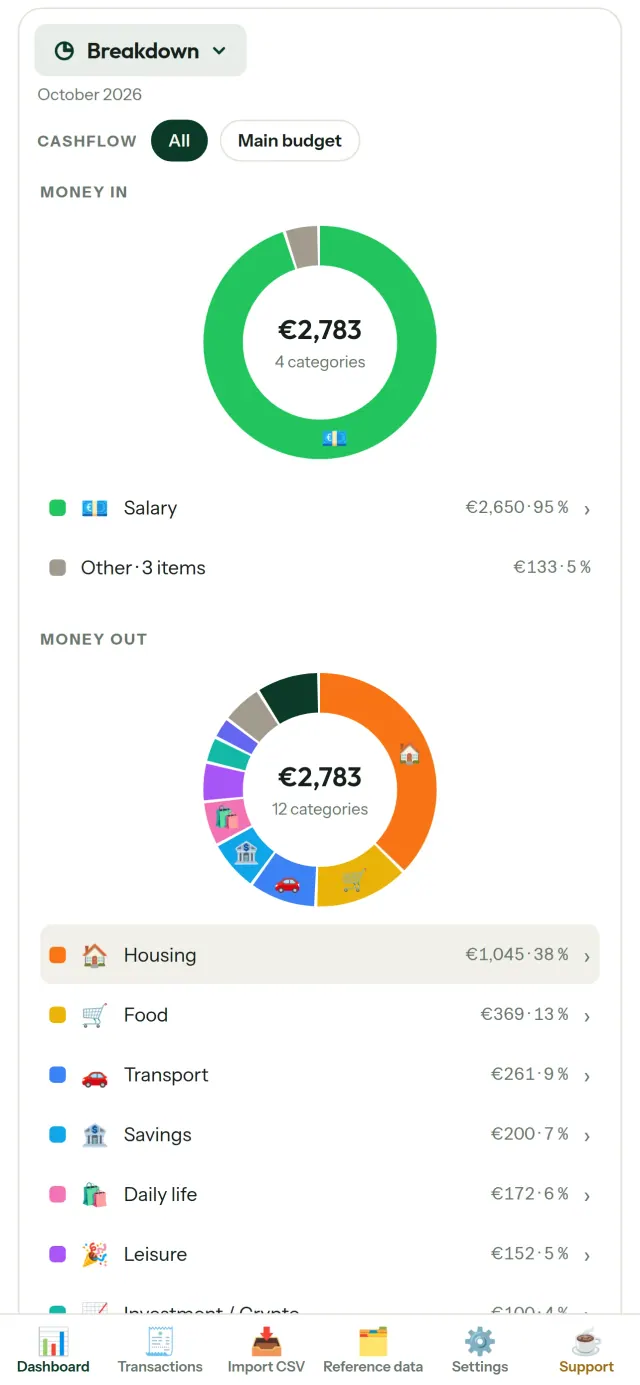
월 범위, 현금 흐름 또는 항목별로 필터링하고 차트를 이미지로 내보낼 수 있습니다.
- 가계 흐름: 수입부터 항목별 지출, 남은 금액까지 생키 다이어그램으로 확인
- 항목별 내역: 수입과 지출을 항목별로 살펴보고 눌러서 자세히 확인
- 지출 흐름: 지출이 큰 항목부터 차례로 보기
- 월별 잔액: 날짜별로 남은 금액 확인
- 지출 속도: 매달 지출 흐름을 일정한 기준과 비교
예산 목표
월 지출을 50/30/20 규칙에 따라 필수 지출, 원하는 지출, 저축으로 나눠 비교하거나 직접 비율을 정해 목표와 실제 지출을 확인하세요.
내 생활에 맞는 예산 월
예산 월의 시작일을 원하는 날짜로 설정해 급여가 들어오는 시점에 맞출 수 있습니다. 항목과 하위 항목, 현금 흐름을 원하는 방식으로 구성하세요.
내 데이터는 내 기기에
데이터는 기기의 단일 파일에 저장됩니다. 원할 때 백업 파일로 내보내 원하는 곳에 보관하세요. 데이터는 외부에 업로드되지 않습니다. 공유 없이 개인 기기에서 관리하는 방식이며, 재무 정보를 오프라인 이용으로 확인할 수 있습니다.
밝은 테마와 어두운 테마를 지원합니다.
이런 분께 추천합니다
- 은행의 CSV 내보내기 파일로 가계 예산을 관리하고 싶은 가구와 가족.
- 지출을 관리하려고 은행 로그인 정보를 넘기거나 계정을 만들고 싶지 않은 분.
- 데이터 유출에 지쳐 금융 데이터를 직접 통제하고 싶은 분. 데이터가 휴대폰을 떠나지 않으므로 서버에서 유출될 일이 없습니다.
- 50/30/20 규칙을 따르거나 월급날부터 예산 월이 시작되는 분.
CapBudget을(를) 선택해야 하는 이유
- 로컬 우선: 계정, 클라우드, 광고, 추적이 없습니다. 거래 내역은 기기 안의 파일 하나에 저장됩니다.
- 완전히 오프라인으로 작동하며 무료입니다.
- 어떤 은행의 CSV든 가져올 수 있고, 중복 감지와 엄격한 날짜 검사를 제공합니다. 분류 규칙이 직접 수정한 내용을 덮어쓰는 일은 없습니다.
아직 지원하지 않는 기능
- 은행과의 자동 동기화는 아직 지원하지 않습니다. 은행에서 내보낸 CSV를 가져와 사용하세요.
- 여러 기기 간 동기화는 아직 지원하지 않습니다. 데이터를 옮기려면 백업 내보내기를 사용하세요.
Pixeon의 원칙. Pixeon 앱은 로컬 우선입니다. 계정도, 추적도 없으며, 데이터는 휴대폰 안에만 남습니다. 앱이 네트워크에 연결되는 경우는 필요한 기능을 직접 켰을 때뿐이며, 그 기능을 출시하기 전에 개인정보 처리방침을 먼저 업데이트합니다.
CapBudget의 작동 모습을 확인하세요.
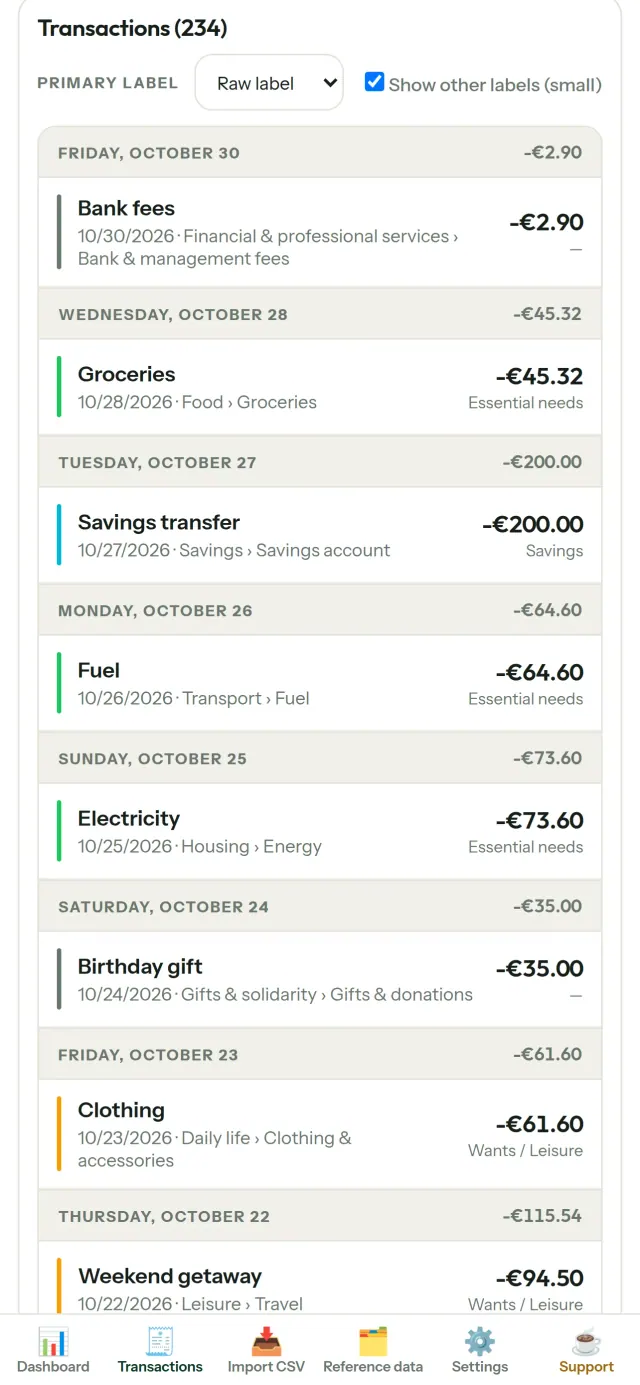
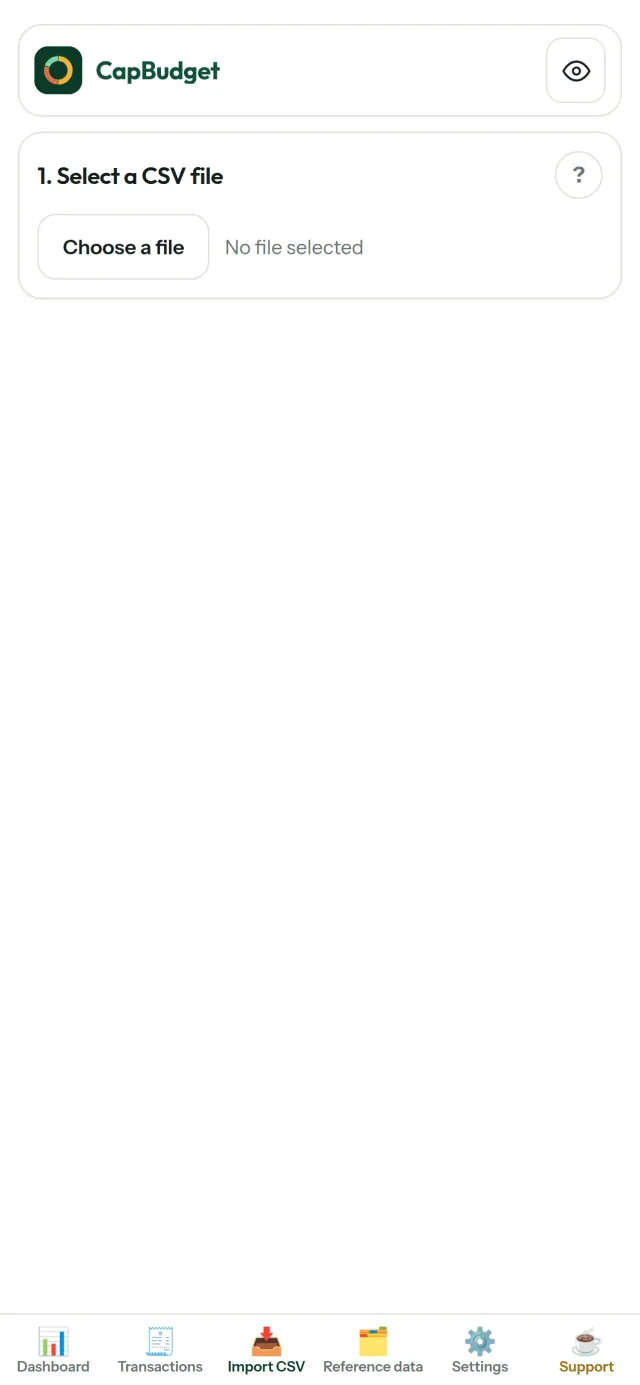
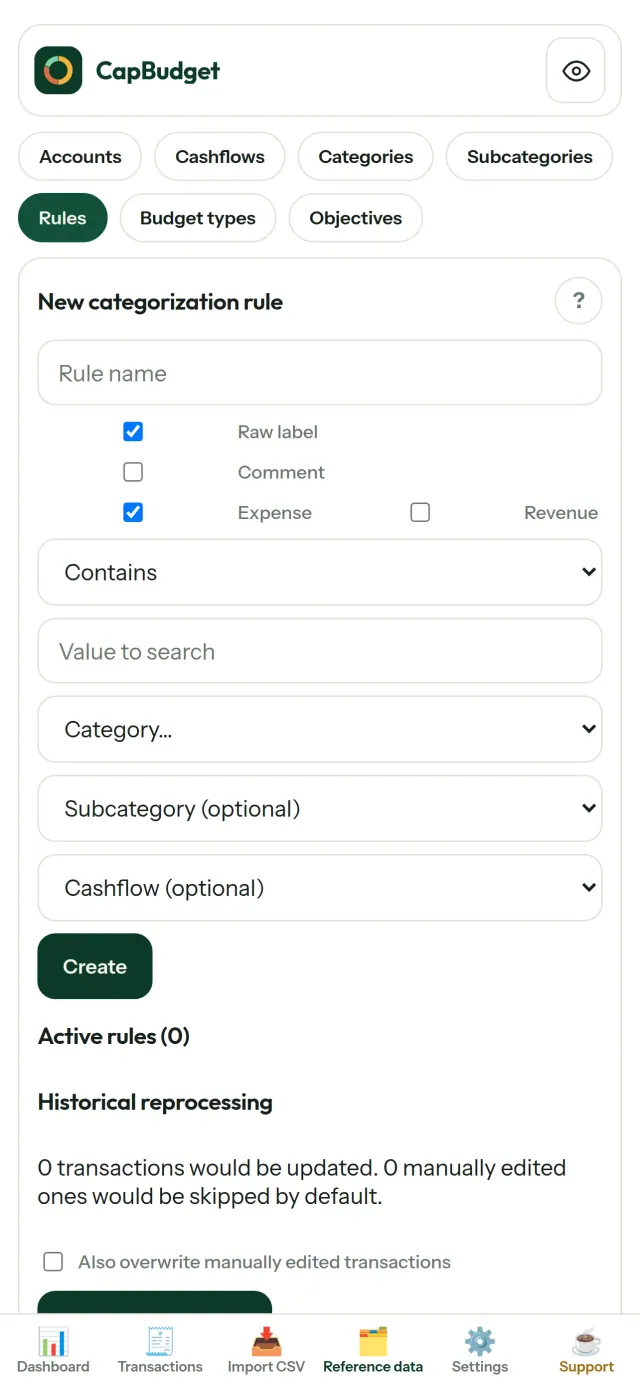
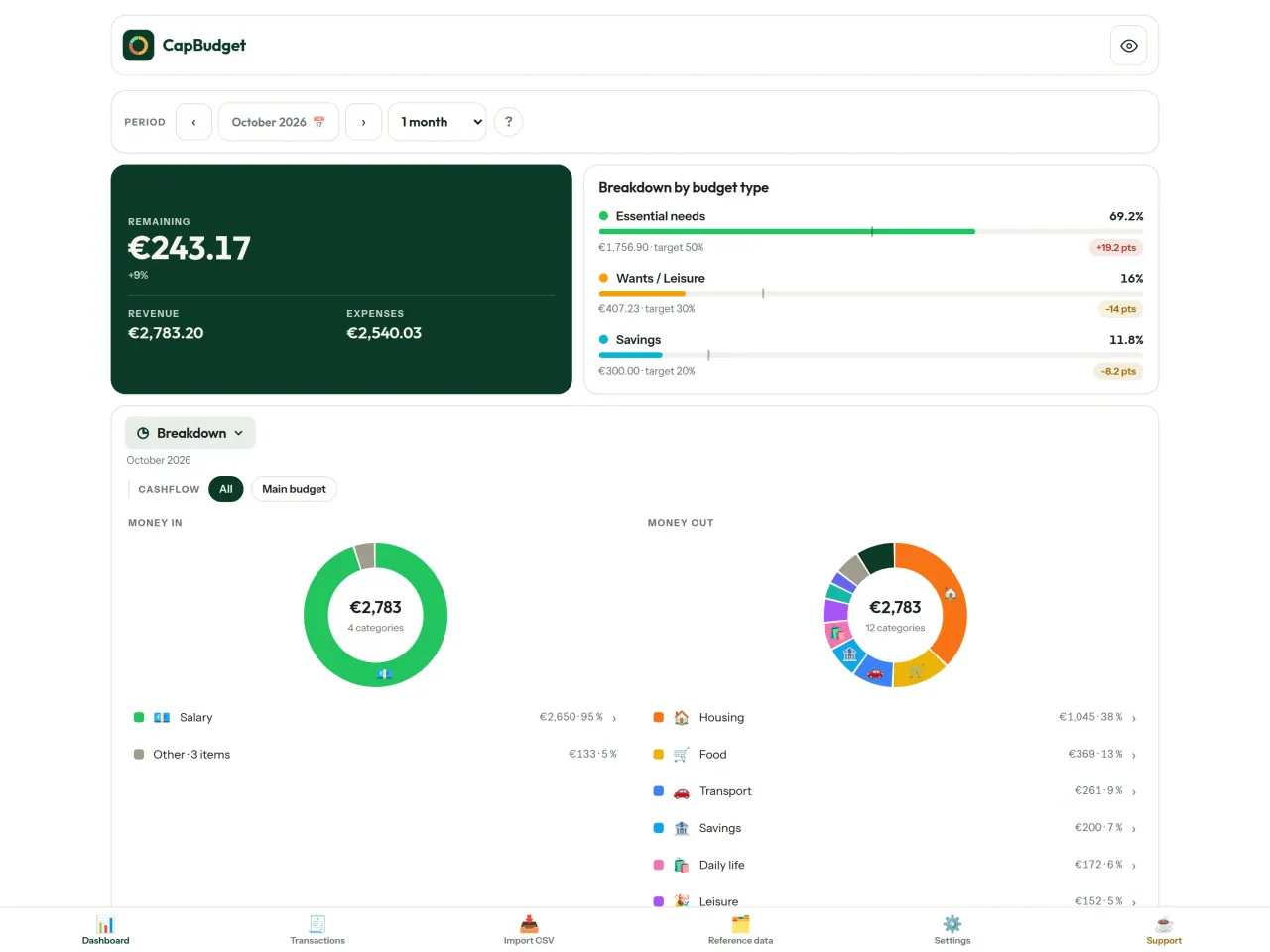
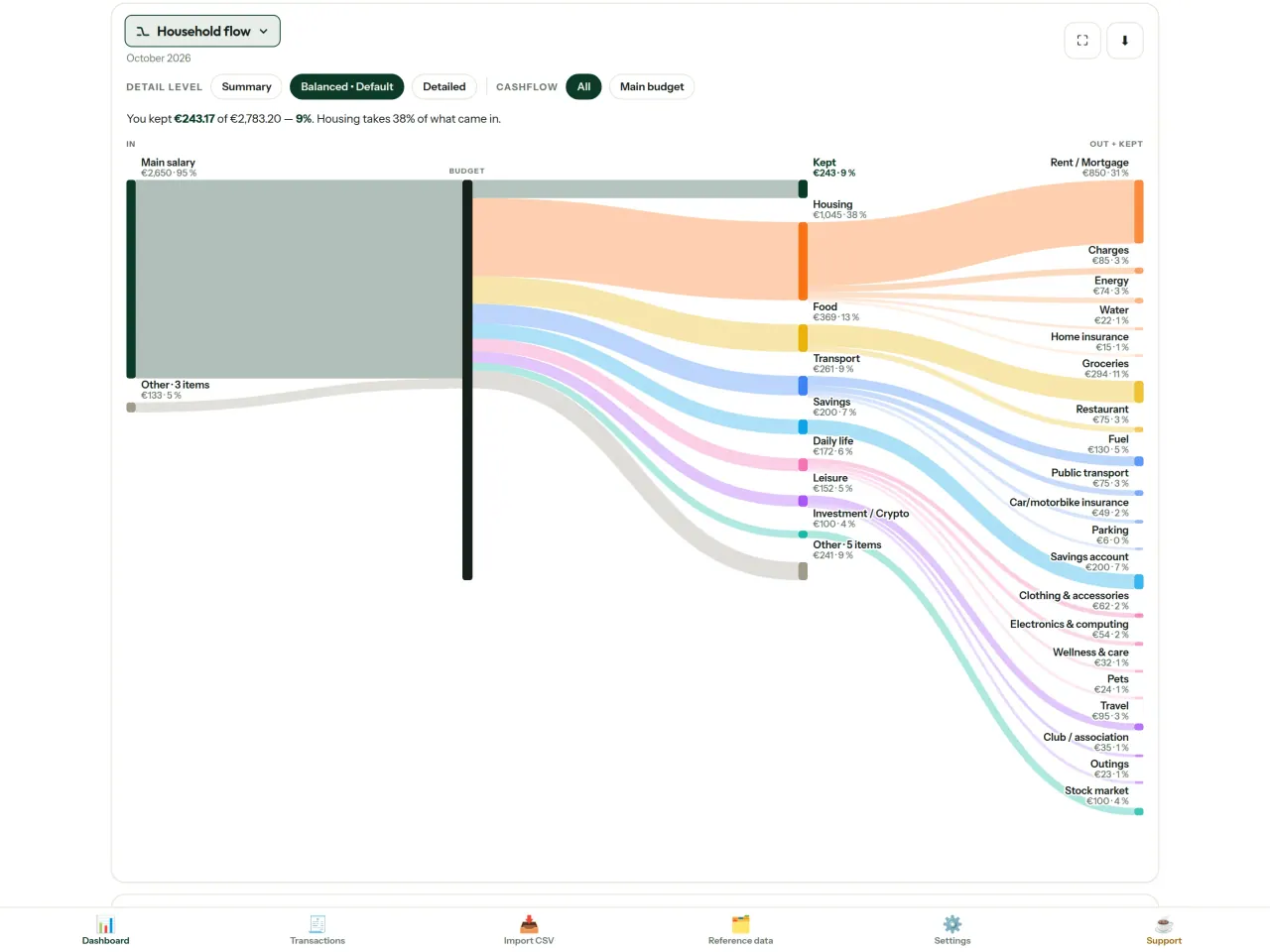
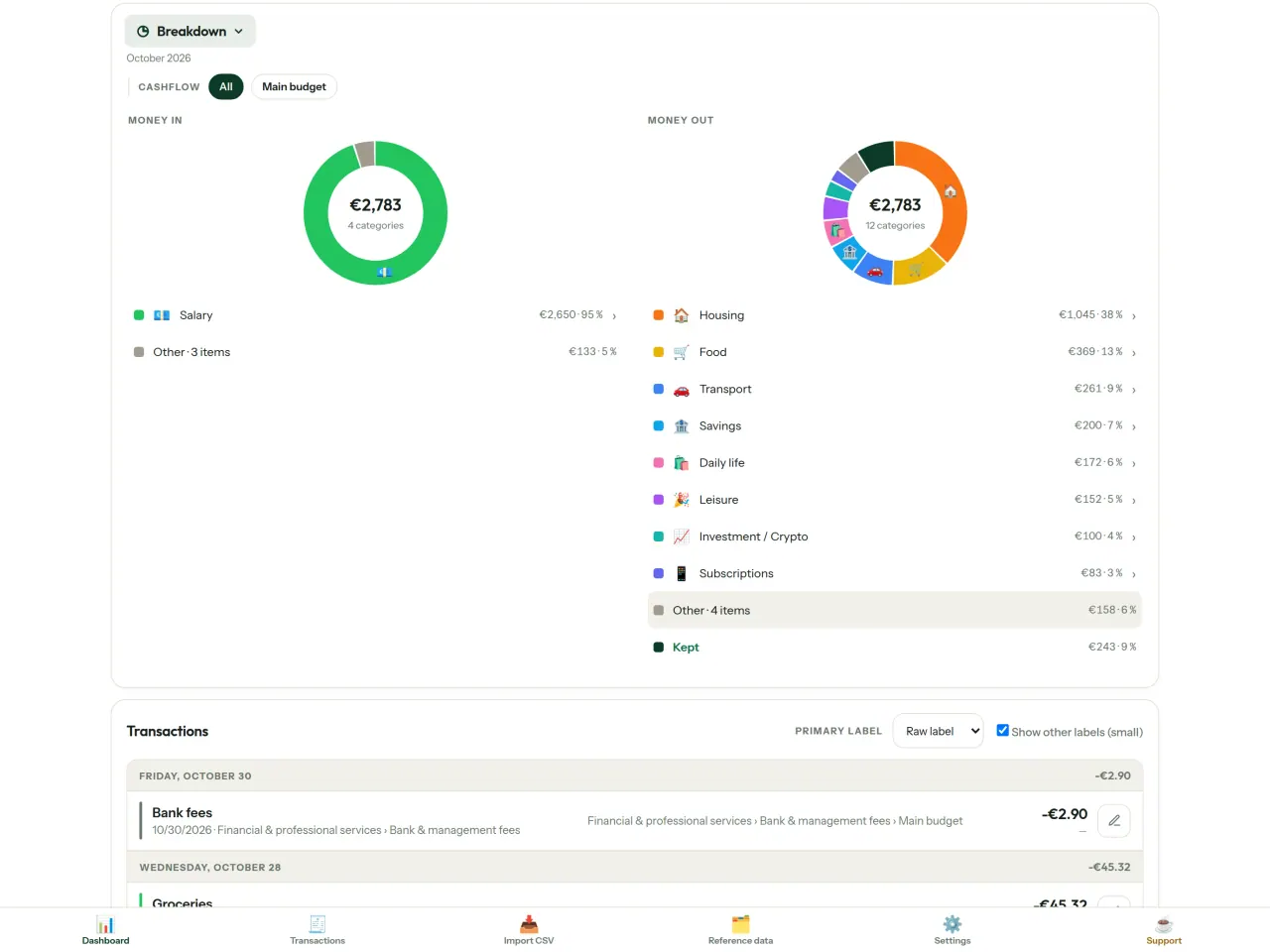
CapBudget 받기.
iPhone에서 무료. Android 버전은 곧 출시됩니다.
다음에서 출시 예정Google PlaySupport the project
아래 텍스트는 영어로 제공됩니다. 영어 버전이 우선합니다.
CapBudget is a budgeting app that I develop and maintain on my own, in my spare time alongside my day job. It is a local-first project: your data stays on your device.
No account, no ads, and no tracking.
If you find the app useful, the occasional coffee helps keep me motivated to keep releasing improvements. Buy me a coffee, and thank you for your support, whatever form it takes.
Privacy policy
아래 텍스트는 영어로 제공됩니다. 영어 버전이 우선합니다.
Last updated: 2026-10-06
CapBudget is a local-first budgeting app. The short version: nothing leaves your device, and we collect nothing.
What data the app handles
Everything you put into CapBudget (bank transactions, account references,
categories, categorization rules, budget targets, and app settings) is
stored only in a single SQLite database on your device
(household.sqlite), in the app's own private storage. There is
no account, no login, and no CapBudget server.
What we collect
Nothing. No analytics or usage tracking, no advertising or advertising identifiers, no crash or diagnostics reporting, no third-party SDKs that phone home, no network calls to any CapBudget-operated service (there is none). The app functions fully offline.
CSV imports
When you import a bank CSV export, the file is parsed on your device. It is not uploaded anywhere and is not retained by the app unless you choose “keep” during import.
Backups
You can export a backup from Settings. The backup is a file you control. CapBudget does not upload it and has no access to wherever you save it.
Permissions
The app requests no location, contacts, camera, microphone, or other sensitive permissions, only its own private storage.
Optional tips
CapBudget is free. If you wish, you can leave the developer an optional tip; a tip never unlocks anything. On iOS this uses Apple’s in-app purchase: the payment is processed entirely by Apple, and CapBudget never sees your payment details, your Apple ID or your purchase history, and receives no personal information. On Android and in a web browser a button opens an external donation page in your browser; that page is operated by a third party (Buy Me a Coffee) under its own privacy policy, and nothing from the app is sent to it.
Bank-account references
An account number/IBAN from your CSV is stored to group transactions by account, kept only on your device. In the UI only the last 4 characters are shown.
Contact form on this website
If you write to us through this site, we use your message and the email address you optionally give only to reply. Bot protection is provided by Cloudflare and email delivery by Resend.
Language choice on this website
When you choose a language, or when this site opens a page in your browser's language, it stores
one small functional cookie (pxl, a language code, one year) so that your choice is
remembered. If this site suggests a page in your browser's language and you close that suggestion,
your browser also keeps a local note (pxl-banner-off, in local storage, 30 days) so the
suggestion does not come back. Neither identifies anyone, neither is used for tracking or advertising,
and neither is shared. You can delete them in your browser at any time.
Website statistics
This website uses Cloudflare Web Analytics to count visits (pages viewed, country, browser type, loading speed). It sets no cookie, does not use local storage, does not fingerprint your device, does not follow you across sites and does not build a profile of you. Search engines (for example Google Search Console) give us aggregated search statistics, without any data about individual visitors. We use no advertising or other analytics service. None of this concerns the app itself, which collects nothing.
Children
CapBudget is a general-purpose finance tool and is not directed at children.
Changes
An updated policy will be published at this URL with a new date above.
Contact
Questions about privacy: capbudget-contact@pixeon.net
Support
아래 텍스트는 영어로 제공됩니다. 영어 버전이 우선합니다.
Last updated: 2026-10-06
CapBudget is a small independent app that keeps your budget on your device only: no account, no sign-up, no server. Answers to the most common questions are below.
We do our best to reply within a few days. To help us, tell us your device model, its system version and what you were doing. Please do not send real bank data or account numbers.
Where is my data stored?
Only on your device, in the app's own private storage. There is no CapBudget account and no CapBudget server, so nobody, including us, can see or recover your data. Details in the privacy policy.
How do I back up my data or move to a new phone?
- Open Settings → Backup & restore →
Download a backup. You get a
.sqlitefile: keep it wherever you like (Files, a cloud drive, your computer). - On the new device, install CapBudget, open Settings → Backup & restore, choose the file and tap Restore from a backup.
A restore replaces everything currently in the app.
I deleted the app or lost my phone: can my data be recovered?
Not unless you exported a backup: the data lives only on the device. Download a backup regularly.
How do I import my bank's transactions?
Export a CSV file from your bank's website, then open the Import CSV tab, choose the file, map its columns once, check the preview (duplicates and invalid dates are flagged) and confirm. Nothing is imported until you confirm.
Can transactions be categorized automatically?
Yes. In Reference data → Rules, create rules such as "label contains RENT → Housing / Rent". You can re-apply them to past transactions at any time; transactions you edited by hand are protected unless you explicitly choose to overwrite them.
How do I change the language, the theme or the start day of my budget month?
The language button is in the top bar. The theme and the day your budget month starts are in Settings. CapBudget is available in English, French, German, Spanish, Portuguese and Italian.
How do I remove the sample data?
Settings → Sample data → Remove sample data. Only the sample transactions are removed, never your own.
EXIF viewer · 사진 메타데이터 · 위치, 날짜, 카메라 정보를 확인하고 정리해요
Pixeon의 다른 앱VaultMarkEncrypted document vault. Watermark documents, remove metadata before sharing.