CapBudget بجٹ
ایکسپنس ٹریکر، فیملی بجٹ اور بجٹ پلانر، سب ایک جگہ۔
 جلد دستیابGoogle Play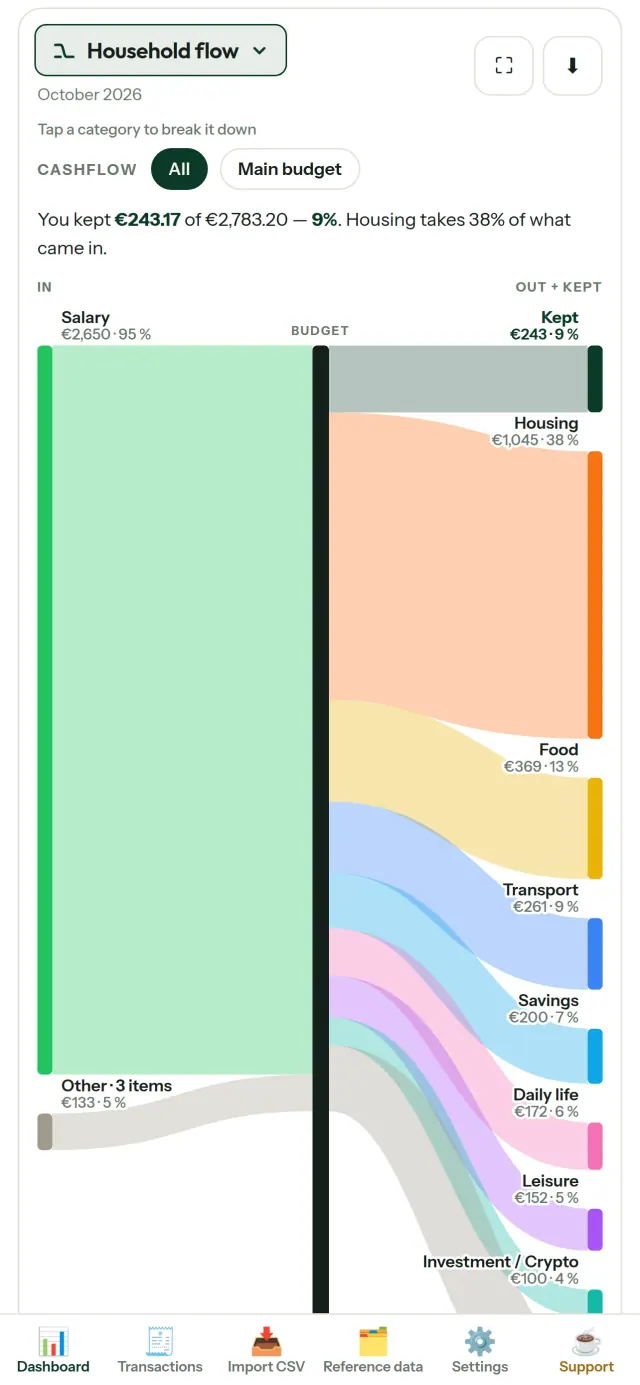
CapBudget ایک بجٹ پلانر اور ایکسپنس ٹریکر ہے، جو گھر کے اخراجات اور فیملی بجٹ کو منظم رکھنے میں مدد دیتا ہے۔ آپ کا تمام ڈیٹا آپ کے آلے پر رہتا ہے: اکاؤنٹ یا سائن اپ کی ضرورت نہیں، نہ کلاؤڈ، اشتہارات یا ٹریکنگ۔ ایپ آف لائن بھی کام کرتی ہے۔ مفت۔
CapBudget کیا کرتی ہے
بینک کی فائلیں درآمد کریں
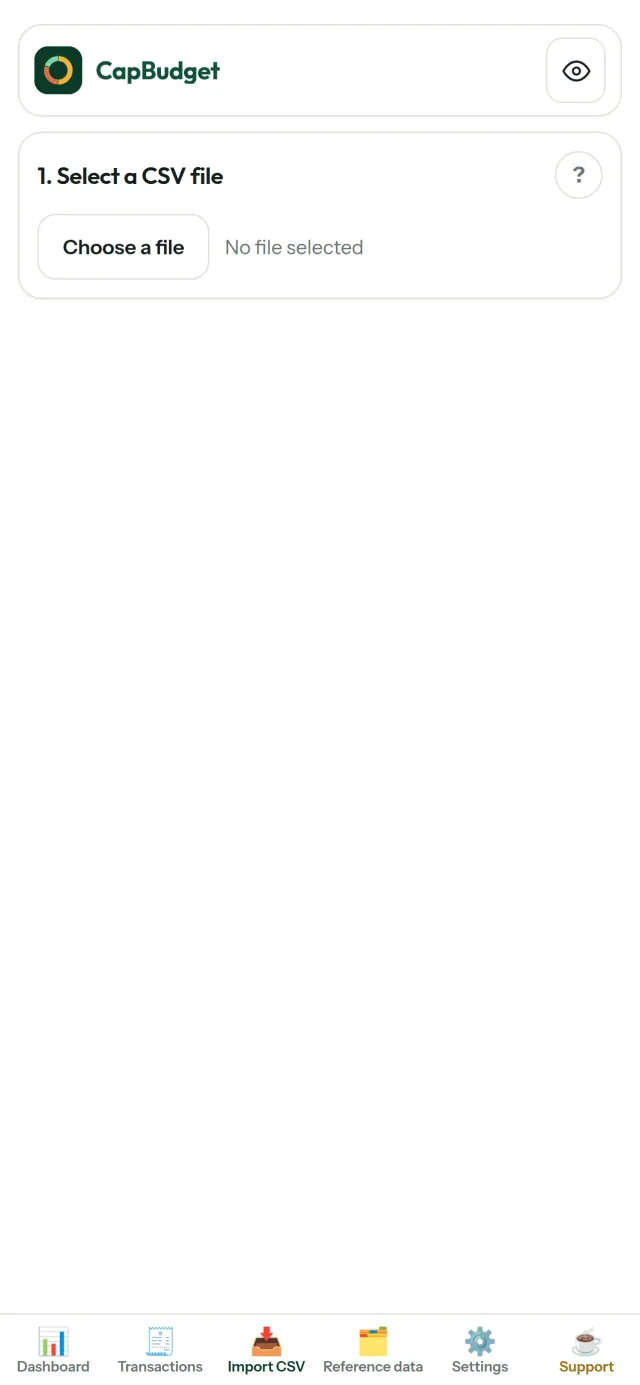
کسی بھی بینک سے حاصل کردہ CSV فائل شامل کریں۔ کالم ایک بار ترتیب دیں، درآمد سے پہلے جائزہ لیں اور پھر تصدیق کریں۔ ڈپلیکیٹ اندراجات کی شناخت اور تاریخوں کی جانچ ہوتی ہے۔ کوئی معلومات خاموشی سے فرض نہیں کی جاتیں۔
قواعد سے اندراجات ترتیب دیں
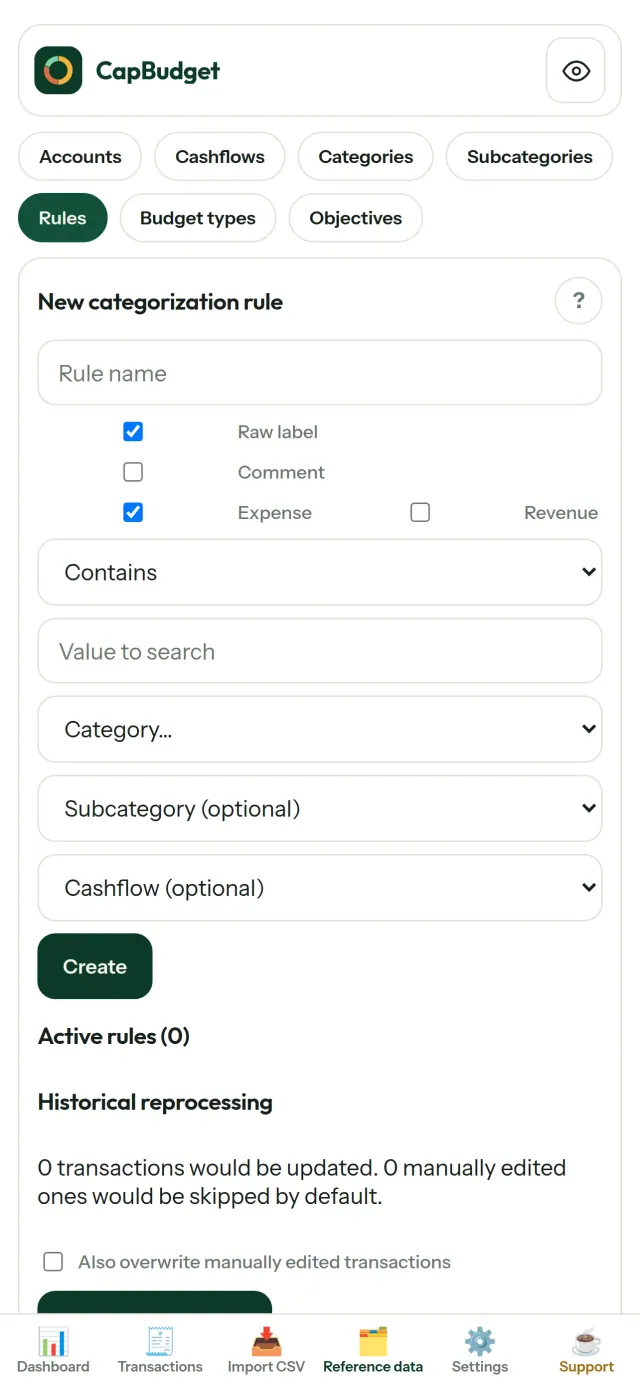
سادہ قواعد بنائیں، مثلاً اگر اندراج میں RENT ہو تو اسے گھر کے کرائے میں شامل کریں۔ CapBudget آپ کے لین دین کو خودکار طور پر زمرہ وار ترتیب دیتا ہے۔ چاہیں تو پرانے لین دین پر بھی قواعد دوبارہ چلائیں۔ آپ کی دستی تبدیلیاں برقرار رہتی ہیں۔
دیکھیں پیسہ کہاں خرچ ہوتا ہے
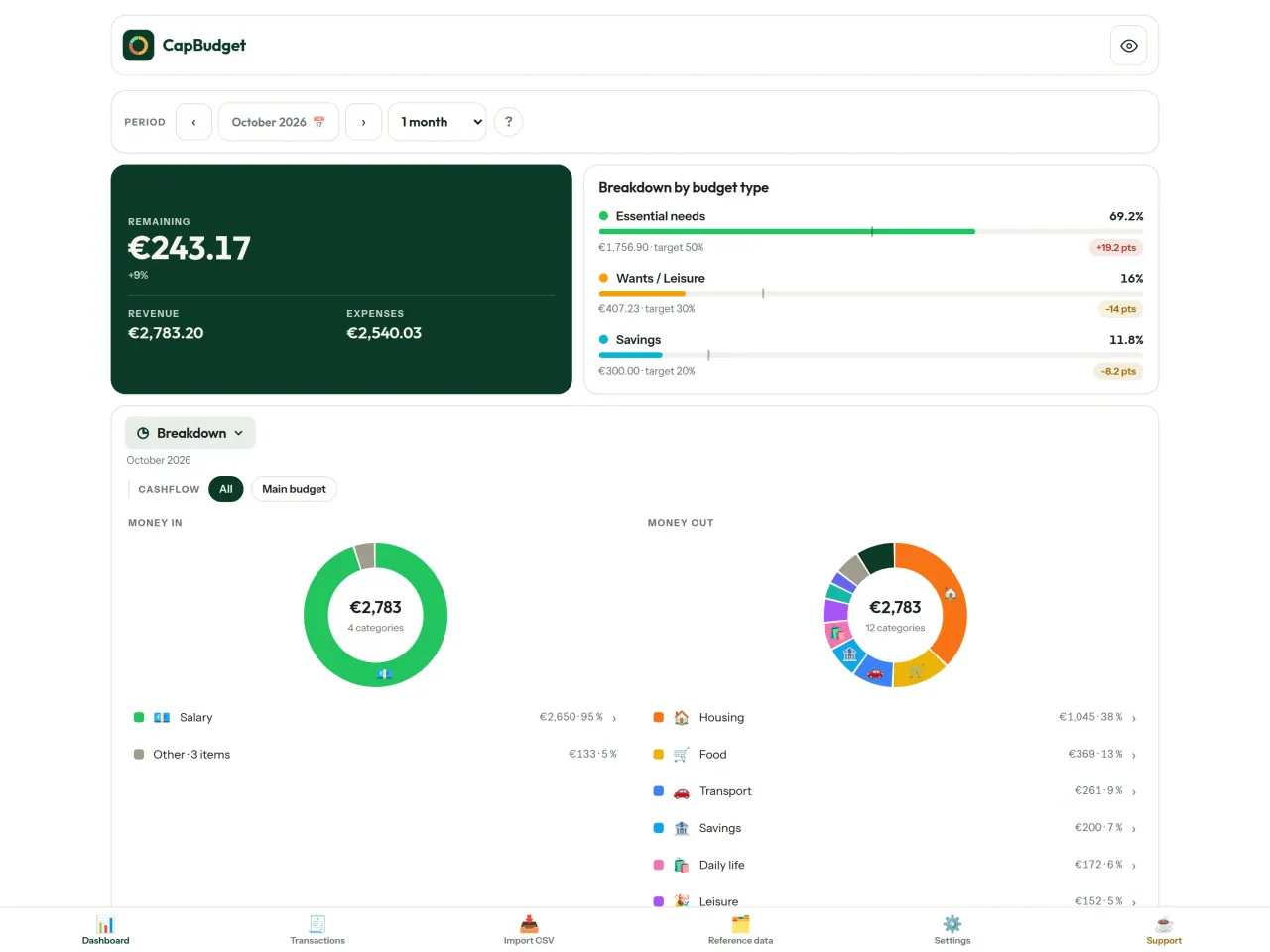
مہینوں کی مدت، آمدن و خرچ یا زمرے کے مطابق فلٹر کریں، اور کسی بھی چارٹ کو تصویر کی صورت میں محفوظ کریں۔
- گھریلو مالی بہاؤ: آمدن سے زمروں اور باقی رقم تک سنکی ڈایاگرام
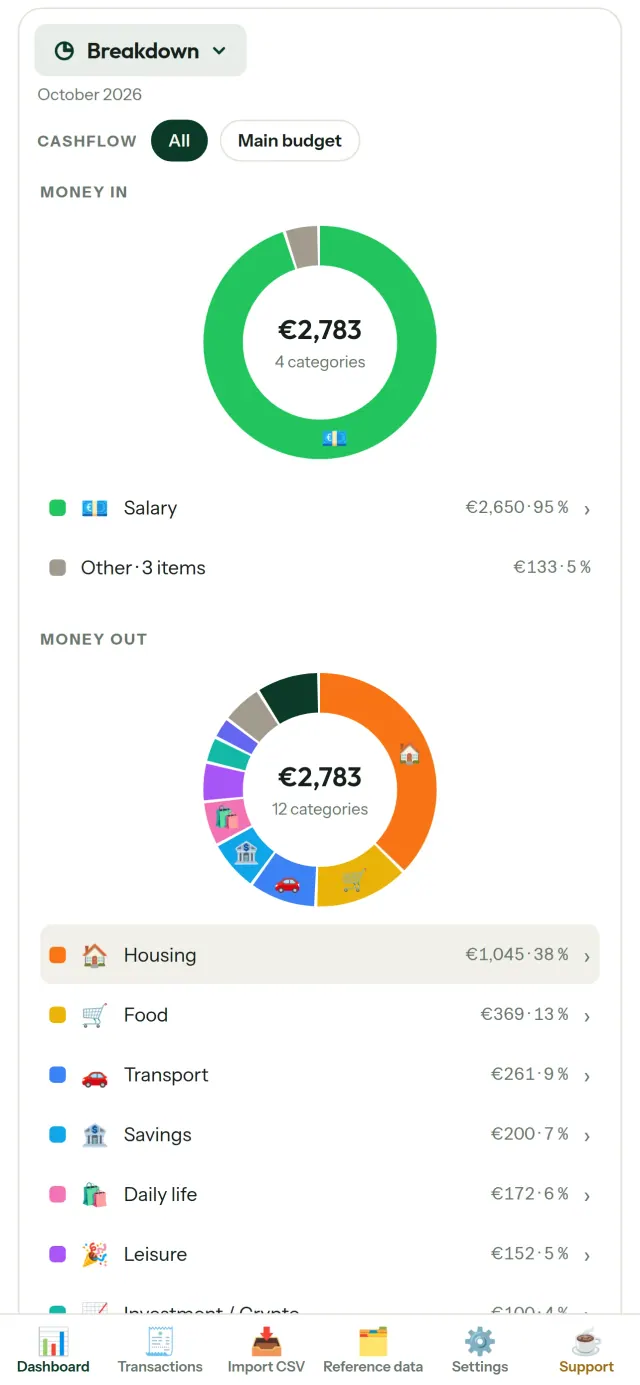
- تفصیل: زمرے کے لحاظ سے آمدن اور اخراجات، مزید جاننے کے لیے کسی زمرے پر ٹیپ کریں
- خرچ کی ترتیب: سب سے بڑی رقم پہلے
- مہینے کا حساب: دن بہ دن باقی رقم
- خرچ کی رفتار: ہر مہینے کا باقاعدہ اخراجات سے موازنہ
بجٹ کے اہداف
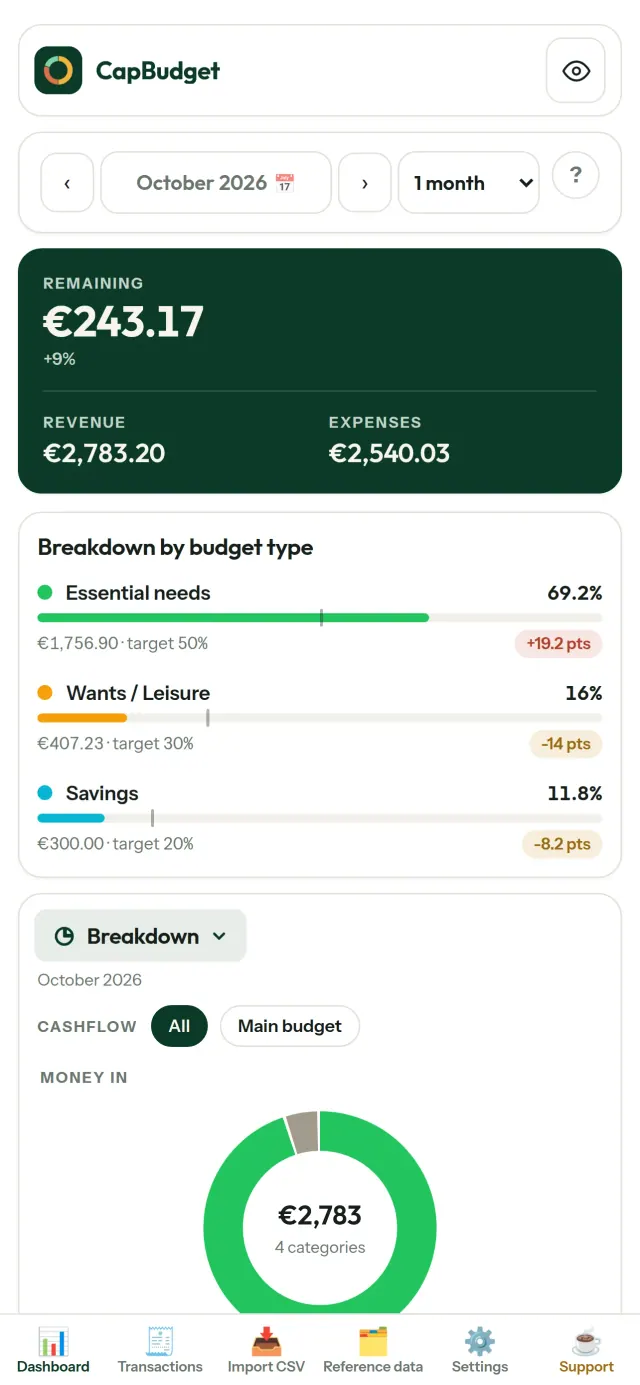
اپنے ماہانہ اخراجات کا 50/30/20 اصول، یعنی ضروریات، خواہشات اور بچت، سے موازنہ کریں یا اپنی شرحیں مقرر کریں۔ پھر ہدف اور اصل خرچ ایک ساتھ دیکھیں۔
آپ کا مہینہ، آپ کے مطابق
بجٹ کا مہینہ کسی بھی دن سے شروع کریں تاکہ یہ تنخواہ آنے کی تاریخ سے میل کھائے۔ زمرے، ذیلی زمرے اور آمدن و خرچ کی اقسام اپنی ضرورت کے مطابق رکھیں۔
آپ کا ڈیٹا آپ کے پاس
تمام معلومات آپ کے آلے کی ایک فائل میں رہتی ہیں۔ جب چاہیں بیک اپ برآمد کریں اور اپنی پسند کی جگہ محفوظ رکھیں۔ کچھ بھی اپ لوڈ نہیں ہوتا۔
ہلکے اور گہرے تھیمز کے ساتھ۔
یہ کس کے لیے ہے
- گھرانے اور خاندان جو اپنے بینک کی CSV برآمدات سے اپنا بجٹ دیکھنا چاہتے ہیں۔
- وہ لوگ جو اخراجات پر نظر رکھنے کے لیے بینک کی لاگ اِن معلومات دینا یا اکاؤنٹ بنانا نہیں چاہتے۔
- ڈیٹا لیک سے تنگ آئے ہوئے لوگ جو اپنے مالی ڈیٹا پر قابو واپس لینا چاہتے ہیں: یہاں وہ کبھی فون سے باہر نہیں جاتا، اس لیے سرور سے لیک ہونے کو کچھ نہیں۔
- وہ لوگ جو 50/30/20 اصول پر چلتے ہیں، یا جن کا بجٹ مہینہ تنخواہ آنے کے دن سے شروع ہوتا ہے۔
CapBudget کیوں منتخب کریں
- پہلے مقامی: کوئی اکاؤنٹ نہیں، کوئی کلاؤڈ نہیں، کوئی اشتہار نہیں، کوئی ٹریکنگ نہیں۔ آپ کے لین دین آپ کے آلے پر ایک فائل میں رہتے ہیں۔
- مکمل طور پر آف لائن کام کرتی ہے، اور مفت ہے۔
- کسی بھی بینک کی CSV درآمد کرتی ہے، دہرائے گئے اندراجات کی نشاندہی اور تاریخوں کی سخت جانچ کے ساتھ۔ زمرہ بندی کے اصول آپ کی دستی اصلاحات کو کبھی دوبارہ نہیں لکھتے۔
ایپ ابھی کیا نہیں کرتی
- ابھی تک بینک کے ساتھ خودکار ہم آہنگی نہیں۔ آپ اپنے بینک سے CSV برآمد درآمد کرتے ہیں۔
- ابھی تک کئی آلات کے درمیان ہم آہنگی نہیں۔ اپنا ڈیٹا منتقل کرنے کے لیے بیک اپ برآمد استعمال کریں۔
Pixeon کا اصول. Pixeon کی ایپس پہلے مقامی ہوتی ہیں: کوئی اکاؤنٹ نہیں، کوئی ٹریکنگ نہیں، اور آپ کا ڈیٹا آپ کے فون پر رہتا ہے۔ اگر کوئی ایپ کبھی نیٹ ورک سے جڑتی ہے تو صرف تب جب آپ خود کوئی مطلوبہ فیچر آن کرنے کا انتخاب کریں، اور رازداری کی پالیسی ریلیز سے پہلے اپ ڈیٹ کی جاتی ہے۔
CapBudget کو عمل میں دیکھیں۔
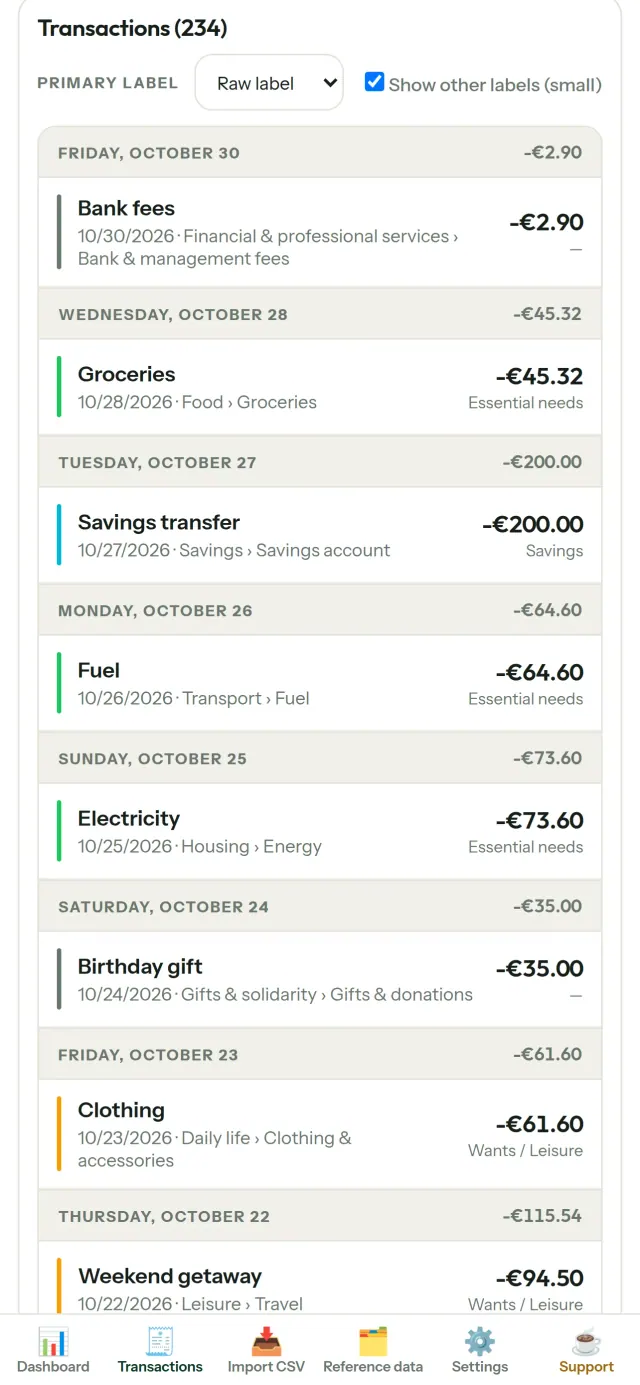
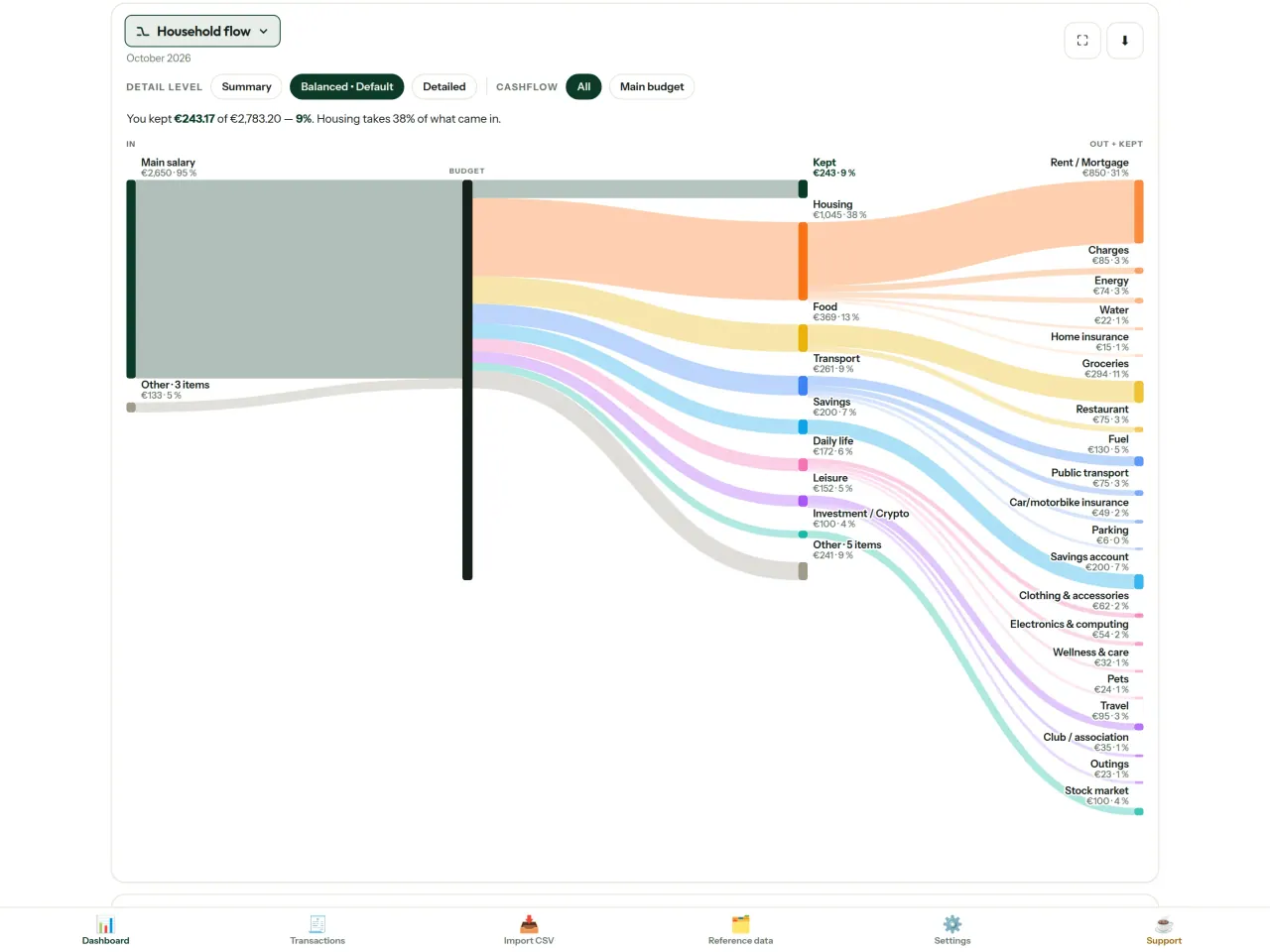
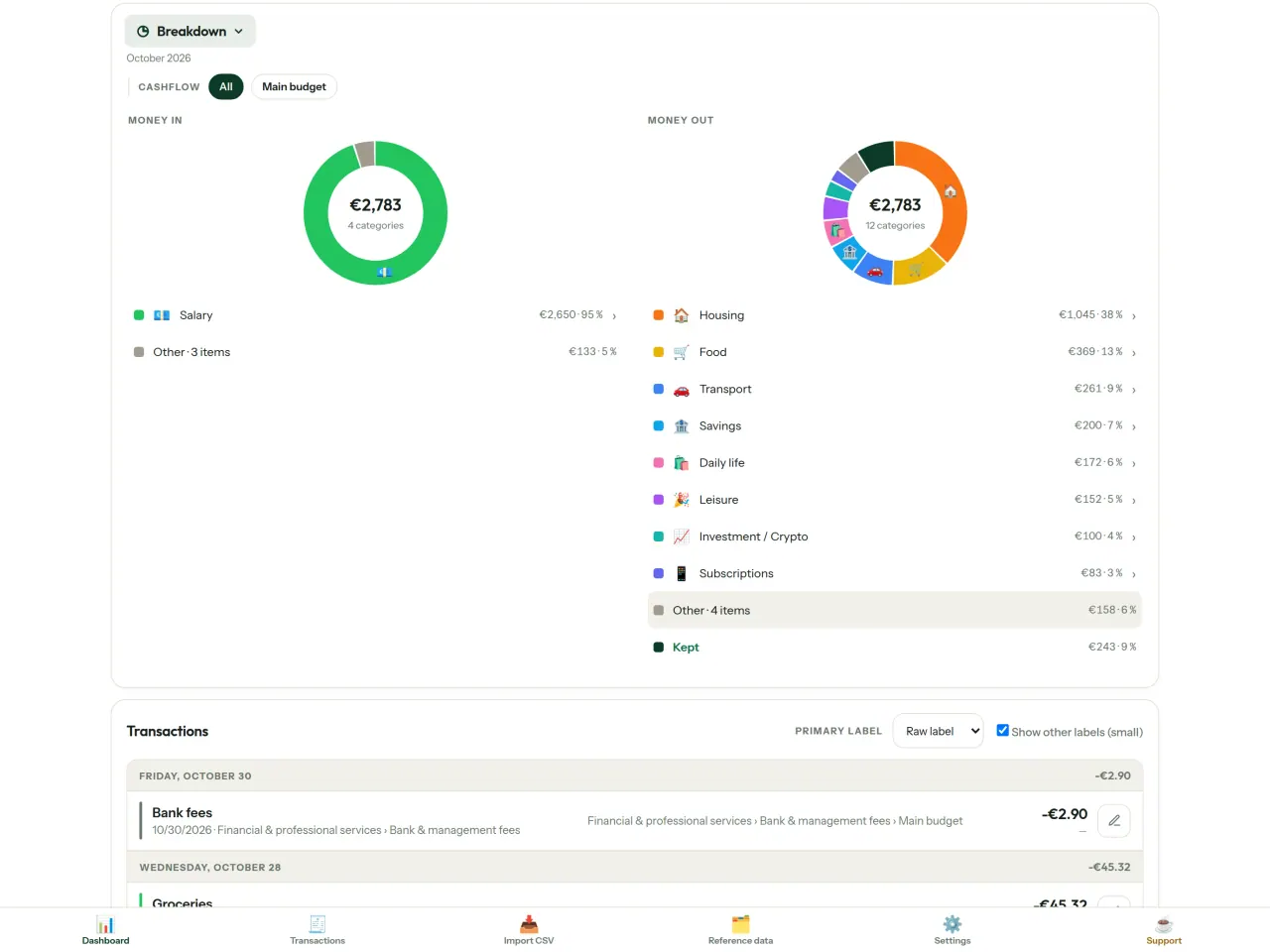
CapBudget حاصل کریں۔
iPhone پر مفت۔ Android جلد آ رہا ہے۔
جلد دستیابGoogle PlaySupport the project
نیچے دیا گیا متن انگریزی میں ہے۔ انگریزی ورژن کو فوقیت حاصل ہے۔
CapBudget is a budgeting app that I develop and maintain on my own, in my spare time alongside my day job. It is a local-first project: your data stays on your device.
No account, no ads, and no tracking.
If you find the app useful, the occasional coffee helps keep me motivated to keep releasing improvements. Buy me a coffee, and thank you for your support, whatever form it takes.
Privacy policy
نیچے دیا گیا متن انگریزی میں ہے۔ انگریزی ورژن کو فوقیت حاصل ہے۔
Last updated: 2026-10-06
CapBudget is a local-first budgeting app. The short version: nothing leaves your device, and we collect nothing.
What data the app handles
Everything you put into CapBudget (bank transactions, account references,
categories, categorization rules, budget targets, and app settings) is
stored only in a single SQLite database on your device
(household.sqlite), in the app's own private storage. There is
no account, no login, and no CapBudget server.
What we collect
Nothing. No analytics or usage tracking, no advertising or advertising identifiers, no crash or diagnostics reporting, no third-party SDKs that phone home, no network calls to any CapBudget-operated service (there is none). The app functions fully offline.
CSV imports
When you import a bank CSV export, the file is parsed on your device. It is not uploaded anywhere and is not retained by the app unless you choose “keep” during import.
Backups
You can export a backup from Settings. The backup is a file you control. CapBudget does not upload it and has no access to wherever you save it.
Permissions
The app requests no location, contacts, camera, microphone, or other sensitive permissions, only its own private storage.
Optional tips
CapBudget is free. If you wish, you can leave the developer an optional tip; a tip never unlocks anything. On iOS this uses Apple’s in-app purchase: the payment is processed entirely by Apple, and CapBudget never sees your payment details, your Apple ID or your purchase history, and receives no personal information. On Android and in a web browser a button opens an external donation page in your browser; that page is operated by a third party (Buy Me a Coffee) under its own privacy policy, and nothing from the app is sent to it.
Bank-account references
An account number/IBAN from your CSV is stored to group transactions by account, kept only on your device. In the UI only the last 4 characters are shown.
Contact form on this website
If you write to us through this site, we use your message and the email address you optionally give only to reply. Bot protection is provided by Cloudflare and email delivery by Resend.
Language choice on this website
When you choose a language, or when this site opens a page in your browser's language, it stores
one small functional cookie (pxl, a language code, one year) so that your choice is
remembered. If this site suggests a page in your browser's language and you close that suggestion,
your browser also keeps a local note (pxl-banner-off, in local storage, 30 days) so the
suggestion does not come back. Neither identifies anyone, neither is used for tracking or advertising,
and neither is shared. You can delete them in your browser at any time.
Website statistics
This website uses Cloudflare Web Analytics to count visits (pages viewed, country, browser type, loading speed). It sets no cookie, does not use local storage, does not fingerprint your device, does not follow you across sites and does not build a profile of you. Search engines (for example Google Search Console) give us aggregated search statistics, without any data about individual visitors. We use no advertising or other analytics service. None of this concerns the app itself, which collects nothing.
Children
CapBudget is a general-purpose finance tool and is not directed at children.
Changes
An updated policy will be published at this URL with a new date above.
Contact
Questions about privacy: capbudget-contact@pixeon.net
Support
نیچے دیا گیا متن انگریزی میں ہے۔ انگریزی ورژن کو فوقیت حاصل ہے۔
Last updated: 2026-10-06
CapBudget is a small independent app that keeps your budget on your device only: no account, no sign-up, no server. Answers to the most common questions are below.
We do our best to reply within a few days. To help us, tell us your device model, its system version and what you were doing. Please do not send real bank data or account numbers.
Where is my data stored?
Only on your device, in the app's own private storage. There is no CapBudget account and no CapBudget server, so nobody, including us, can see or recover your data. Details in the privacy policy.
How do I back up my data or move to a new phone?
- Open Settings → Backup & restore →
Download a backup. You get a
.sqlitefile: keep it wherever you like (Files, a cloud drive, your computer). - On the new device, install CapBudget, open Settings → Backup & restore, choose the file and tap Restore from a backup.
A restore replaces everything currently in the app.
I deleted the app or lost my phone: can my data be recovered?
Not unless you exported a backup: the data lives only on the device. Download a backup regularly.
How do I import my bank's transactions?
Export a CSV file from your bank's website, then open the Import CSV tab, choose the file, map its columns once, check the preview (duplicates and invalid dates are flagged) and confirm. Nothing is imported until you confirm.
Can transactions be categorized automatically?
Yes. In Reference data → Rules, create rules such as "label contains RENT → Housing / Rent". You can re-apply them to past transactions at any time; transactions you edited by hand are protected unless you explicitly choose to overwrite them.
How do I change the language, the theme or the start day of my budget month?
The language button is in the top bar. The theme and the day your budget month starts are in Settings. CapBudget is available in English, French, German, Spanish, Portuguese and Italian.
How do I remove the sample data?
Settings → Sample data → Remove sample data. Only the sample transactions are removed, never your own.
EXIF ویور اور تصویر کا میٹا ڈیٹا صاف کریں: مقام، تاریخ، کیمرہ۔ آپ کے فون پر۔
Pixeon کی طرف سے مزیدVaultMarkEncrypted document vault. Watermark documents, remove metadata before sharing.