CapBudget: бюджет
Учет расходов, семейный бюджет и планировщик бюджета в одном приложении.
 Скоро вGoogle Play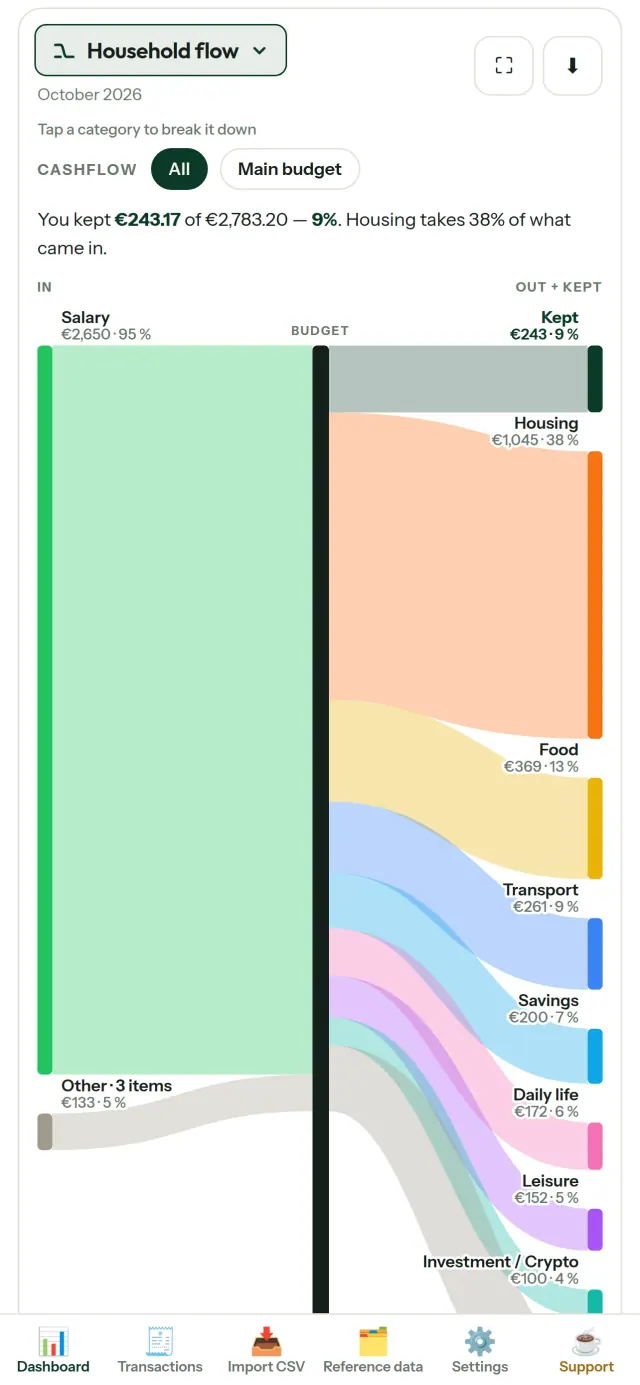
CapBudget помогает вести бюджет, учет расходов и семейный бюджет. Это удобный планировщик бюджета для дома и семьи. Финансы и все записи остаются на устройстве: без аккаунта, регистрации, облачного хранилища, рекламы и отслеживания. Приложение работает офлайн.
Что делает CapBudget
Импорт выписок
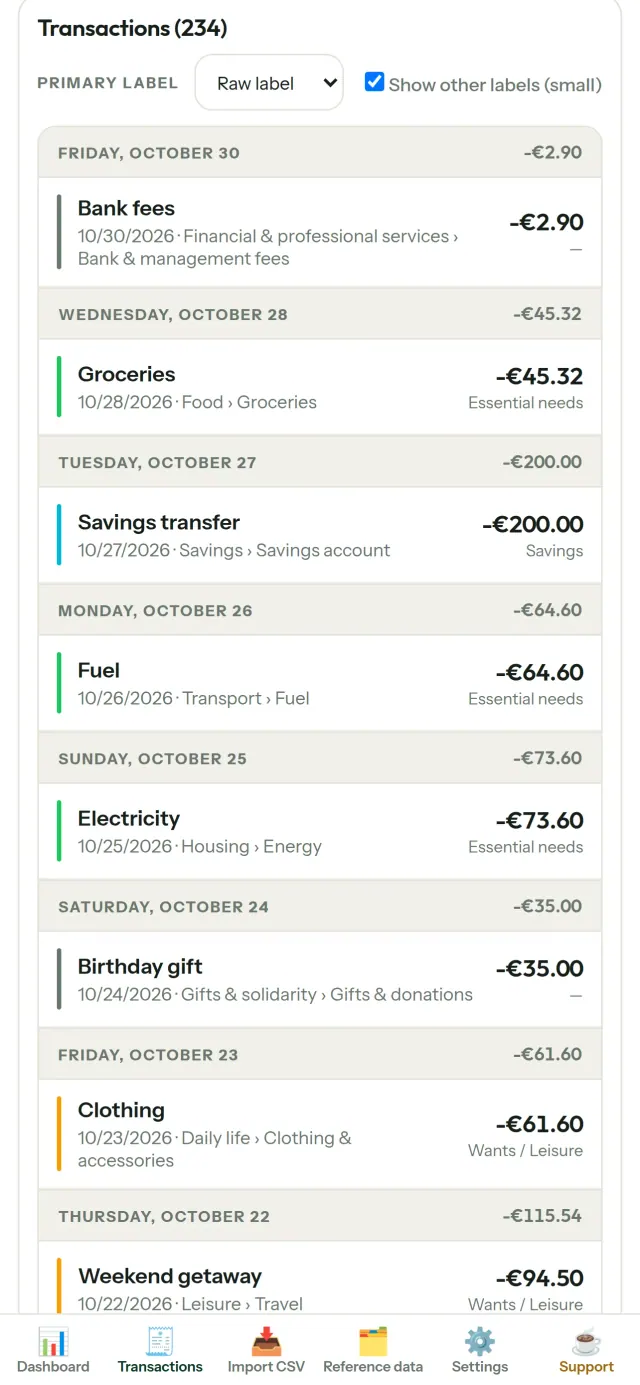
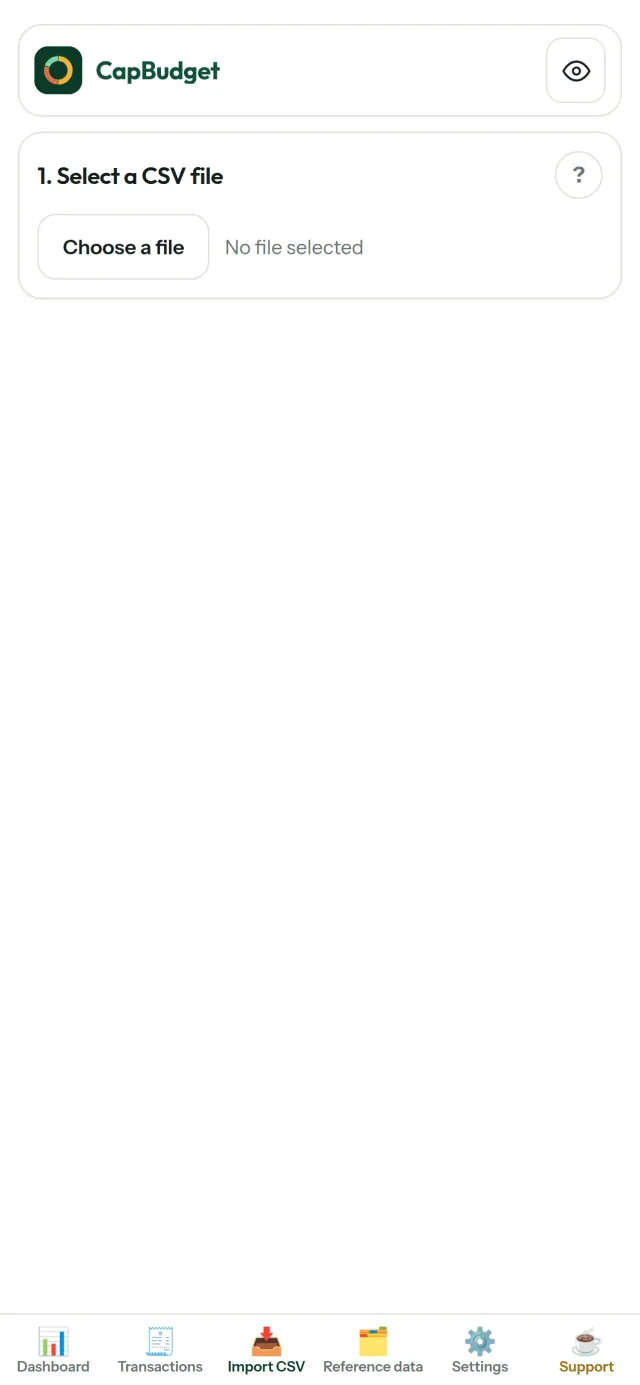
Загрузите CSV-файл с данными о расходах. Один раз сопоставьте столбцы, проверьте список операций и убедитесь, что дубликаты и некорректные даты отмечены. Затем подтвердите импорт. Приложение не принимает решения за вас молча.
Порядок с помощью правил
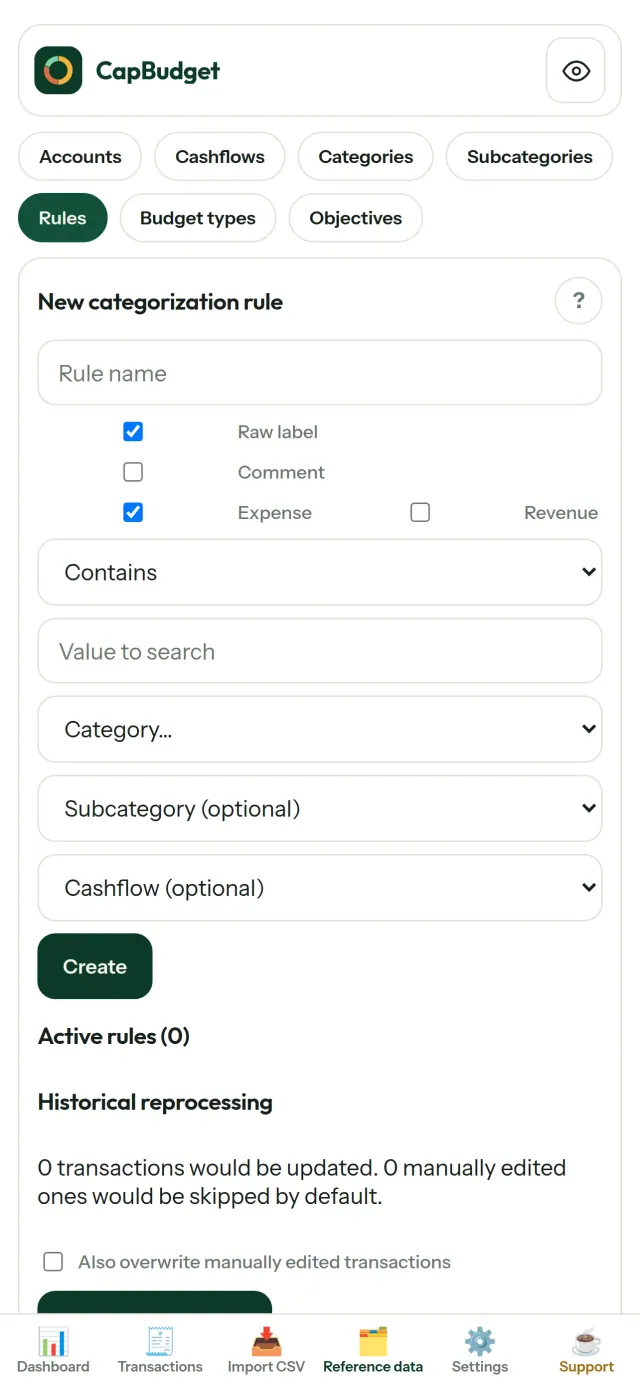
Создавайте простые правила, например: «содержит АРЕНДА → Жилье / Аренда», и CapBudget будет распределять операции по категориям. При необходимости применяйте правила к прошлым операциям. Ваши ручные изменения сохраняются.
Следите за деньгами
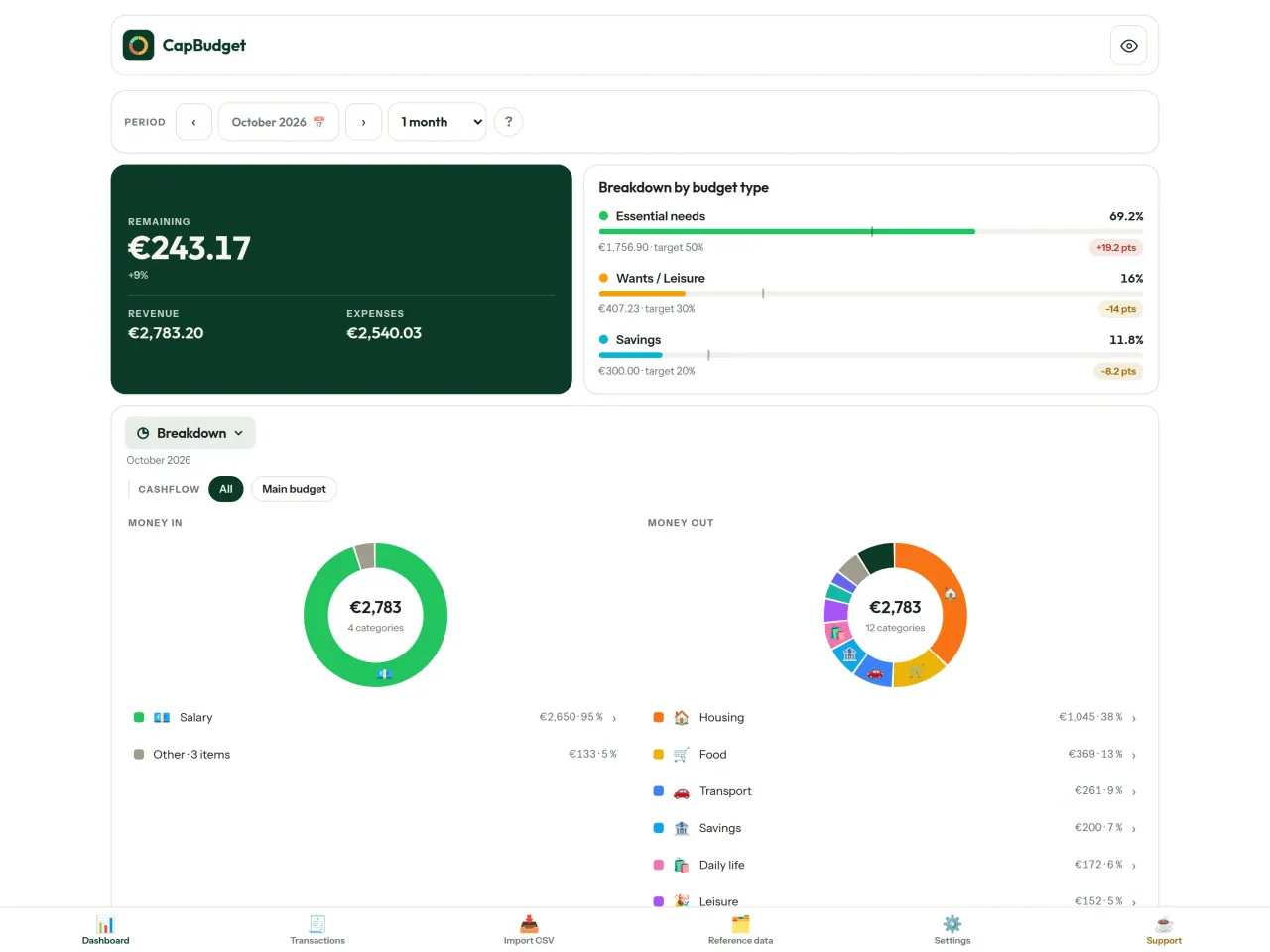
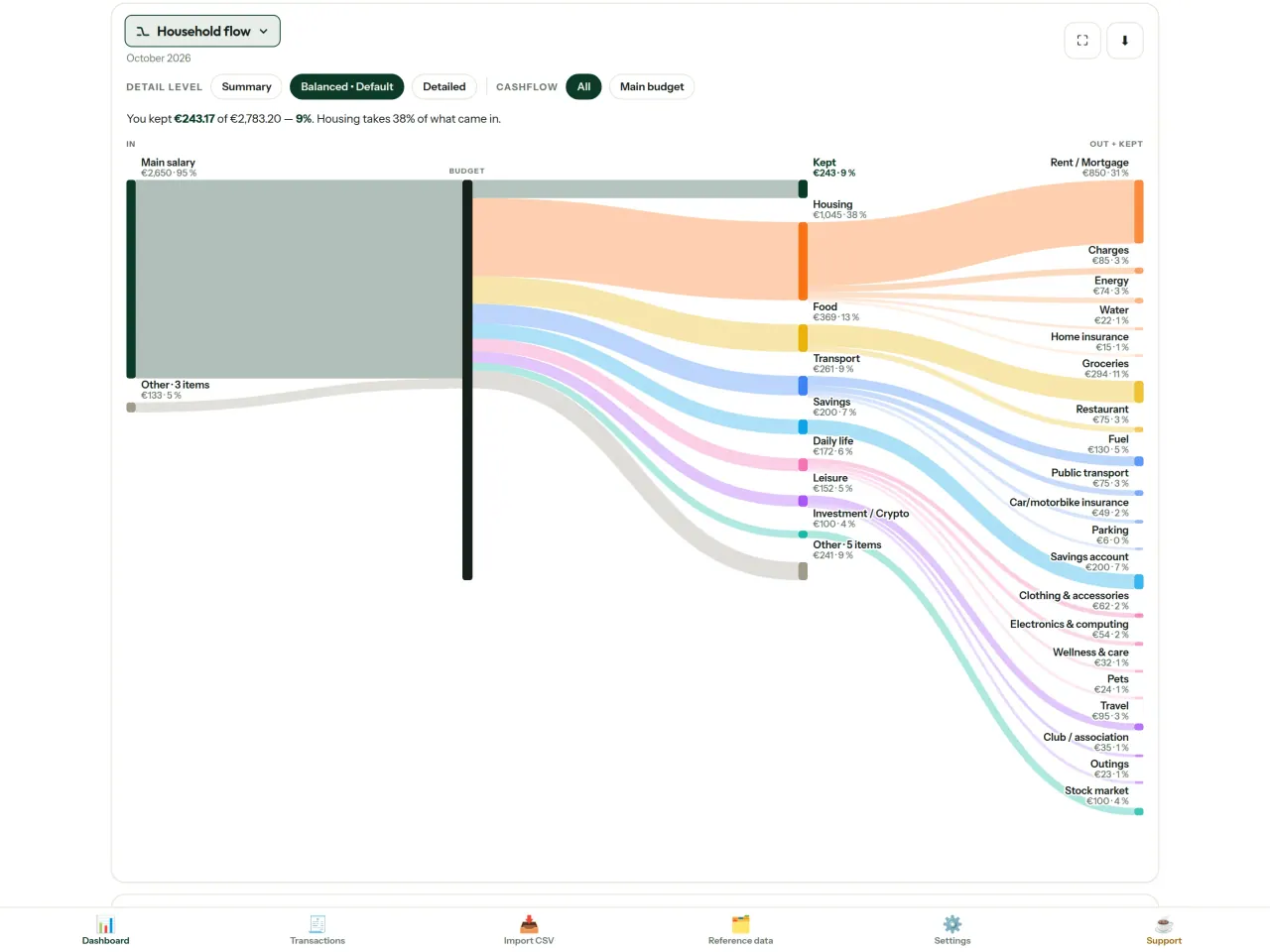
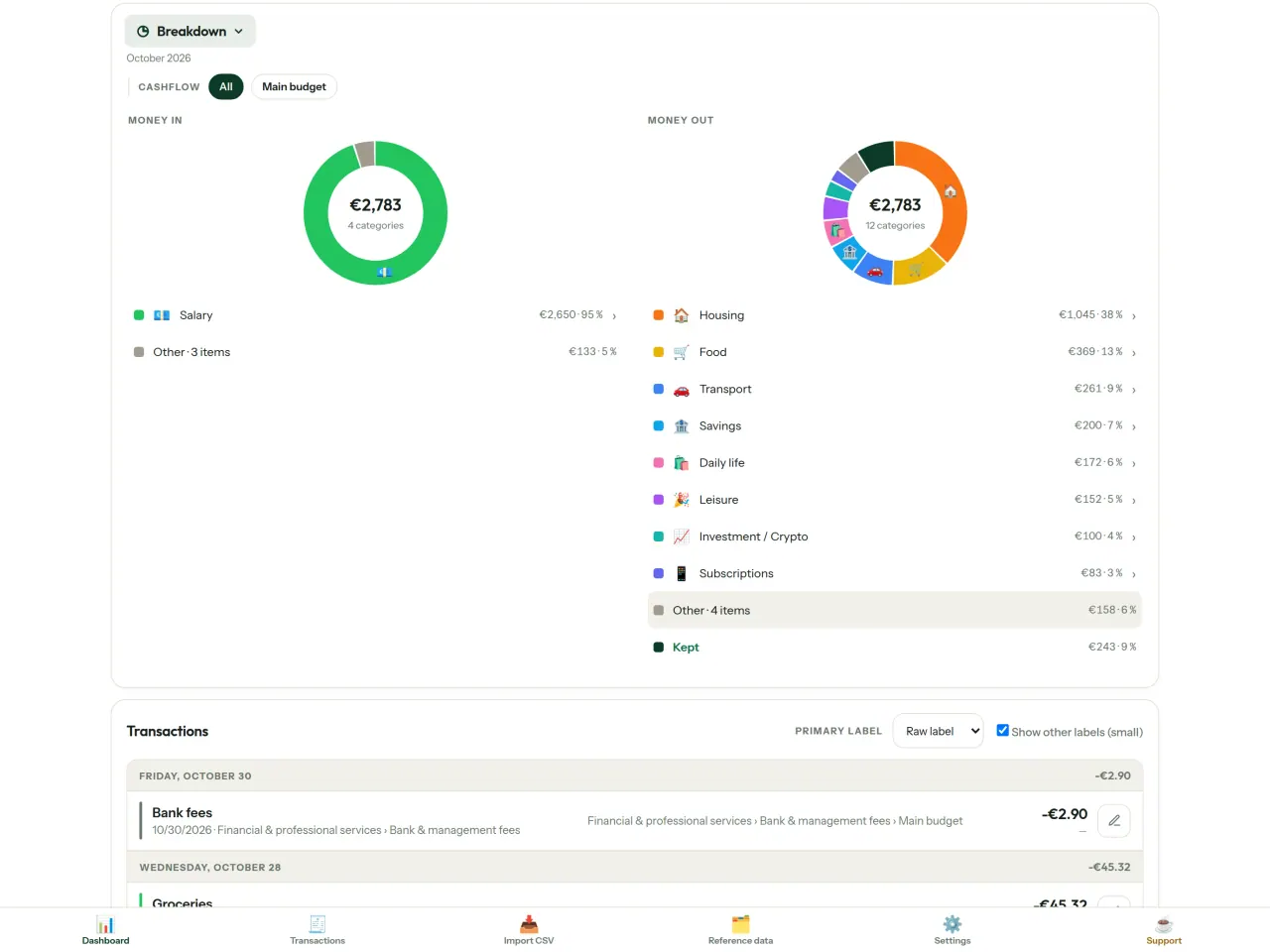
Фильтруйте данные по периоду, движению средств или категориям и сохраняйте диаграммы как изображения.
- Поток бюджета: диаграмма от доходов к категориям и остатку
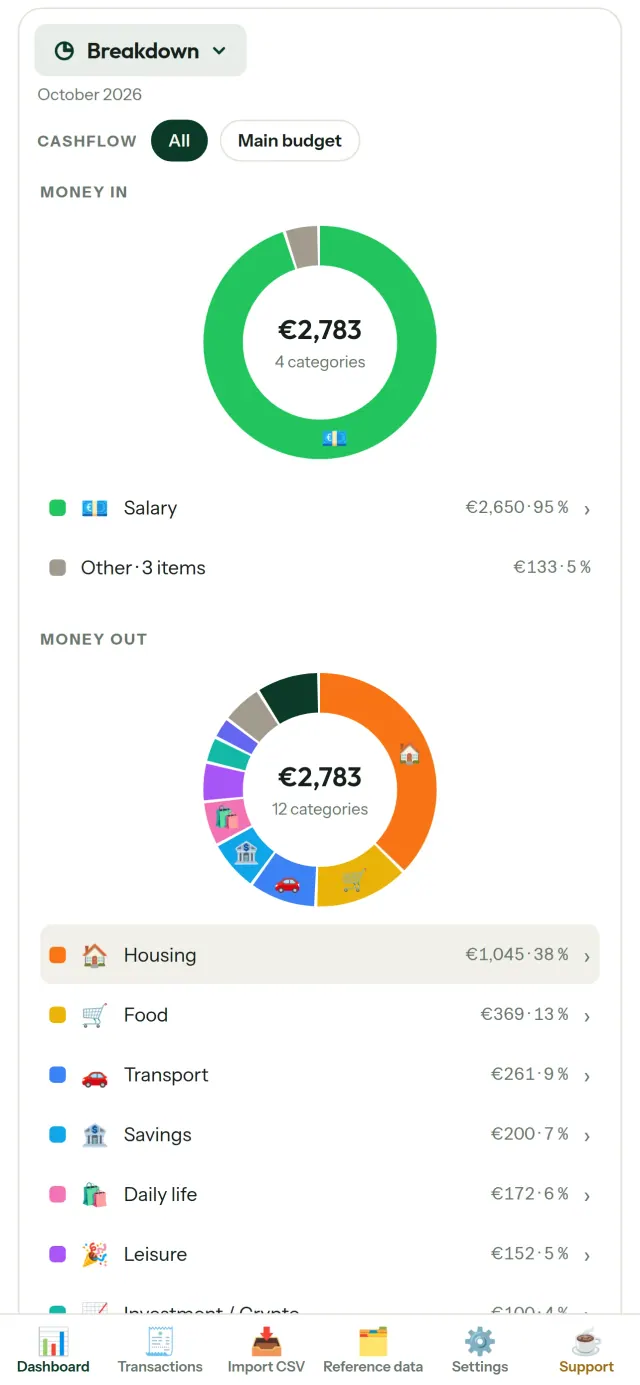
- Разбивка: доходы и расходы по категориям с подробностями по нажатию
- Куда уходят деньги: расходы от самых крупных к меньшим
- Расходы в течение месяца: остаток день за днем
- Темп расходов: сравнение месяца с равномерным расходованием средств
Цели бюджета
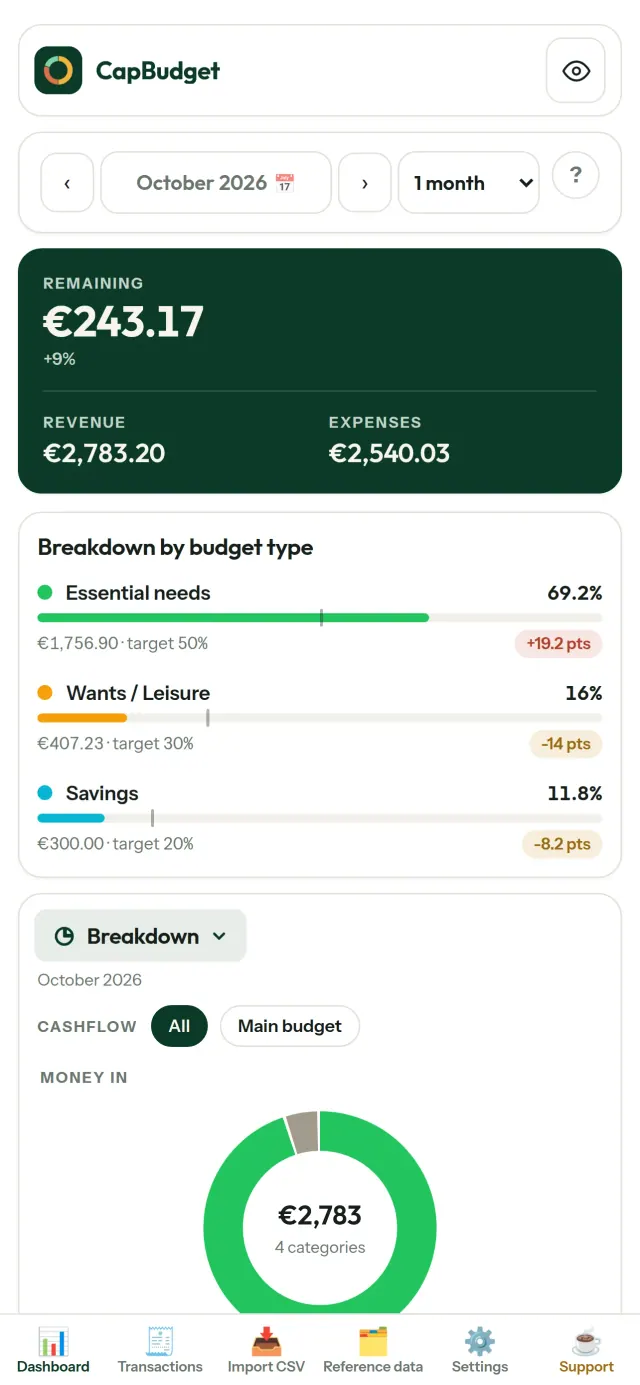
Сравнивайте расходы за месяц с правилом 50/30/20: необходимое, желания и накопления. Или задайте собственные доли и сопоставляйте план с фактическими тратами.
Настройте месяц под себя
Бюджетный месяц может начинаться в любой день, например в день получения зарплаты. Настраивайте категории, подкатегории и виды движения средств.
Ваши данные остаются вашими
Все хранится в одном файле на устройстве. В любой момент создайте резервную копию и сохраните ее там, где вам удобно. Данные никуда не загружаются.
Светлая и темная темы.
Для кого
- Семьи и домохозяйства, которые хотят вести бюджет по CSV-выгрузкам из своего банка.
- Люди, которые не хотят передавать данные для входа в банк или создавать аккаунт, чтобы следить за расходами.
- Люди, уставшие от утечек данных и желающие вернуть контроль над своими финансовыми данными: здесь они никогда не покидают телефон, поэтому с сервера нечему утекать.
- Те, кто придерживается правила 50/30/20 или у кого бюджетный месяц начинается в день зарплаты.
Почему стоит выбрать CapBudget
- Прежде всего локально: без аккаунта, без облака, без рекламы, без отслеживания. Ваши операции хранятся в одном файле на вашем устройстве.
- Работает полностью офлайн и бесплатно.
- Импортирует CSV любого банка, с поиском дубликатов и строгой проверкой дат. Правила категоризации никогда не перезаписывают ваши ручные исправления.
Чего приложение пока не умеет
- Автоматической синхронизации с банком пока нет. Вы импортируете CSV-выгрузку из своего банка.
- Синхронизации между несколькими устройствами пока нет. Для переноса данных используйте экспорт резервной копии.
Принцип Pixeon. Приложения Pixeon прежде всего локальные: без учётной записи, без отслеживания, а ваши данные остаются на вашем телефоне. Если приложение когда-нибудь подключается к сети, то только когда вы сами включаете нужную функцию, а политику конфиденциальности обновляют до её выхода.
Посмотрите CapBudget в деле.
Установите CapBudget.
Бесплатно на iPhone. Android скоро.
Скоро вGoogle PlaySupport the project
Текст ниже на английском. Приоритетной является английская версия.
CapBudget is a budgeting app that I develop and maintain on my own, in my spare time alongside my day job. It is a local-first project: your data stays on your device.
No account, no ads, and no tracking.
If you find the app useful, the occasional coffee helps keep me motivated to keep releasing improvements. Buy me a coffee, and thank you for your support, whatever form it takes.
Privacy policy
Текст ниже на английском. Приоритетной является английская версия.
Last updated: 2026-10-06
CapBudget is a local-first budgeting app. The short version: nothing leaves your device, and we collect nothing.
What data the app handles
Everything you put into CapBudget (bank transactions, account references,
categories, categorization rules, budget targets, and app settings) is
stored only in a single SQLite database on your device
(household.sqlite), in the app's own private storage. There is
no account, no login, and no CapBudget server.
What we collect
Nothing. No analytics or usage tracking, no advertising or advertising identifiers, no crash or diagnostics reporting, no third-party SDKs that phone home, no network calls to any CapBudget-operated service (there is none). The app functions fully offline.
CSV imports
When you import a bank CSV export, the file is parsed on your device. It is not uploaded anywhere and is not retained by the app unless you choose “keep” during import.
Backups
You can export a backup from Settings. The backup is a file you control. CapBudget does not upload it and has no access to wherever you save it.
Permissions
The app requests no location, contacts, camera, microphone, or other sensitive permissions, only its own private storage.
Optional tips
CapBudget is free. If you wish, you can leave the developer an optional tip; a tip never unlocks anything. On iOS this uses Apple’s in-app purchase: the payment is processed entirely by Apple, and CapBudget never sees your payment details, your Apple ID or your purchase history, and receives no personal information. On Android and in a web browser a button opens an external donation page in your browser; that page is operated by a third party (Buy Me a Coffee) under its own privacy policy, and nothing from the app is sent to it.
Bank-account references
An account number/IBAN from your CSV is stored to group transactions by account, kept only on your device. In the UI only the last 4 characters are shown.
Contact form on this website
If you write to us through this site, we use your message and the email address you optionally give only to reply. Bot protection is provided by Cloudflare and email delivery by Resend.
Language choice on this website
When you choose a language, or when this site opens a page in your browser's language, it stores
one small functional cookie (pxl, a language code, one year) so that your choice is
remembered. If this site suggests a page in your browser's language and you close that suggestion,
your browser also keeps a local note (pxl-banner-off, in local storage, 30 days) so the
suggestion does not come back. Neither identifies anyone, neither is used for tracking or advertising,
and neither is shared. You can delete them in your browser at any time.
Website statistics
This website uses Cloudflare Web Analytics to count visits (pages viewed, country, browser type, loading speed). It sets no cookie, does not use local storage, does not fingerprint your device, does not follow you across sites and does not build a profile of you. Search engines (for example Google Search Console) give us aggregated search statistics, without any data about individual visitors. We use no advertising or other analytics service. None of this concerns the app itself, which collects nothing.
Children
CapBudget is a general-purpose finance tool and is not directed at children.
Changes
An updated policy will be published at this URL with a new date above.
Contact
Questions about privacy: capbudget-contact@pixeon.net
Support
Текст ниже на английском. Приоритетной является английская версия.
Last updated: 2026-10-06
CapBudget is a small independent app that keeps your budget on your device only: no account, no sign-up, no server. Answers to the most common questions are below.
We do our best to reply within a few days. To help us, tell us your device model, its system version and what you were doing. Please do not send real bank data or account numbers.
Where is my data stored?
Only on your device, in the app's own private storage. There is no CapBudget account and no CapBudget server, so nobody, including us, can see or recover your data. Details in the privacy policy.
How do I back up my data or move to a new phone?
- Open Settings → Backup & restore →
Download a backup. You get a
.sqlitefile: keep it wherever you like (Files, a cloud drive, your computer). - On the new device, install CapBudget, open Settings → Backup & restore, choose the file and tap Restore from a backup.
A restore replaces everything currently in the app.
I deleted the app or lost my phone: can my data be recovered?
Not unless you exported a backup: the data lives only on the device. Download a backup regularly.
How do I import my bank's transactions?
Export a CSV file from your bank's website, then open the Import CSV tab, choose the file, map its columns once, check the preview (duplicates and invalid dates are flagged) and confirm. Nothing is imported until you confirm.
Can transactions be categorized automatically?
Yes. In Reference data → Rules, create rules such as "label contains RENT → Housing / Rent". You can re-apply them to past transactions at any time; transactions you edited by hand are protected unless you explicitly choose to overwrite them.
How do I change the language, the theme or the start day of my budget month?
The language button is in the top bar. The theme and the day your budget month starts are in Settings. CapBudget is available in English, French, German, Spanish, Portuguese and Italian.
How do I remove the sample data?
Settings → Sample data → Remove sample data. Only the sample transactions are removed, never your own.
EXIF viewer и метаданные фото: смотри и очищай место, дату, камеру.
Также от PixeonVaultMarkEncrypted document vault. Watermark documents, remove metadata before sharing.