CapBudget 預算
家庭記帳與離線記帳工具,讓您輕鬆「記帳」,掌握每月開支,資料只留在裝置。
 即將於 Google Play 推出Google Play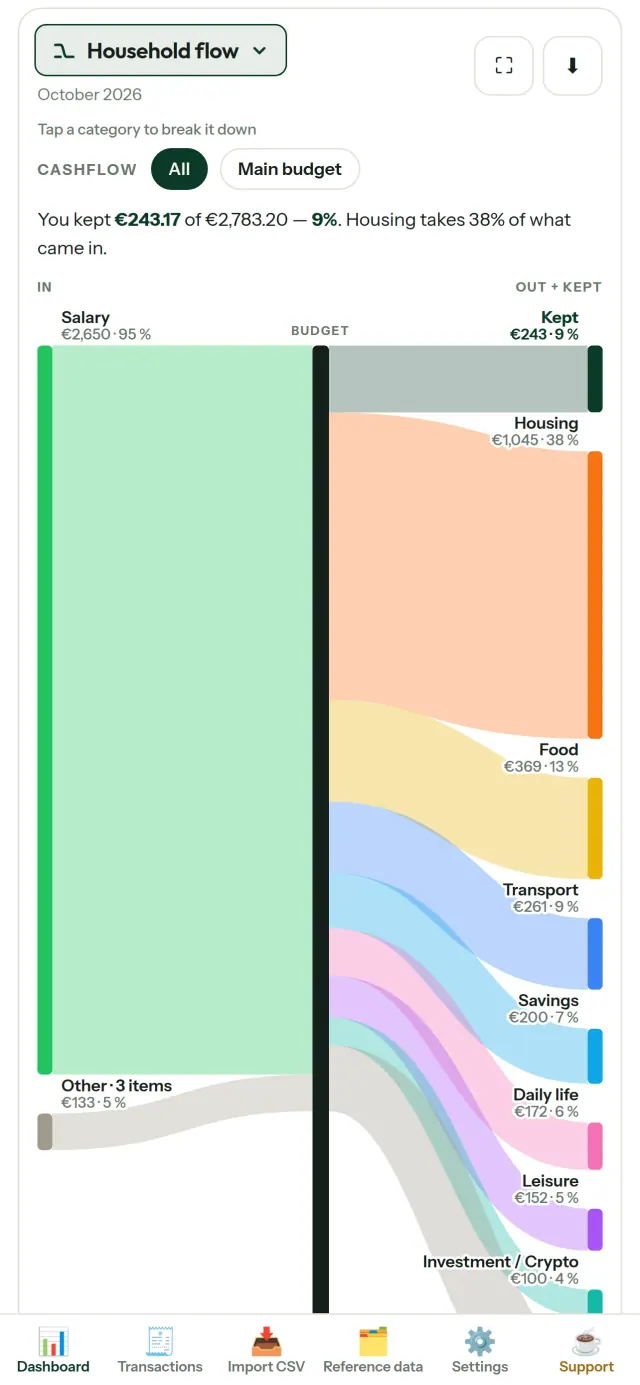
CapBudget 是協助家庭管理日常財務的預算與記帳工具。適合「家庭記帳」與「離線記帳」,資料只保存在您的裝置上,免帳號、免註冊、不用雲端、沒有廣告、不追蹤使用行為,離線也能使用,免費下載。
您可以用「預算」進行「規劃」,透過「記帳本」做好「管理」,掌握「開支」並彈性「分配」。也適合「家庭」一起使用,完全「離線」也能「記帳」。
CapBudget 的功能
匯入銀行提供的資料
匯入銀行提供的 CSV 檔案,只需設定一次欄位對應,即可預覽匯入內容。系統會檢查重複資料與日期格式,確認後才會匯入,不會在未告知的情況下自行判斷。
設定規則,自動分類
建立簡單規則,例如「包含房租 → 居住/租金」,CapBudget 就會替交易分類。您也可以隨時重新套用規則至過去的交易,手動修改的內容不會被覆蓋。
看懂每一筆錢的去向
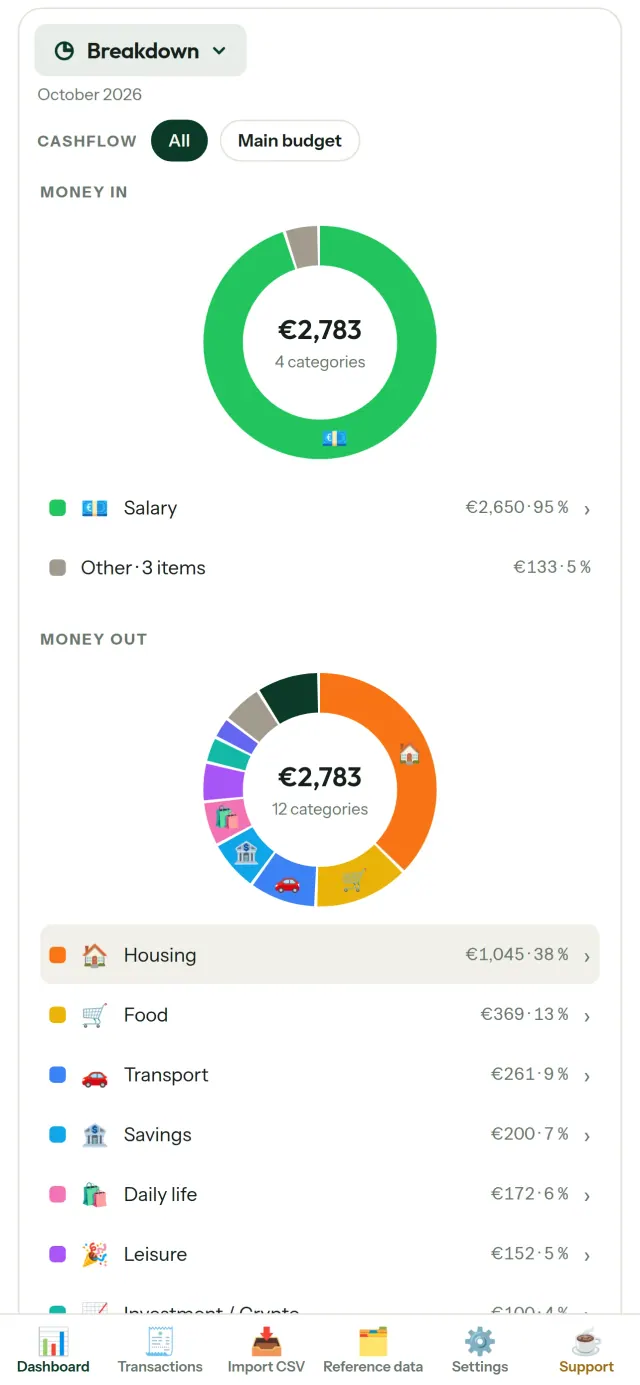
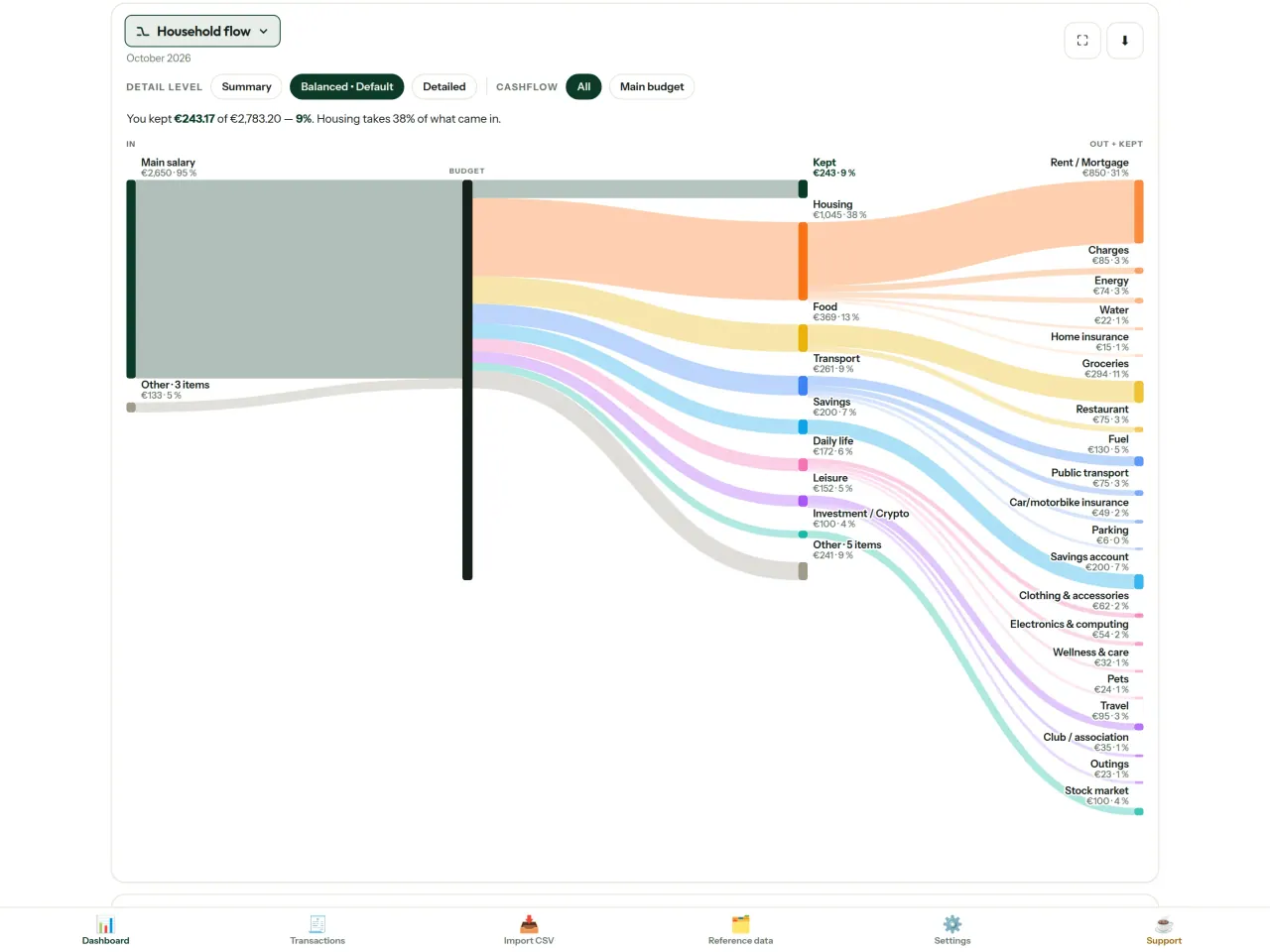
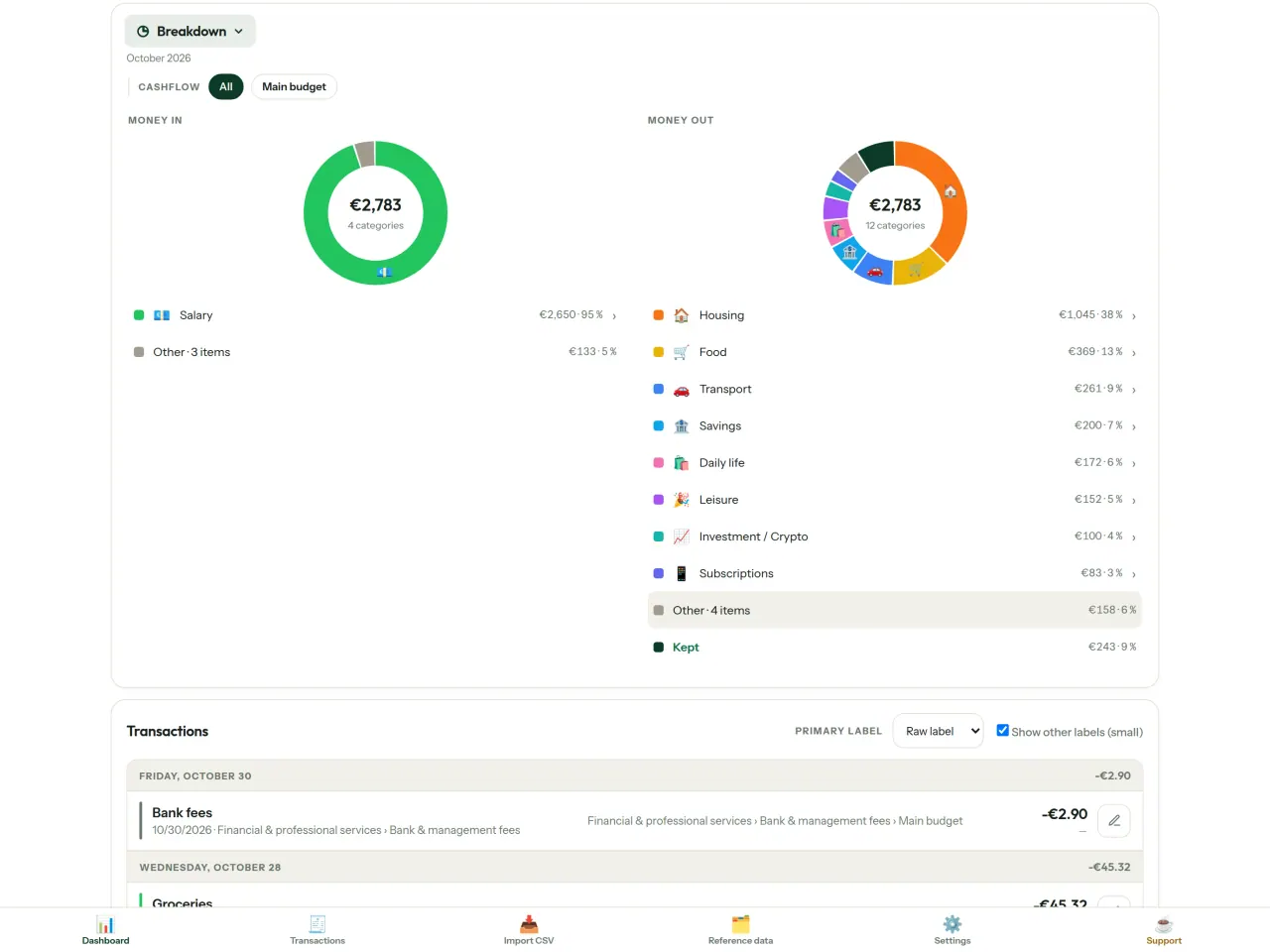
可依月份區間、現金流或分類篩選,並將圖表匯出為圖片。
- 家庭收支流向:以桑基圖呈現收入、分類與結餘
- 收支分類:查看各類收入與開支,點選即可深入檢視
- 開支去向:依金額由大到小呈現支出瀑布圖
- 每月結餘:逐日查看當月剩餘金額
- 支出步調:比較每月支出與平均消耗速度
設定預算目標
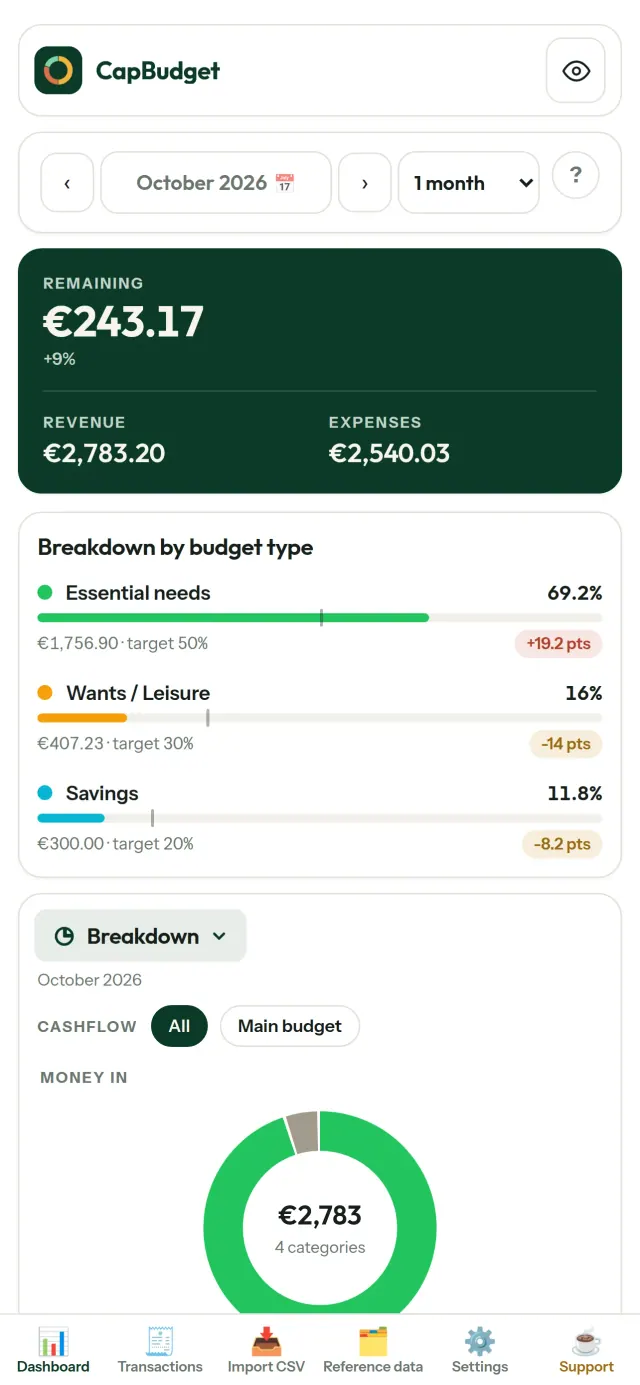
依照 50/30/20 原則比較每月支出,分別檢視需求、想要與儲蓄;也可以自訂比例,對照目標與實際狀況。
依照您的習慣安排月份
預算月份可從任一天開始,配合實際薪資入帳日。分類、子分類與現金流也都可以自訂。
資料由您保管
所有內容都存在裝置上的單一檔案中。您可以隨時匯出備份,並自行決定保存位置。資料不會上傳。
提供淺色與深色主題。
適合哪些人
- 想透過銀行匯出的 CSV 檔案管理預算的家庭。
- 不想交出銀行登入資訊,也不想註冊帳號就能記錄支出的人。
- 厭倦了資料外洩、想把財務資料掌握在自己手中的人:這裡的資料始終不離開手機,伺服器上沒有任何東西可以外洩。
- 遵循 50/30/20 法則,或預算月份從發薪日開始的人。
為什麼選擇CapBudget
- 本機優先:沒有帳號、沒有雲端、沒有廣告、沒有追蹤。您的交易紀錄只存放在裝置上的一個檔案裡。
- 完全離線運作,而且免費。
- 可匯入任何銀行的 CSV 檔案,支援重複偵測與嚴格的日期檢查。分類規則不會覆蓋您手動做的修改。
目前尚未支援的功能
- 尚未支援與銀行自動同步。您需要匯入銀行匯出的 CSV 檔案。
- 尚未支援多部裝置之間同步。請使用備份匯出來轉移資料。
Pixeon 的原則. Pixeon 的應用程式以本機優先:不需要帳號,沒有追蹤,您的資料只留在手機裡。如果某個應用程式日後需要連網,也只會在您主動開啟所需功能時才連線,而且在該功能推出之前,我們會先更新隱私政策。
觀看 CapBudget 的運作方式。
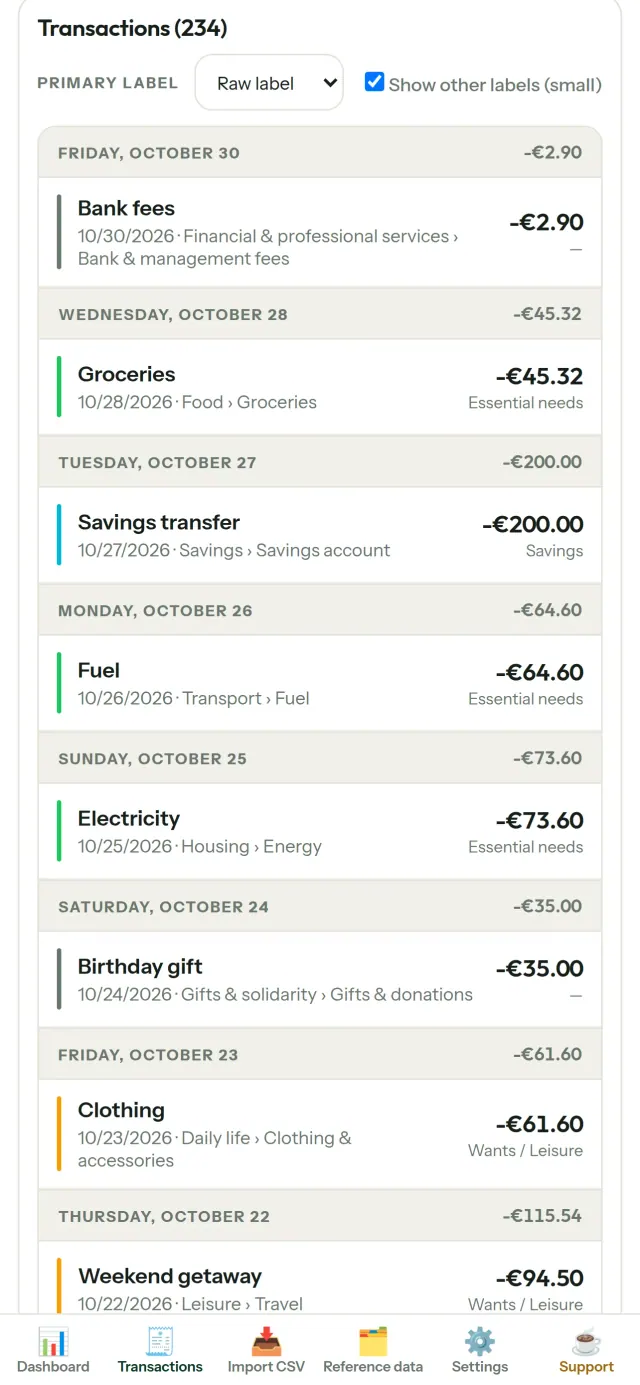
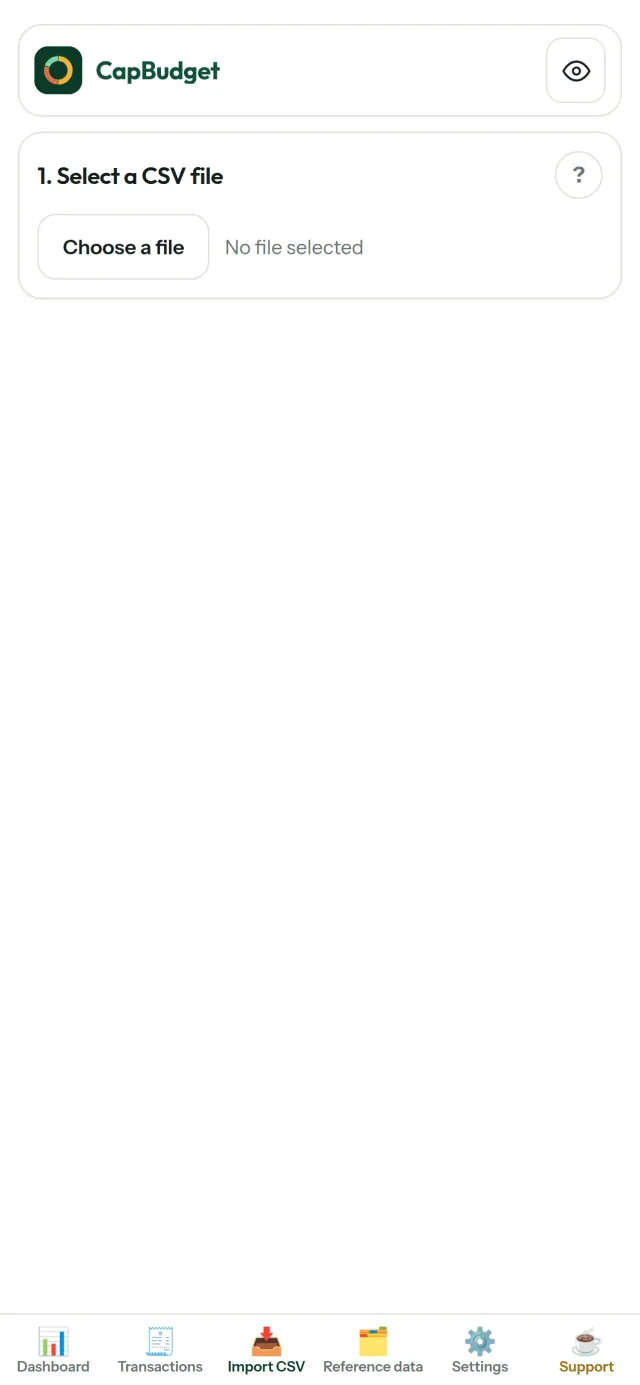
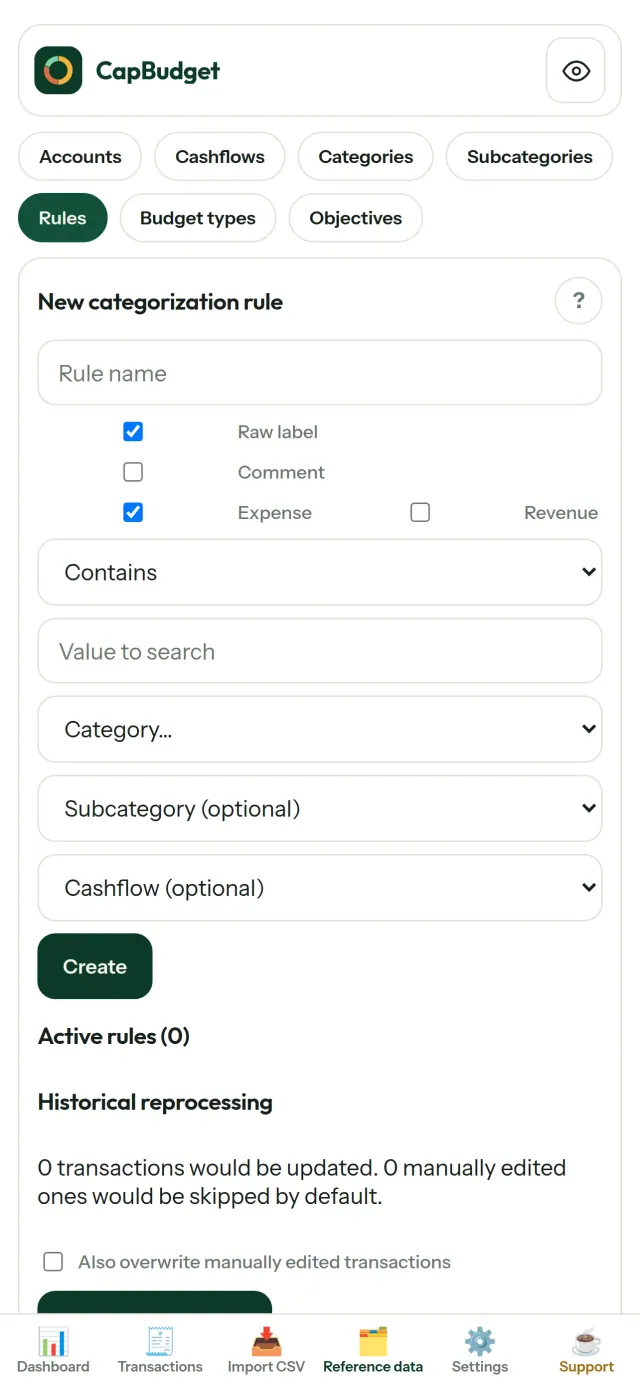
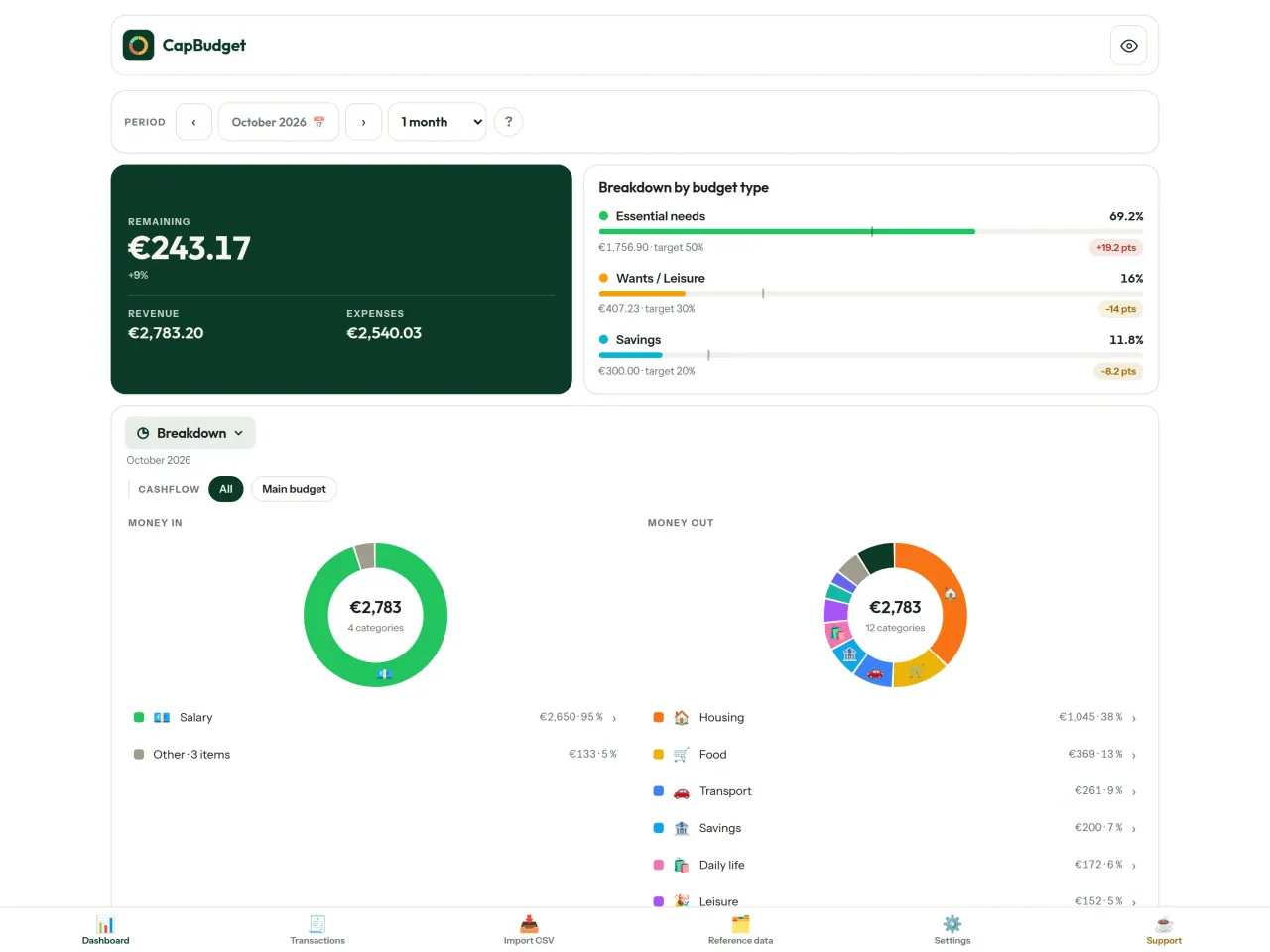
取得 CapBudget。
iPhone 免費下載。Android 即將推出。
即將於 Google Play 推出Google PlaySupport the project
下方內容為英文,英文版為主。
CapBudget is a budgeting app that I develop and maintain on my own, in my spare time alongside my day job. It is a local-first project: your data stays on your device.
No account, no ads, and no tracking.
If you find the app useful, the occasional coffee helps keep me motivated to keep releasing improvements. Buy me a coffee, and thank you for your support, whatever form it takes.
Privacy policy
下方內容為英文,英文版為主。
Last updated: 2026-10-06
CapBudget is a local-first budgeting app. The short version: nothing leaves your device, and we collect nothing.
What data the app handles
Everything you put into CapBudget (bank transactions, account references,
categories, categorization rules, budget targets, and app settings) is
stored only in a single SQLite database on your device
(household.sqlite), in the app's own private storage. There is
no account, no login, and no CapBudget server.
What we collect
Nothing. No analytics or usage tracking, no advertising or advertising identifiers, no crash or diagnostics reporting, no third-party SDKs that phone home, no network calls to any CapBudget-operated service (there is none). The app functions fully offline.
CSV imports
When you import a bank CSV export, the file is parsed on your device. It is not uploaded anywhere and is not retained by the app unless you choose “keep” during import.
Backups
You can export a backup from Settings. The backup is a file you control. CapBudget does not upload it and has no access to wherever you save it.
Permissions
The app requests no location, contacts, camera, microphone, or other sensitive permissions, only its own private storage.
Optional tips
CapBudget is free. If you wish, you can leave the developer an optional tip; a tip never unlocks anything. On iOS this uses Apple’s in-app purchase: the payment is processed entirely by Apple, and CapBudget never sees your payment details, your Apple ID or your purchase history, and receives no personal information. On Android and in a web browser a button opens an external donation page in your browser; that page is operated by a third party (Buy Me a Coffee) under its own privacy policy, and nothing from the app is sent to it.
Bank-account references
An account number/IBAN from your CSV is stored to group transactions by account, kept only on your device. In the UI only the last 4 characters are shown.
Contact form on this website
If you write to us through this site, we use your message and the email address you optionally give only to reply. Bot protection is provided by Cloudflare and email delivery by Resend.
Language choice on this website
When you choose a language, or when this site opens a page in your browser's language, it stores
one small functional cookie (pxl, a language code, one year) so that your choice is
remembered. If this site suggests a page in your browser's language and you close that suggestion,
your browser also keeps a local note (pxl-banner-off, in local storage, 30 days) so the
suggestion does not come back. Neither identifies anyone, neither is used for tracking or advertising,
and neither is shared. You can delete them in your browser at any time.
Website statistics
This website uses Cloudflare Web Analytics to count visits (pages viewed, country, browser type, loading speed). It sets no cookie, does not use local storage, does not fingerprint your device, does not follow you across sites and does not build a profile of you. Search engines (for example Google Search Console) give us aggregated search statistics, without any data about individual visitors. We use no advertising or other analytics service. None of this concerns the app itself, which collects nothing.
Children
CapBudget is a general-purpose finance tool and is not directed at children.
Changes
An updated policy will be published at this URL with a new date above.
Contact
Questions about privacy: capbudget-contact@pixeon.net
Support
下方內容為英文,英文版為主。
Last updated: 2026-10-06
CapBudget is a small independent app that keeps your budget on your device only: no account, no sign-up, no server. Answers to the most common questions are below.
We do our best to reply within a few days. To help us, tell us your device model, its system version and what you were doing. Please do not send real bank data or account numbers.
Where is my data stored?
Only on your device, in the app's own private storage. There is no CapBudget account and no CapBudget server, so nobody, including us, can see or recover your data. Details in the privacy policy.
How do I back up my data or move to a new phone?
- Open Settings → Backup & restore →
Download a backup. You get a
.sqlitefile: keep it wherever you like (Files, a cloud drive, your computer). - On the new device, install CapBudget, open Settings → Backup & restore, choose the file and tap Restore from a backup.
A restore replaces everything currently in the app.
I deleted the app or lost my phone: can my data be recovered?
Not unless you exported a backup: the data lives only on the device. Download a backup regularly.
How do I import my bank's transactions?
Export a CSV file from your bank's website, then open the Import CSV tab, choose the file, map its columns once, check the preview (duplicates and invalid dates are flagged) and confirm. Nothing is imported until you confirm.
Can transactions be categorized automatically?
Yes. In Reference data → Rules, create rules such as "label contains RENT → Housing / Rent". You can re-apply them to past transactions at any time; transactions you edited by hand are protected unless you explicitly choose to overwrite them.
How do I change the language, the theme or the start day of my budget month?
The language button is in the top bar. The theme and the day your budget month starts are in Settings. CapBudget is available in English, French, German, Spanish, Portuguese and Italian.
How do I remove the sample data?
Settings → Sample data → Remove sample data. Only the sample transactions are removed, never your own.
EXIF 檢視器:查看並清理相片中繼資料,包括位置、日期、相機。
Pixeon 推出的其他產品VaultMarkEncrypted document vault. Watermark documents, remove metadata before sharing.