CapBudget 家計簿
「支出管理」「予算管理」を、端末内でシンプルに。
 近日公開Google Play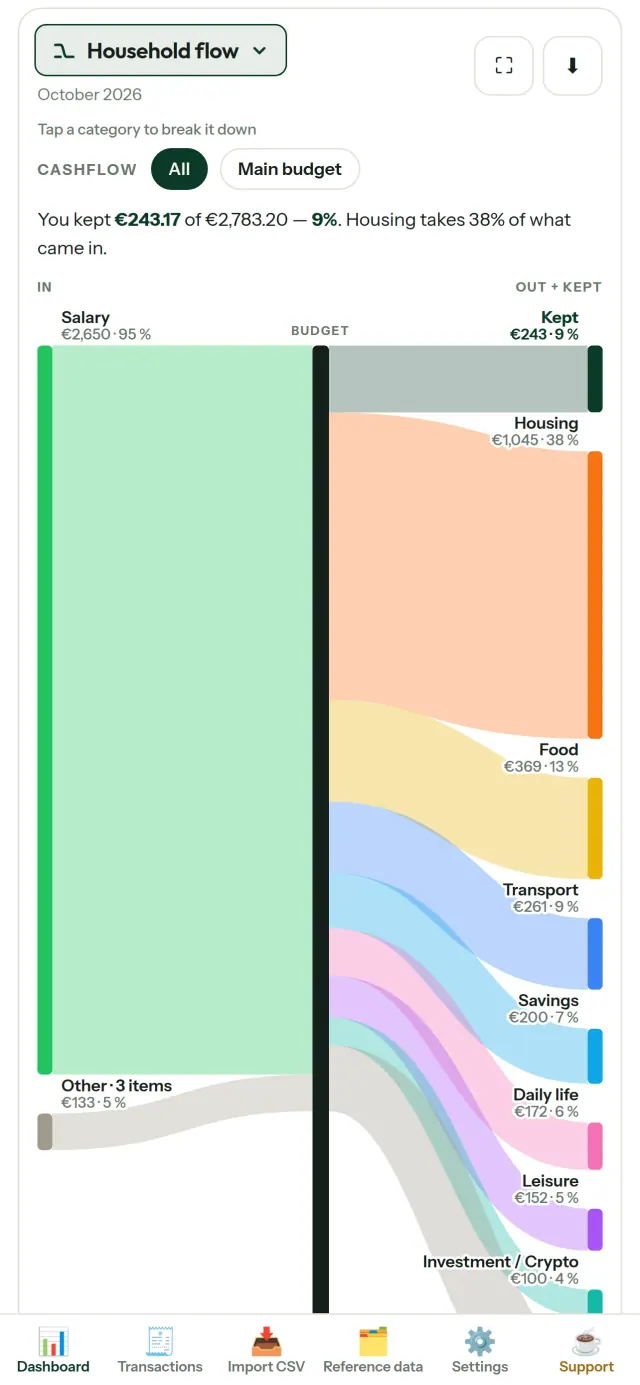
CapBudgetは「家計簿」「支出管理」「予算管理」をまとめて行えるアプリです。「家族」のお金の管理にも役立ちます。「家計簿 オフライン」で利用でき、データはすべて端末内に保存されます。アカウント登録やクラウドは不要。広告やトラッキングもありません。
CapBudget ができること
銀行のcsvを取り込む
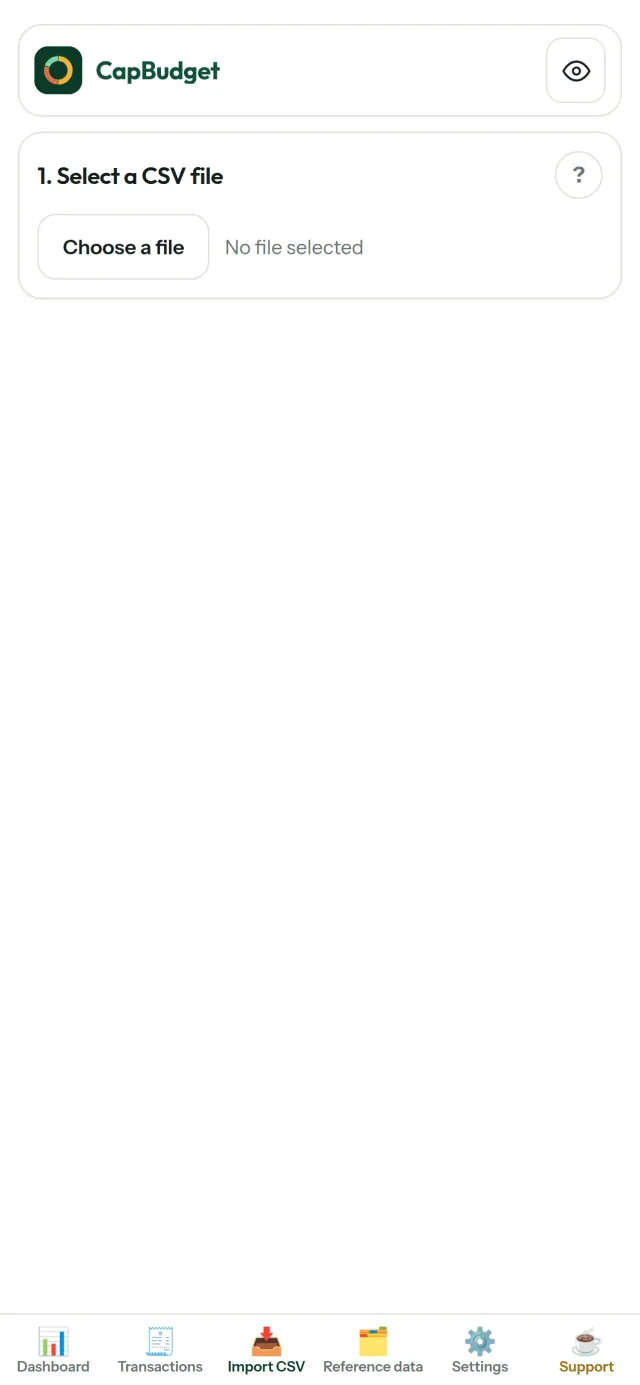
銀行から書き出したCSVファイルを読み込めます。列の対応付けは一度設定すれば次回からも使えます。取り込み内容を確認し、重複や日付をチェックしてから確定できます。内容を確認せずに処理することはありません。
ルールで分類
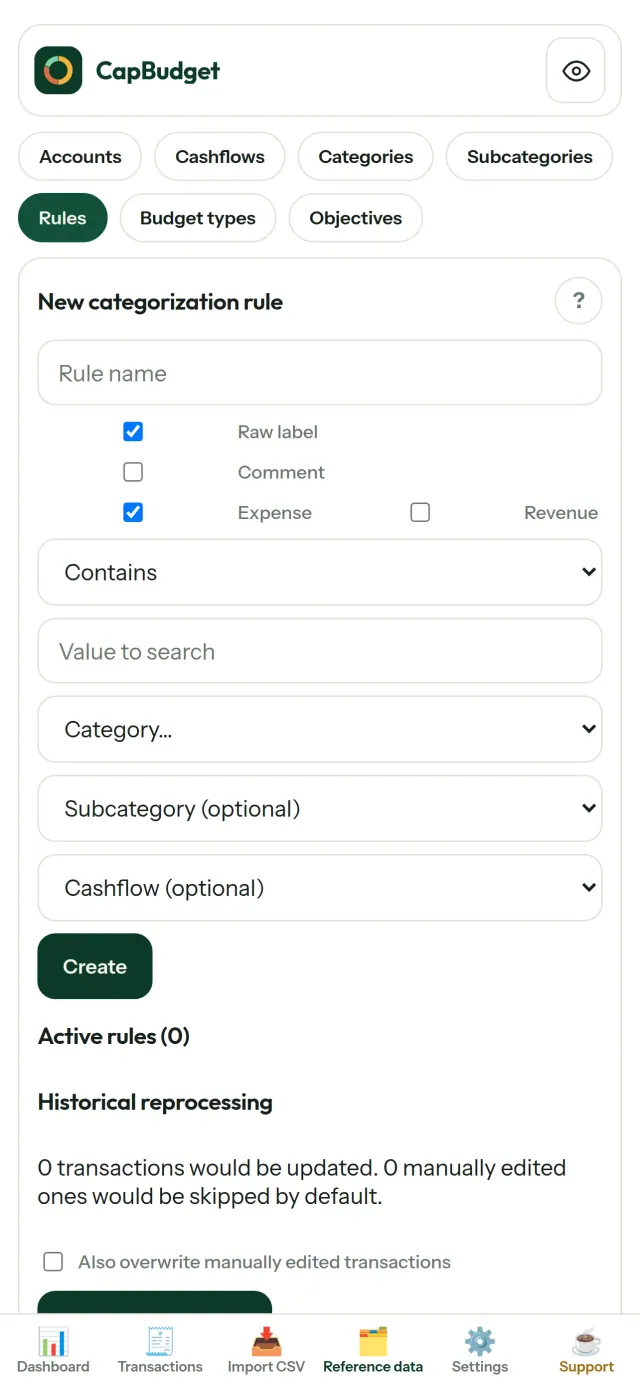
「家賃を含む → 住居費/家賃」のようなシンプルなルールを作成すると、取引を自動で分類できます。過去の取引にも何度でもルールを適用できます。手動で修正した内容が上書きされることはありません。
お金の流れを確認
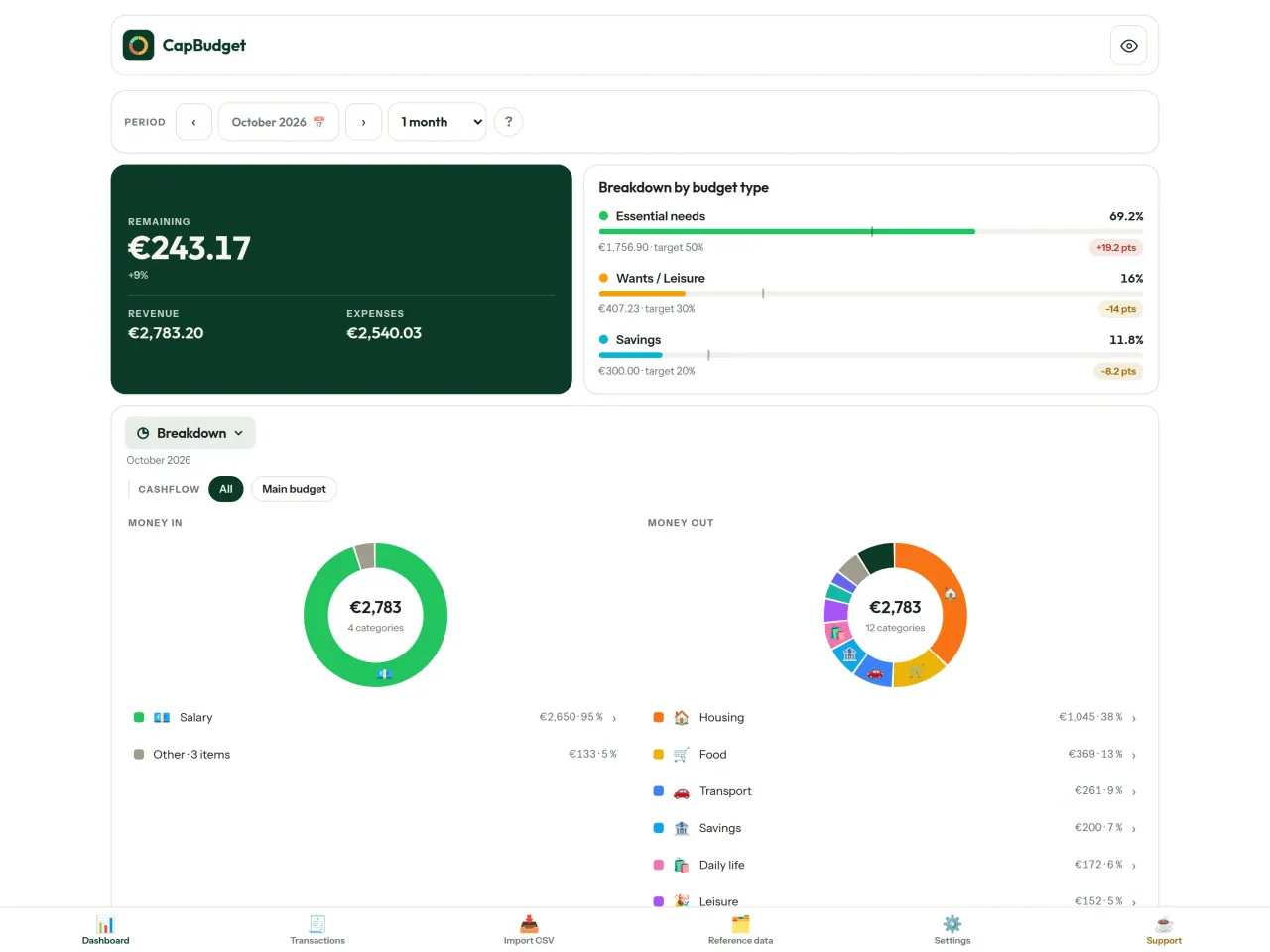
月の範囲、収支、カテゴリで絞り込み、グラフを画像として書き出せます。
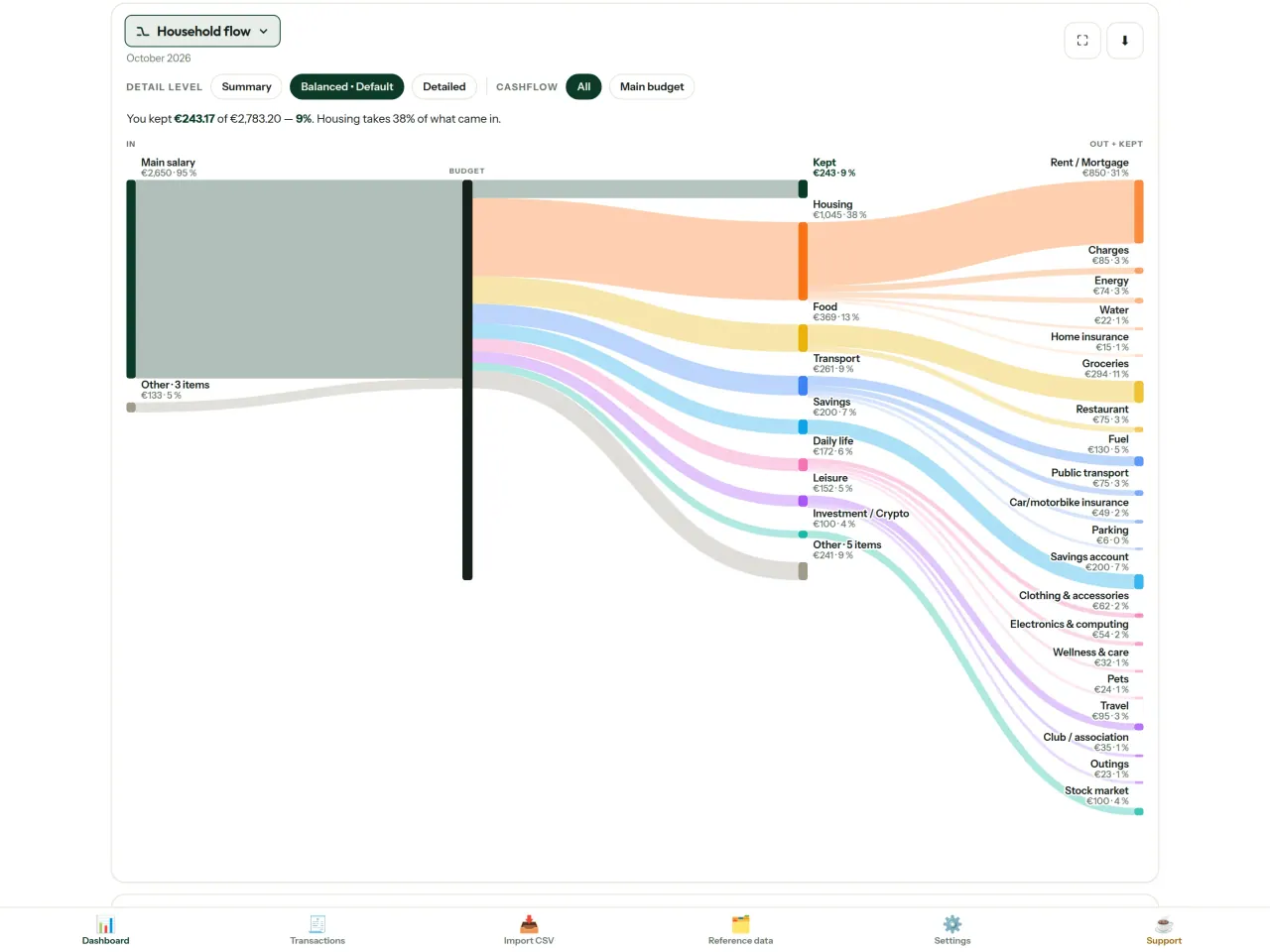
- 家計の流れ:収入からカテゴリ、残額までをサンキー図で表示
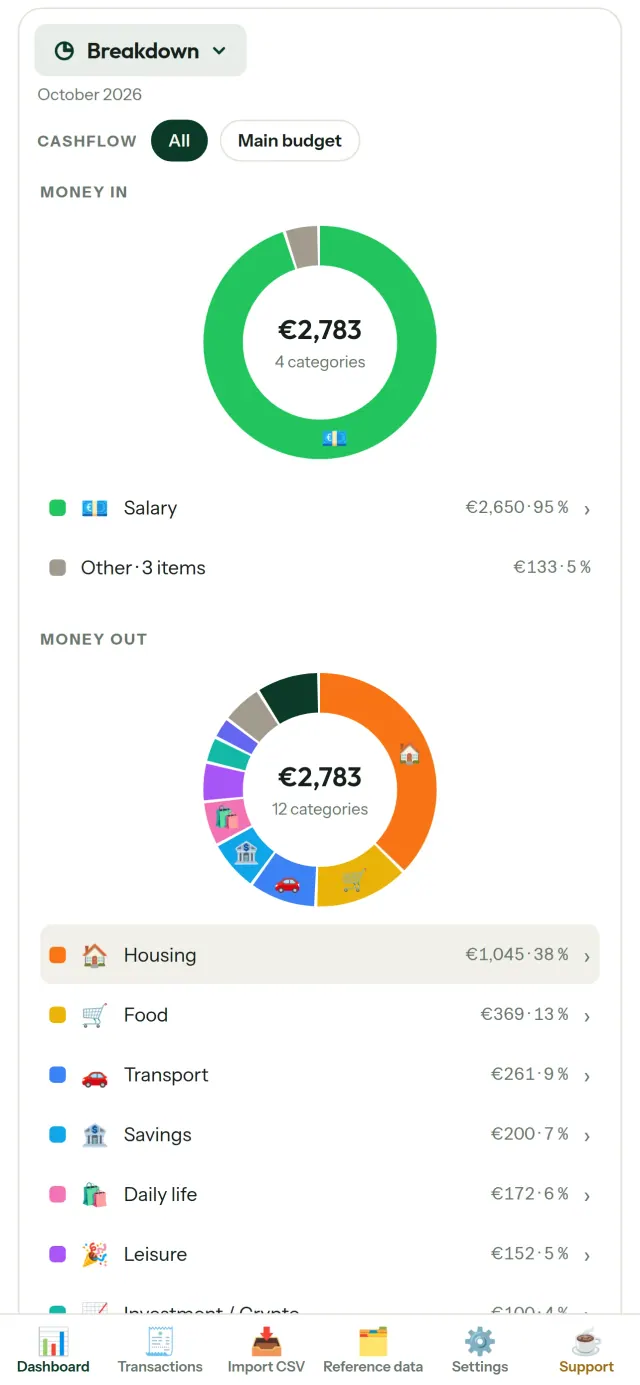
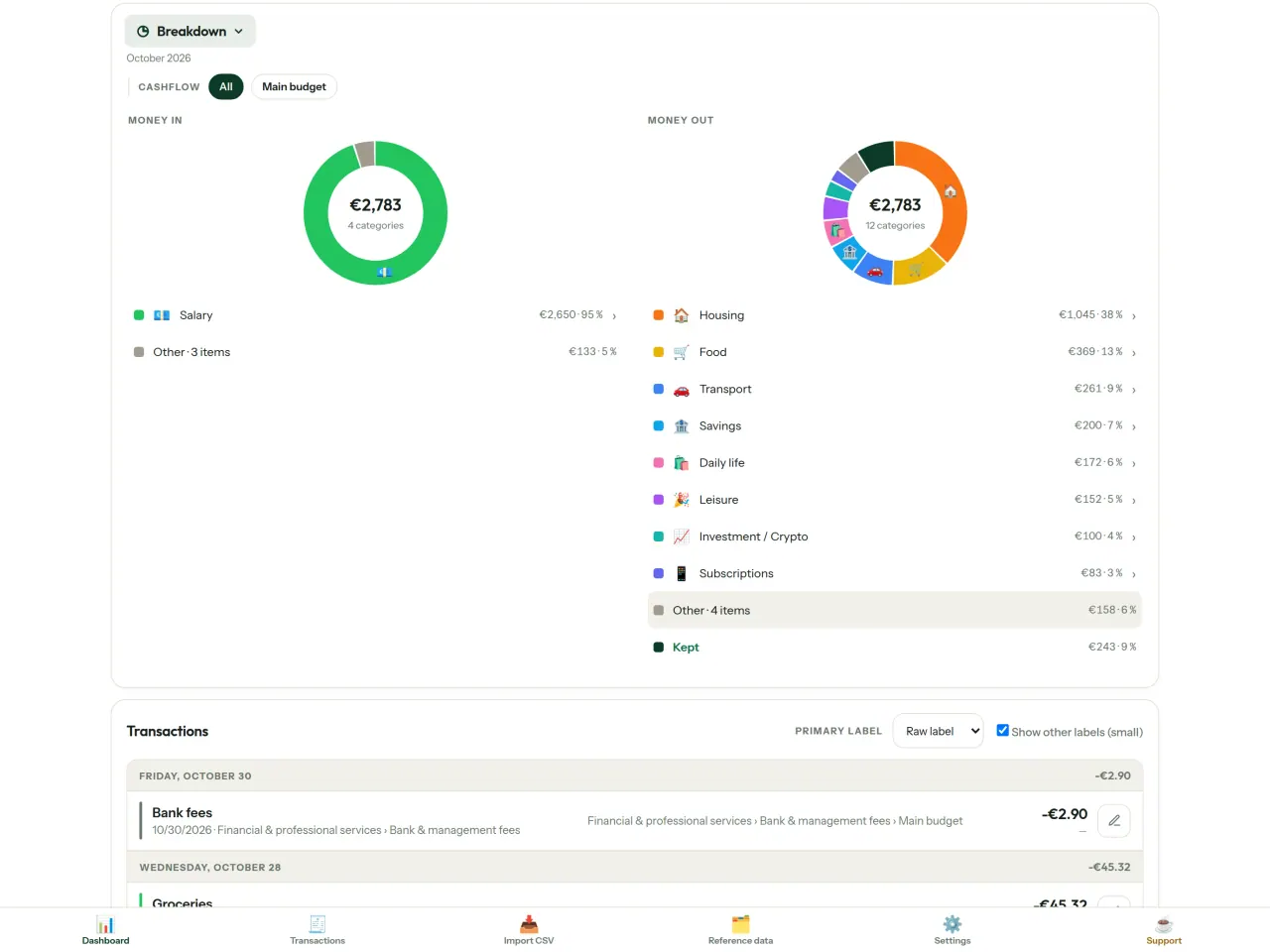
- 内訳:カテゴリごとの収入と支出を確認し、タップして詳細へ
- 支出の大きい順に確認できるウォーターフォール表示
- 日ごとの残額を確認できる月間推移
- 毎月の支出ペースを比較
予算の目標
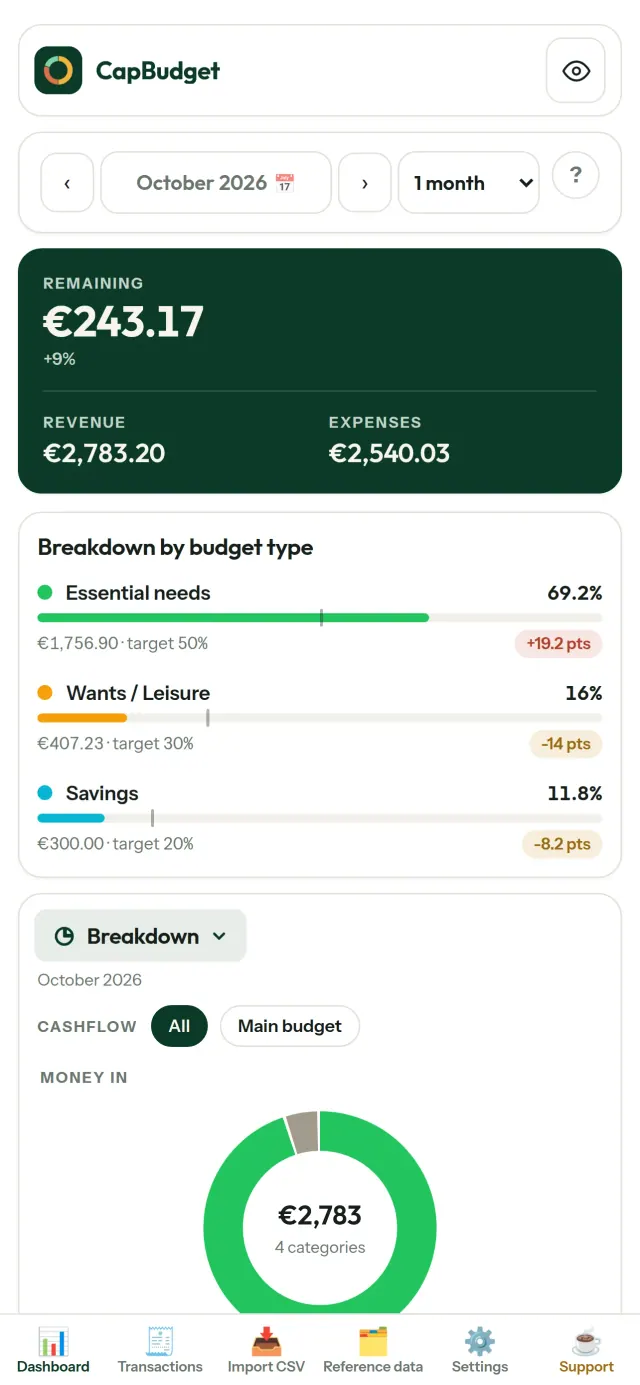
毎月の支出を50/30/20ルール(必要な支出・希望・貯蓄)と比べたり、自分で割合を設定したりできます。目標と実績を確認できます。
自分に合った月の設定
給料日に合わせて、予算月の開始日を自由に設定できます。カテゴリ、サブカテゴリ、収支項目もカスタマイズできます。
データは自分の端末に
データは端末内のひとつのファイルに保存されます。いつでもバックアップを書き出して、好きな場所に保管できます。データがアップロードされることはありません。
ライトテーマとダークテーマに対応しています。
こんな方におすすめ
- 銀行のCSVエクスポートから家計や家族の予算を管理したい世帯。
- 支出を管理するために、銀行のログイン情報を渡したりアカウントを作ったりしたくない方。
- データ漏えいにうんざりして、自分の金融データを取り戻したい方。データは端末から出ないので、サーバーから漏れるものがありません。
- 50/30/20ルールに従う方、または給料日から予算の月が始まる方。
CapBudgetが選ばれる理由
- ローカル優先:アカウントなし、クラウドなし、広告なし、トラッキングなし。取引データは端末内の1つのファイルに保存されます。
- 完全にオフラインで動作し、無料です。
- どの銀行のCSVでも取り込めます。重複の検出と厳密な日付チェックに対応。分類ルールが手動での修正を上書きすることはありません。
まだできないこと
- 銀行との自動同期にはまだ対応していません。銀行のCSVエクスポートを取り込んでお使いください。
- 複数端末間の同期にはまだ対応していません。データの移行にはバックアップのエクスポートをお使いください。
Pixeonの原則. Pixeonのアプリはローカル優先です。アカウントも、トラッキングもなく、データはお使いのスマートフォンの中にとどまります。アプリがネットワークに接続するのは、必要な機能をご自身でオンにしたときだけで、その機能を公開する前にプライバシーポリシーを更新します。
CapBudget の動きを見る
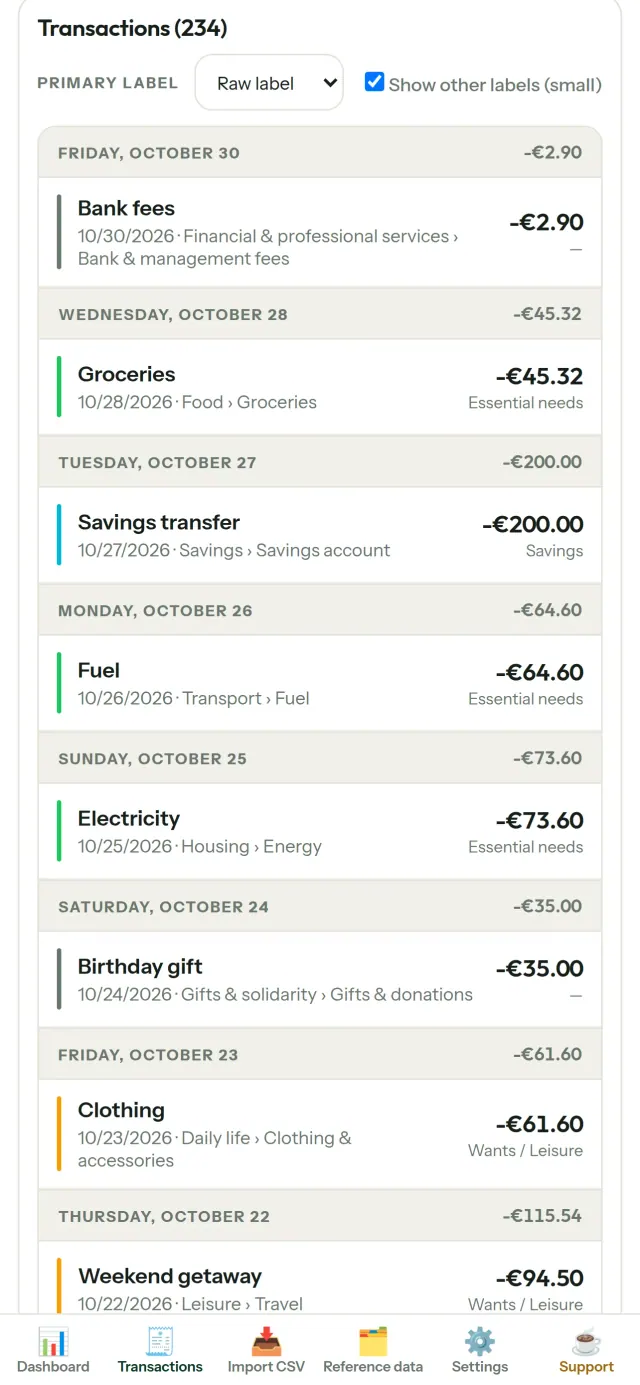
CapBudget を入手
iPhone で無料。Android は近日公開。
近日公開Google PlaySupport the project
以下のテキストは英語です。英語版が優先されます。
CapBudget is a budgeting app that I develop and maintain on my own, in my spare time alongside my day job. It is a local-first project: your data stays on your device.
No account, no ads, and no tracking.
If you find the app useful, the occasional coffee helps keep me motivated to keep releasing improvements. Buy me a coffee, and thank you for your support, whatever form it takes.
Privacy policy
以下のテキストは英語です。英語版が優先されます。
Last updated: 2026-10-06
CapBudget is a local-first budgeting app. The short version: nothing leaves your device, and we collect nothing.
What data the app handles
Everything you put into CapBudget (bank transactions, account references,
categories, categorization rules, budget targets, and app settings) is
stored only in a single SQLite database on your device
(household.sqlite), in the app's own private storage. There is
no account, no login, and no CapBudget server.
What we collect
Nothing. No analytics or usage tracking, no advertising or advertising identifiers, no crash or diagnostics reporting, no third-party SDKs that phone home, no network calls to any CapBudget-operated service (there is none). The app functions fully offline.
CSV imports
When you import a bank CSV export, the file is parsed on your device. It is not uploaded anywhere and is not retained by the app unless you choose “keep” during import.
Backups
You can export a backup from Settings. The backup is a file you control. CapBudget does not upload it and has no access to wherever you save it.
Permissions
The app requests no location, contacts, camera, microphone, or other sensitive permissions, only its own private storage.
Optional tips
CapBudget is free. If you wish, you can leave the developer an optional tip; a tip never unlocks anything. On iOS this uses Apple’s in-app purchase: the payment is processed entirely by Apple, and CapBudget never sees your payment details, your Apple ID or your purchase history, and receives no personal information. On Android and in a web browser a button opens an external donation page in your browser; that page is operated by a third party (Buy Me a Coffee) under its own privacy policy, and nothing from the app is sent to it.
Bank-account references
An account number/IBAN from your CSV is stored to group transactions by account, kept only on your device. In the UI only the last 4 characters are shown.
Contact form on this website
If you write to us through this site, we use your message and the email address you optionally give only to reply. Bot protection is provided by Cloudflare and email delivery by Resend.
Language choice on this website
When you choose a language, or when this site opens a page in your browser's language, it stores
one small functional cookie (pxl, a language code, one year) so that your choice is
remembered. If this site suggests a page in your browser's language and you close that suggestion,
your browser also keeps a local note (pxl-banner-off, in local storage, 30 days) so the
suggestion does not come back. Neither identifies anyone, neither is used for tracking or advertising,
and neither is shared. You can delete them in your browser at any time.
Website statistics
This website uses Cloudflare Web Analytics to count visits (pages viewed, country, browser type, loading speed). It sets no cookie, does not use local storage, does not fingerprint your device, does not follow you across sites and does not build a profile of you. Search engines (for example Google Search Console) give us aggregated search statistics, without any data about individual visitors. We use no advertising or other analytics service. None of this concerns the app itself, which collects nothing.
Children
CapBudget is a general-purpose finance tool and is not directed at children.
Changes
An updated policy will be published at this URL with a new date above.
Contact
Questions about privacy: capbudget-contact@pixeon.net
Support
以下のテキストは英語です。英語版が優先されます。
Last updated: 2026-10-06
CapBudget is a small independent app that keeps your budget on your device only: no account, no sign-up, no server. Answers to the most common questions are below.
We do our best to reply within a few days. To help us, tell us your device model, its system version and what you were doing. Please do not send real bank data or account numbers.
Where is my data stored?
Only on your device, in the app's own private storage. There is no CapBudget account and no CapBudget server, so nobody, including us, can see or recover your data. Details in the privacy policy.
How do I back up my data or move to a new phone?
- Open Settings → Backup & restore →
Download a backup. You get a
.sqlitefile: keep it wherever you like (Files, a cloud drive, your computer). - On the new device, install CapBudget, open Settings → Backup & restore, choose the file and tap Restore from a backup.
A restore replaces everything currently in the app.
I deleted the app or lost my phone: can my data be recovered?
Not unless you exported a backup: the data lives only on the device. Download a backup regularly.
How do I import my bank's transactions?
Export a CSV file from your bank's website, then open the Import CSV tab, choose the file, map its columns once, check the preview (duplicates and invalid dates are flagged) and confirm. Nothing is imported until you confirm.
Can transactions be categorized automatically?
Yes. In Reference data → Rules, create rules such as "label contains RENT → Housing / Rent". You can re-apply them to past transactions at any time; transactions you edited by hand are protected unless you explicitly choose to overwrite them.
How do I change the language, the theme or the start day of my budget month?
The language button is in the top bar. The theme and the day your budget month starts are in Settings. CapBudget is available in English, French, German, Spanish, Portuguese and Italian.
How do I remove the sample data?
Settings → Sample data → Remove sample data. Only the sample transactions are removed, never your own.
EXIF ビューア。写真メタデータ、位置情報、日時、カメラを確認してクリーンアップ。
Pixeon の他のアプリVaultMarkEncrypted document vault. Watermark documents, remove metadata before sharing.