CapBudget: Budget Keluarga
Catatan pengeluaran dan budget offline untuk budget keluarga Anda.
 Segera hadir diGoogle Play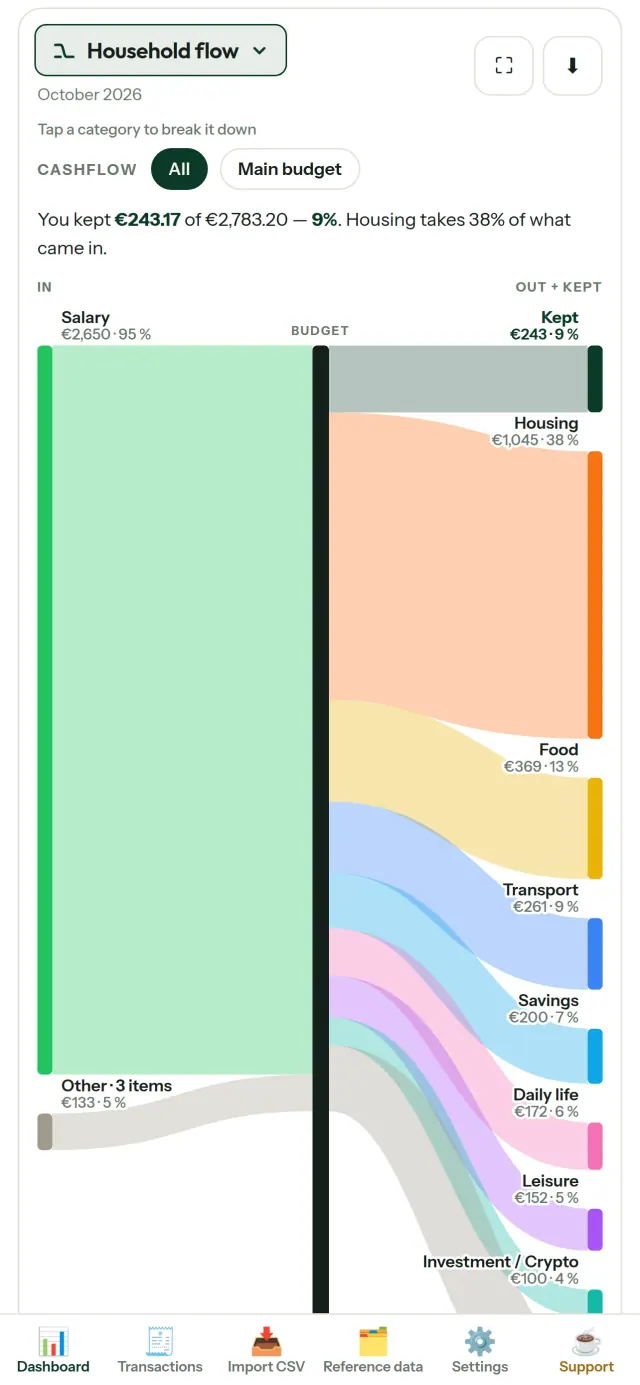
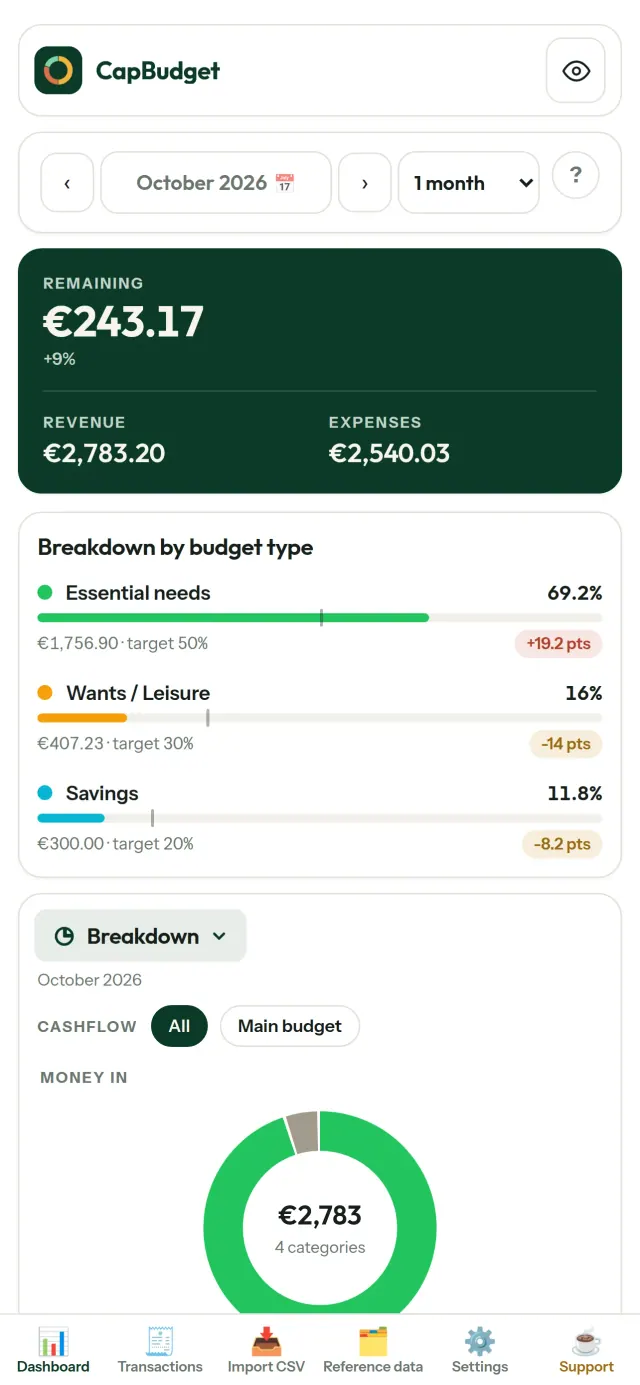
CapBudget membantu Anda mengatur budget keluarga lewat catatan pengeluaran dan pemasukan harian. Gunakan budget offline untuk mencatat anggaran tanpa akun, pendaftaran, cloud, iklan, atau pelacakan. Semua data tersimpan di perangkat Anda. Gratis.
Fungsi CapBudget
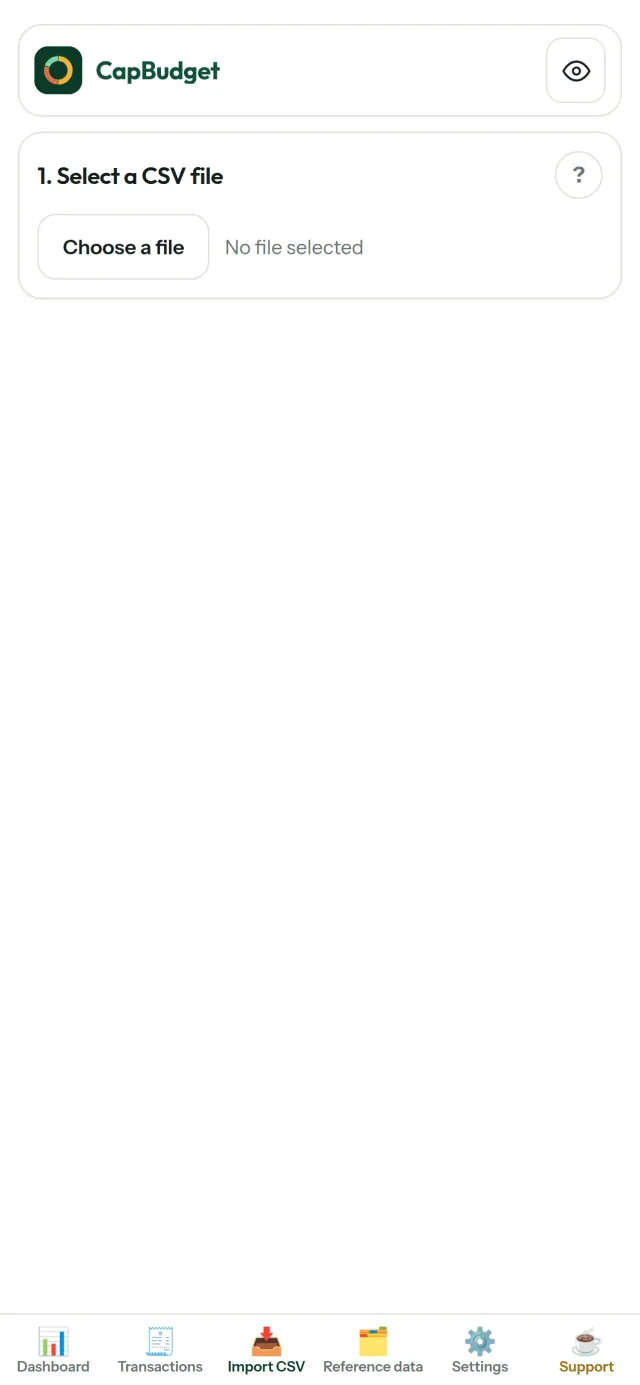
Impor file csv
Impor file CSV dari bank mana pun. Atur kolom satu kali, tinjau data yang akan diimpor, lalu konfirmasi. CapBudget memeriksa data duplikat dan format tanggal agar Anda dapat meninjau semuanya sebelum melanjutkan.
Biarkan aturan membantu
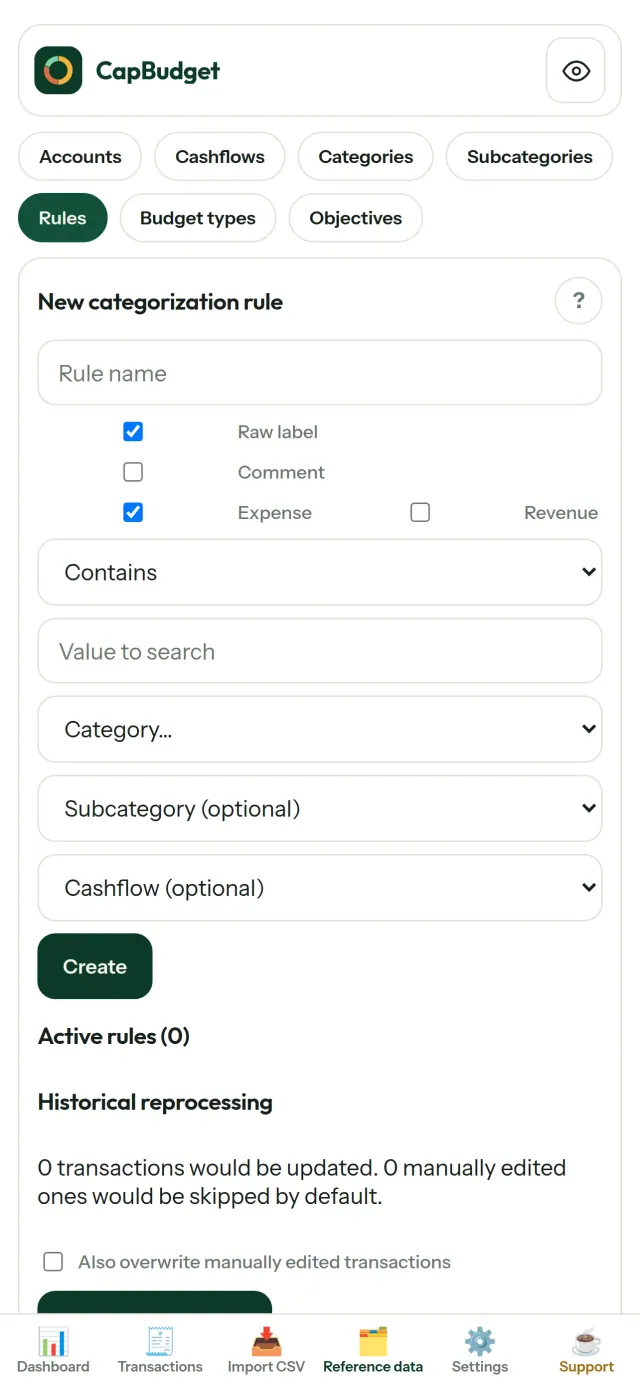
Buat aturan sederhana, misalnya transaksi yang memuat kata SEWA masuk ke kategori Rumah / Sewa. CapBudget akan mengategorikan transaksi untuk Anda. Terapkan kembali aturan pada transaksi lama kapan saja. Perubahan kategori yang Anda buat sendiri tidak akan tertimpa.
Lihat ke mana uang anda pergi
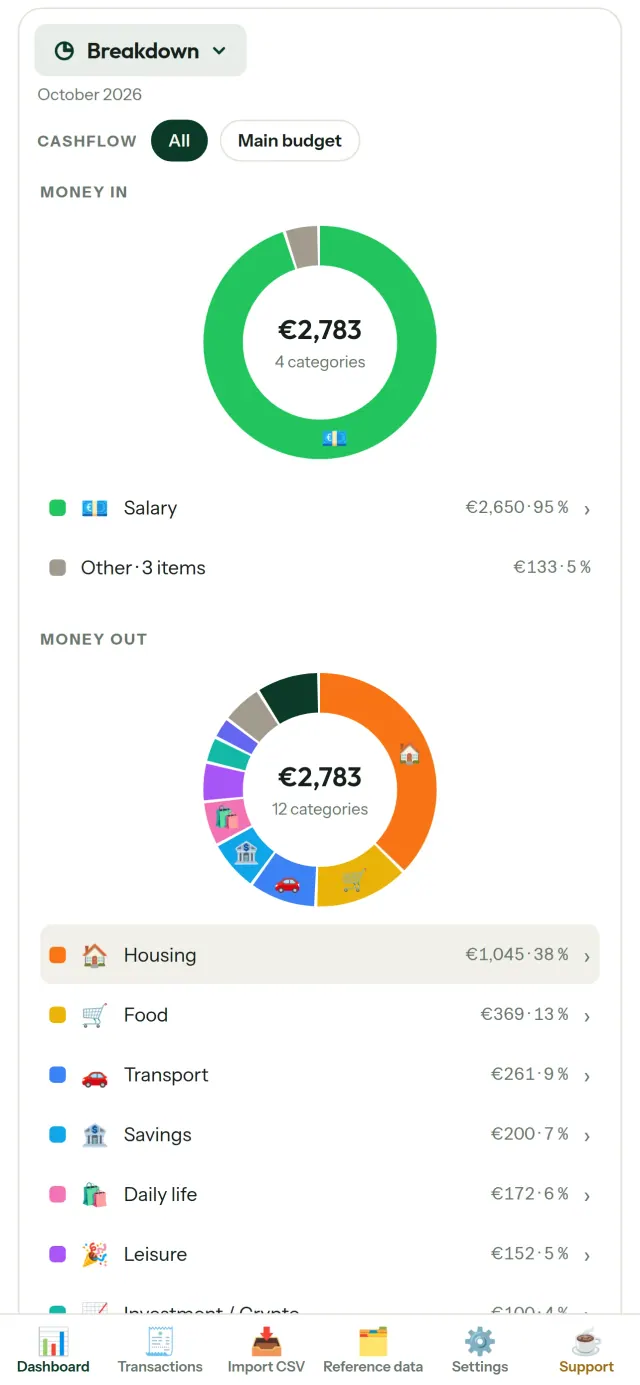
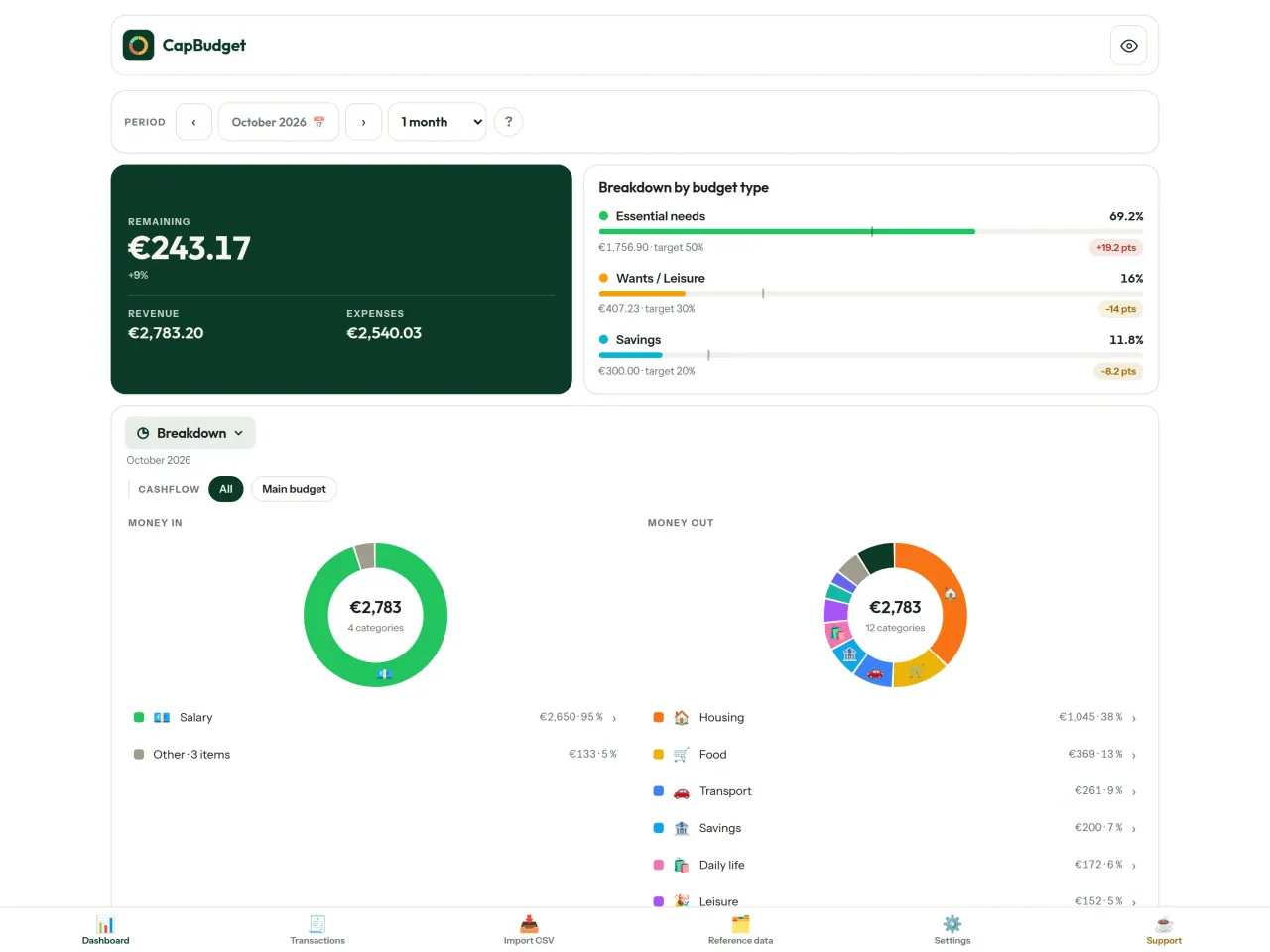
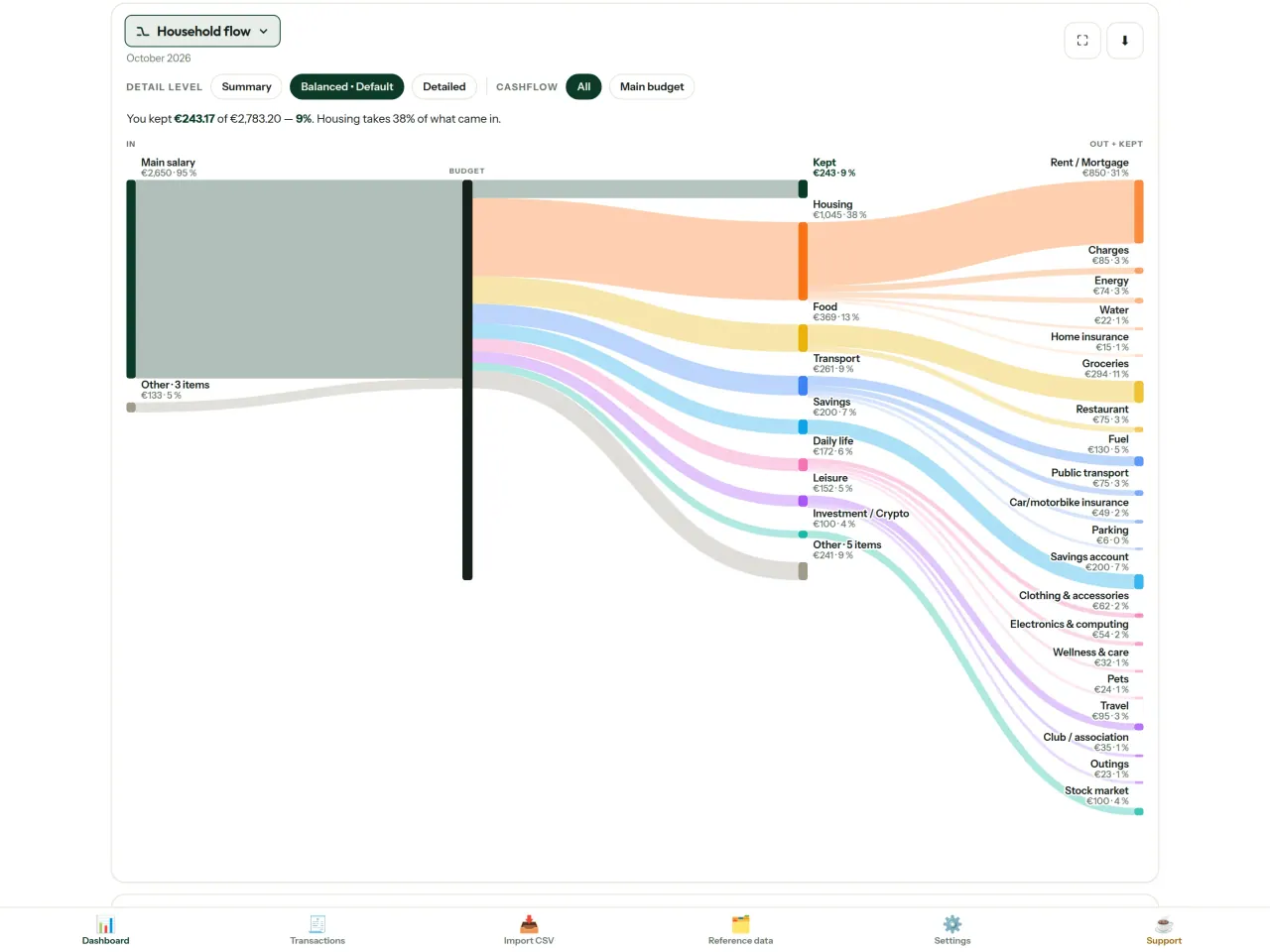
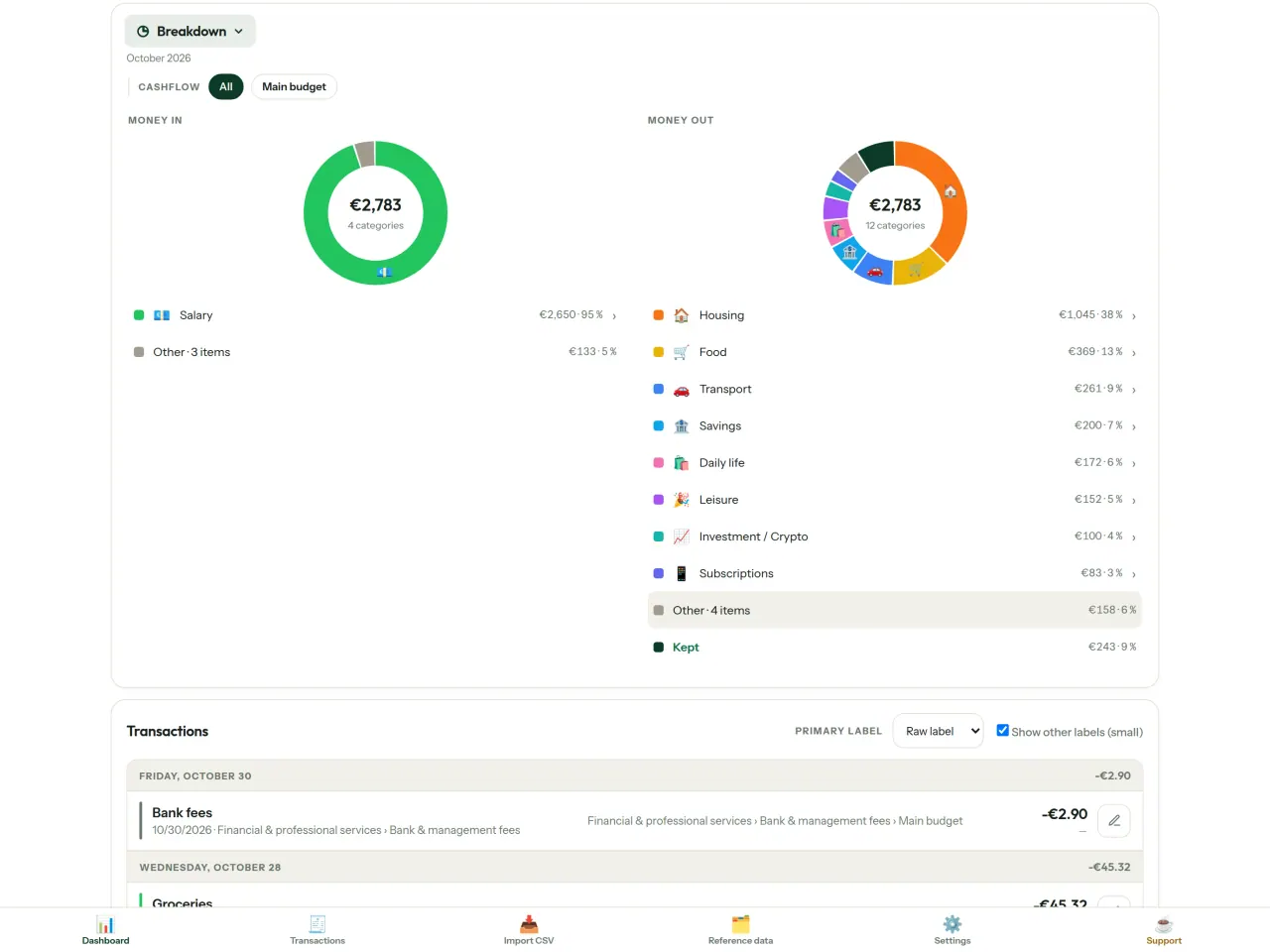
Saring berdasarkan rentang bulan, arus kas, atau kategori, lalu simpan grafik sebagai gambar.
- Arus rumah tangga: diagram Sankey dari pemasukan, ke kategori, hingga sisa uang
- Rincian: pemasukan dan pengeluaran per kategori, dengan pilihan untuk melihat detail
- Aliran pengeluaran: urutkan dari jumlah terbesar
- Perjalanan uang selama sebulan: lihat sisa uang dari hari ke hari
- Laju pengeluaran: bandingkan tiap bulan dengan rata-rata pengeluaran
Target anggaran
Bandingkan pengeluaran bulanan dengan aturan 50/30/20 untuk kebutuhan, keinginan, dan tabungan. Anda juga dapat menentukan persentase sendiri dan membandingkan target dengan kenyataan.
Atur bulan sesuai kebutuhan
Tentukan tanggal mulai bulan anggaran agar sesuai dengan waktu gaji diterima. Sesuaikan kategori, subkategori, dan arus kas.
Data anda tetap milik anda
Semua data tersimpan dalam satu file di perangkat Anda. Ekspor salinan cadangan kapan saja dan simpan di lokasi pilihan Anda. Data tidak diunggah.
Tersedia tema terang dan gelap.
Untuk siapa
- Keluarga dan rumah tangga yang ingin memantau anggaran dari ekspor CSV bank mereka.
- Orang yang tidak mau menyerahkan kredensial bank atau membuat akun hanya untuk melacak pengeluaran.
- Orang yang lelah dengan kebocoran data dan ingin mengambil kembali kendali atas data keuangan mereka: di sini data tidak pernah meninggalkan ponsel, jadi tidak ada yang bisa bocor dari server.
- Orang yang mengikuti aturan 50/30/20, atau yang bulan anggarannya dimulai pada hari gaji masuk.
Mengapa memilih CapBudget
- Mengutamakan lokal: tanpa akun, tanpa cloud, tanpa iklan, tanpa pelacakan. Transaksi Anda tersimpan dalam satu berkas di perangkat Anda.
- Berjalan sepenuhnya offline, dan gratis.
- Mengimpor CSV dari bank mana pun, dengan deteksi duplikat dan pemeriksaan tanggal yang ketat. Aturan kategorisasi tidak pernah menimpa koreksi manual Anda.
Yang belum bisa dilakukan aplikasi
- Belum ada sinkronisasi otomatis dengan bank. Anda mengimpor ekspor CSV dari bank Anda.
- Belum ada sinkronisasi antar beberapa perangkat. Gunakan ekspor cadangan untuk memindahkan data Anda.
Prinsip Pixeon. Aplikasi Pixeon mengutamakan penyimpanan lokal: tanpa akun, tanpa pelacakan, dan data Anda tetap berada di ponsel. Jika suatu aplikasi suatu saat terhubung ke jaringan, itu hanya terjadi ketika Anda sendiri memilih mengaktifkan fitur yang Anda perlukan, dan kebijakan privasi diperbarui sebelum fitur itu dirilis.
Lihat CapBudget beraksi.
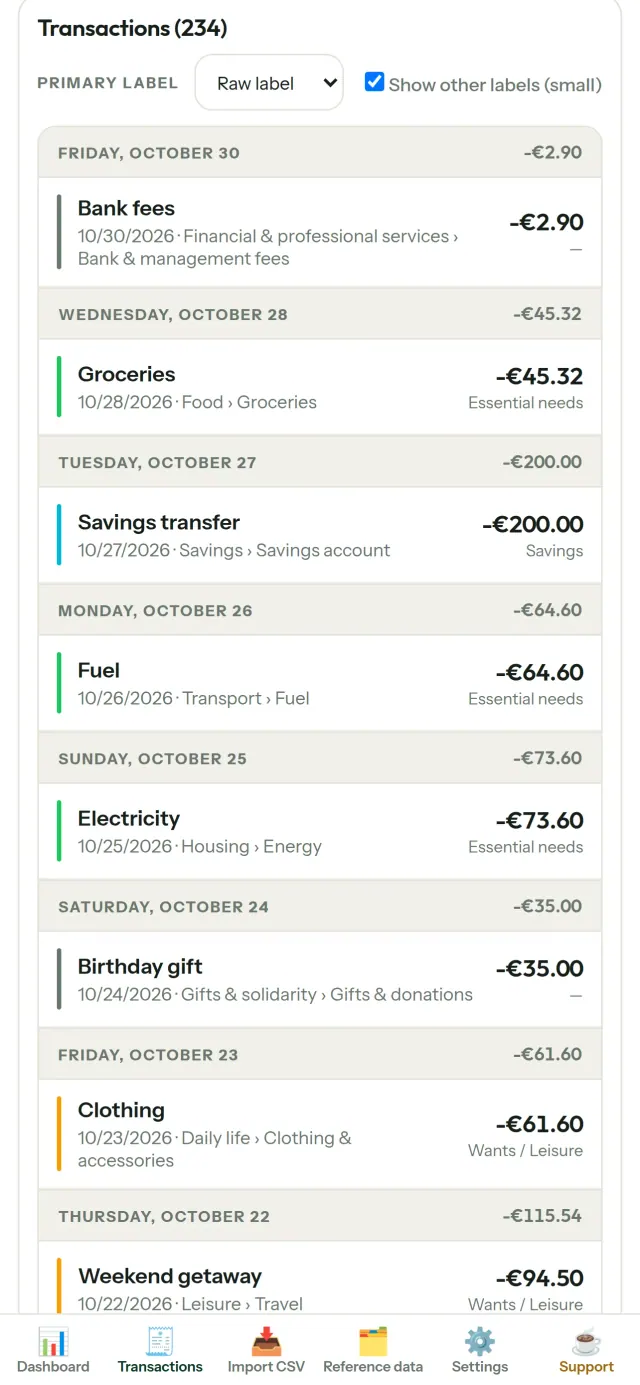
Dapatkan CapBudget.
Gratis di iPhone. Android segera hadir.
Segera hadir diGoogle PlaySupport the project
Teks di bawah ini dalam bahasa Inggris. Versi bahasa Inggris yang berlaku.
CapBudget is a budgeting app that I develop and maintain on my own, in my spare time alongside my day job. It is a local-first project: your data stays on your device.
No account, no ads, and no tracking.
If you find the app useful, the occasional coffee helps keep me motivated to keep releasing improvements. Buy me a coffee, and thank you for your support, whatever form it takes.
Privacy policy
Teks di bawah ini dalam bahasa Inggris. Versi bahasa Inggris yang berlaku.
Last updated: 2026-10-06
CapBudget is a local-first budgeting app. The short version: nothing leaves your device, and we collect nothing.
What data the app handles
Everything you put into CapBudget (bank transactions, account references,
categories, categorization rules, budget targets, and app settings) is
stored only in a single SQLite database on your device
(household.sqlite), in the app's own private storage. There is
no account, no login, and no CapBudget server.
What we collect
Nothing. No analytics or usage tracking, no advertising or advertising identifiers, no crash or diagnostics reporting, no third-party SDKs that phone home, no network calls to any CapBudget-operated service (there is none). The app functions fully offline.
CSV imports
When you import a bank CSV export, the file is parsed on your device. It is not uploaded anywhere and is not retained by the app unless you choose “keep” during import.
Backups
You can export a backup from Settings. The backup is a file you control. CapBudget does not upload it and has no access to wherever you save it.
Permissions
The app requests no location, contacts, camera, microphone, or other sensitive permissions, only its own private storage.
Optional tips
CapBudget is free. If you wish, you can leave the developer an optional tip; a tip never unlocks anything. On iOS this uses Apple’s in-app purchase: the payment is processed entirely by Apple, and CapBudget never sees your payment details, your Apple ID or your purchase history, and receives no personal information. On Android and in a web browser a button opens an external donation page in your browser; that page is operated by a third party (Buy Me a Coffee) under its own privacy policy, and nothing from the app is sent to it.
Bank-account references
An account number/IBAN from your CSV is stored to group transactions by account, kept only on your device. In the UI only the last 4 characters are shown.
Contact form on this website
If you write to us through this site, we use your message and the email address you optionally give only to reply. Bot protection is provided by Cloudflare and email delivery by Resend.
Language choice on this website
When you choose a language, or when this site opens a page in your browser's language, it stores
one small functional cookie (pxl, a language code, one year) so that your choice is
remembered. If this site suggests a page in your browser's language and you close that suggestion,
your browser also keeps a local note (pxl-banner-off, in local storage, 30 days) so the
suggestion does not come back. Neither identifies anyone, neither is used for tracking or advertising,
and neither is shared. You can delete them in your browser at any time.
Website statistics
This website uses Cloudflare Web Analytics to count visits (pages viewed, country, browser type, loading speed). It sets no cookie, does not use local storage, does not fingerprint your device, does not follow you across sites and does not build a profile of you. Search engines (for example Google Search Console) give us aggregated search statistics, without any data about individual visitors. We use no advertising or other analytics service. None of this concerns the app itself, which collects nothing.
Children
CapBudget is a general-purpose finance tool and is not directed at children.
Changes
An updated policy will be published at this URL with a new date above.
Contact
Questions about privacy: capbudget-contact@pixeon.net
Support
Teks di bawah ini dalam bahasa Inggris. Versi bahasa Inggris yang berlaku.
Last updated: 2026-10-06
CapBudget is a small independent app that keeps your budget on your device only: no account, no sign-up, no server. Answers to the most common questions are below.
We do our best to reply within a few days. To help us, tell us your device model, its system version and what you were doing. Please do not send real bank data or account numbers.
Where is my data stored?
Only on your device, in the app's own private storage. There is no CapBudget account and no CapBudget server, so nobody, including us, can see or recover your data. Details in the privacy policy.
How do I back up my data or move to a new phone?
- Open Settings → Backup & restore →
Download a backup. You get a
.sqlitefile: keep it wherever you like (Files, a cloud drive, your computer). - On the new device, install CapBudget, open Settings → Backup & restore, choose the file and tap Restore from a backup.
A restore replaces everything currently in the app.
I deleted the app or lost my phone: can my data be recovered?
Not unless you exported a backup: the data lives only on the device. Download a backup regularly.
How do I import my bank's transactions?
Export a CSV file from your bank's website, then open the Import CSV tab, choose the file, map its columns once, check the preview (duplicates and invalid dates are flagged) and confirm. Nothing is imported until you confirm.
Can transactions be categorized automatically?
Yes. In Reference data → Rules, create rules such as "label contains RENT → Housing / Rent". You can re-apply them to past transactions at any time; transactions you edited by hand are protected unless you explicitly choose to overwrite them.
How do I change the language, the theme or the start day of my budget month?
The language button is in the top bar. The theme and the day your budget month starts are in Settings. CapBudget is available in English, French, German, Spanish, Portuguese and Italian.
How do I remove the sample data?
Settings → Sample data → Remove sample data. Only the sample transactions are removed, never your own.
EXIF viewer dan pembersih metadata foto: lokasi, tanggal, kamera.
Juga dari PixeonVaultMarkEncrypted document vault. Watermark documents, remove metadata before sharing.