CapBudget: budget
Budget, utgiftsspårare och familjebudget, allt samlat på din enhet.
 Kommer snart påGoogle Play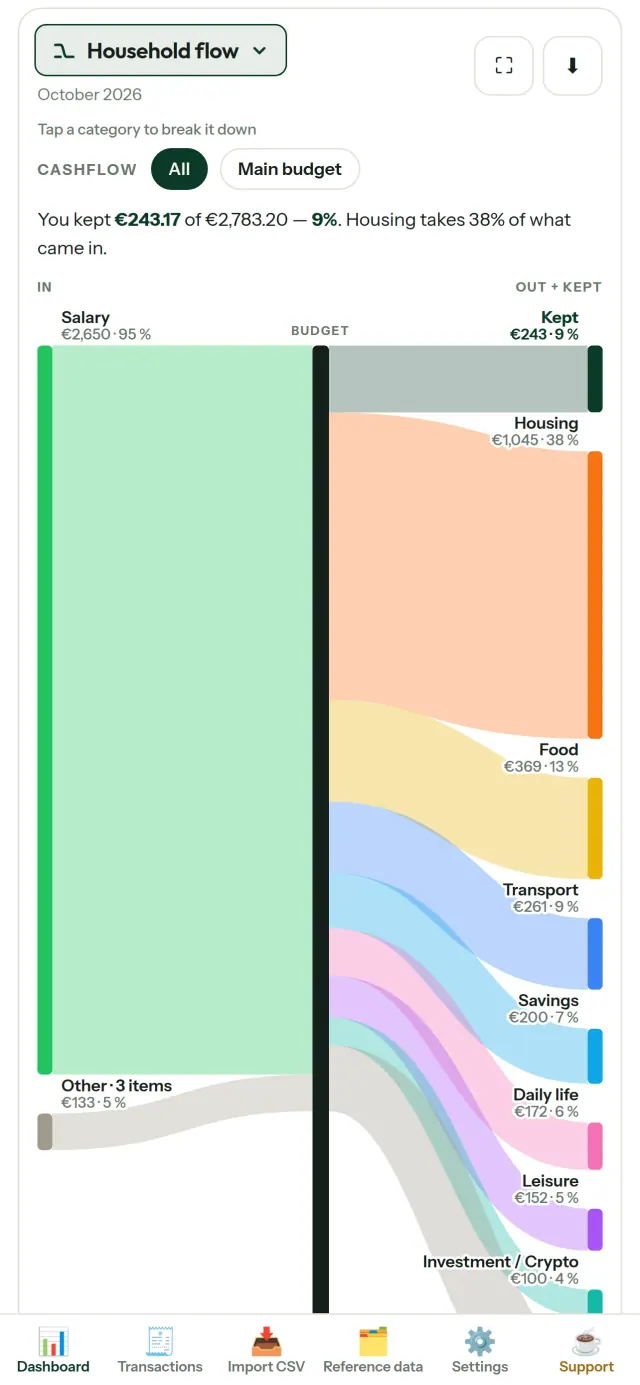
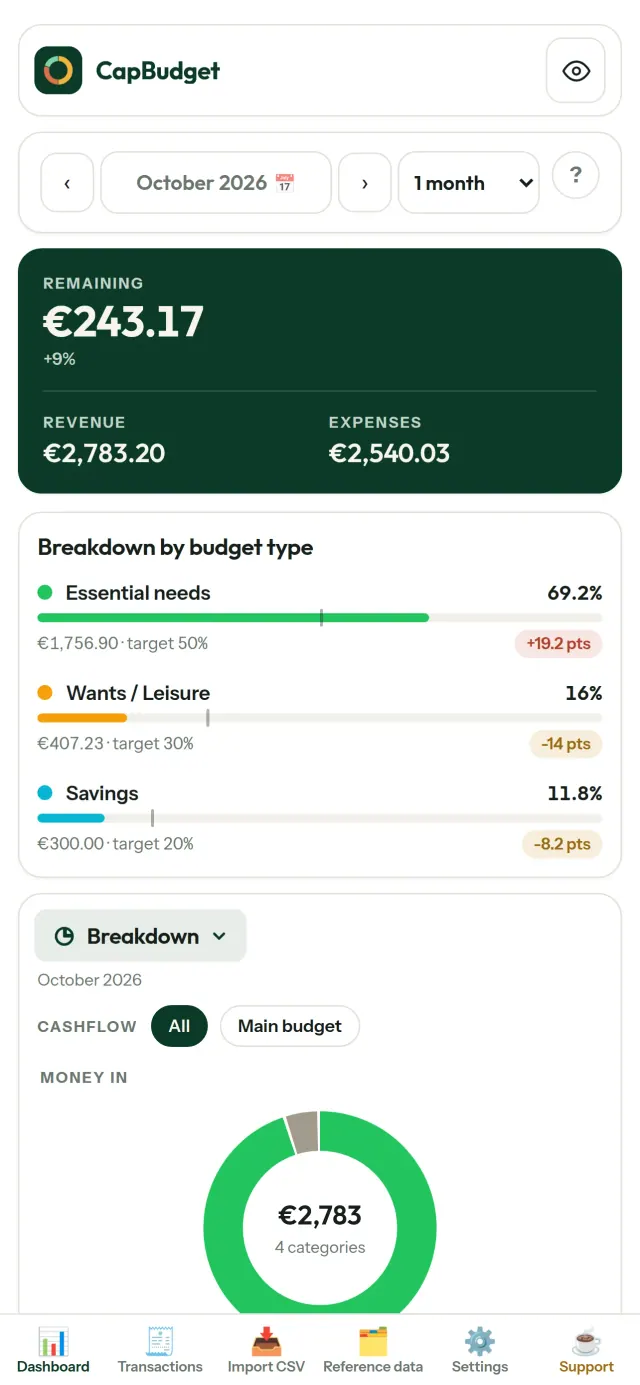
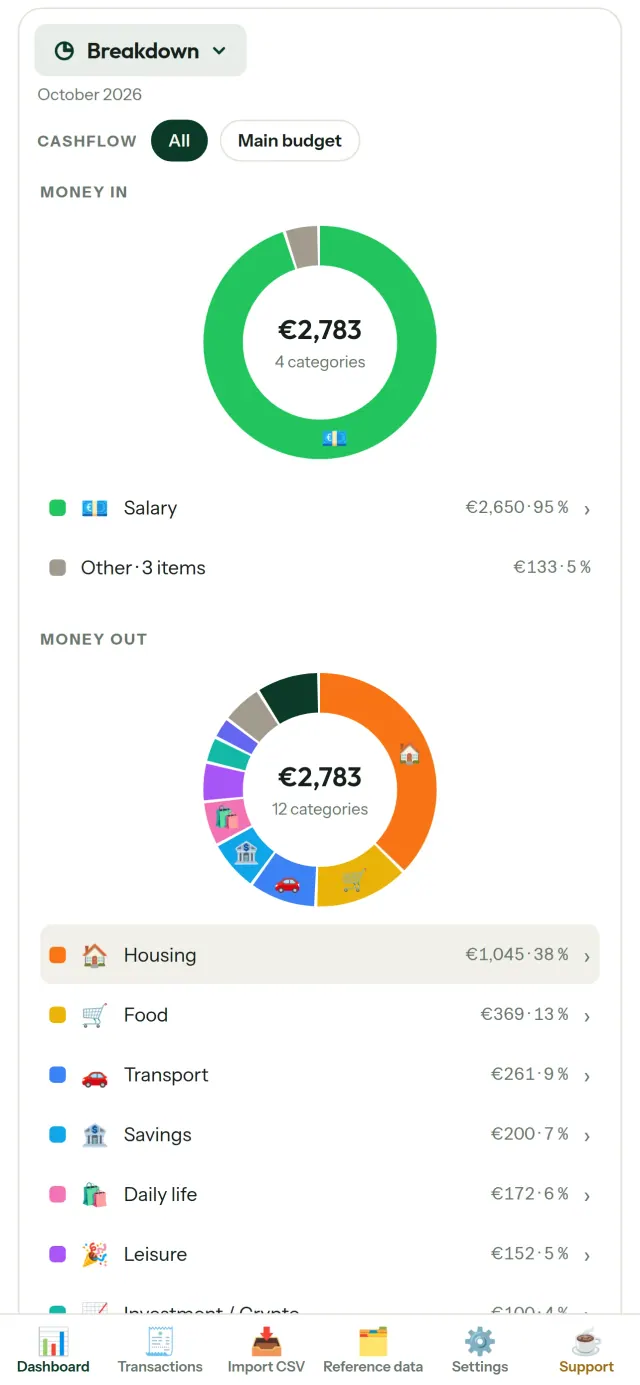
CapBudget är en offline budgetapp för hushållets budget och ekonomi. Få hjälp med budget, använd appen som utgiftsspårare och håll koll på familjebudget. Allt sparas på din enhet: inget konto, ingen registrering, inget moln, inga annonser och ingen spårning. Appen fungerar helt offline.
Så fungerar CapBudget
Importera dina bankutdrag
Importera en CSV-fil från din bank. Matcha kolumnerna en gång och granska innehållet före importen. Dubbletter upptäcks och datum kontrolleras noggrant innan du bekräftar. Inget ändras i tysthet.
Låt reglerna sortera
Skapa enkla regler, till exempel ”innehåller HYRA → Boende / Hyra”, så kategoriserar CapBudget transaktionerna åt dig. Kör reglerna på tidigare transaktioner när du vill. Dina manuella ändringar skrivs aldrig över.
Se vart pengarna tar vägen
Filtrera efter period, kassaflöde eller kategori och spara diagram som bilder.
- Hushållets flöde: ett Sankey-diagram från inkomster via kategorier till det som blir över
- Översikt: inkomster och utgifter per kategori, med möjlighet att visa mer
- Vart pengarna går: utgifterna i storleksordning
- Månadens utveckling: se vad som återstår dag för dag
- Din takt: jämför varje månad med en jämn utgiftstakt
Budgetmål
Jämför månadens utgifter med 50/30/20-regeln för behov, önskemål och sparande, eller välj egna procentsatser. Se målet jämfört med utfallet.
Din månad, på ditt sätt
Välj vilken dag budgetmånaden ska börja, så att den följer när lönen kommer in. Anpassa kategorier, underkategorier och kassaflöden.
Dina data förblir dina
Allt finns i en enda fil på din enhet. Exportera en säkerhetskopia när du vill och spara den där det passar dig. Inget laddas någonsin upp.
Välj mellan ljust och mörkt tema.
Vem den är för
- Hushåll och familjer som vill följa sin budget utifrån CSV-exporter från sin bank.
- Personer som inte vill lämna ut sina bankuppgifter eller skapa ett konto för att hålla koll på sina utgifter.
- Personer som är trötta på dataläckor och vill återta kontrollen över sina ekonomiska data: här lämnar de aldrig telefonen, så det finns ingen server att läcka från.
- Personer som följer 50/30/20-regeln eller vars budgetmånad börjar den dag lönen kommer.
Varför välja CapBudget
- Lokalt från början: inget konto, inget moln, inga annonser, ingen spårning. Dina transaktioner stannar i en fil på din enhet.
- Fungerar helt offline och är gratis.
- Importerar CSV-filer från vilken bank som helst, med dubblettidentifiering och strikta datumkontroller. Kategoriseringsregler skriver aldrig över dina manuella ändringar.
Vad appen ännu inte gör
- Ingen automatisk banksynkronisering ännu. Du importerar en CSV-export från din bank.
- Ingen synkronisering mellan flera enheter ännu. Använd säkerhetskopierings-exporten för att flytta dina data.
Pixeon-principen. Pixeons appar är lokala från början: inget konto, ingen spårning och dina data stannar på din telefon. Om en app någon gång ansluter till nätverket sker det bara när du väljer att aktivera en funktion du behöver, och integritetspolicyn uppdateras innan funktionen släpps.
Se CapBudget i användning.
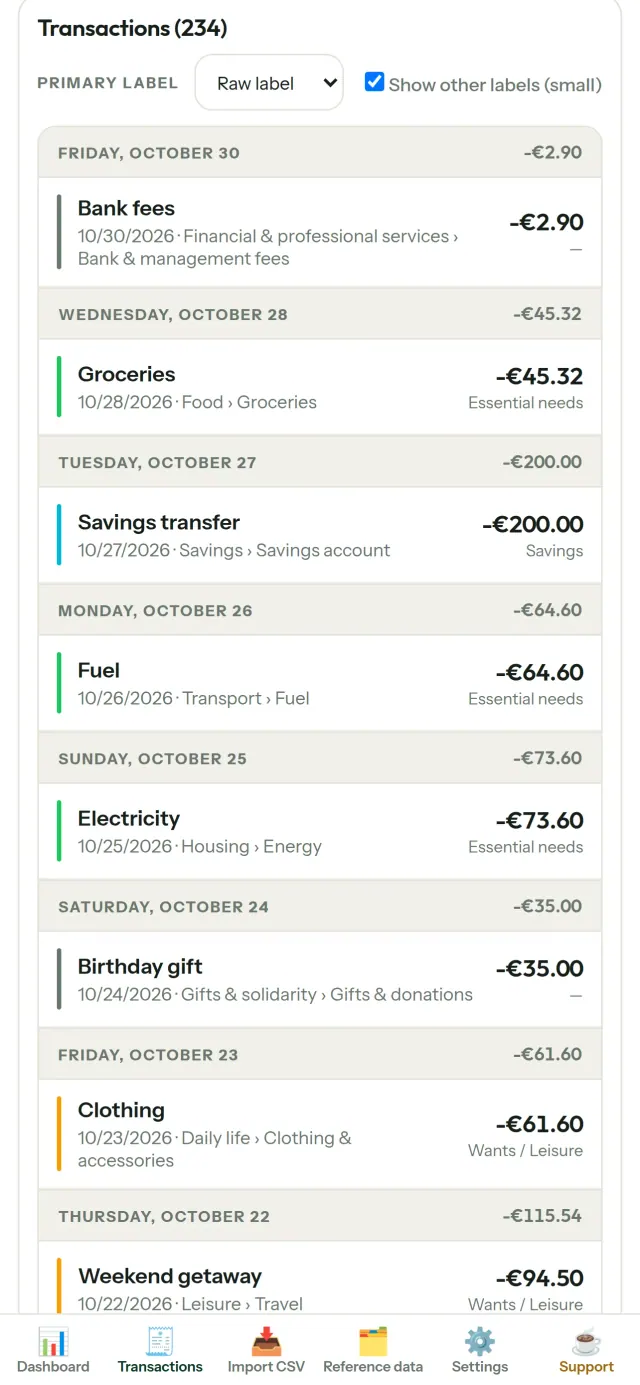
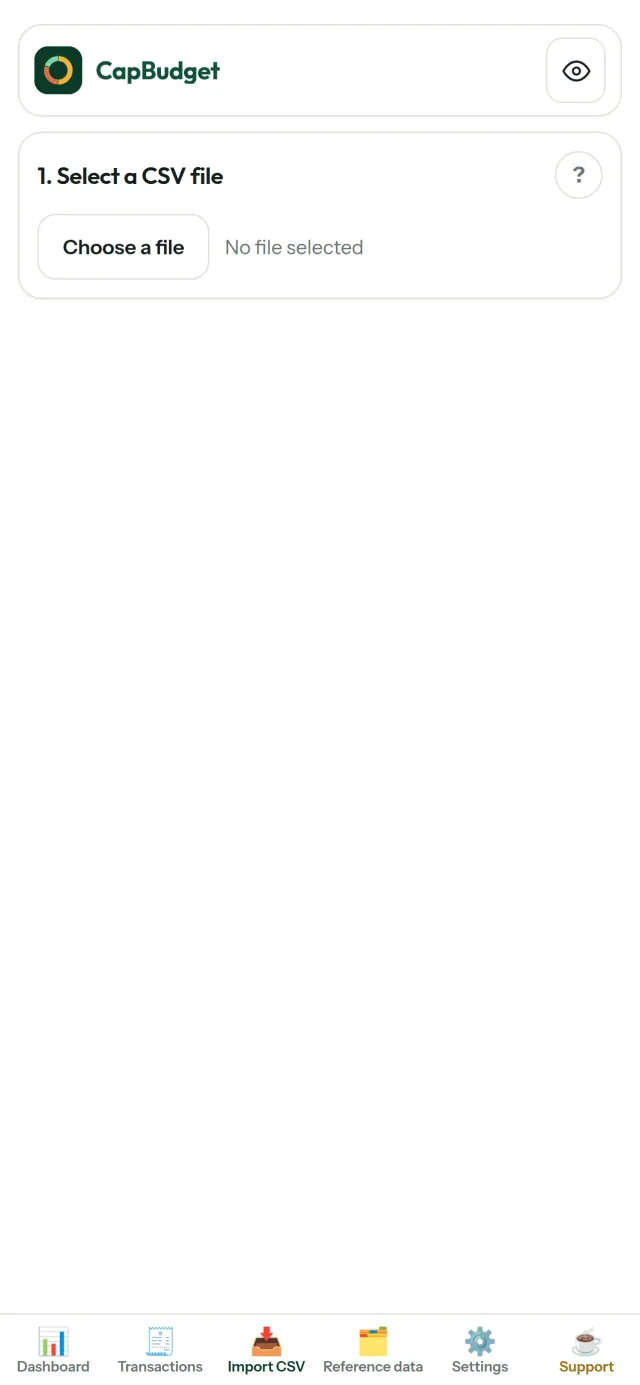
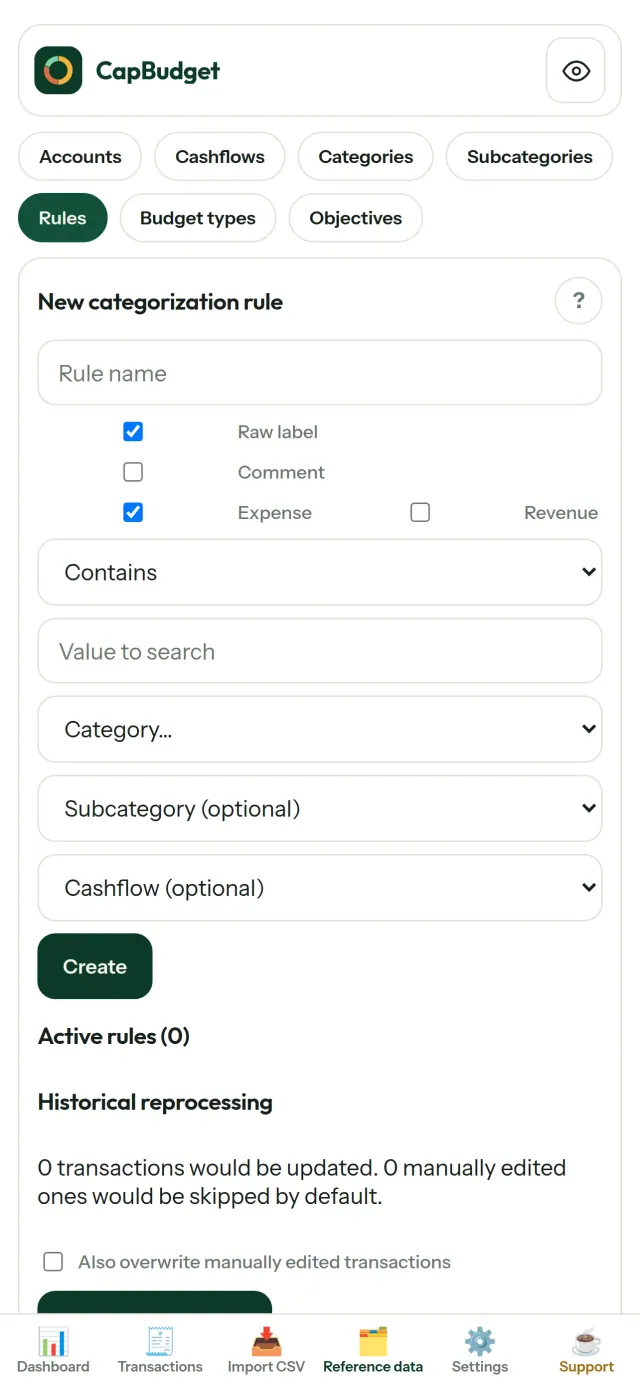
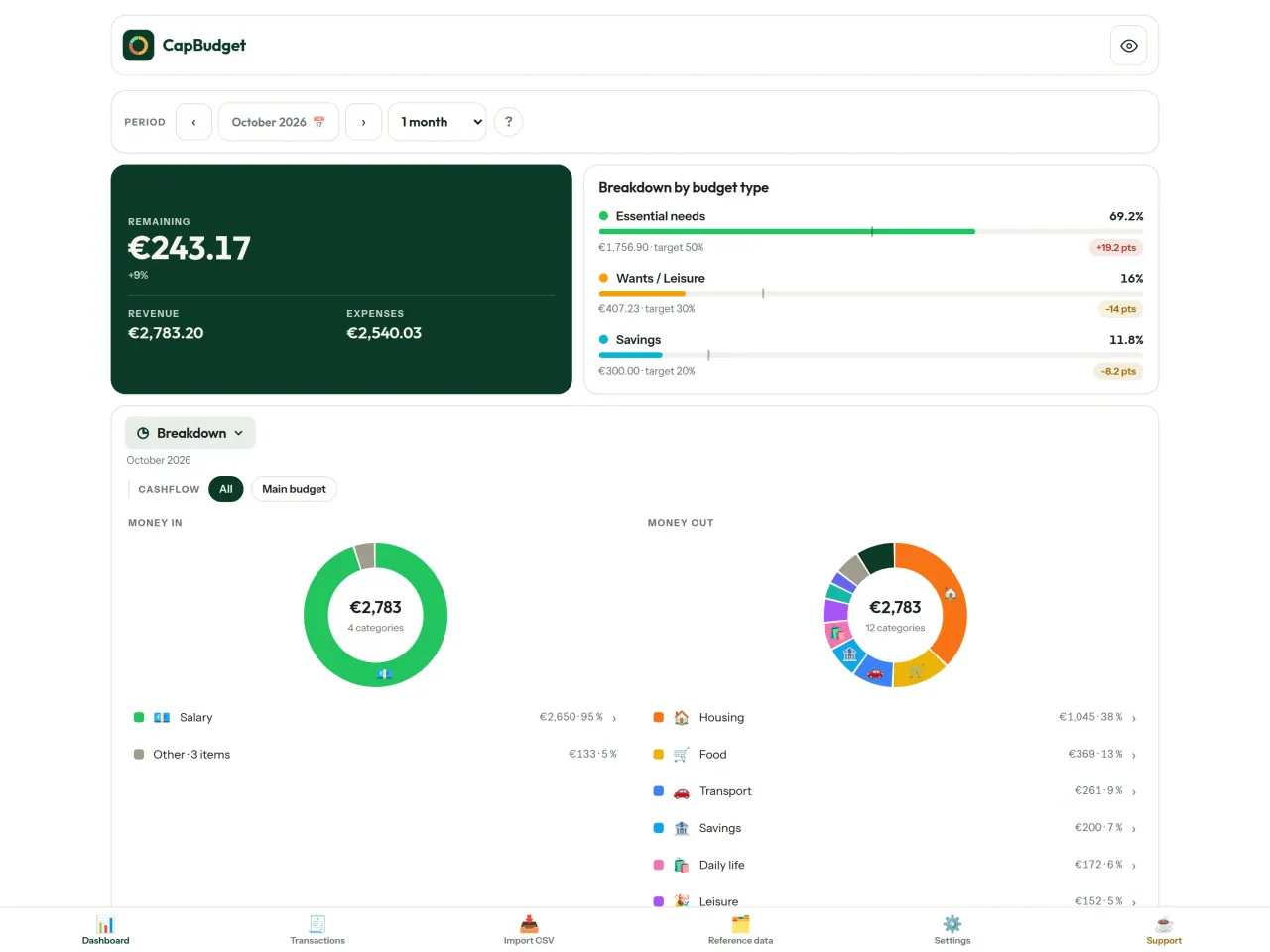
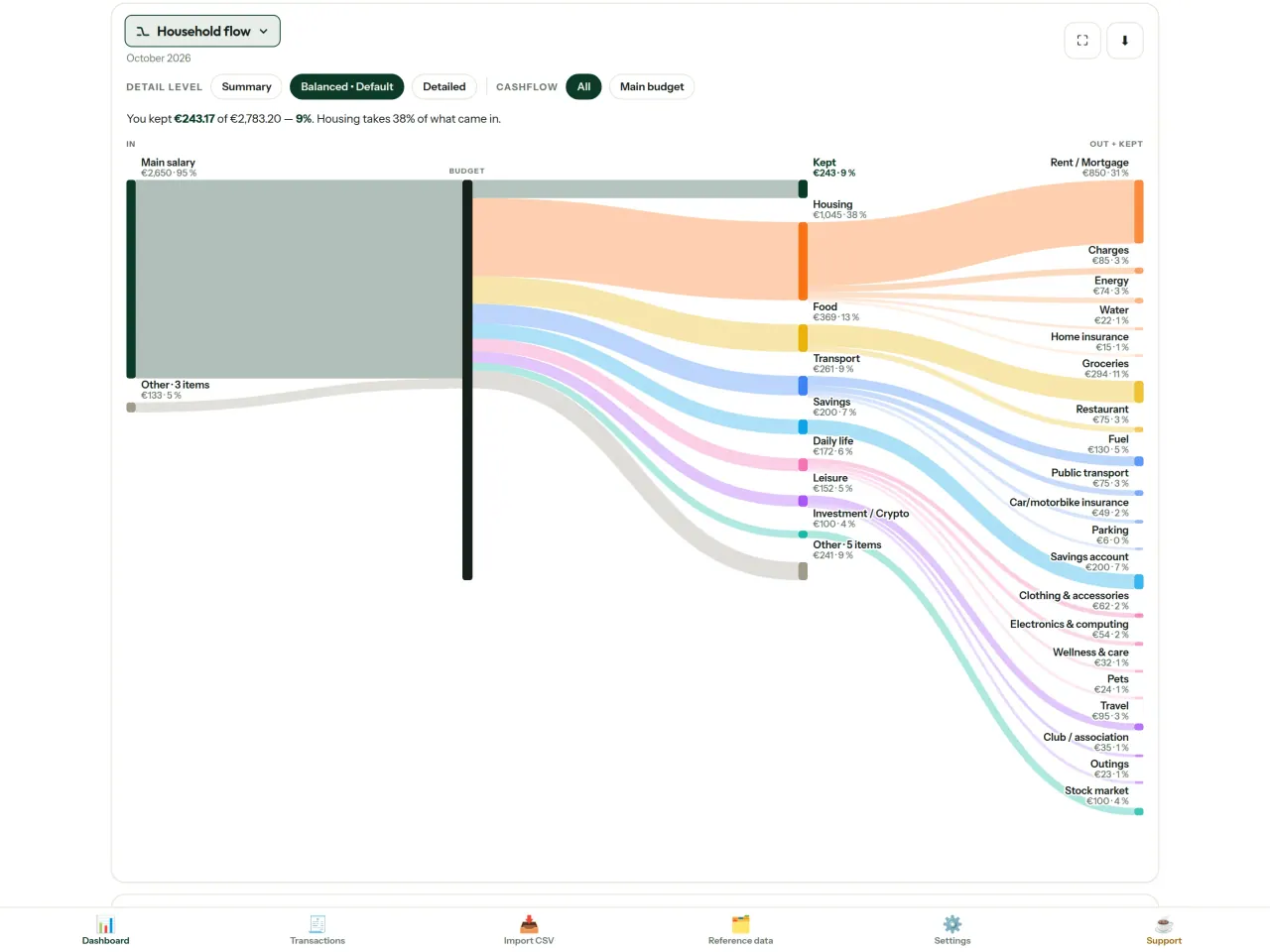
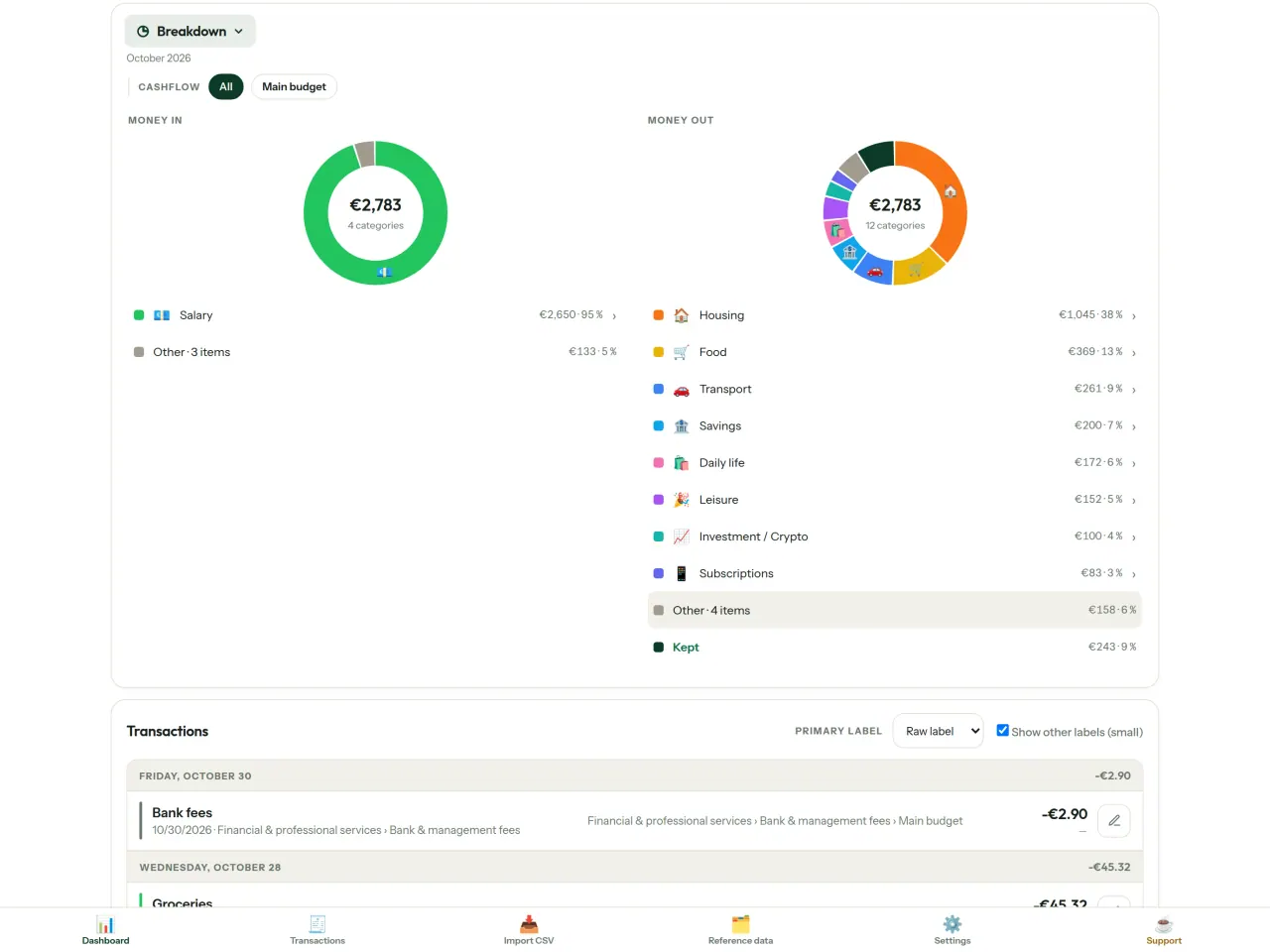
Hämta CapBudget.
Gratis på iPhone. Android kommer snart.
Kommer snart påGoogle PlaySupport the project
Texten nedan är på engelska. Den engelska versionen gäller.
CapBudget is a budgeting app that I develop and maintain on my own, in my spare time alongside my day job. It is a local-first project: your data stays on your device.
No account, no ads, and no tracking.
If you find the app useful, the occasional coffee helps keep me motivated to keep releasing improvements. Buy me a coffee, and thank you for your support, whatever form it takes.
Privacy policy
Texten nedan är på engelska. Den engelska versionen gäller.
Last updated: 2026-10-06
CapBudget is a local-first budgeting app. The short version: nothing leaves your device, and we collect nothing.
What data the app handles
Everything you put into CapBudget (bank transactions, account references,
categories, categorization rules, budget targets, and app settings) is
stored only in a single SQLite database on your device
(household.sqlite), in the app's own private storage. There is
no account, no login, and no CapBudget server.
What we collect
Nothing. No analytics or usage tracking, no advertising or advertising identifiers, no crash or diagnostics reporting, no third-party SDKs that phone home, no network calls to any CapBudget-operated service (there is none). The app functions fully offline.
CSV imports
When you import a bank CSV export, the file is parsed on your device. It is not uploaded anywhere and is not retained by the app unless you choose “keep” during import.
Backups
You can export a backup from Settings. The backup is a file you control. CapBudget does not upload it and has no access to wherever you save it.
Permissions
The app requests no location, contacts, camera, microphone, or other sensitive permissions, only its own private storage.
Optional tips
CapBudget is free. If you wish, you can leave the developer an optional tip; a tip never unlocks anything. On iOS this uses Apple’s in-app purchase: the payment is processed entirely by Apple, and CapBudget never sees your payment details, your Apple ID or your purchase history, and receives no personal information. On Android and in a web browser a button opens an external donation page in your browser; that page is operated by a third party (Buy Me a Coffee) under its own privacy policy, and nothing from the app is sent to it.
Bank-account references
An account number/IBAN from your CSV is stored to group transactions by account, kept only on your device. In the UI only the last 4 characters are shown.
Contact form on this website
If you write to us through this site, we use your message and the email address you optionally give only to reply. Bot protection is provided by Cloudflare and email delivery by Resend.
Language choice on this website
When you choose a language, or when this site opens a page in your browser's language, it stores
one small functional cookie (pxl, a language code, one year) so that your choice is
remembered. If this site suggests a page in your browser's language and you close that suggestion,
your browser also keeps a local note (pxl-banner-off, in local storage, 30 days) so the
suggestion does not come back. Neither identifies anyone, neither is used for tracking or advertising,
and neither is shared. You can delete them in your browser at any time.
Website statistics
This website uses Cloudflare Web Analytics to count visits (pages viewed, country, browser type, loading speed). It sets no cookie, does not use local storage, does not fingerprint your device, does not follow you across sites and does not build a profile of you. Search engines (for example Google Search Console) give us aggregated search statistics, without any data about individual visitors. We use no advertising or other analytics service. None of this concerns the app itself, which collects nothing.
Children
CapBudget is a general-purpose finance tool and is not directed at children.
Changes
An updated policy will be published at this URL with a new date above.
Contact
Questions about privacy: capbudget-contact@pixeon.net
Support
Texten nedan är på engelska. Den engelska versionen gäller.
Last updated: 2026-10-06
CapBudget is a small independent app that keeps your budget on your device only: no account, no sign-up, no server. Answers to the most common questions are below.
We do our best to reply within a few days. To help us, tell us your device model, its system version and what you were doing. Please do not send real bank data or account numbers.
Where is my data stored?
Only on your device, in the app's own private storage. There is no CapBudget account and no CapBudget server, so nobody, including us, can see or recover your data. Details in the privacy policy.
How do I back up my data or move to a new phone?
- Open Settings → Backup & restore →
Download a backup. You get a
.sqlitefile: keep it wherever you like (Files, a cloud drive, your computer). - On the new device, install CapBudget, open Settings → Backup & restore, choose the file and tap Restore from a backup.
A restore replaces everything currently in the app.
I deleted the app or lost my phone: can my data be recovered?
Not unless you exported a backup: the data lives only on the device. Download a backup regularly.
How do I import my bank's transactions?
Export a CSV file from your bank's website, then open the Import CSV tab, choose the file, map its columns once, check the preview (duplicates and invalid dates are flagged) and confirm. Nothing is imported until you confirm.
Can transactions be categorized automatically?
Yes. In Reference data → Rules, create rules such as "label contains RENT → Housing / Rent". You can re-apply them to past transactions at any time; transactions you edited by hand are protected unless you explicitly choose to overwrite them.
How do I change the language, the theme or the start day of my budget month?
The language button is in the top bar. The theme and the day your budget month starts are in Settings. CapBudget is available in English, French, German, Spanish, Portuguese and Italian.
How do I remove the sample data?
Settings → Sample data → Remove sample data. Only the sample transactions are removed, never your own.
EXIF-visare och rensning av fotometadata: plats, datum, kamera. I din telefon.
Även från PixeonVaultMarkEncrypted document vault. Watermark documents, remove metadata before sharing.