CapBudget: Buget
Tracker cheltuieli și buget familie, direct pe telefon, fără cont.
 În curând peGoogle Play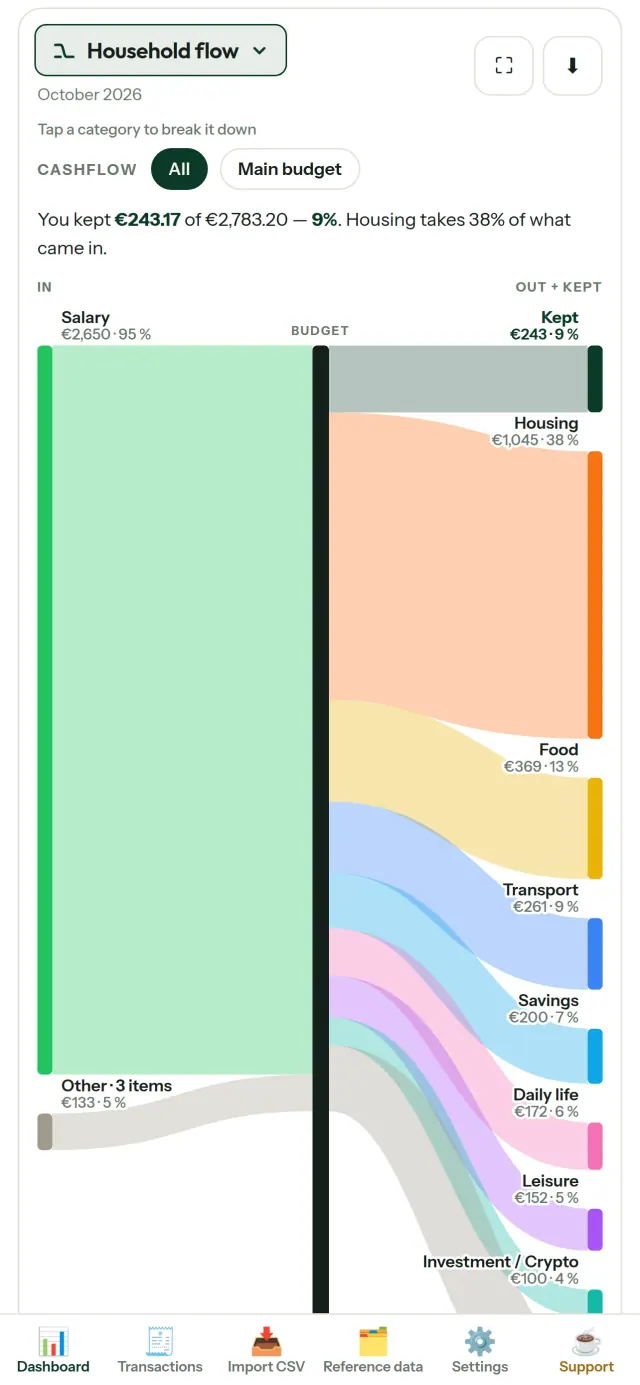
CapBudget este un planificator de buget și tracker cheltuieli pentru familie. Un ajutor pentru buget familie și gestionare simplă a bugetului lunar. Totul rămâne pe dispozitivul dvs: fără cont, înregistrare, cloud, reclame sau urmărire. Funcționează și offline. Gratuit.
Ce face CapBudget
Importați extrasele bancare
Importați un fișier CSV exportat de la bancă. Asociați coloanele o singură dată și previzualizați datele înainte de import, cu detectarea dublurilor și verificarea atentă a datelor calendaristice. Confirmați importul când sunteți gata. Aplicația nu completează în tăcere informațiile lipsă.
Lăsați regulile să organizeze tranzacțiile
Creați reguli simple, de exemplu „conține CHIRIE → Locuință / Chirie”, iar CapBudget va încadra tranzacțiile în categorii. Puteți aplica regulile din nou tranzacțiilor mai vechi oricând. Corecturile făcute manual rămân neschimbate.
Vedeți unde se duc banii
Filtrați după intervalul de luni, flux de numerar sau categorie și exportați orice diagramă ca imagine.
- Fluxul familiei: o diagramă Sankey, de la venituri la categorii și suma rămasă
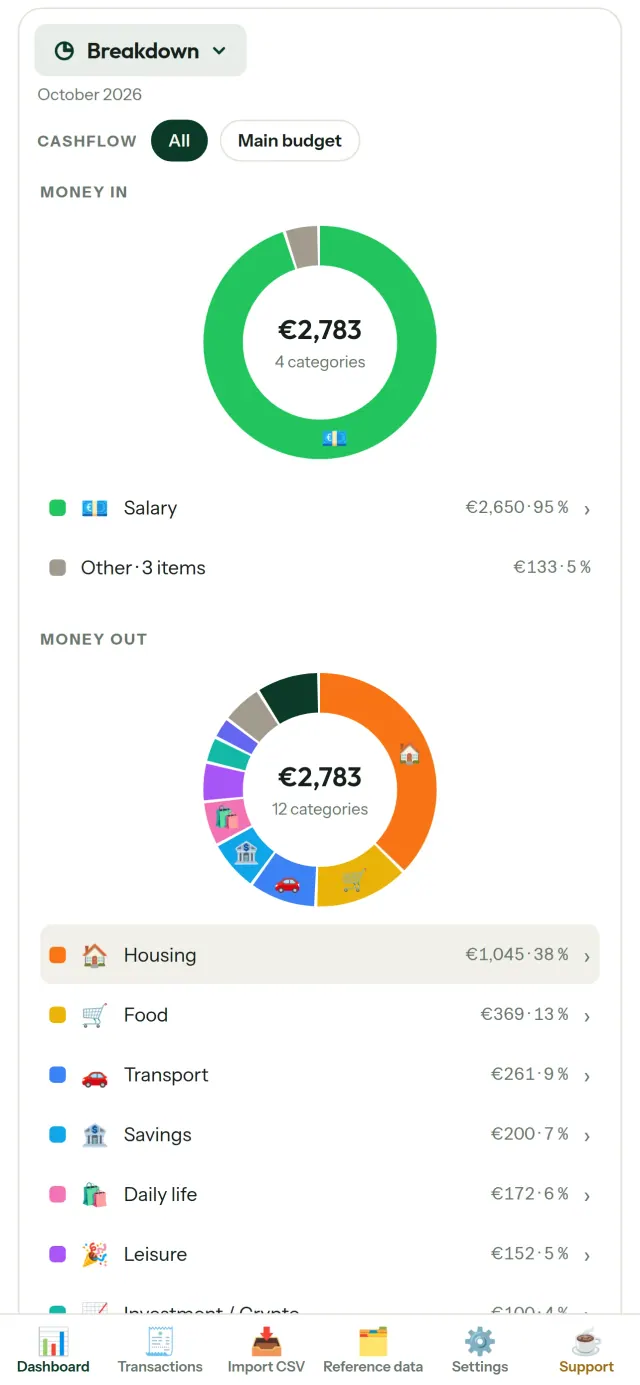
- Detalii: venituri și cheltuieli pe categorii, cu acces la fiecare tranzacție
- Destinația banilor: cheltuielile afișate de la cele mai mari în jos
- Evoluția lunii: ce sumă rămâne, zi după zi
- Ritmul cheltuielilor: comparație între fiecare lună și un ritm constant
Obiective de buget
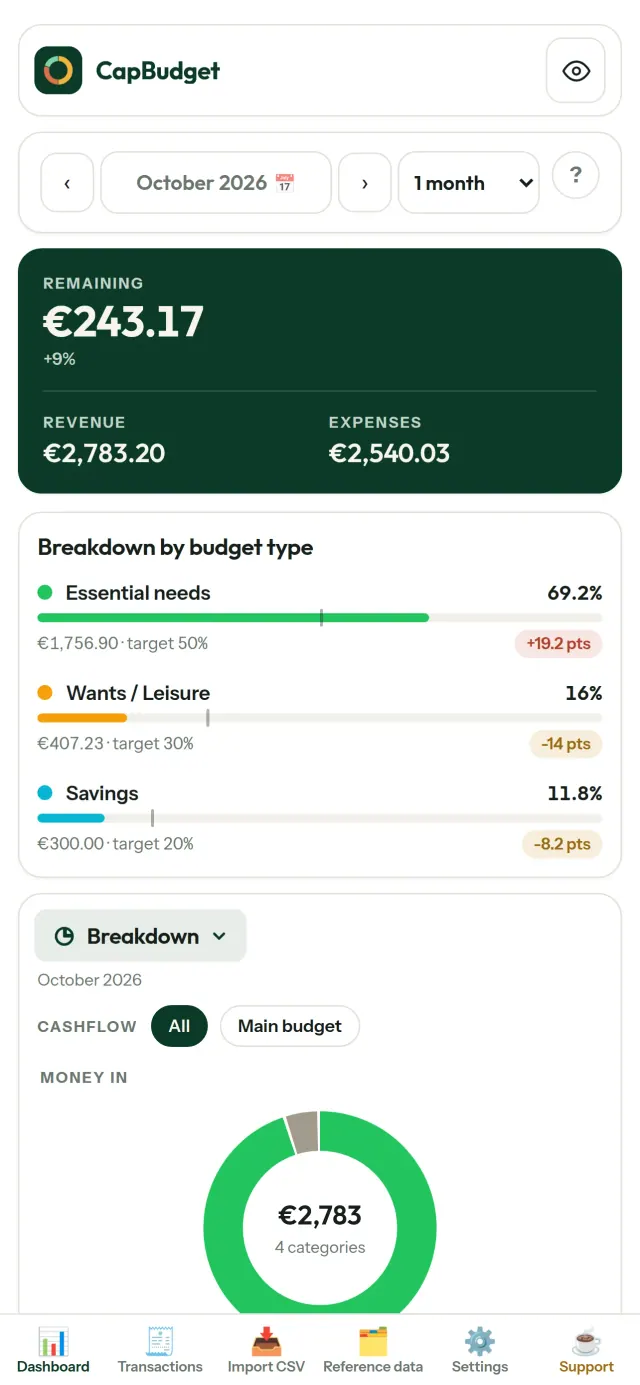
Comparați cheltuielile lunare cu regula 50/30/20, pentru nevoi, dorințe și economii, sau alegeți propriile procente. Vedeți dintr-o privire obiectivele și situația reală.
Luna dvs., așa cum doriți
Alegeți ziua în care începe luna de buget, ca să corespundă datei la care primiți salariul. Personalizați categoriile, subcategoriile și fluxurile de numerar.
DATELE RĂMÂN ALE DVS.
Totul este păstrat într-un singur fișier pe dispozitiv. Exportați o copie de siguranță oricând și păstrați-o unde doriți. Datele nu sunt încărcate online.
Alegeți tema luminoasă sau întunecată.
Pentru cine este
- Gospodării și familii care vor să își urmărească bugetul folosind exporturile CSV ale băncii.
- Persoane care nu vor să își ofere datele de acces bancar sau să creeze un cont pentru a-și urmări cheltuielile.
- Persoane sătule de scurgerile de date, care vor să recâștige controlul asupra datelor financiare: aici acestea nu părăsesc niciodată telefonul, deci nu există nimic care să poată fi expus de pe un server.
- Persoane care urmează regula 50/30/20 sau al căror ciclu bugetar lunar începe în ziua în care intră salariul.
De ce să alegi CapBudget
- Datele locale pe primul loc: fără cont, fără cloud, fără reclame, fără urmărire. Tranzacțiile tale rămân într-un singur fișier pe dispozitiv.
- Funcționează complet offline și este gratuită.
- Importă fișierul CSV de la orice bancă, cu detectarea duplicatelor și verificări stricte ale datelor. Regulile de categorizare nu suprascriu niciodată corectările tale manuale.
Ce nu face încă aplicația
- Încă nu există sincronizare bancară automată. Importezi un export CSV de la banca ta.
- Încă nu există sincronizare între mai multe dispozitive. Folosește exportul de backup pentru a-ți muta datele.
Principiul Pixeon. Aplicațiile Pixeon pun datele locale pe primul loc: fără cont, fără urmărire, iar datele tale rămân pe telefon. Dacă o aplicație se conectează vreodată la rețea, o face doar când alegi să activezi o funcție de care ai nevoie, iar politica de confidențialitate este actualizată înainte de lansare.
Vezi CapBudget în acțiune.
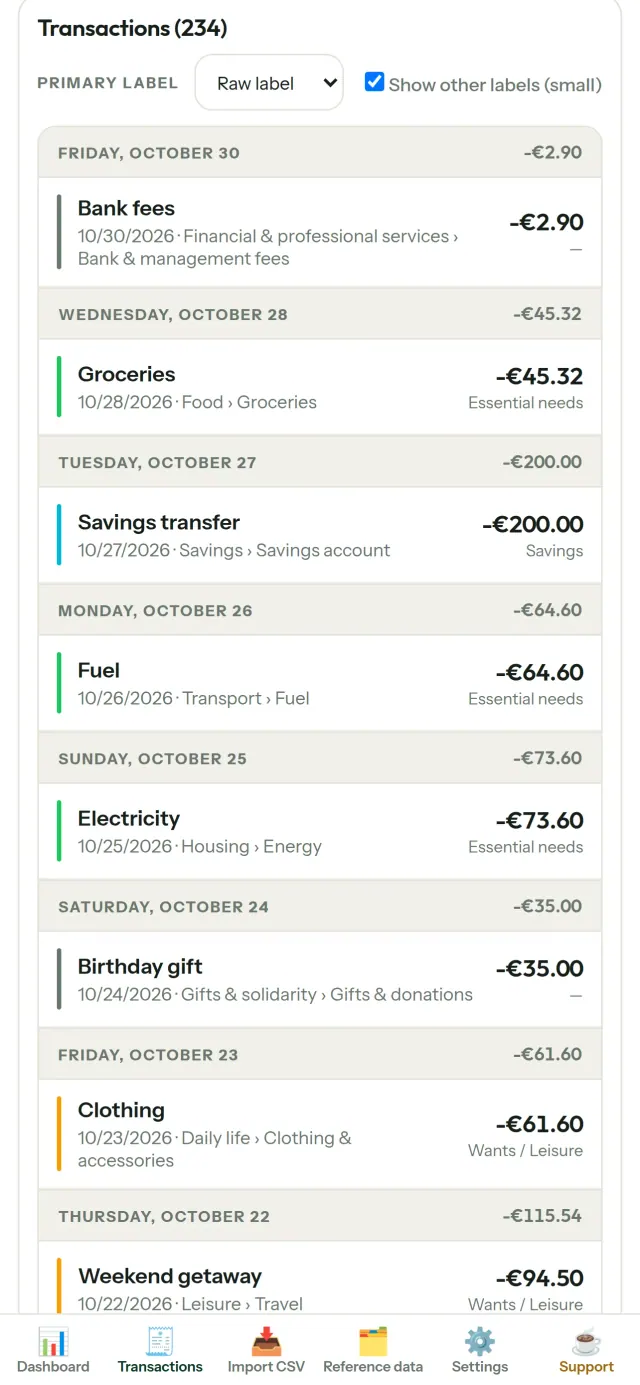
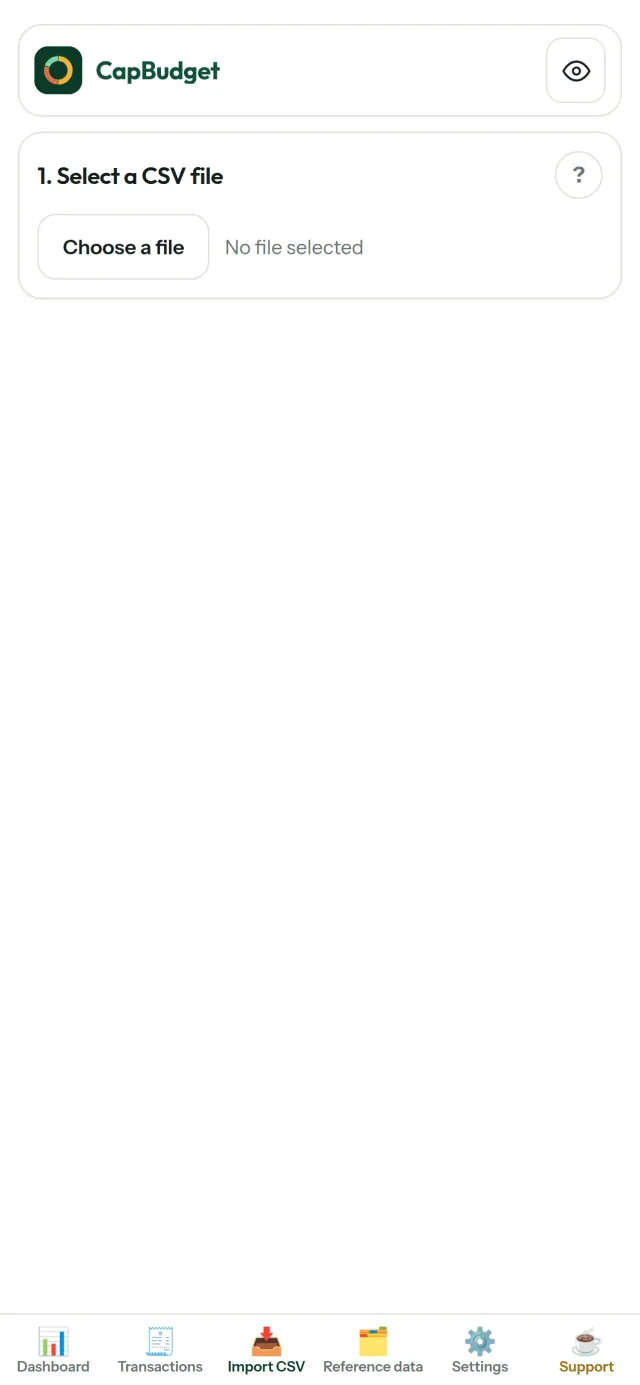
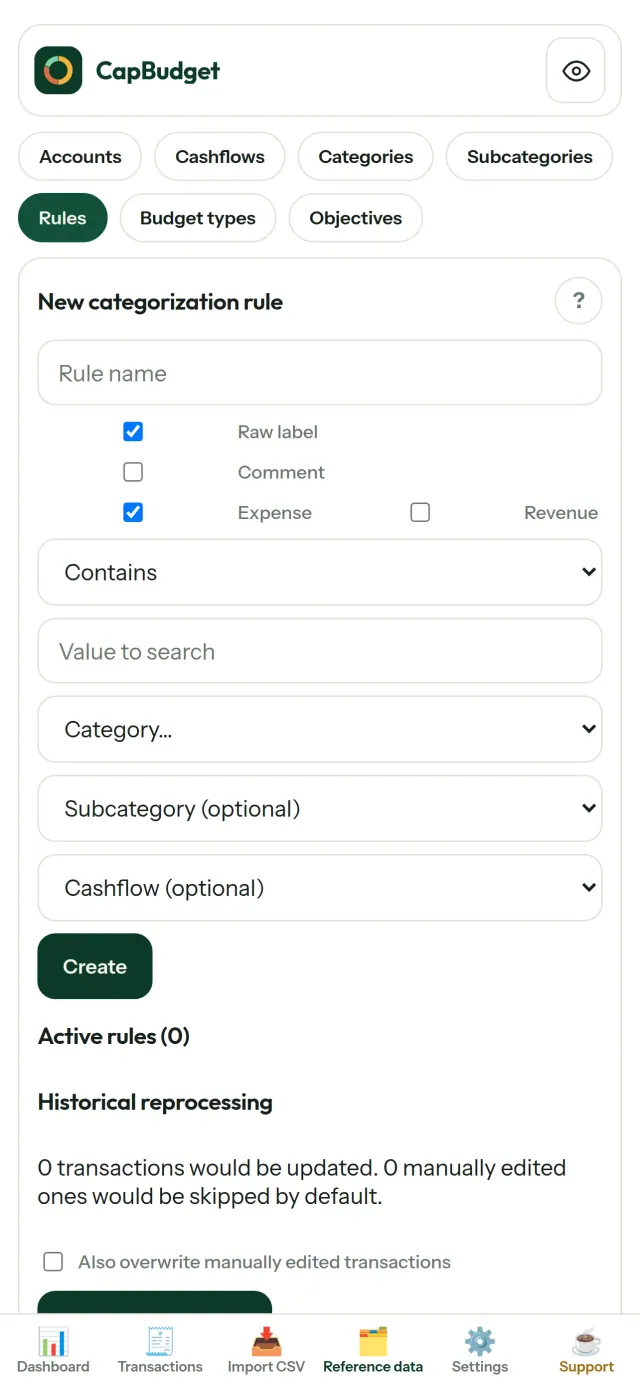
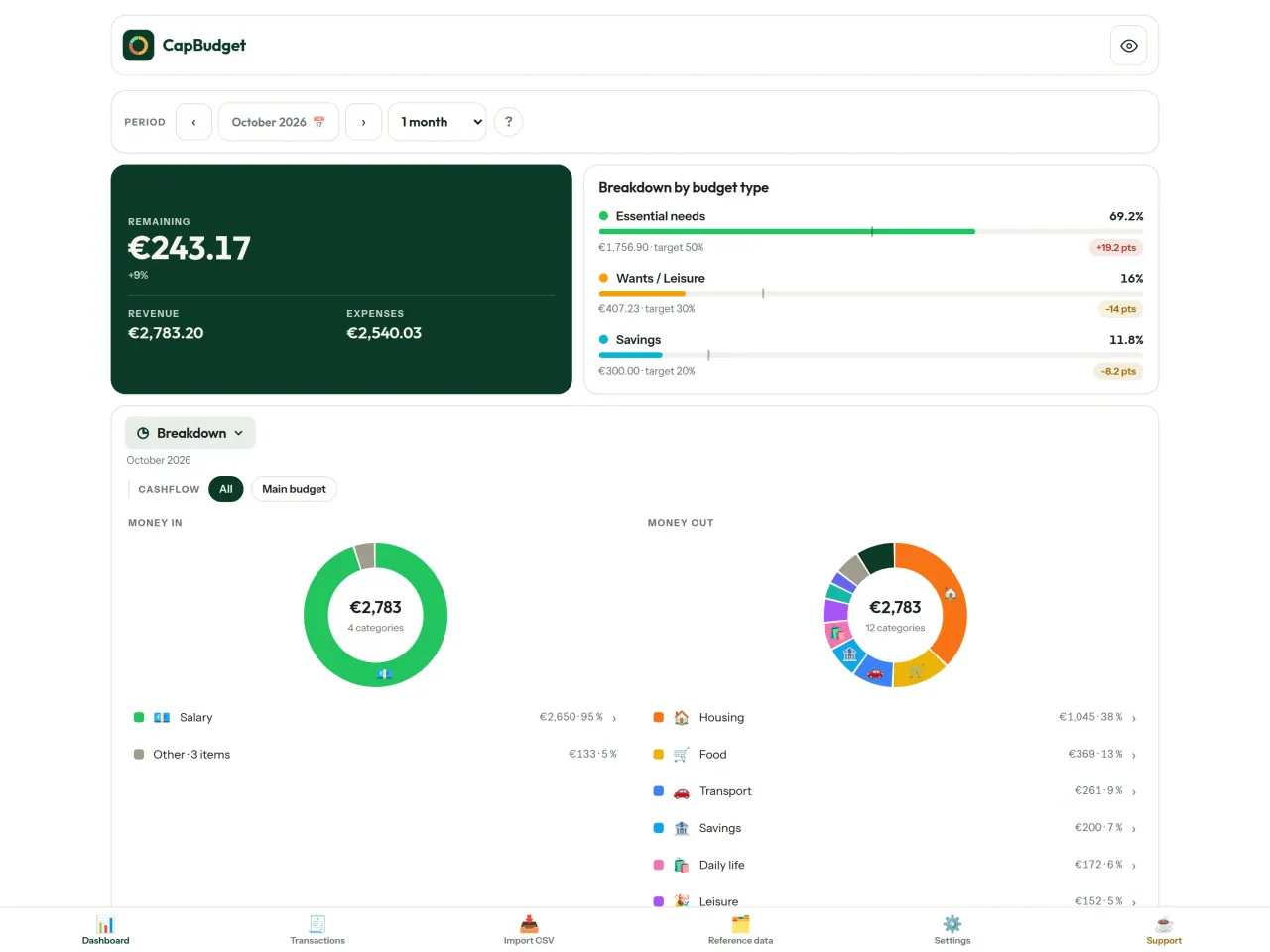
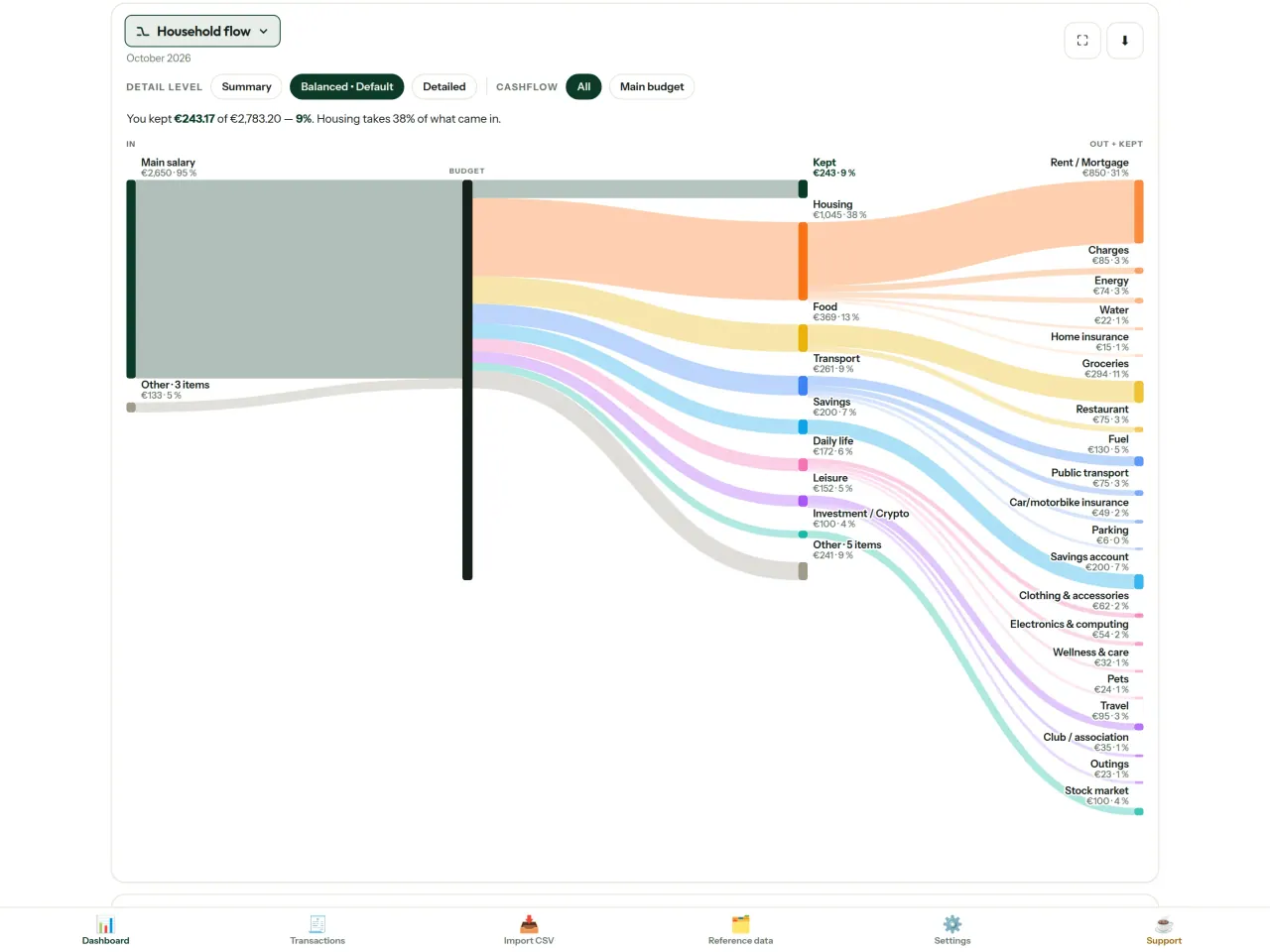
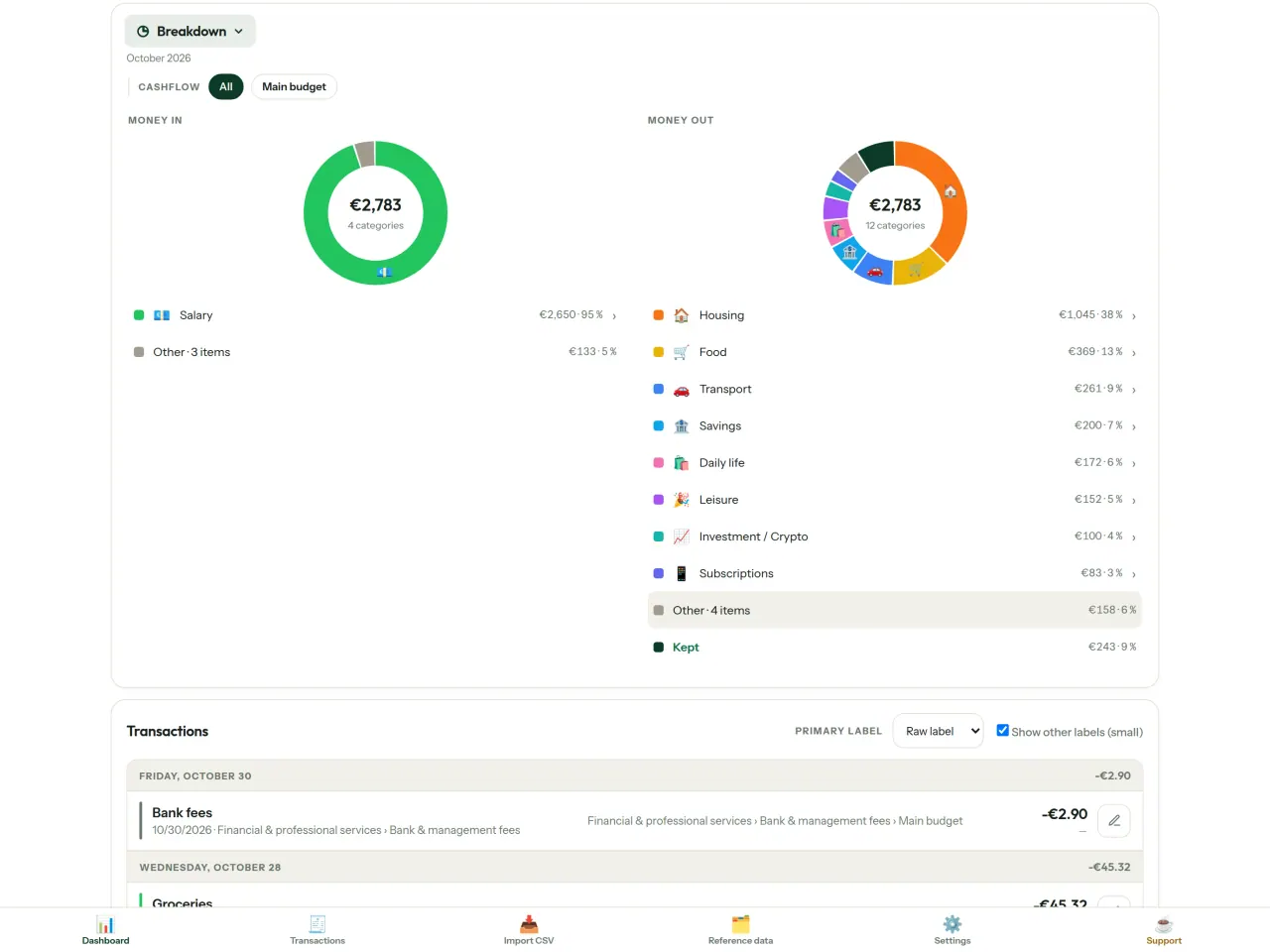
Descarcă CapBudget.
Gratuit pe iPhone. Android va fi disponibil în curând.
În curând peGoogle PlaySupport the project
Textul de mai jos este în engleză. Versiunea în engleză prevalează.
CapBudget is a budgeting app that I develop and maintain on my own, in my spare time alongside my day job. It is a local-first project: your data stays on your device.
No account, no ads, and no tracking.
If you find the app useful, the occasional coffee helps keep me motivated to keep releasing improvements. Buy me a coffee, and thank you for your support, whatever form it takes.
Privacy policy
Textul de mai jos este în engleză. Versiunea în engleză prevalează.
Last updated: 2026-10-06
CapBudget is a local-first budgeting app. The short version: nothing leaves your device, and we collect nothing.
What data the app handles
Everything you put into CapBudget (bank transactions, account references,
categories, categorization rules, budget targets, and app settings) is
stored only in a single SQLite database on your device
(household.sqlite), in the app's own private storage. There is
no account, no login, and no CapBudget server.
What we collect
Nothing. No analytics or usage tracking, no advertising or advertising identifiers, no crash or diagnostics reporting, no third-party SDKs that phone home, no network calls to any CapBudget-operated service (there is none). The app functions fully offline.
CSV imports
When you import a bank CSV export, the file is parsed on your device. It is not uploaded anywhere and is not retained by the app unless you choose “keep” during import.
Backups
You can export a backup from Settings. The backup is a file you control. CapBudget does not upload it and has no access to wherever you save it.
Permissions
The app requests no location, contacts, camera, microphone, or other sensitive permissions, only its own private storage.
Optional tips
CapBudget is free. If you wish, you can leave the developer an optional tip; a tip never unlocks anything. On iOS this uses Apple’s in-app purchase: the payment is processed entirely by Apple, and CapBudget never sees your payment details, your Apple ID or your purchase history, and receives no personal information. On Android and in a web browser a button opens an external donation page in your browser; that page is operated by a third party (Buy Me a Coffee) under its own privacy policy, and nothing from the app is sent to it.
Bank-account references
An account number/IBAN from your CSV is stored to group transactions by account, kept only on your device. In the UI only the last 4 characters are shown.
Contact form on this website
If you write to us through this site, we use your message and the email address you optionally give only to reply. Bot protection is provided by Cloudflare and email delivery by Resend.
Language choice on this website
When you choose a language, or when this site opens a page in your browser's language, it stores
one small functional cookie (pxl, a language code, one year) so that your choice is
remembered. If this site suggests a page in your browser's language and you close that suggestion,
your browser also keeps a local note (pxl-banner-off, in local storage, 30 days) so the
suggestion does not come back. Neither identifies anyone, neither is used for tracking or advertising,
and neither is shared. You can delete them in your browser at any time.
Website statistics
This website uses Cloudflare Web Analytics to count visits (pages viewed, country, browser type, loading speed). It sets no cookie, does not use local storage, does not fingerprint your device, does not follow you across sites and does not build a profile of you. Search engines (for example Google Search Console) give us aggregated search statistics, without any data about individual visitors. We use no advertising or other analytics service. None of this concerns the app itself, which collects nothing.
Children
CapBudget is a general-purpose finance tool and is not directed at children.
Changes
An updated policy will be published at this URL with a new date above.
Contact
Questions about privacy: capbudget-contact@pixeon.net
Support
Textul de mai jos este în engleză. Versiunea în engleză prevalează.
Last updated: 2026-10-06
CapBudget is a small independent app that keeps your budget on your device only: no account, no sign-up, no server. Answers to the most common questions are below.
We do our best to reply within a few days. To help us, tell us your device model, its system version and what you were doing. Please do not send real bank data or account numbers.
Where is my data stored?
Only on your device, in the app's own private storage. There is no CapBudget account and no CapBudget server, so nobody, including us, can see or recover your data. Details in the privacy policy.
How do I back up my data or move to a new phone?
- Open Settings → Backup & restore →
Download a backup. You get a
.sqlitefile: keep it wherever you like (Files, a cloud drive, your computer). - On the new device, install CapBudget, open Settings → Backup & restore, choose the file and tap Restore from a backup.
A restore replaces everything currently in the app.
I deleted the app or lost my phone: can my data be recovered?
Not unless you exported a backup: the data lives only on the device. Download a backup regularly.
How do I import my bank's transactions?
Export a CSV file from your bank's website, then open the Import CSV tab, choose the file, map its columns once, check the preview (duplicates and invalid dates are flagged) and confirm. Nothing is imported until you confirm.
Can transactions be categorized automatically?
Yes. In Reference data → Rules, create rules such as "label contains RENT → Housing / Rent". You can re-apply them to past transactions at any time; transactions you edited by hand are protected unless you explicitly choose to overwrite them.
How do I change the language, the theme or the start day of my budget month?
The language button is in the top bar. The theme and the day your budget month starts are in Settings. CapBudget is available in English, French, German, Spanish, Portuguese and Italian.
How do I remove the sample data?
Settings → Sample data → Remove sample data. Only the sample transactions are removed, never your own.
Vizualizator EXIF și curățare metadate foto: loc, dată, aparat. Pe telefon.
Tot de la PixeonVaultMarkEncrypted document vault. Watermark documents, remove metadata before sharing.