CapBudget: бюджет
Облік витрат і сімейний бюджет. Планувальник бюджету офлайн.
 Скоро наGoogle Play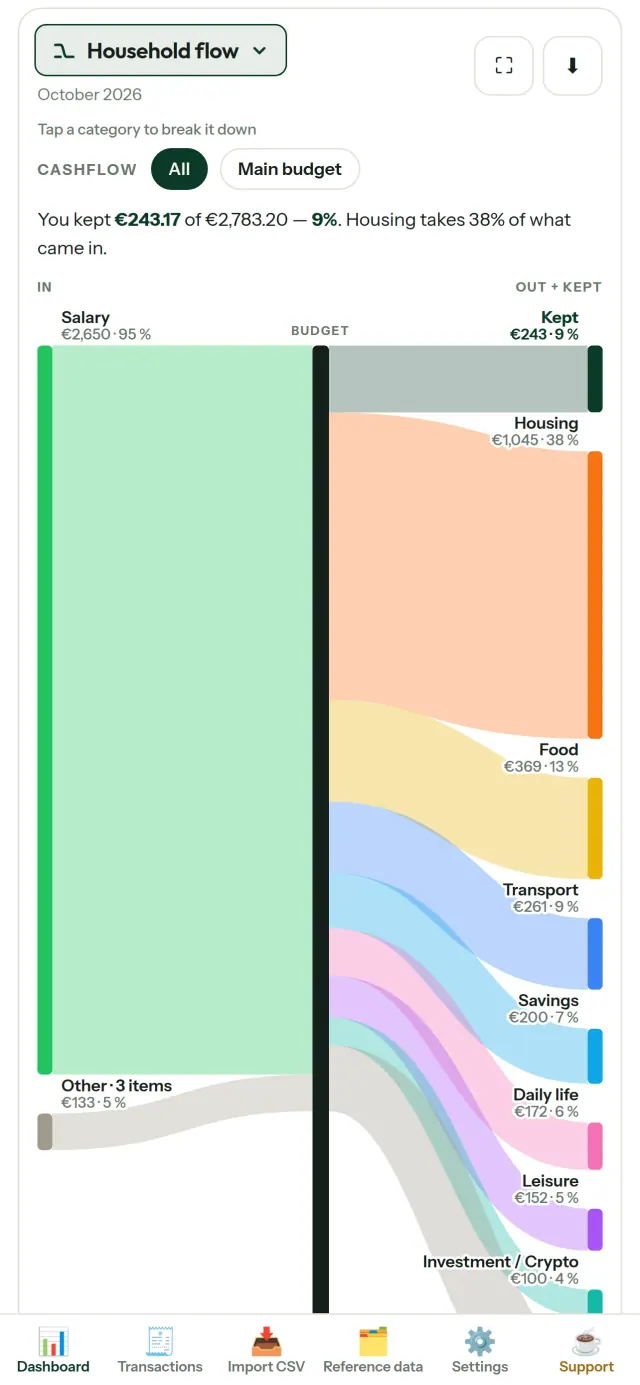
CapBudget допомагає вести бюджет, облік витрат і сімейний бюджет. Це планувальник бюджету та трекер витрат для дому. Усе зберігається на пристрої: без облікового запису, реєстрації, хмарного сховища, реклами та стеження. Застосунок працює офлайн. Безплатно.
Що робить CapBudget
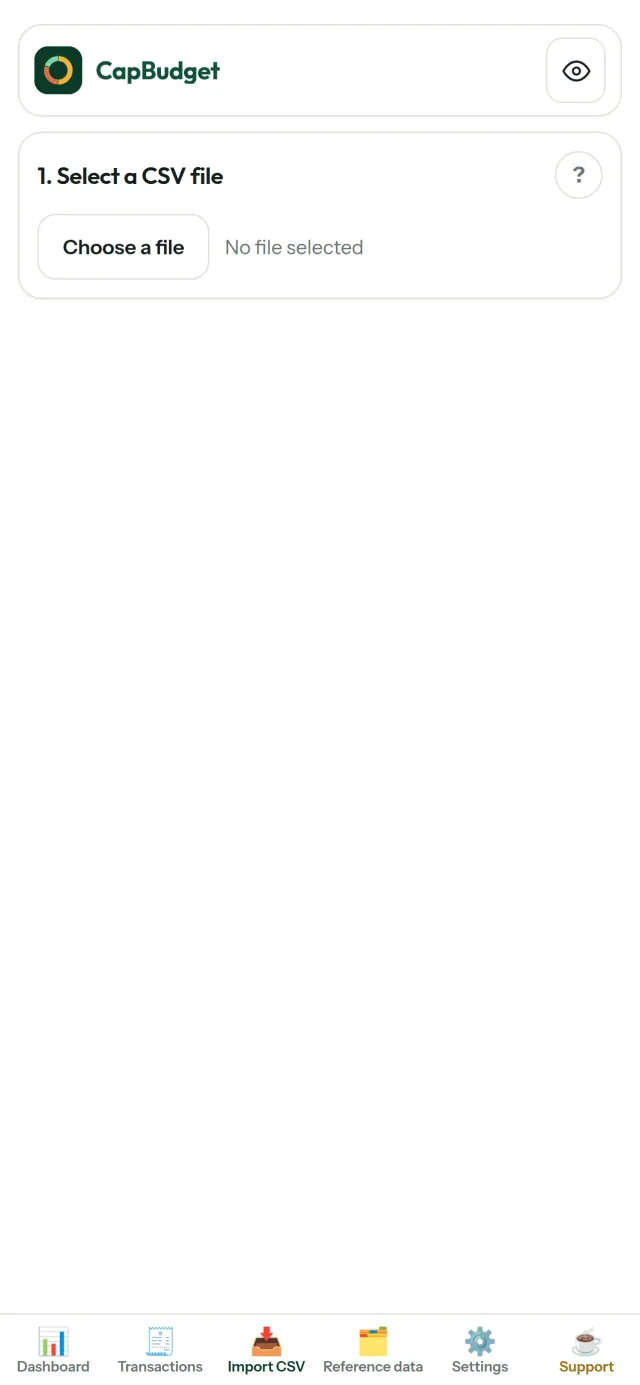
Імпорт файлів із банку
Додайте CSV-файл, завантажений із будь-якого банку. Один раз зіставте стовпці, перегляньте дані перед імпортом: застосунок перевірить дублікати й коректність дат. Після цього підтвердьте імпорт. Дані не додаються непомітно.
Правила для сортування
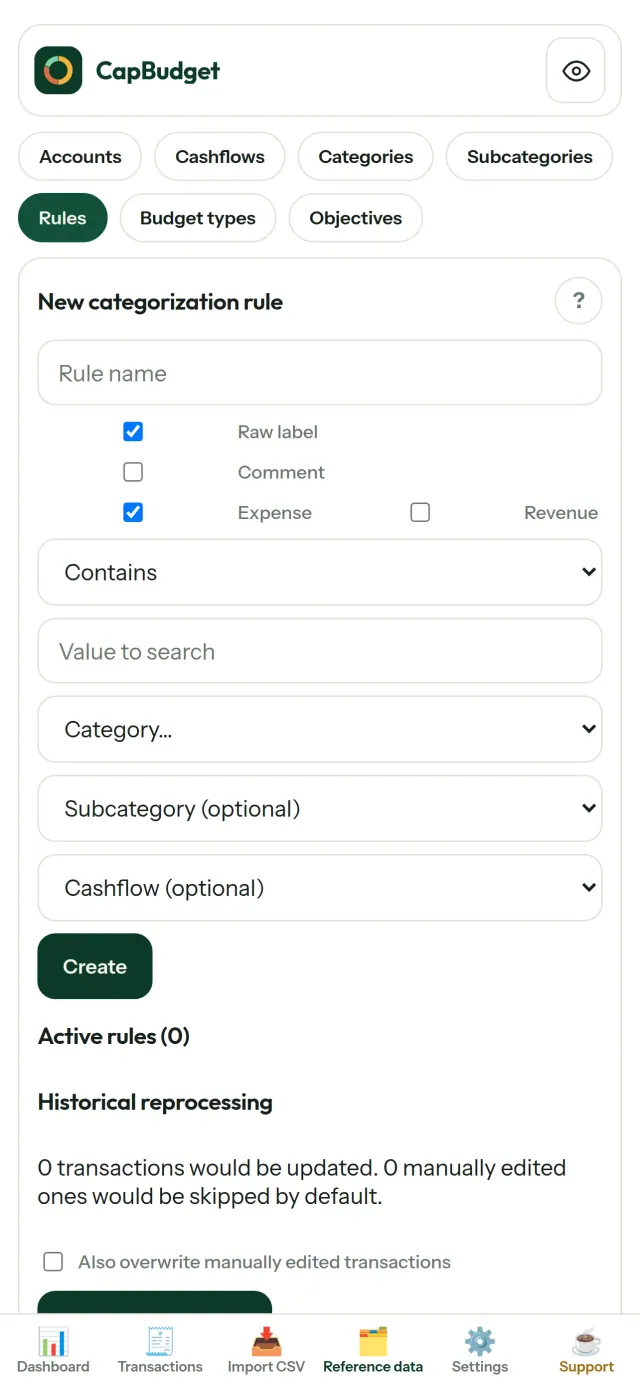
Створюйте прості правила, наприклад: «містить ОРЕНДА → Житло / Оренда», і CapBudget розподілить операції за категоріями. За потреби запускайте правила для попередніх операцій. Ваші ручні зміни залишаться без змін.
Стежте, куди йдуть гроші
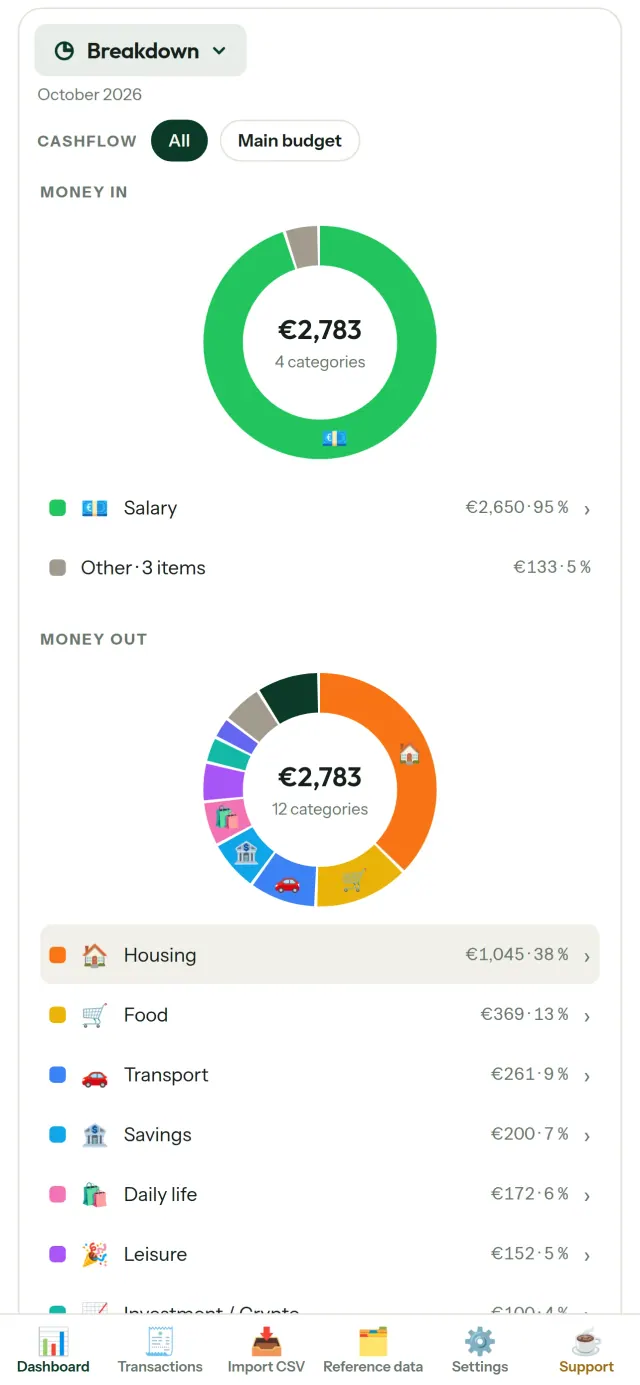
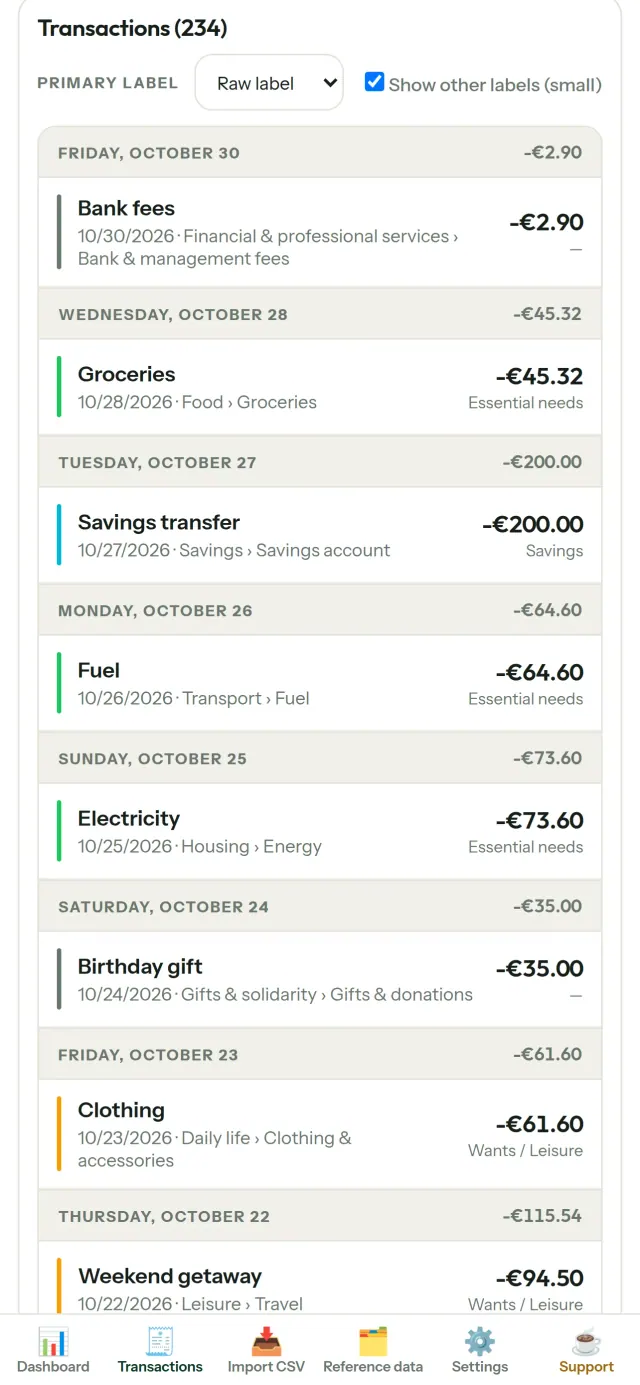
Фільтруйте дані за періодом, рухом коштів або категорією та зберігайте діаграми як зображення.
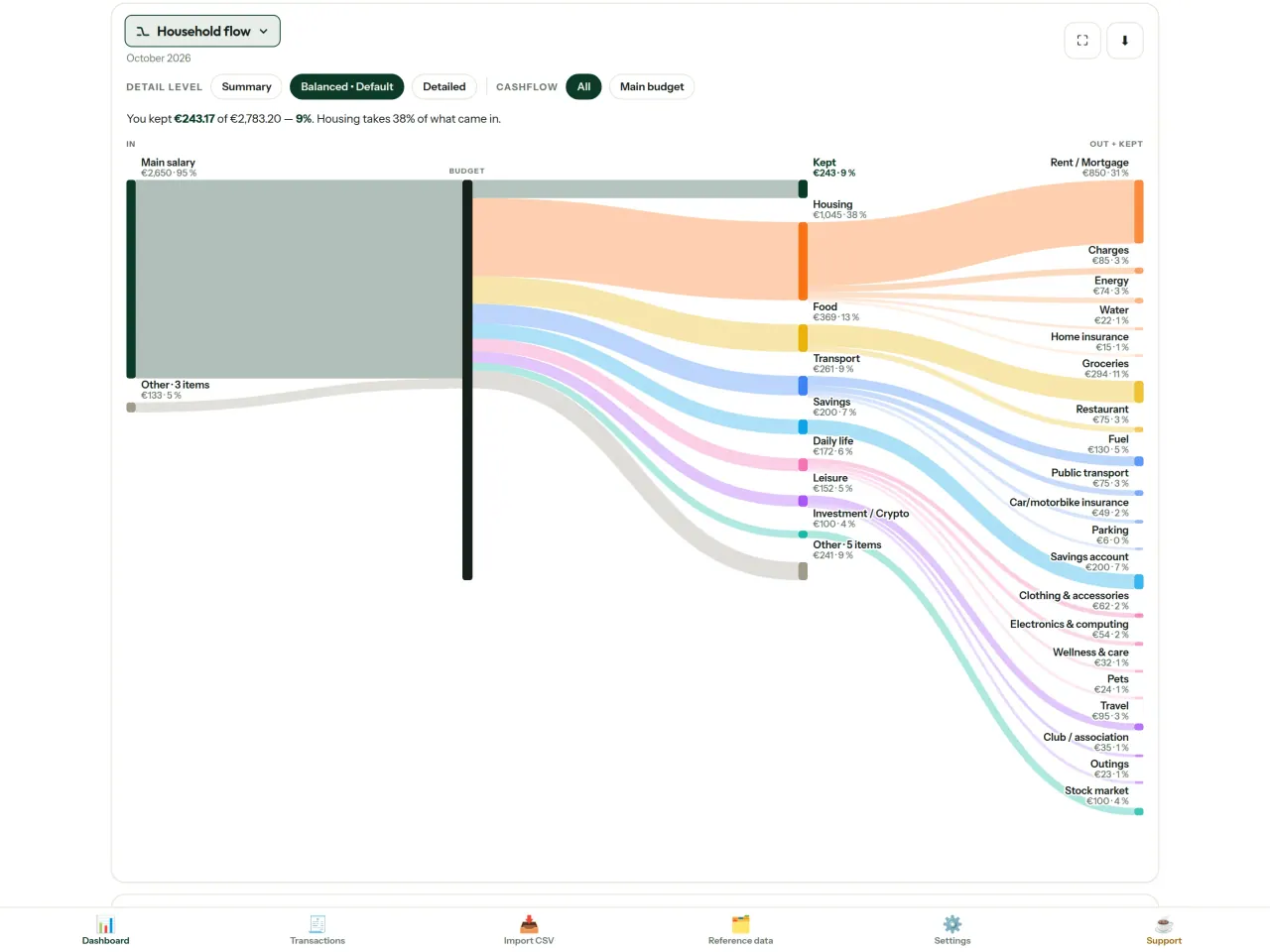
- Рух коштів: діаграма Сенкі від доходів через категорії до залишку
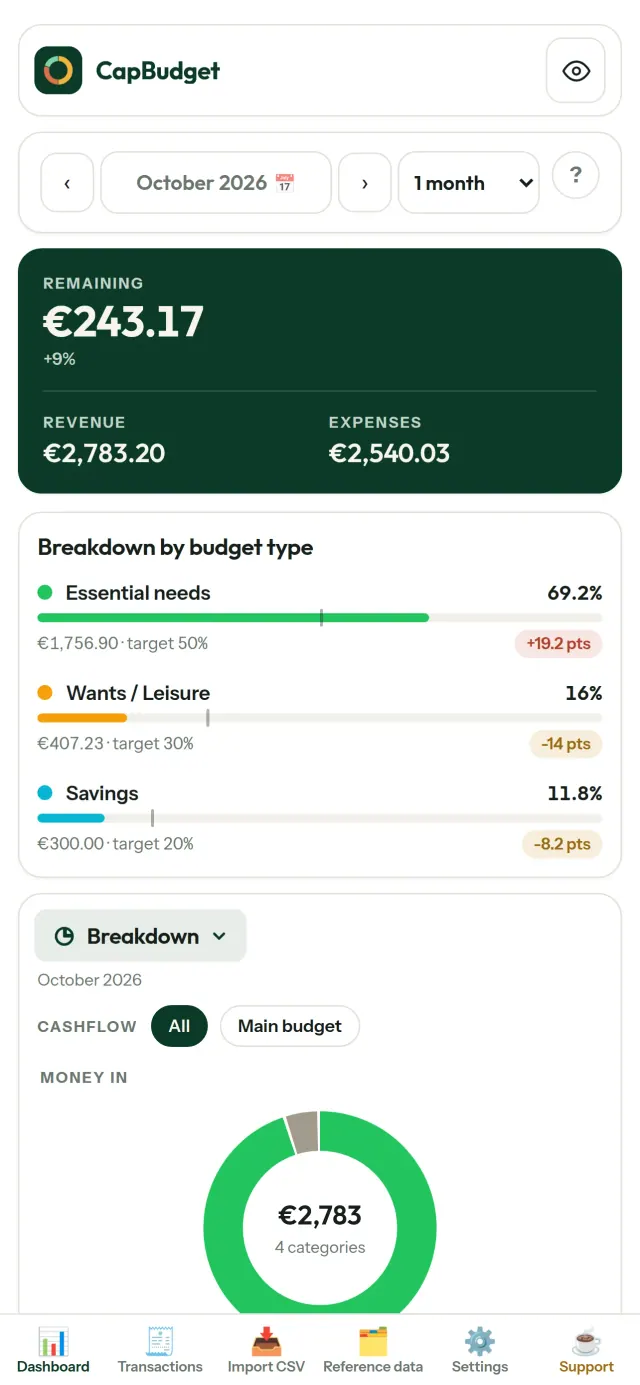
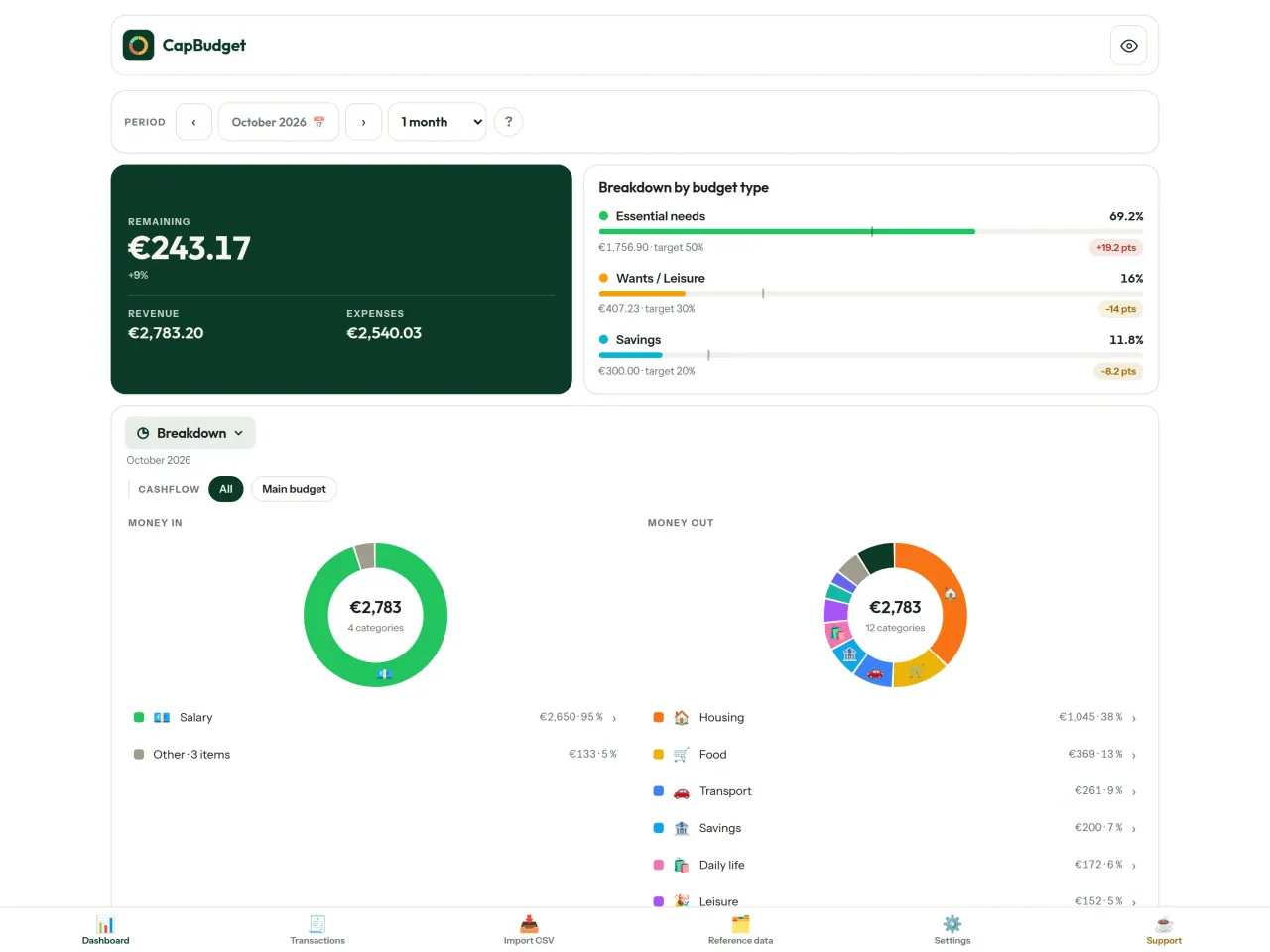
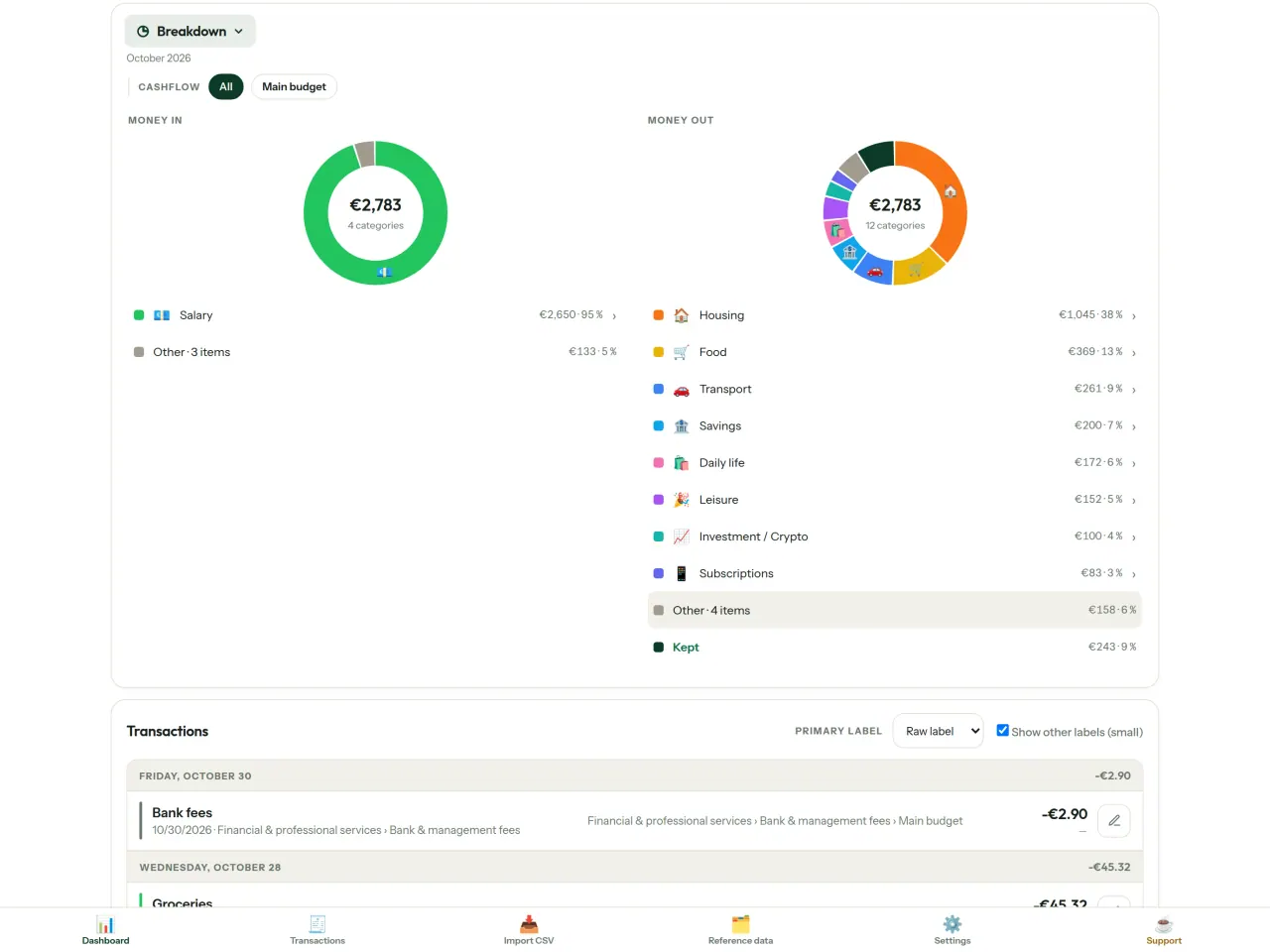
- Розподіл: доходи й витрати за категоріями, деталі доступні дотиком
- Витрати: каскадна діаграма від найбільших до найменших
- Залишок протягом місяця: день за днем
- Динаміка: порівняння витрат за місяцями
Бюджетні цілі
Порівнюйте щомісячні витрати з правилом 50/30/20: потреби, бажання та заощадження. Або задайте власні частки й порівнюйте ціль із фактичними витратами. Переглядайте бюджетний огляд, щоб оцінити результати.
Місячний бюджет на ваших умовах
Виберіть будь-який день початку бюджетного місяця, щоб узгодити його з датою надходження зарплати. Налаштовуйте категорії, підкатегорії та рух коштів.
Ваші дані залишаються вас
Усе зберігається в одному файлі на пристрої. Створіть резервну копію, коли потрібно, і зберігайте її у зручному місці. Дані нікуди не передаються.
Світла й темна теми.
Для кого це
- Родини та домогосподарства, які хочуть вести бюджет за CSV-експортом свого банку.
- Люди, які не хочуть передавати дані для входу в банк чи створювати обліковий запис, щоб стежити за витратами.
- Люди, яким набридли витоки даних і які хочуть повернути контроль над своїми фінансовими даними: тут вони ніколи не залишають телефон, тож із сервера нічого не може витекти.
- Ті, хто дотримується правила 50/30/20 або чий бюджетний місяць починається в день зарплати.
Чому варто обрати CapBudget
- Насамперед локально: без облікового запису, без хмари, без реклами, без відстеження. Ваші транзакції зберігаються в одному файлі на вашому пристрої.
- Працює повністю офлайн і безкоштовний.
- Імпортує CSV будь-якого банку, з виявленням дублікатів і суворою перевіркою дат. Правила категоризації ніколи не перезаписують ваші ручні виправлення.
Чого застосунок ще не вміє
- Автоматичної синхронізації з банком поки немає. Ви імпортуєте CSV-експорт зі свого банку.
- Синхронізації між кількома пристроями поки немає. Для перенесення даних скористайтеся резервним експортом.
Принцип Pixeon. Застосунки Pixeon насамперед локальні: без облікового запису, без відстеження, а ваші дані залишаються на вашому телефоні. Якщо застосунок колись підключається до мережі, то лише тоді, коли ви самі вмикаєте потрібну функцію, а політику конфіденційності оновлюють до її випуску.
Подивіться CapBudget в дії.
Отримайте CapBudget.
Безкоштовно на iPhone. Android скоро.
Скоро наGoogle PlaySupport the project
Текст нижче англійською мовою. Чинною є англійська версія.
CapBudget is a budgeting app that I develop and maintain on my own, in my spare time alongside my day job. It is a local-first project: your data stays on your device.
No account, no ads, and no tracking.
If you find the app useful, the occasional coffee helps keep me motivated to keep releasing improvements. Buy me a coffee, and thank you for your support, whatever form it takes.
Privacy policy
Текст нижче англійською мовою. Чинною є англійська версія.
Last updated: 2026-10-06
CapBudget is a local-first budgeting app. The short version: nothing leaves your device, and we collect nothing.
What data the app handles
Everything you put into CapBudget (bank transactions, account references,
categories, categorization rules, budget targets, and app settings) is
stored only in a single SQLite database on your device
(household.sqlite), in the app's own private storage. There is
no account, no login, and no CapBudget server.
What we collect
Nothing. No analytics or usage tracking, no advertising or advertising identifiers, no crash or diagnostics reporting, no third-party SDKs that phone home, no network calls to any CapBudget-operated service (there is none). The app functions fully offline.
CSV imports
When you import a bank CSV export, the file is parsed on your device. It is not uploaded anywhere and is not retained by the app unless you choose “keep” during import.
Backups
You can export a backup from Settings. The backup is a file you control. CapBudget does not upload it and has no access to wherever you save it.
Permissions
The app requests no location, contacts, camera, microphone, or other sensitive permissions, only its own private storage.
Optional tips
CapBudget is free. If you wish, you can leave the developer an optional tip; a tip never unlocks anything. On iOS this uses Apple’s in-app purchase: the payment is processed entirely by Apple, and CapBudget never sees your payment details, your Apple ID or your purchase history, and receives no personal information. On Android and in a web browser a button opens an external donation page in your browser; that page is operated by a third party (Buy Me a Coffee) under its own privacy policy, and nothing from the app is sent to it.
Bank-account references
An account number/IBAN from your CSV is stored to group transactions by account, kept only on your device. In the UI only the last 4 characters are shown.
Contact form on this website
If you write to us through this site, we use your message and the email address you optionally give only to reply. Bot protection is provided by Cloudflare and email delivery by Resend.
Language choice on this website
When you choose a language, or when this site opens a page in your browser's language, it stores
one small functional cookie (pxl, a language code, one year) so that your choice is
remembered. If this site suggests a page in your browser's language and you close that suggestion,
your browser also keeps a local note (pxl-banner-off, in local storage, 30 days) so the
suggestion does not come back. Neither identifies anyone, neither is used for tracking or advertising,
and neither is shared. You can delete them in your browser at any time.
Website statistics
This website uses Cloudflare Web Analytics to count visits (pages viewed, country, browser type, loading speed). It sets no cookie, does not use local storage, does not fingerprint your device, does not follow you across sites and does not build a profile of you. Search engines (for example Google Search Console) give us aggregated search statistics, without any data about individual visitors. We use no advertising or other analytics service. None of this concerns the app itself, which collects nothing.
Children
CapBudget is a general-purpose finance tool and is not directed at children.
Changes
An updated policy will be published at this URL with a new date above.
Contact
Questions about privacy: capbudget-contact@pixeon.net
Support
Текст нижче англійською мовою. Чинною є англійська версія.
Last updated: 2026-10-06
CapBudget is a small independent app that keeps your budget on your device only: no account, no sign-up, no server. Answers to the most common questions are below.
We do our best to reply within a few days. To help us, tell us your device model, its system version and what you were doing. Please do not send real bank data or account numbers.
Where is my data stored?
Only on your device, in the app's own private storage. There is no CapBudget account and no CapBudget server, so nobody, including us, can see or recover your data. Details in the privacy policy.
How do I back up my data or move to a new phone?
- Open Settings → Backup & restore →
Download a backup. You get a
.sqlitefile: keep it wherever you like (Files, a cloud drive, your computer). - On the new device, install CapBudget, open Settings → Backup & restore, choose the file and tap Restore from a backup.
A restore replaces everything currently in the app.
I deleted the app or lost my phone: can my data be recovered?
Not unless you exported a backup: the data lives only on the device. Download a backup regularly.
How do I import my bank's transactions?
Export a CSV file from your bank's website, then open the Import CSV tab, choose the file, map its columns once, check the preview (duplicates and invalid dates are flagged) and confirm. Nothing is imported until you confirm.
Can transactions be categorized automatically?
Yes. In Reference data → Rules, create rules such as "label contains RENT → Housing / Rent". You can re-apply them to past transactions at any time; transactions you edited by hand are protected unless you explicitly choose to overwrite them.
How do I change the language, the theme or the start day of my budget month?
The language button is in the top bar. The theme and the day your budget month starts are in Settings. CapBudget is available in English, French, German, Spanish, Portuguese and Italian.
How do I remove the sample data?
Settings → Sample data → Remove sample data. Only the sample transactions are removed, never your own.
EXIF viewer і метадані фото: дивись та очищуй геопозицію, дату, камеру.
Також від PixeonVaultMarkEncrypted document vault. Watermark documents, remove metadata before sharing.