CapBudget: budżet
Budżet i kontrola wydatków dla domu. Planuj miesiąc i miej finanse pod ręką.
 Wkrótce naGoogle Play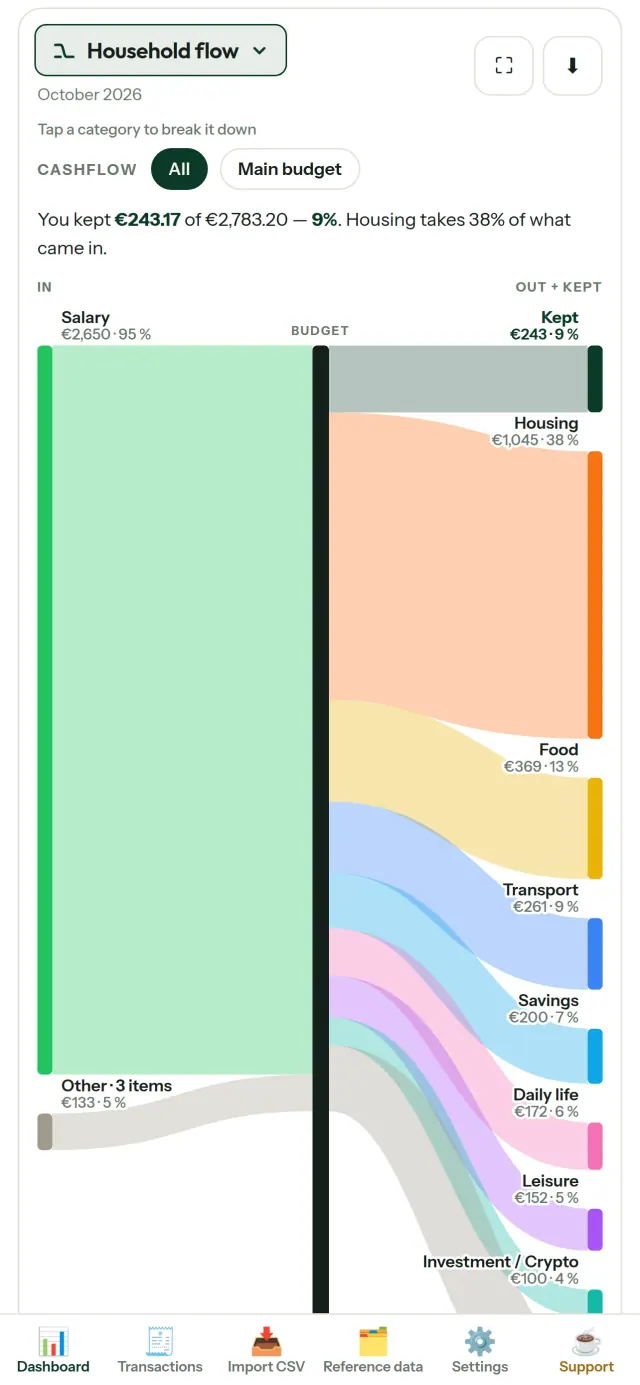
CapBudget to planer budżetu, który pomaga uporządkować domowe finanse. Z CapBudget kontrola wydatków staje się prostsza, a budżet rodzinny i domowy łatwiej zaplanować. Wszystkie dane pozostają na Twoim urządzeniu: bez konta, rejestracji, chmury, reklam i śledzenia. Aplikacja działa bez dostępu do internetu. Bezpłatnie.
Co robi CapBudget
Importuj pliki z wyciągami
Wczytaj plik CSV z wyciągiem. Raz przypisz kolumny, sprawdź podgląd importu, wykrywanie duplikatów i poprawność dat, a następnie zatwierdź. Aplikacja nie zgaduje po cichu.
Pozwól regułom porządkować transakcje
Utwórz proste reguły, na przykład „zawiera CZYNSZ → Dom / Czynsz”, a CapBudget przypisze transakcje do kategorii. Możesz ponownie zastosować reguły do wcześniejszych transakcji. Ręczne poprawki pozostaną bez zmian.
Sprawdź, na co idą pieniądze
Filtruj dane według zakresu miesięcy, przepływów lub kategorii, a wykresy zapisuj jako obrazy.
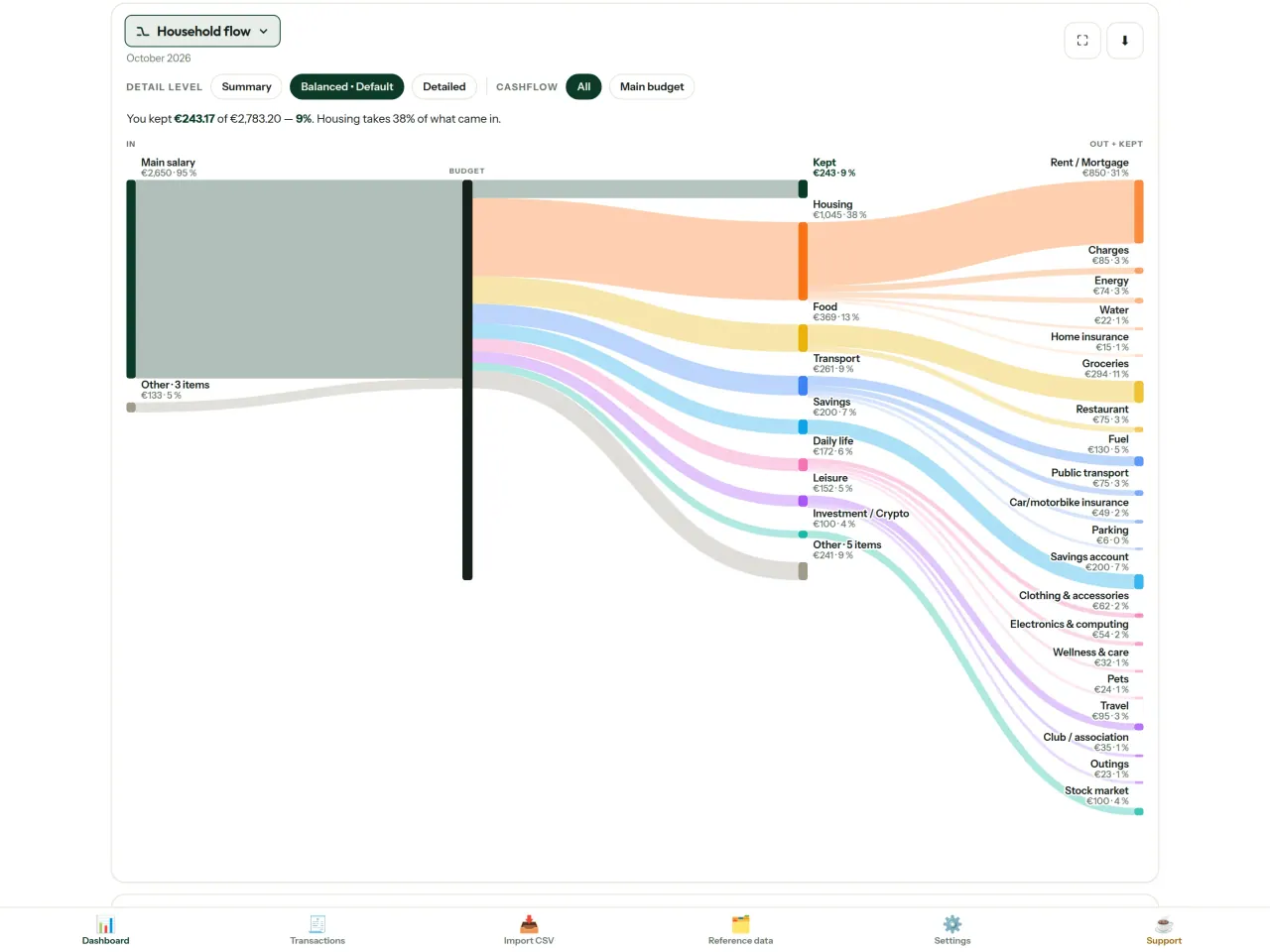
- Przepływy domowe: diagram Sankeya pokazuje drogę od przychodów przez kategorie do pozostałej kwoty
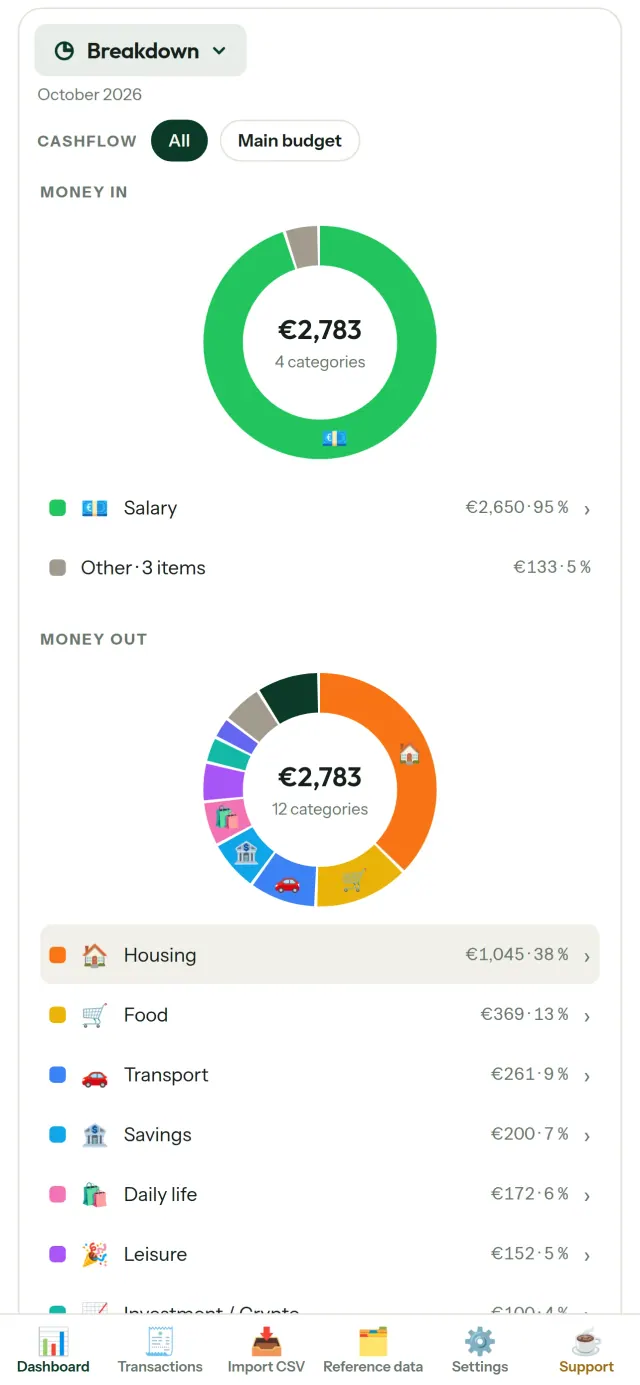
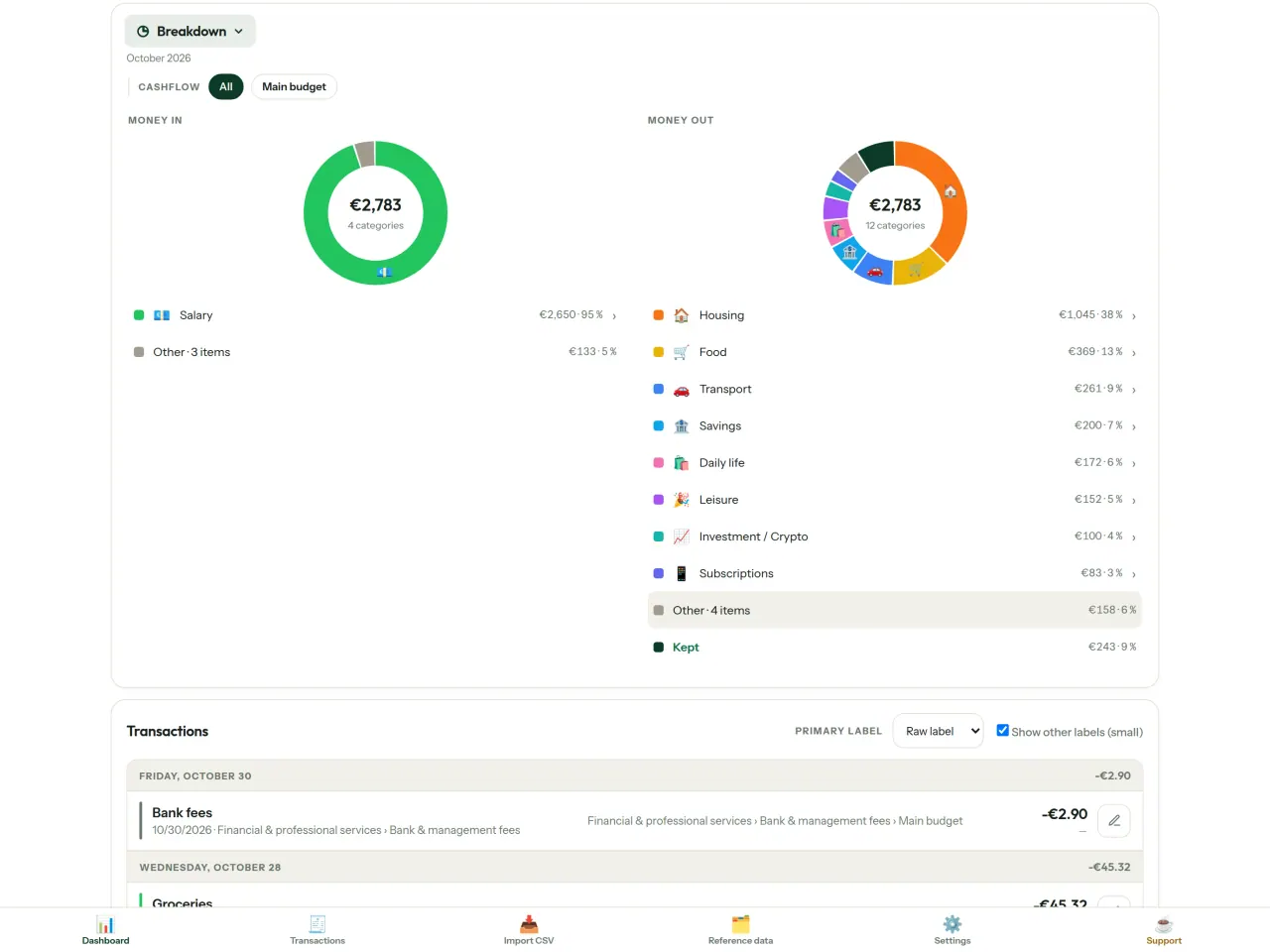
- Zestawienie: przychody i wydatki według kategorii, z możliwością przejścia do szczegółów
- Struktura wydatków: największe pozycje na pierwszym miejscu
- Przebieg miesiąca: sprawdź dzień po dniu, ile środków pozostało
- Tempo wydatków: porównaj każdy miesiąc ze stałym tempem wydawania
Cele budżetowe
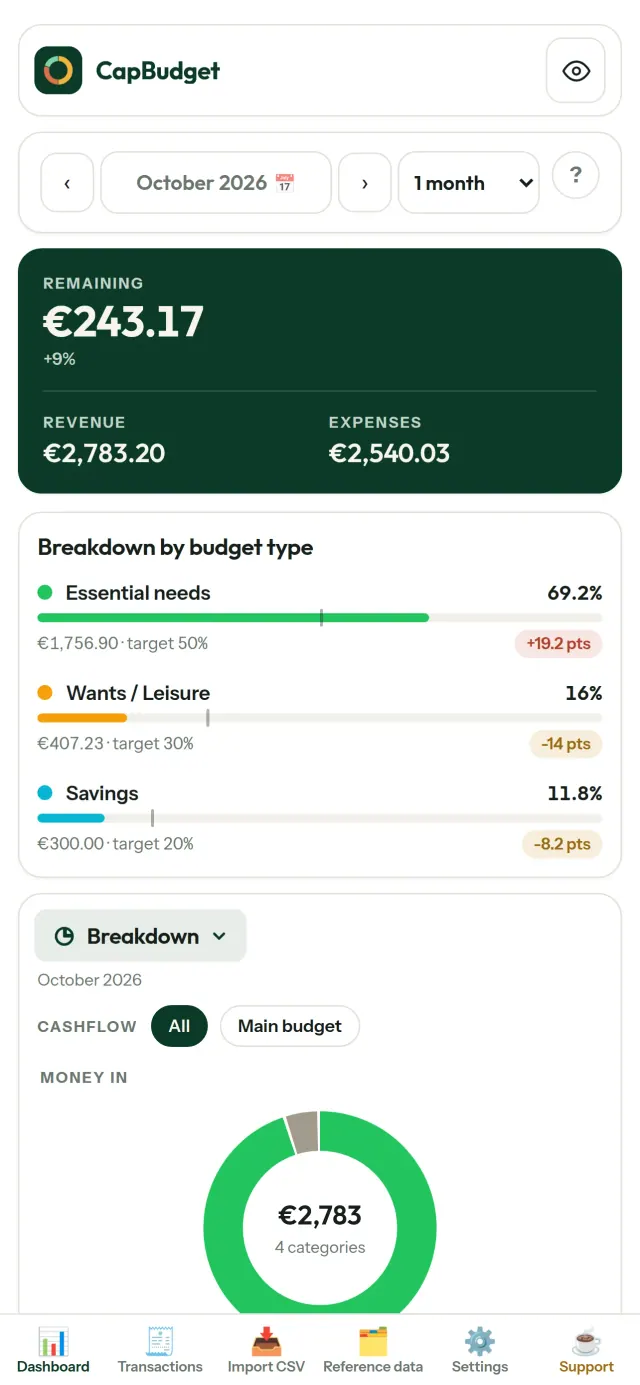
Porównaj miesięczne wydatki z zasadą 50/30/20, czyli potrzebami, zachciankami i oszczędnościami, albo ustaw własne proporcje. Zobacz różnicę między celem a rzeczywistością.
Miesiąc na twoich zasadach
Ustaw początek miesiąca budżetowego na dowolny dzień, tak aby odpowiadał terminowi wypłaty. Dostosuj kategorie, podkategorie i przepływy.
Twoje dane pozostają twoje
Wszystkie dane są przechowywane w jednym pliku na Twoim urządzeniu. W dowolnej chwili utwórz kopię zapasową i zachowaj ją w wybranym miejscu. Dane nigdy nie są przesyłane.
Jasny i ciemny motyw.
Dla kogo
- Rodziny i gospodarstwa domowe, które chcą śledzić budżet na podstawie eksportów CSV z banku.
- Osoby, które nie chcą oddawać danych logowania do banku ani zakładać konta, żeby śledzić wydatki.
- Osoby zmęczone wyciekami danych, które chcą odzyskać kontrolę nad swoimi danymi finansowymi: tutaj nigdy nie opuszczają one telefonu, więc nie ma czego wykradać z serwera.
- Osoby stosujące zasadę 50/30/20 lub takie, których miesiąc budżetowy zaczyna się w dniu wypłaty.
Dlaczego warto wybrać CapBudget
- Najpierw lokalnie: bez konta, bez chmury, bez reklam, bez śledzenia. Twoje transakcje są w jednym pliku na Twoim urządzeniu.
- Działa w pełni offline i jest darmowa.
- Importuje plik CSV z dowolnego banku, wykrywa duplikaty i rygorystycznie sprawdza daty. Reguły kategoryzacji nigdy nie nadpisują Twoich ręcznych poprawek.
Czego aplikacja jeszcze nie robi
- Automatycznej synchronizacji z bankiem jeszcze nie ma. Importujesz eksport CSV ze swojego banku.
- Synchronizacji między kilkoma urządzeniami jeszcze nie ma. Aby przenieść dane, użyj eksportu kopii zapasowej.
Zasada Pixeon. Aplikacje Pixeon działają przede wszystkim lokalnie: bez konta, bez śledzenia, a Twoje dane zostają w telefonie. Jeśli aplikacja kiedyś połączy się z siecią, stanie się to tylko wtedy, gdy sam włączysz potrzebną funkcję, a politykę prywatności aktualizujemy, zanim ta funkcja trafi do użytkowników.
Zobacz CapBudget w akcji.
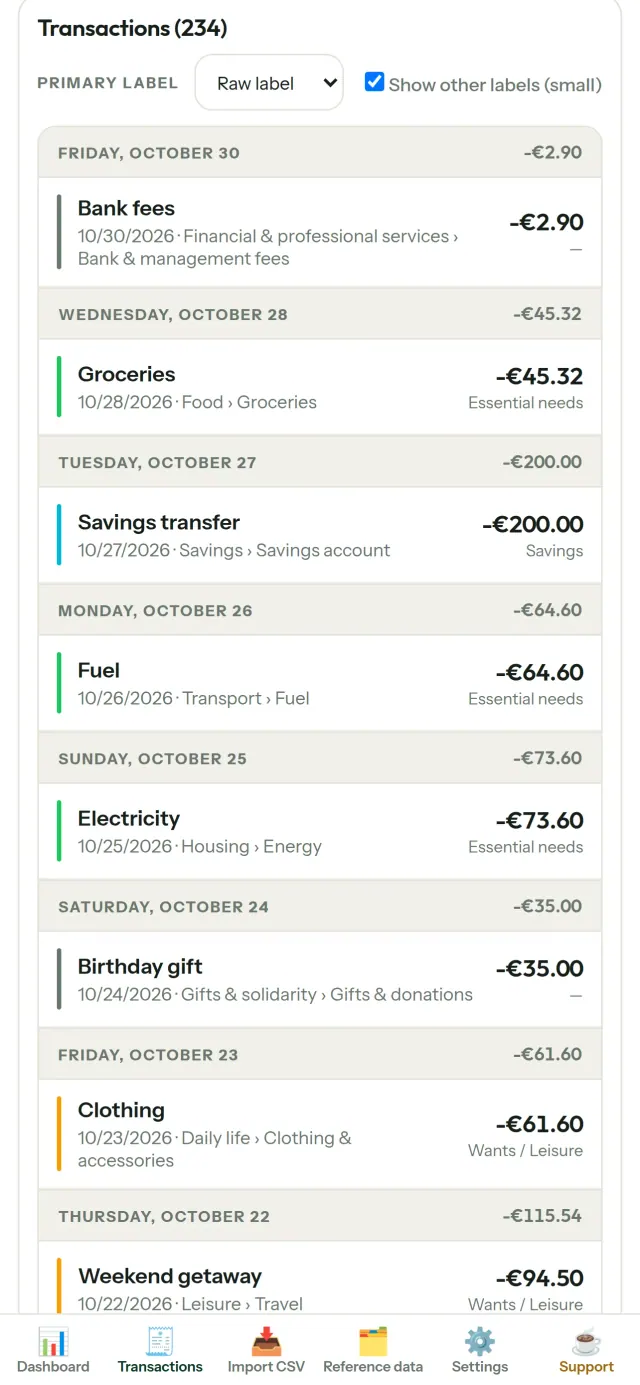
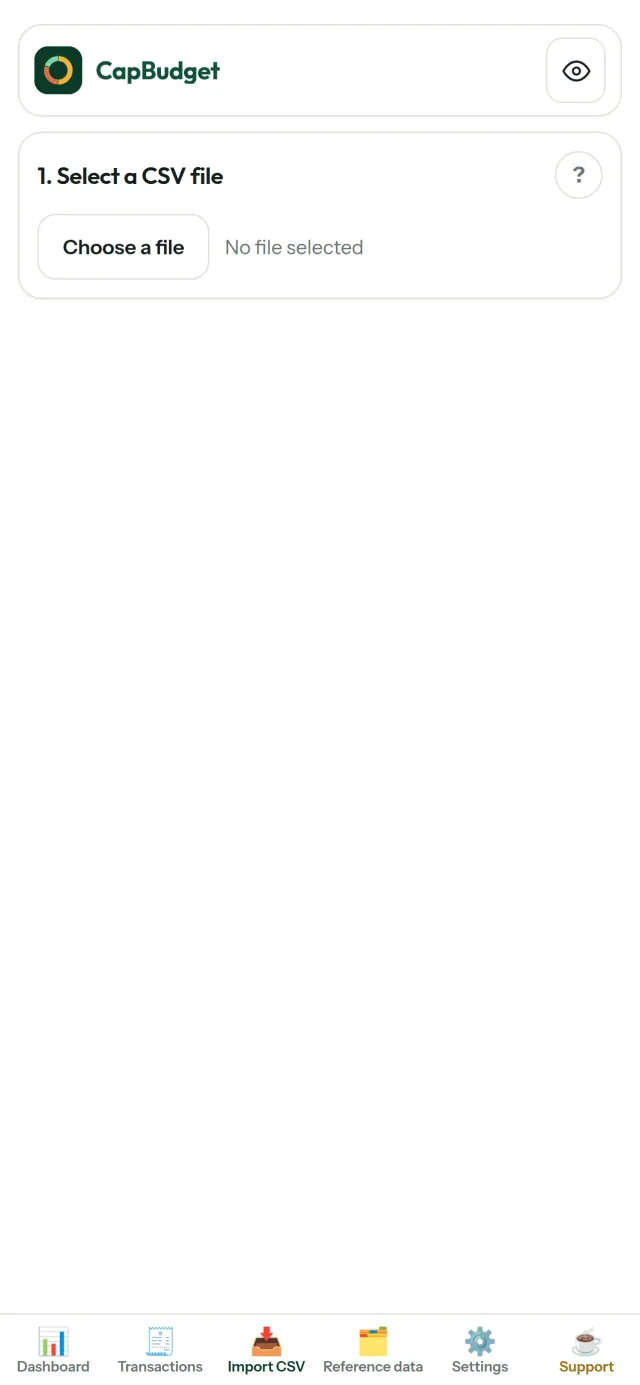
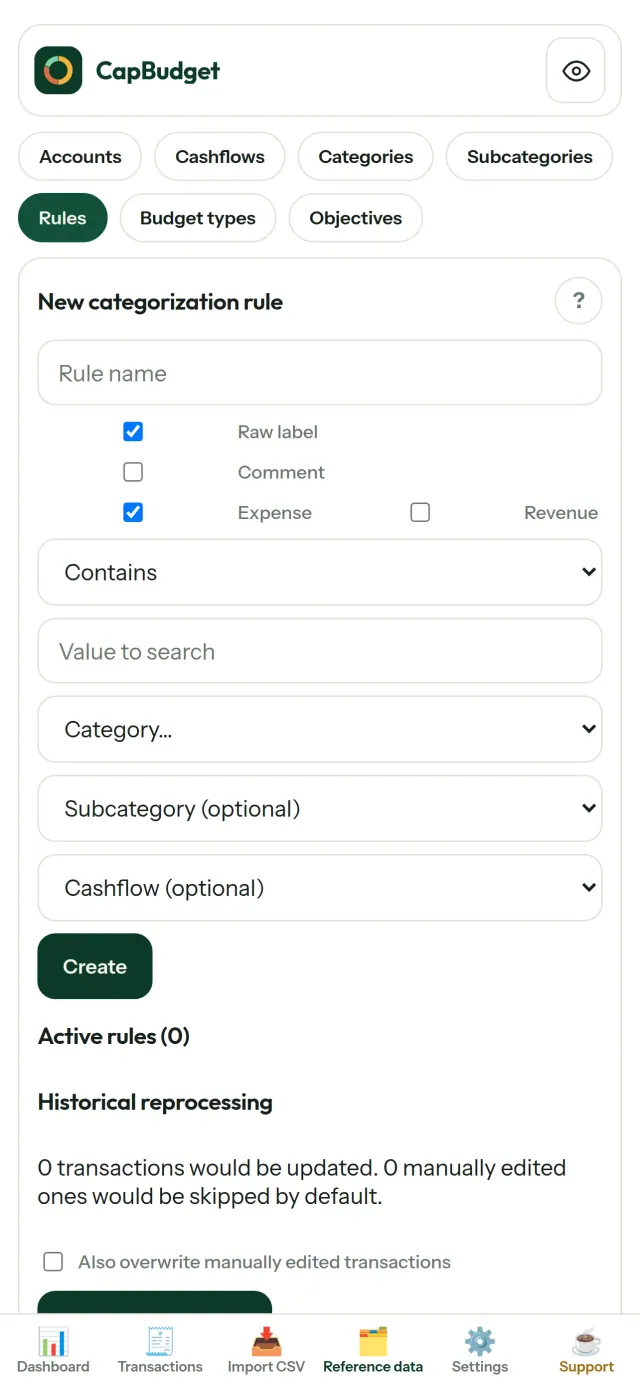
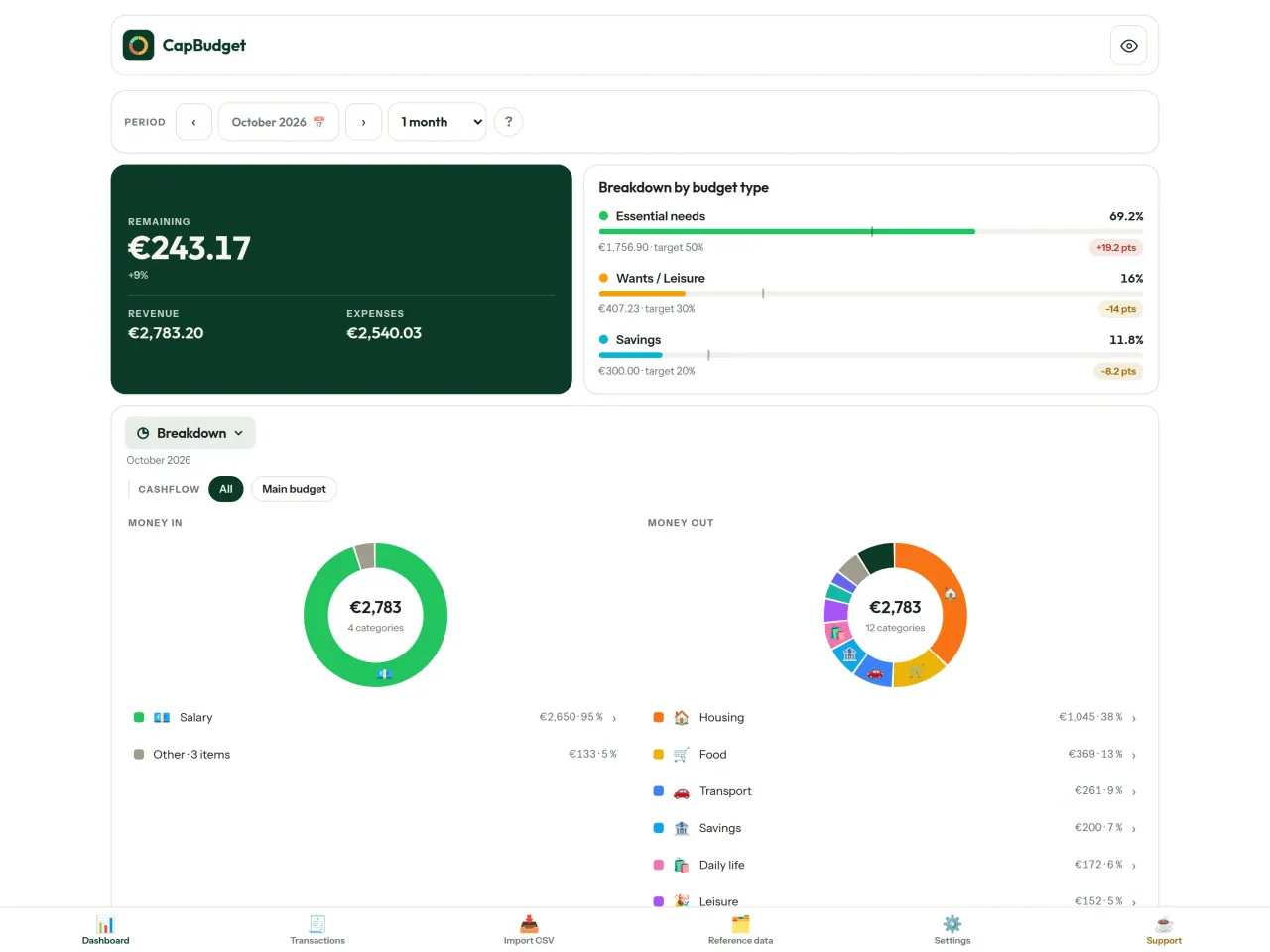
Pobierz CapBudget.
Bezpłatnie na iPhone. Android dostępny wkrótce.
Wkrótce naGoogle PlaySupport the project
Tekst poniżej jest po angielsku. Wersja angielska jest nadrzędna.
CapBudget is a budgeting app that I develop and maintain on my own, in my spare time alongside my day job. It is a local-first project: your data stays on your device.
No account, no ads, and no tracking.
If you find the app useful, the occasional coffee helps keep me motivated to keep releasing improvements. Buy me a coffee, and thank you for your support, whatever form it takes.
Privacy policy
Tekst poniżej jest po angielsku. Wersja angielska jest nadrzędna.
Last updated: 2026-10-06
CapBudget is a local-first budgeting app. The short version: nothing leaves your device, and we collect nothing.
What data the app handles
Everything you put into CapBudget (bank transactions, account references,
categories, categorization rules, budget targets, and app settings) is
stored only in a single SQLite database on your device
(household.sqlite), in the app's own private storage. There is
no account, no login, and no CapBudget server.
What we collect
Nothing. No analytics or usage tracking, no advertising or advertising identifiers, no crash or diagnostics reporting, no third-party SDKs that phone home, no network calls to any CapBudget-operated service (there is none). The app functions fully offline.
CSV imports
When you import a bank CSV export, the file is parsed on your device. It is not uploaded anywhere and is not retained by the app unless you choose “keep” during import.
Backups
You can export a backup from Settings. The backup is a file you control. CapBudget does not upload it and has no access to wherever you save it.
Permissions
The app requests no location, contacts, camera, microphone, or other sensitive permissions, only its own private storage.
Optional tips
CapBudget is free. If you wish, you can leave the developer an optional tip; a tip never unlocks anything. On iOS this uses Apple’s in-app purchase: the payment is processed entirely by Apple, and CapBudget never sees your payment details, your Apple ID or your purchase history, and receives no personal information. On Android and in a web browser a button opens an external donation page in your browser; that page is operated by a third party (Buy Me a Coffee) under its own privacy policy, and nothing from the app is sent to it.
Bank-account references
An account number/IBAN from your CSV is stored to group transactions by account, kept only on your device. In the UI only the last 4 characters are shown.
Contact form on this website
If you write to us through this site, we use your message and the email address you optionally give only to reply. Bot protection is provided by Cloudflare and email delivery by Resend.
Language choice on this website
When you choose a language, or when this site opens a page in your browser's language, it stores
one small functional cookie (pxl, a language code, one year) so that your choice is
remembered. If this site suggests a page in your browser's language and you close that suggestion,
your browser also keeps a local note (pxl-banner-off, in local storage, 30 days) so the
suggestion does not come back. Neither identifies anyone, neither is used for tracking or advertising,
and neither is shared. You can delete them in your browser at any time.
Website statistics
This website uses Cloudflare Web Analytics to count visits (pages viewed, country, browser type, loading speed). It sets no cookie, does not use local storage, does not fingerprint your device, does not follow you across sites and does not build a profile of you. Search engines (for example Google Search Console) give us aggregated search statistics, without any data about individual visitors. We use no advertising or other analytics service. None of this concerns the app itself, which collects nothing.
Children
CapBudget is a general-purpose finance tool and is not directed at children.
Changes
An updated policy will be published at this URL with a new date above.
Contact
Questions about privacy: capbudget-contact@pixeon.net
Support
Tekst poniżej jest po angielsku. Wersja angielska jest nadrzędna.
Last updated: 2026-10-06
CapBudget is a small independent app that keeps your budget on your device only: no account, no sign-up, no server. Answers to the most common questions are below.
We do our best to reply within a few days. To help us, tell us your device model, its system version and what you were doing. Please do not send real bank data or account numbers.
Where is my data stored?
Only on your device, in the app's own private storage. There is no CapBudget account and no CapBudget server, so nobody, including us, can see or recover your data. Details in the privacy policy.
How do I back up my data or move to a new phone?
- Open Settings → Backup & restore →
Download a backup. You get a
.sqlitefile: keep it wherever you like (Files, a cloud drive, your computer). - On the new device, install CapBudget, open Settings → Backup & restore, choose the file and tap Restore from a backup.
A restore replaces everything currently in the app.
I deleted the app or lost my phone: can my data be recovered?
Not unless you exported a backup: the data lives only on the device. Download a backup regularly.
How do I import my bank's transactions?
Export a CSV file from your bank's website, then open the Import CSV tab, choose the file, map its columns once, check the preview (duplicates and invalid dates are flagged) and confirm. Nothing is imported until you confirm.
Can transactions be categorized automatically?
Yes. In Reference data → Rules, create rules such as "label contains RENT → Housing / Rent". You can re-apply them to past transactions at any time; transactions you edited by hand are protected unless you explicitly choose to overwrite them.
How do I change the language, the theme or the start day of my budget month?
The language button is in the top bar. The theme and the day your budget month starts are in Settings. CapBudget is available in English, French, German, Spanish, Portuguese and Italian.
How do I remove the sample data?
Settings → Sample data → Remove sample data. Only the sample transactions are removed, never your own.
EXIF viewer i metadane zdjęć: sprawdź i wyczyść lokalizację, datę, aparat.
Również od PixeonVaultMarkEncrypted document vault. Watermark documents, remove metadata before sharing.